




 here!
here!
I’m your shopping assistant for PC builds, upgrades, and everything tech.
Got questions? Ask away!
Start a conversation
here!
I’m your shopping assistant for PC builds, upgrades, and everything tech.
Got questions? Ask away!
Start a conversation

Joined on 05/04/04
Awesome Case at a fair price

Pros: Fantastic case! First time using an Antec for a customer. Really like the fact that both sides of the case open up for easy cable routing. Plenty of room to work, tons of fan space and included fans. I also really like the adjustable settings for fan speed on top of the case. Plenty of room for expansion. Dust filters are also a nice touch!
Cons: One of the thumb screw holes was tapped a bit crooked, so it made getting one thumb screw off and on a bit troublesome, but it really doesn't cause me to give the case a negative rating.
Overall Review: For a budget computer case this one is the winner. Don't spend any less on a case, you will suffer on quality and ease of install. Spend a couple more bucks and get this case, you won't regret it!
Not quite worth it
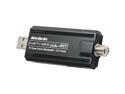
Pros: Worked for a while, inexpensive, easy to install.
Cons: This is my 2nd review for this product. Sadly I've had to RMA it in favor of something better. This tuner had issues with Win 7 32bit, so I upgraded to Win 7 64bit and the problems went away. Then I made the mistake of updating to the drivers on AVerMedia's website. BIG MISTAKE. The stock Windows drivers worked much better. The AVer Media drivers caused the "Low/No Signal" error in WMC7. So after a reformat and reinstall of Win7, couldn't roll back the drivers, I left the device using the Windows drivers which worked for about 6 days. Then the tuner started causing super high CPU usage on SD channels, causing skipping and picture pixelation, only on SD though. Not sure what went wrong but it just stopped performing and I changed no settings. Word to the wise, and AVer Media, avoid thier drivers at all cost for Win7, they DO NOT PERFORM. Had to RMA this thing, most likely going to squeeze a hardware based ASUS tuner in my setup.
Overall Review: Tech support will comment on the Newegg reviews with the standard reply of "Update the drivers that are on our site". Don't do it. They haven't updated the drivers in years, and they perform like trash under Windows 7 64bit. My setup AMD Zacate E-350 M1 (ASRock Board, latest Catalyst and BIOS) 4GB DDR 3, GSkill 100GB 3.5inch 7200RPM SATAII 250W PSU
Decent board, unfortunate issues
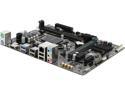
Pros: -Inexpensive, LGA 1151 on the cheap -Decent amount of IO -Color is black, looks cool -For H110, pretty full featured BIOS
Cons: -Quality control from Gigabyte -Better documentation from Gigabyte -Customer Service from Gigabyte's online support system -Wait...all these Gigabyte issues, what happened to you guys Gigabyte?
Overall Review: Well, I have purchased cheap boards in the past, this one came across as a very good deal during Cyber Monday Week for just $40. I'm putting together a super simple ultra budget gaming computer for a co-workers kid and knew overclocking was out of the question with the budget he provided, so H110 was a good choice and left room for upgrades in the future, to an extent. Everything arrived on time, as usual with Newegg, always top tier service with Newegg. Sadly the good time ended the minute after assembly. Machine POST'ed fine. Went and started the install process of Windows 10, installed perfectly from USB. When the computer rebooted after the initial install, BSOD...ACPI BIOS ERROR. Hmm..ok, lets check for the latest BIOS, board shipped with F21, F22 available, installed F22. No change, still BSOD with same error. This is where the documentation gets sketchy, Gigiabyte's manual/website seems to not have updates to the manual after the BIOS change to indicate what features should be turned on or off for any potential ACPI related issues. Finally able to get the board to boot after removing one stick of ram, swapped slots for the ram, as long as one module is installed, the board boots to Windows and everything is working fine. Time for drastic measures, lets install Windows 7 to see if it's some weird issue with the ram or maybe bad ram. Installed Windows 7, added both modules back, boots to windows 7 with no issues with both ram slots populated (8GB DDR4 2133 total). Tested again with Linux Mint, 8GB installed, boots and runs perfectly. Contacted Microsoft to see if I could find some step during the Windows 10 install I was missing, they said I had done the install according to direction and the computer should be working fine. Unable to provide a reason why Windows 7 would boot, but Windows 10 refuses to boot. Put in a support ticket with Gigabyte, no response as of today. So it's maybe some weird issue with the motherboard, cool I just RMA it. Set up the RMA w/ Newegg Monday night. Worked all day Tuesday, fast forward to today. Lets try one more time in the BIOS just in case to see if I can find out whats going on. Power on the machine, and it starts POST failing, powers on for about 3-4 seconds, then shuts off for about 1 second and just keeps repeating this with no end in site. Tried to reset the CMOS, no luck, just kept POST looping. Contacted Newegg by phone, amended the RMA to show that the board is now POST looping, basically DOA. What a shame from Gigabyte...I had a great experience with Gigabyte in the past back when I started building my own systems with the GA7ZXR...rock solid, super reliable...what happened? Even my Aorus GTX 1070 in my personal rig is top knotch quality..I understand that this is more of a budget product, but this is the first motherboard in over a decade and a half that i've had to return for DOA...sure didn't expect it to be a Gigabyte product. Better luck next time Gigabyte, Newegg'ers, buy with caution.
Reliable HD's at a fair price
Pros: This is probably my 10th Western Digital hard drive from Newegg. Never had a problem with a single one yet. Reliable performance from a solid company. Works well in the raid 1 array I have setup for my customer.
Cons: None really, I guess it would be nice if they were cheaper but you can't give stuff away!
Overall Review: If you are looking for a reliable 7200RPM drive with plenty of room, this is your go to. This would be a good choice for a supplement to a SSD, even better if you buy two and put them in RAID 0 and complement them with a SSD.
Nice LCD
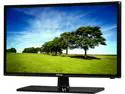
Pros: Nice brightness, good quality at 1366x768, no ghosting noted, color is really good!
Cons: None in my book, but the customer I bought this for didn't care for the low native resolution of 1366x768. The screen can do 1920x1080, and even with tweaking the monitor settings and settings in the AMD Control Center there was still a noticeable fuzz to text. Otherwise it's a great product, just know that if you want to run it as a computer monitor 1366x768 is about the top out resolution for clear viewing.
Overall Review: Great price on a screen, I'm sure this is an excellent TV. Sure wish the native resolution was 1920x1080 though.
Not bad for the price
Pros: Super easy install, Win 7 Ultimate recgonized and installed with no problems. Using with MC7, HDTV/Clear QAM channels look great.
Cons: I think there may be some troubles with Win 7 (32-bit), the tuner and my ASRock E350 AMD board. For some reason in MC, analog (SD) channels look awful. Tons of skipping, audio cutting in and out, bad pixelation. Only happens on the SD channels though, HD is rock solid. Latest drivers from AverMedia provide no help. Updated all my drivers from AMD/ATi, all windows updates installed, no luck...still SD 'skippage'. Hope this is a problem than can be fixed with software, but if not i'll just RMA the tuner and get another.
Overall Review: I think this could be an incompatibility between the ASRock E350 AMD board may be too new, and causing troubles with the tuner. I know the E350 has enough muscle to do HD (720p flash playsback with no skips), and even software decoded SD should be no problem. CPU use on the SD channels only clocks in about 25-35% use on both cores.


