here!
here!
I’m your shopping assistant for PC builds, upgrades, and everything tech.
Got questions? Ask away!
Start a conversation
here!
I’m your shopping assistant for PC builds, upgrades, and everything tech.
Got questions? Ask away!
Start a conversation Top Rated
 Hot Seller







Any questions? Ask CelesteSM will help you find out quickly.


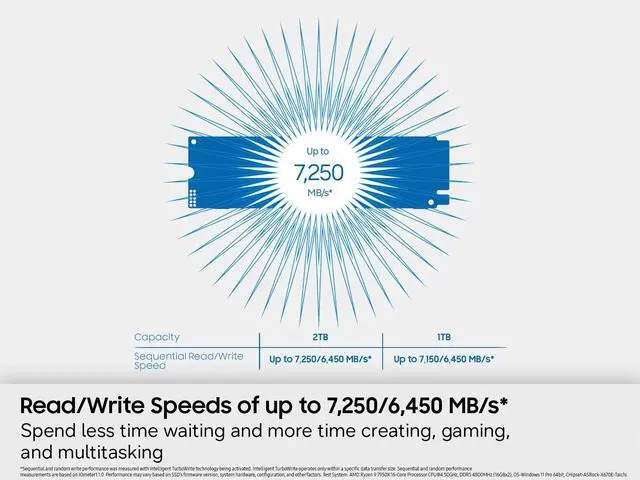
Spend less time waiting and more time creating, gaming, and multitasking with up to 7,250/6,450 MB/s sequential read/write speeds and up to 850K/1,200K IOPS random read/write speeds*. Load games quickly, install updates smoothly, transfer high-resolution files, and enjoy smooth, responsive performance across everyday tasks.
* Sequential and random write performance was measured with Intelligent TurboWrite technology being activated. Intelligent TurboWrite operates only within a specific data transfer size. Sequential and random performance measurements are based on IOmeter1.1.0. Performance may vary based on SSD’s firmware version, system hardware, configuration, and other factors. Test System: AMD Ryzen 9 7950X 16-Core Processor [email protected], DDR5 4800MHz (16GBx2), OS-Windows 11 Pro 64bit, CHipset-ASRock-X670E-Taichi.
Keep every adventure installed, every save securely stored, and every project ready when inspiration strikes. With massive storage for your favorite games, creative projects, and personal files, uninstalling becomes optional.

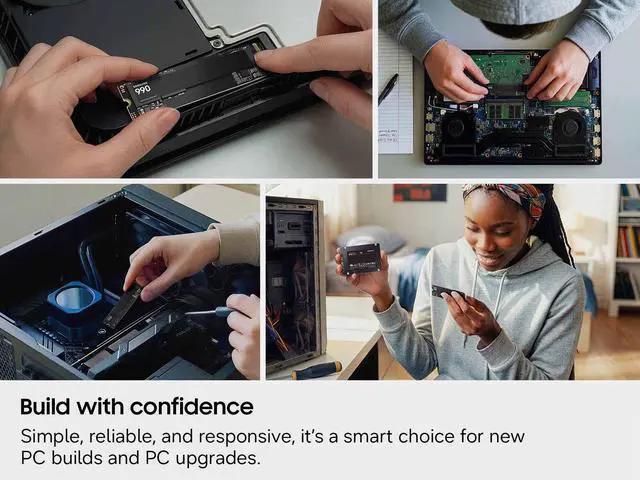
Equip your system with dependable high-speed storage and additional capacity. Simple, reliable, and responsive, it’s a smart choice for new PC builds and PC upgrades.


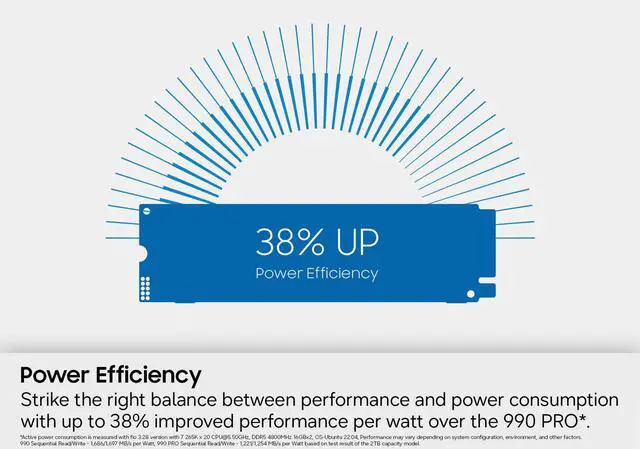
Strike the right balance between performance and power consumption with up to 38% improved performance per watt over the 990 PRO*. Thanks to optimized power usage, easily handle games, large files, and everyday workloads on laptops and PCs while supporting smooth, responsive workflows.
* Active power consumption is measured with fio 3.28 version with 7 265K x 20 [email protected], DDR5 4800MHz 16GBx2, OS-Ubuntu 22.04, Performance may vary depending on system configuration, environment, and other factors. 990 Sequential Read/Write - 1,686/1,697 MB/s per Watt, 990 PRO Sequential Read/Write - 1,221/1,254 MB/s per Watt based on test result of the 2TB capacity model.

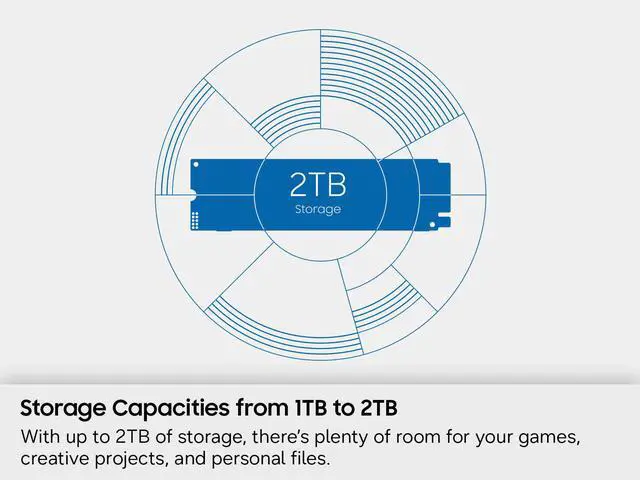
The days of deleting games or offloading files to free up space are over. With up to 2TB of storage, keep your favorite games installed, store high-resolution 4K footage, and keep personal files and growing libraries close at hand.
Manage your SSD confidently with a suite of helpful tools built to maintain high performance. Get the latest firmware updates, extra encryption and continual monitoring of your drive health. *

* Internet connection is required for authentication. Performance may vary based on the speed and quality of your Wi-Fi connection.
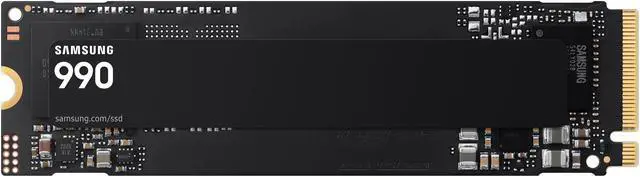
The Samsung 990 1TB is an M.2 2280 NVMe SSD with a PCIe 4.0 x4 interface and sequential speeds up to 7,150 MB/s read and 6,450 MB/s write, suited to gamers and PC builders seeking fast storage for compatible systems.
| Attribute | Value |
|---|---|
| Best For | Consumer gaming and internal storage in compatible desktop or laptop systems |
| Capacity | 1TB |
| Interface And Form Factor | M.2 2280 internal SSD with PCIe 4.0 x4 and NVMe 2.0 |
| Read Write Performance | Sequential speeds up to 7,150 MB/s read and 6,450 MB/s write; 4KB random performance up to 700,000 IOPS read and 1,100,000 IOPS write |
| Drive Components And Features | Samsung V-NAND, in-house controller, HMB cache, hardware encryption, and TRIM support |
| Endurance | 400TB terabytes written |
| Power Consumption | Typical idle power is 55mW in PS3 APST-on mode and 3mW in PS4 L1.2 mode; average active power is 4.0W read and 3.7W write |
| Physical Specifications | 80.15 × 22.15 × 2.38mm; weighs 6g |
| Model Identifiers | Samsung 990 series, model MZ-V9V1T0B/AM |
Q: Samsung 990 vs 990 PRO: which should I get?
A: Choose the Samsung 990 for a mainstream PCIe 4.0 build where power efficiency and sequential performance matter; Samsung rates this 1TB model at up to 7,150/6,450 MB/s read/write. Choose the 990 PRO if you prioritize higher random-read performance, sustained-write capability, or a longer warranty: the 990 PRO has higher rated random I/O and a five-year warranty, while the 990 has a three-year warranty. Samsung’s claim of up to 38% better performance per watt is based on its internal 2TB-model testing.
Q: Samsung 990 vs the original 990 EVO: is it a worthwhile upgrade?
A: The Samsung 990 is the stronger choice if you want higher sequential-write performance and power efficiency: StorageReview reports that its rated sequential write speed is more than 50% higher than the 990 EVO’s, and Samsung claims a 38% efficiency improvement. Both are PCIe 4.0 drives, so consider the 990 when those gains matter for your workload; for routine everyday use, compare current prices before replacing a working 990 EVO.
Q: Samsung 990 or WD Black SN850X for a gaming PC?
A: Choose the Samsung 990 if lower power use is a priority and you want a mainstream PCIe 4.0 drive with fast sequential transfers. The WD Black SN850X is a better fit if you prefer a performance-focused gaming SSD with onboard DRAM and a five-year warranty; its 1TB model is rated for 600 TBW versus 400 TBW for the Samsung 990 1TB. Both are M.2 2280 PCIe 4.0 drives, so check your motherboard’s cooling and compare prices before choosing.
Q: Will this SSD fit my laptop or desktop?
A: It can fit a system with an available M.2 2280 slot that supports NVMe over PCIe. Check your device’s specifications first; a PCIe 3.0 slot may limit speeds below the drive’s advertised PCIe 4.0 performance.
Q: Is this a good SSD for gaming and large files?
A: Yes, it is suited to compatible PCs used for gaming and transferring large files. It offers up to 7,150 MB/s sequential read and 6,450 MB/s sequential write speeds, but actual performance depends on the computer and workload. The 1TB capacity may still require storage management for a large game or media library.
Q: Can I use this SSD to expand PS5 storage?
A: Its listed M.2 2280 form factor, PCIe 4.0 x4 interface, and up-to-7,150 MB/s read speed make it a plausible candidate, but the product listing does not certify PS5 compatibility. Confirm fit for your console model and use a compatible heat-dissipation solution; the listing does not specify that a heatsink is included.
Q: Does this SSD need a heatsink?
A: The provided product details do not say that a heatsink is included. Use a compatible M.2 heatsink or the system’s built-in cooling solution if your computer or console requires one, and check the available clearance before installation.
Q: Is the Samsung 990 1TB worth buying?
A: It may suit buyers who want a PCIe 4.0 NVMe drive with up to 7,150/6,450 MB/s sequential speeds. Whether it is worth the price depends on how it compares with other 1TB drives available to you; community discussion and reviews raise price as a key consideration.
Q: Is the Samsung 990 1TB suitable for a game library?
A: It is a reasonable fit for storing and loading games: it has 1TB capacity and a PCIe 4.0 x4 NVMe interface. Its high advertised transfer speeds do not by themselves guarantee noticeably better gameplay than another suitable SSD, so compare price and available capacity too.
Q: What are the main trade-offs to consider before buying it?
A: The listed specifications include HMB caching and 400TB of endurance (TBW), alongside high sequential speeds. If your workload involves frequent, large sustained writes, compare endurance and sustained-write performance—not just peak speeds—against alternatives before choosing.