






Simplify Your Life With The SofaBaton U2 Universal Remote Control
Direct Control Without a Hub
The SofaBaton U2 communicates directly with your devices using infrared and Bluetooth signals, eliminating the need for Wi-Fi or a central hub. This ensures reliable control, even if your hub is offline.
Scroll Wheel Design
Effortlessly switch between multiple devices with ease and speed. The innovative scroll wheel allows for quick navigation through menus, channel lists, and device options, significantly enhancing your user experience, reducing the time and effort needed for these actions. Embrace a more efficient and enjoyable way to control your home entertainment system with the Sofabaton U2 Universal Remote Control.
Large Number Buttons
The enhanced visibility and ease of operation make it ideal for users of all ages, including seniors and those with visual impairments. Large buttons reduce the likelihood of pressing the wrong button, making it user-friendly for those with larger fingers or limited fine motor skills. This design allows for quicker, more accurate input, improving the overall user experience. Additionally, the ergonomic layout ensures comfortable use over extended periods.

Extensive Compatibility
With a database supporting over 500,000 devices, the SofaBaton U2 offers virtually universal compatibility. Whether you have the latest gadgets or older devices, this remote has you covered. Even if your old remote control is lost, you can directly search for appliance models via our app for pairing.
OLED Display Screen
With a wide viewing angle, fast response times, and high color saturation, you get consistent clarity, instant feedback, and vibrant colors. The thin and lightweight design allows for sleek portability, while the self-emissive nature reduces eye strain by eliminating the need for a backlight.

Excellent IR Signal Range
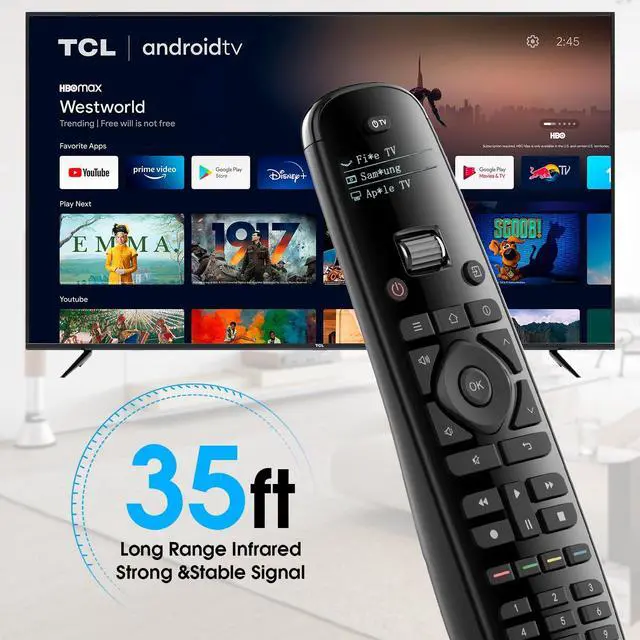
The SofaBaton U2 universal remote has been upgraded to provide an impressive infrared transmitting distance of up to 35 feet. Enjoy real-time response and fast-forward without any delay. No more worrying about signal disconnection
Compatibility Note:
For Roku Device:
Some Roku devices are controlled via Wi-Fi (not IR). Please note that the U2 remote only supports Roku devices with infrared (IR) control and does not support Wi-Fi direct control.
For Apple TV Device:
For best compatibility, we recommend adding Apple TV via Bluetooth pairing in our app.
Tip: If you encounter any issues, please check your device’s Bluetooth settings or contact support for setup assistance.
For Xfinity Device:
1.For Xfinity device, please re-add it by brand: Comcast, Model: the same model in our IR codebase: (add--infrared--search in the database--typeople in the brand -- model )as ur Xfinity.
2.Kindly note Xfinity supports IR+RF control at the same time.
For Soundbar & Cable Box Compatibility:
Some soundbars and cable boxes use a hybrid IR + RF control system, which may require additional setup to work with universal remotes.
If the remote does not function properly, refer to the device’s manual to enable IR learning mode or check compatibility with the manufacturer.

Control Up to 15 Devices-No Need to Look for Remote Everywhere
Replace the remotes for your TV, DVDs, soundbar, projectors, cable/satellite box, Blu-ray player, streaming device, and more. The SofaBaton U2 can manage up to 15 devices, making it the ultimate solution for your home entertainment system.
NOT support RF or WIFI device, such as Roku Streaming Stick.
How do add your devices?
1. Add an infrared device
Search in the database: Under normal circumstances, you can add a device directly by brand and model.
2. Add a Bluetooth device
Click -“Bluetooth” - Select the brand name to add the device.
For example, on Apple TV, go to Settings, select ‘Bluetooth’, and then choose the device starting with ‘Sofabaton’ to pair.

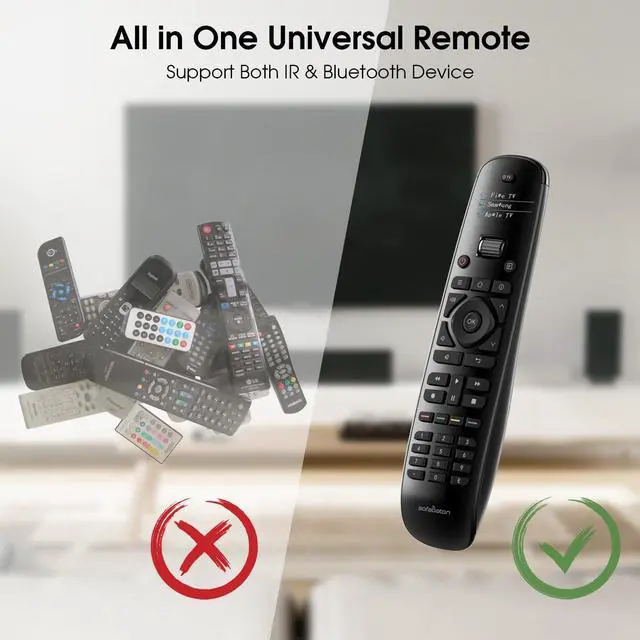
One Remote to Rule Them All: Say Goodbye to the Mess of Multiple Remotes
Our remote control features an IR learning function, allowing it to learn signals from other IR remotes. This means the learning function only supports IR-controlled devices and is not compatible with RF, Bluetooth, or WiFi-controlled devices. If your device can only be controlled via Bluetooth or WiFi, this function will not be suitable.
Learn From the Original Remote:
1.Please locate your original remote and point the U2 remote towards it.
2.Press the icon of the key you want to learn.
3.Press and hold the button of the original remotethat you want to learn.
4.If the command appears to have been learned successfully but fails to work when you test it, consider trying the learning process again. A quick press and release of the button, just as you would do under normal circumstances, should do the trick.

Transform Your Remote Control Experience With Our Customizable Macro Buttons
Customizable Macros
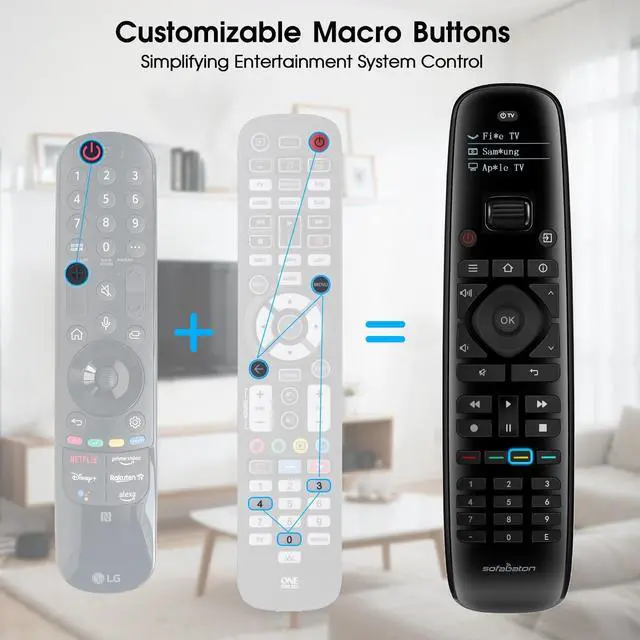
With just a single press, you can effortlessly manage multiple devices or execute complex actions. Imagine the ease of turning on your entire entertainment system with one click—your TV, Blu-ray player, and soundbar all power up in perfect sequence.
Personalized Control at Your Fingertips
Customize your macros to fit your lifestyle. Set precise start and pause times, such as turning on your TV first, followed by your set-top box 5 seconds later. This level of control ensures your devices are always ready when you are.
Effortless Setup
Setting up your macros is a breeze with our intuitive smartphone app. In just a few simple steps, you'll have your remote configured to your exact preferences. It's the ultimate choice for anyone looking to simplify their home entertainment experience.

Easy Setup and Comprehensive Support
Setting up your SofaBaton U2 is a breeze. We offer detailed guides, manuals, and help resources. Additionally, our service includes online and phone support. Via the SofaBaton APP. Our professional support team provides one-on-one guidance to help you complete the setup and ensure everything works perfectly.
Compatibility Check Before Purchase
Before purchasing, please confirm that your home appliances' remote controls are compatible with the SofaBaton U2 (supports infrared, Bluetooth). If you're unsure, consult with us via our app or online communication to verify compatibility.
Elevate your home entertainment experience with the SofaBaton U2 Universal Remote Control. Simplify, streamline, and enjoy the convenience of controlling all your devices with a single remote.
Simplify Your Life With The SofaBaton U2 Universal Remote Control
Direct Control Without a Hub
The SofaBaton U2 communicates directly with your devices using infrared and Bluetooth signals, eliminating the need for Wi-Fi or a central hub. This ensures reliable control, even if your hub is offline.
Scroll Wheel Design
Effortlessly switch between multiple devices with ease and speed. The innovative scroll wheel allows for quick navigation through menus, channel lists, and device options, significantly enhancing your user experience, reducing the time and effort needed for these actions. Embrace a more efficient and enjoyable way to control your home entertainment system with the Sofabaton U2 Universal Remote Control.
Large Number Buttons
The enhanced visibility and ease of operation make it ideal for users of all ages, including seniors and those with visual impairments. Large buttons reduce the likelihood of pressing the wrong button, making it user-friendly for those with larger fingers or limited fine motor skills. This design allows for quicker, more accurate input, improving the overall user experience. Additionally, the ergonomic layout ensures comfortable use over extended periods.
Extensive Compatibility
With a database supporting over 500,000 devices, the SofaBaton U2 offers virtually universal compatibility. Whether you have the latest gadgets or older devices, this remote has you covered. Even if your old remote control is lost, you can directly search for appliance models via our app for pairing.
OLED Display Screen
With a wide viewing angle, fast response times, and high color saturation, you get consistent clarity, instant feedback, and vibrant colors. The thin and lightweight design allows for sleek portability, while the self-emissive nature reduces eye strain by eliminating the need for a backlight.
Excellent IR Signal Range
The SofaBaton U2 universal remote has been upgraded to provide an impressive infrared transmitting distance of up to 35 feet. Enjoy real-time response and fast-forward without any delay. No more worrying about signal disconnection
Compatibility Note:
For Roku Device:
Some Roku devices are controlled via Wi-Fi (not IR). Please note that the U2 remote only supports Roku devices with infrared (IR) control and does not support Wi-Fi direct control.
For Apple TV Device:
For best compatibility, we recommend adding Apple TV via Bluetooth pairing in our app.
Tip: If you encounter any issues, please check your device’s Bluetooth settings or contact support for setup assistance.
For Xfinity Device:
1.For Xfinity device, please re-add it by brand: Comcast, Model: the same model in our IR codebase: (add--infrared--search in the database--typeople in the brand -- model )as ur Xfinity.
2.Kindly note Xfinity supports IR+RF control at the same time.
For Soundbar & Cable Box Compatibility:
Some soundbars and cable boxes use a hybrid IR + RF control system, which may require additional setup to work with universal remotes.
If the remote does not function properly, refer to the device’s manual to enable IR learning mode or check compatibility with the manufacturer.
Control Up to 15 Devices-No Need to Look for Remote Everywhere
Replace the remotes for your TV, DVDs, soundbar, projectors, cable/satellite box, Blu-ray player, streaming device, and more. The SofaBaton U2 can manage up to 15 devices, making it the ultimate solution for your home entertainment system.
NOT support RF or WIFI device, such as Roku Streaming Stick.
How do add your devices?
1. Add an infrared device
Search in the database: Under normal circumstances, you can add a device directly by brand and model.
2. Add a Bluetooth device
Click -“Bluetooth” - Select the brand name to add the device.
For example, on Apple TV, go to Settings, select ‘Bluetooth’, and then choose the device starting with ‘Sofabaton’ to pair.
One Remote to Rule Them All: Say Goodbye to the Mess of Multiple Remotes
Our remote control features an IR learning function, allowing it to learn signals from other IR remotes. This means the learning function only supports IR-controlled devices and is not compatible with RF, Bluetooth, or WiFi-controlled devices. If your device can only be controlled via Bluetooth or WiFi, this function will not be suitable.
Learn From the Original Remote:
1.Please locate your original remote and point the U2 remote towards it.
2.Press the icon of the key you want to learn.
3.Press and hold the button of the original remotethat you want to learn.
4.If the command appears to have been learned successfully but fails to work when you test it, consider trying the learning process again. A quick press and release of the button, just as you would do under normal circumstances, should do the trick.
Transform Your Remote Control Experience With Our Customizable Macro Buttons
Customizable Macros
With just a single press, you can effortlessly manage multiple devices or execute complex actions. Imagine the ease of turning on your entire entertainment system with one click—your TV, Blu-ray player, and soundbar all power up in perfect sequence.
Personalized Control at Your Fingertips
Customize your macros to fit your lifestyle. Set precise start and pause times, such as turning on your TV first, followed by your set-top box 5 seconds later. This level of control ensures your devices are always ready when you are.
Effortless Setup
Setting up your macros is a breeze with our intuitive smartphone app. In just a few simple steps, you'll have your remote configured to your exact preferences. It's the ultimate choice for anyone looking to simplify their home entertainment experience.
Easy Setup and Comprehensive Support
Setting up your SofaBaton U2 is a breeze. We offer detailed guides, manuals, and help resources. Additionally, our service includes online and phone support. Via the SofaBaton APP. Our professional support team provides one-on-one guidance to help you complete the setup and ensure everything works perfectly.
Compatibility Check Before Purchase
Before purchasing, please confirm that your home appliances' remote controls are compatible with the SofaBaton U2 (supports infrared, Bluetooth). If you're unsure, consult with us via our app or online communication to verify compatibility.
Elevate your home entertainment experience with the SofaBaton U2 Universal Remote Control. Simplify, streamline, and enjoy the convenience of controlling all your devices with a single remote.