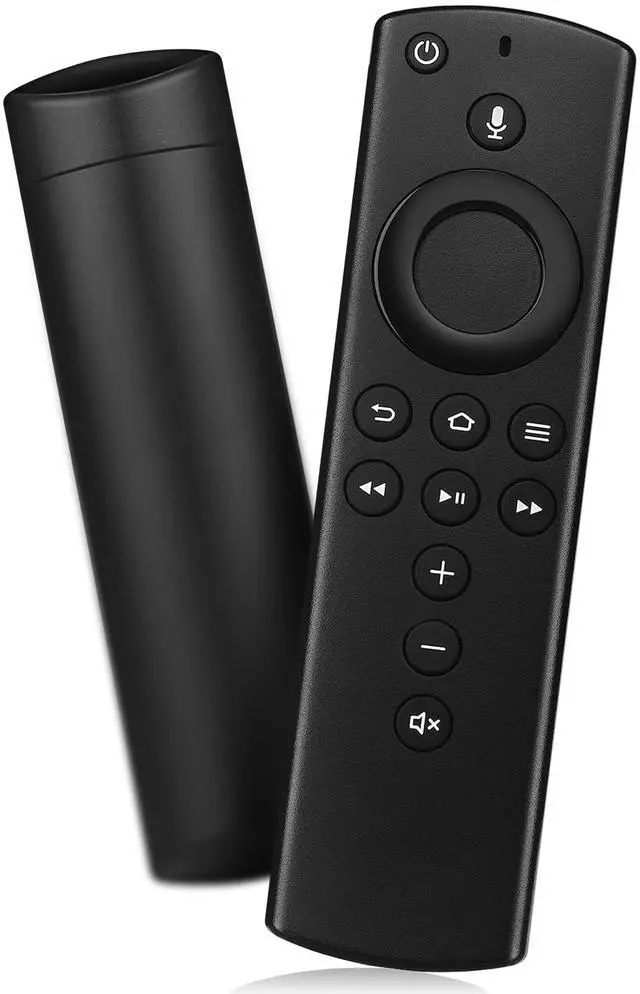
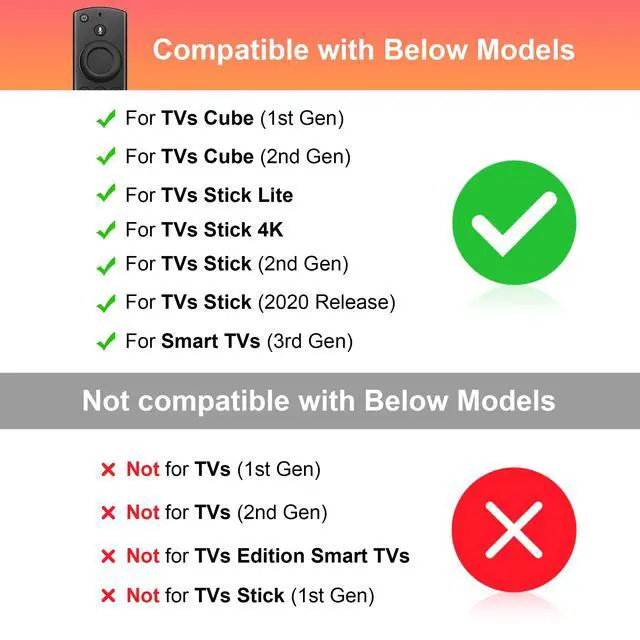
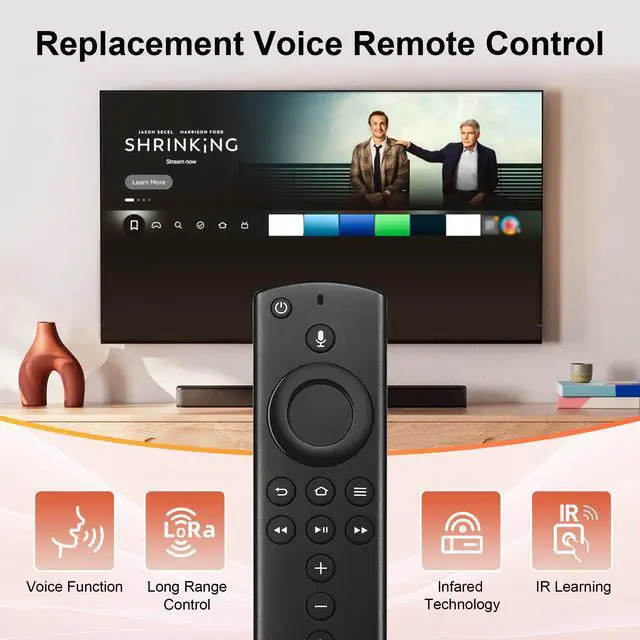
COMPATIBLE MODELS: Compatible with TV Stick Lite,Compatible with TV Stick (2020 Release),Compatible with TV Stick 4K,Compatible with TV Stick (2nd Gen),Compatible with TV Cube(1st Gen, 2nd Gen),and 3rd Gen Smart TV
INCOMPATIBLE MODEL: Not compatible with Smart TV(1st and 2nd Gen),Not compatible Smart with TV(1st Gen), Not compatible with Smart TVs Edition
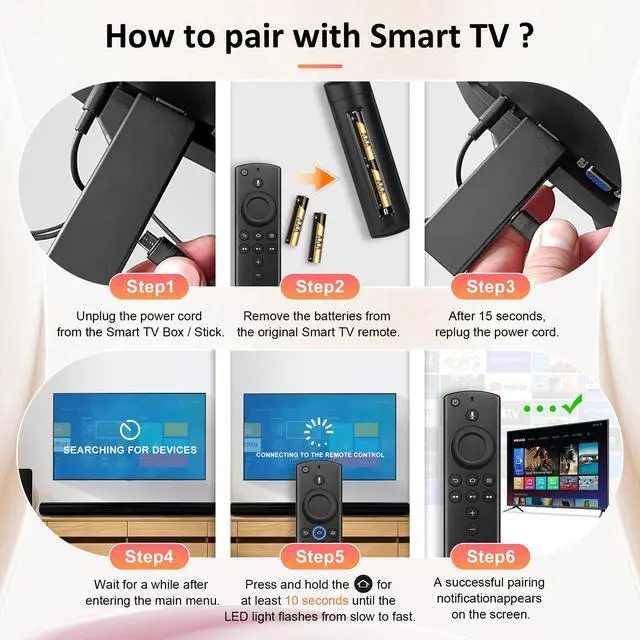
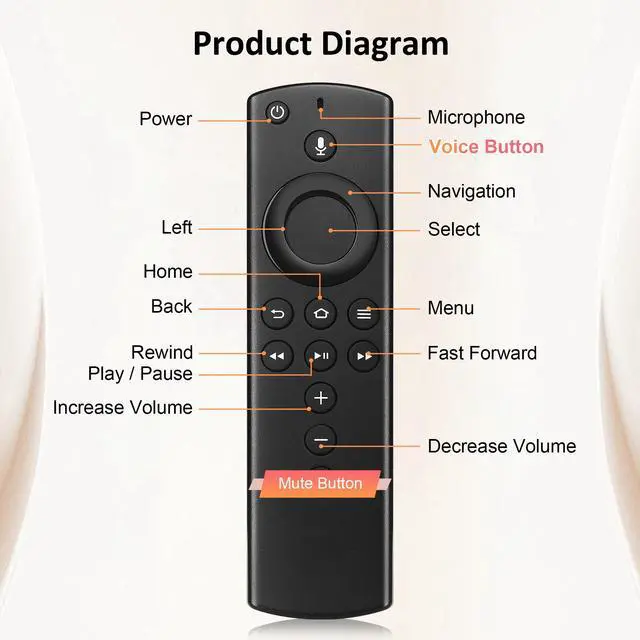
HOW TO PAIR: Press and hold the Home key for about 10 seconds. Observe the indicator light of the remote control: When successfully entering the pairing mode, the LED light starts to flash rapidly. Wait for about 30 to 60 seconds. When the LED light on the remote control goes out, the pairing is successful and the remote control can be used immediately. (If the indicator light does not flash, check the battery level or replace the battery and try again)
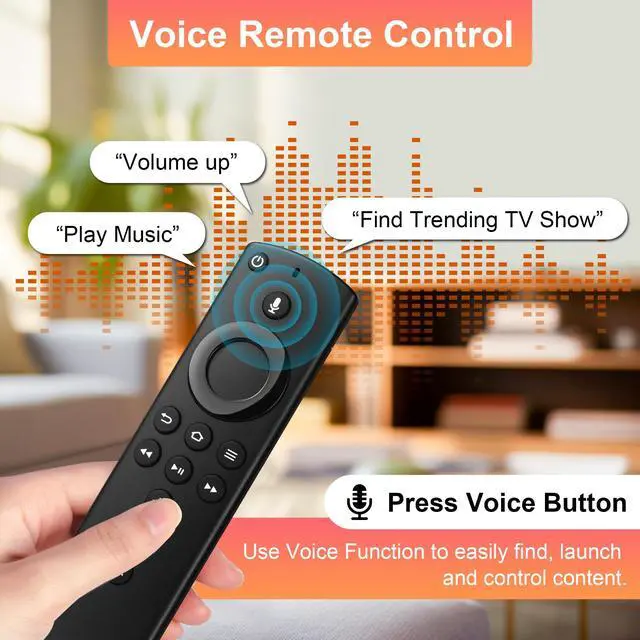
VOICE FUNCTION: Voice function: Easily control with our voice remote control: Just say commands such as "Turn on TV", "Volume up" or "Switch to sports channel" to immediately operate your device - no buttons required
PLEASE NOTE: 1.Replacement voice remote control needs to be matched manually. 2.When matching, it shows that it needs to be updated, please press the voice button or return button. 3. When not working, please manually add and replace the remote control. 4. If the new remote control can't be connected, please remove and reinsert its batteries.
+
+
Overview
Specs
Reviews
Any questions? Our AI mode will help you find out quickly.
Try me now
Replacement Firestick Voice Remote Control Fit for Fire Smart TVs Stick(Lite, 4K, 2nd Gen), TV Cube(2nd, 3rd Gen), Smart TVs (3rd Gen)
Learn more about the Generic Brand L5B83H
Model
Brand
SZILBZ
Model
L5B83H
Details
Type
Voice Control
Number of Devices Supported
5
Range
10 meters
Color
Black
Battery
Battery Type
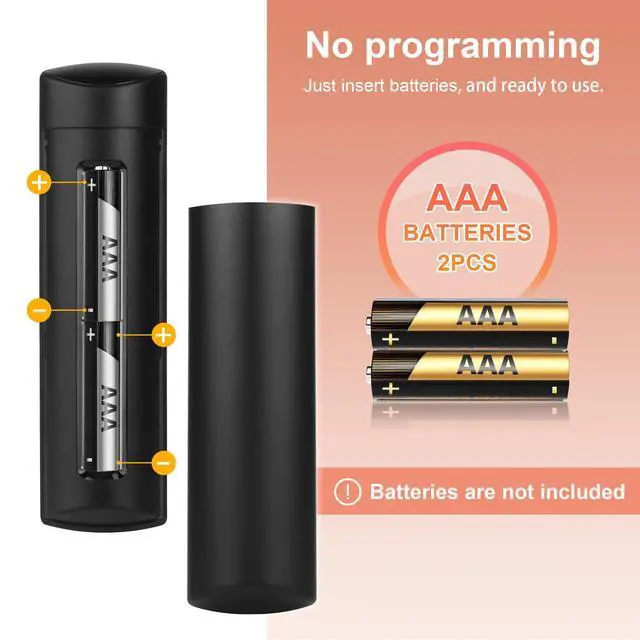
2 AAA batteries (Not included)
Additional Information
First Listed on Newegg
August 04, 2026
Customer Reviews of the Generic Brand L5B83H
There are no reviews yet.
Do you own this product?
Warranty & Returns
Warranty, Returns, And Additional Information
Warranty
Please contact the Seller directly for warranty information. Warranty information may also be found on the Manufacturer's website.