here!
here!
I’m your shopping assistant for PC builds, upgrades, and everything tech.
Got questions? Ask away!
Start a conversation
here!
I’m your shopping assistant for PC builds, upgrades, and everything tech.
Got questions? Ask away!
Start a conversationShipped by Newegg
 Top Rated


Make informed decisions with expert advice. Learn More

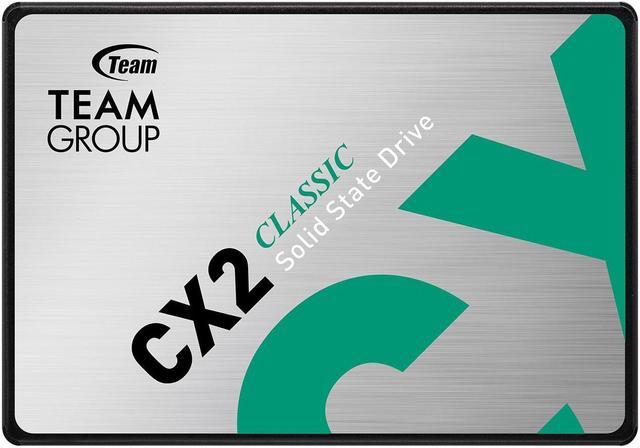
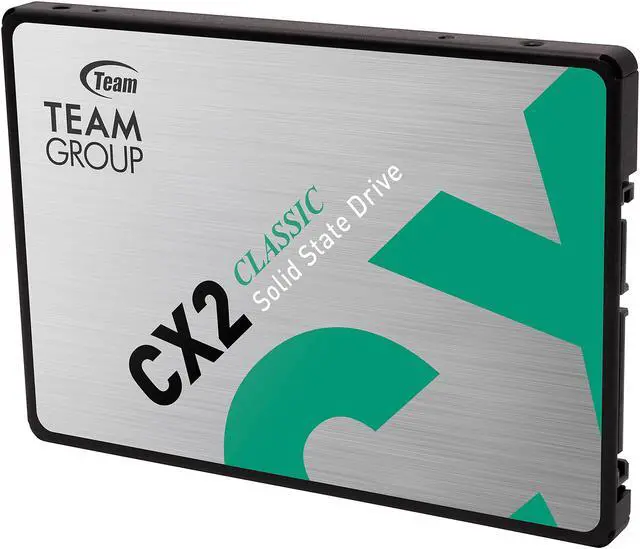
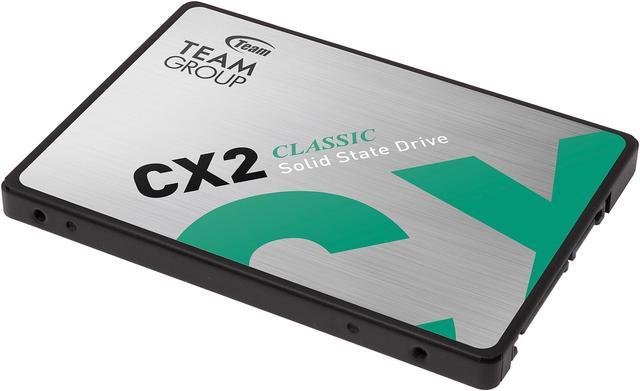
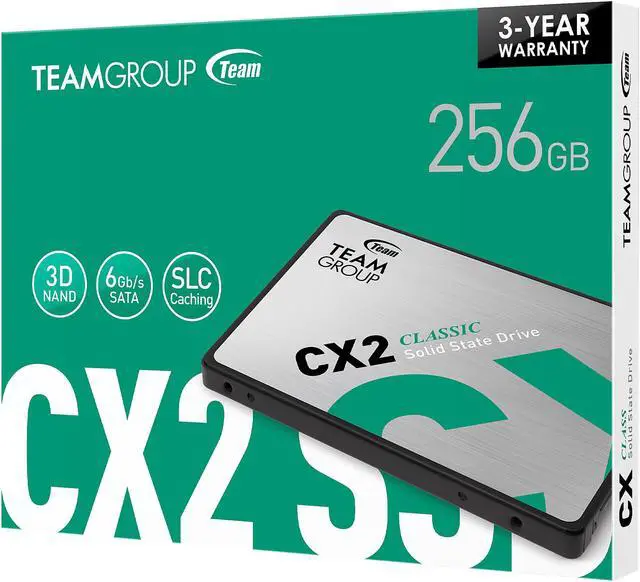



Any questions? Ask CelesteSM will help you find out quickly.


The advanced SLC Caching algorithm technology makes its read/write speed easily 4 times[1] faster than traditional hard drives.

Different from traditional mechanical hard drive, the CX2 with innovative and bold design uses FLASH technology with low power consumption and high-speed transfer features. It is the best choice for replacing traditional hard drives.

CX2 Solid state drives are shock and drop resistant (1500G/0.5ms) and do not make annoying mechanical noises. It can also effectively avoid computer crash due to kicking.

The powerful Wear-Leveling technology and ECC (Error Correction Code) function enhance the reliability of data transfer and prolong the service life of the SSD.

| Interface | SATA Rev. 3.0 (6Gb/s) — with backwards compatibility to SATA Rev. 2.0 |
| Capacity | 256GB / 512GB / 1TB / 2TB[2] |
| Voltage | DC +5V |
| Operation Temperature | 0°C ~ 70°C |
| Storage Temperature | -40°C ~ 85°C |
| Terabyte Written | 256GB / >200TB 512GB / >400TB 1TB / >800TB 2TB / >1600TB[3] |
| Performance | Crystal Disk Mark: 256GB Read/Write: up to 520/430 MB/s 512GB Read/Write: up to 530/470 MB/s 1TB Read/Write: up to 540/490 MB/s 2TB Read/Write: up to 540/490 MB/s[4] |
| Dimensions | 100(L) x 69.9(W) x 7(H) mm |
| Humidity | 0°C ~ 55°C / 5% ~ 95% RH, non-condensing |
| Vibration | 20G (non-operating) |
| Shock | 1,500G |
| MTBF | 1,000,000 hours |
| Operating System |
|
| Warranty | 3-year limited warranty |
[1] The speed was tested by TEAMGROUP and for the reference only.
[2] 1GB= 1.000,000.000 Bytes. In OS system, it would be displayed as 1,000,000,000 Bytes/1024/1024/1024= 0.93GB
[3] Definition and conditions of TBW (Terabytes Written) are based on JEDEC standard
[4] Transmission speed will vary according to different hardware/software conditions, therefore the data can only use for basic reference.
* We reserve the right to modify product specifications without prior notice. Different devices may have a different best format for usage. It is recommended to format the device before use to ensure the correctness and the integrity of the SSD.

Overview
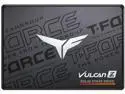
The Team Group CX2 is a 256GB internal solid state drive for consumer use. Its 2.5" form factor and SATA III interface make it an option for replacing a traditional mechanical hard drive with FLASH technology, low power consumption, and high-speed transfer features.
Key Features
Performance
The CX2 provides maximum sequential read speeds of up to 520 MBps and maximum sequential write speeds of up to 430 MBps. Its SLC Caching technology supports faster read/write operation, while FLASH technology provides low power consumption and high-speed transfer features.
Design
The internal SSD uses a 2.5" form factor and measures 100.00mm in depth, 69.90mm in width, and 7.00mm in height. FLASH technology operates without the mechanical noises associated with traditional hard drives.
Connectivity & Compatibility
The CX2 uses a SATA III interface and SATA protocol for internal connectivity. It is intended for consumer use.
Reliability & Durability
The drive has maximum shock resistance of 1500G and maximum non-operating vibration resistance of 20G. The operating temperature range is 0°C ~ +70°C, and the storage temperature range is -40°C ~ +85°C. Wear-Leveling technology and the ECC (Error Correction Code) function enhance data transfer reliability and prolong the service life of the SSD. The listed MTBF is 1,000,000 hours.
Specifications
We want to ensure your holiday shopping this year is hassle-free. That’s why we’re automatically extending our return policies on almost every product! For purchases placed between November 1st, 2026 and December 31, 2026 you will have until January 31, 2027 to return your product.
The Team Group CX2 is a 256GB 2.5-inch SATA III internal SSD for beginners upgrading a compatible desktop or laptop from a traditional hard drive, with sequential read speeds up to 520 MB/s and write speeds up to 430 MB/s.
| Attribute | Value |
|---|---|
| Best For | Consumer PC storage upgrades requiring an internal 2.5-inch SATA SSD |
| Capacity And Form Factor | 256GB internal SSD in a 2.5-inch form factor |
| Interface And Compatibility | SATA III / SATA 6Gb/s interface for compatible computers |
| Memory And Cache | 3D NAND with no DRAM (HMB) cache and SLC caching |
| Sequential Read And Write | Up to 520 MB/s sequential read and 430 MB/s sequential write |
| Endurance And Reliability | 80TB endurance rating and 1,000,000-hour MTBF |
| Shock And Operating Conditions | Shock resistance up to 1500G; operating temperature 0°C to +70°C and storage temperature -40°C to +85°C |
| Physical Dimensions | 100.00 × 69.90 × 7.00 mm (depth × width × height) |
| Model Identifiers | Team Group CX2, model T253X6256G0C101 |