




 here!
here!
I’m your shopping assistant for PC builds, upgrades, and everything tech.
Got questions? Ask away!
Start a conversation
here!
I’m your shopping assistant for PC builds, upgrades, and everything tech.
Got questions? Ask away!
Start a conversation
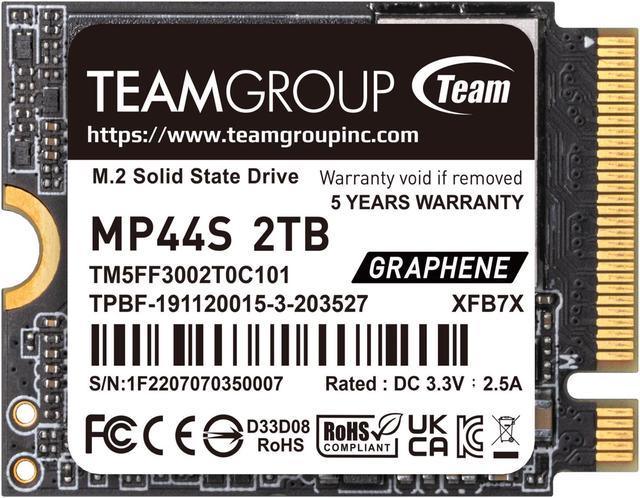
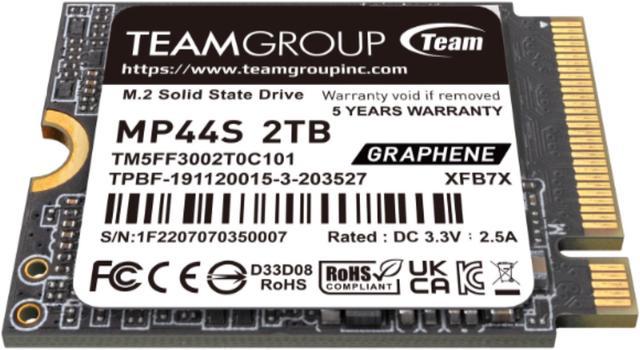
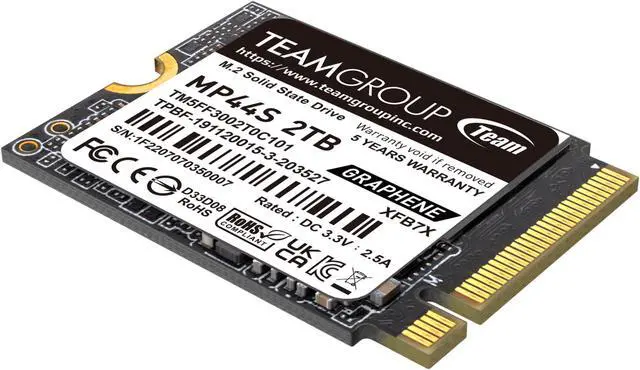
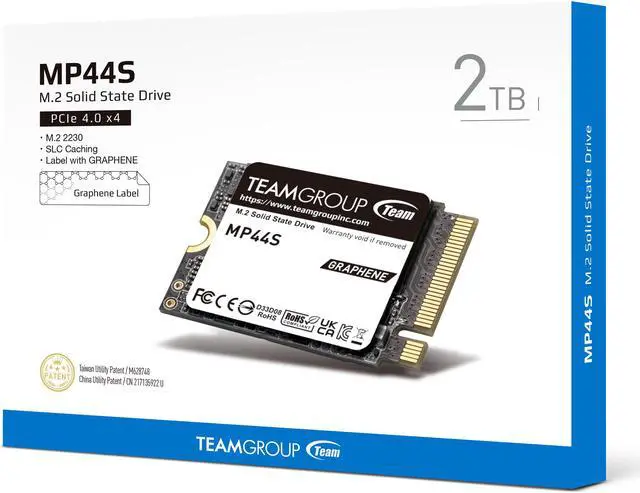



Any questions? Ask CelesteSM will help you find out quickly.


MP44S M.2 PCIe 4.0 SSD adopts the 22mm x 30mm size specification. It is perfectly compatible with products including STEAM Deck and ROG FLOW Z13. It is without a doubt the top choice for capacity upgrade on lightweight devices.

MP44S M.2 PCIe 4.0 SSD adopts TEAMGROUP’s exclusive patented heat dissipating graphene label which enhances heat dissipation performance and enables better system operating stability. Less than 1mm thick, it perfectly eradicates any possible mechanical interference.

It is less merely 3 cm in length with a maximum storage capacity of up to 2TB. Users can save games, high-resolution videos and pictures, and gargantuan data with ease.

MP44S M.2 PCIe 4.0 SSD adopts the PCIe Gen4x4 interface, featuring read/write speeds of up to 5,000 MB/s and 3,500MB/s. It is also backward compatible with PCIe Gen3 M.2 sockets.

MP44S M.2 PCIe 4.0 SSD uses recyclable packaging and has passed environmental protection certifications including RoHS, REACH, and ESG standards, contributing to sustainability endeavors.

It is equipped with TEAMGROUP’s exclusive patented S.M.A.R.T. monitoring software that monitors product status at all times. It also monitors product quality and performance through fast and easy setting and inspection.

MP44S M.2 PCIe 4.0 SSD comes with a five-year warranty. It has been through rigorous testing and quality control to ensure fine quality for your reassurance.


| Interface | PCIe 4.0 x4 with NVMe |
| External Size | M.2 2230> |
| Capacity | ITB / 2TB[1] |
| Voltage | DC +3.3V |
| Operation Temperature | 0°C ~ 70°C |
| Storage Temperature | -40°C ~ 85°C |
| DRAM Cache | NO |
| Terabyte Written (TBW? |
1TB-250TBW 2TB-450TBW[2] |
| Performance |
Crystal Disk Mark: Read up to 5,000 MB/s; Write up to 3,500 MB/s[3] IOPS: Read up to 480K; Write up to 500K[3] |
| Weight | 3g |
| Dimensions | 30(L) x 22(W) x 3.7(H) mm |
| Humidity | RH 90% under 40°C (operational? |
| Vibration | 80Hz ~ 2,000Hz/20G |
| Shock | 1500G/0.5ms |
| MTBF | 1,500,000 hours |
| Operating System |
Compatible with Intel and AMD platforms and has one of the following operating systems:
|
| Warranty | 5-year limited warranty[4] |
[1] 1GB=1,000,000,000 Bytes. In OS system, it would be displayed as 1,000,000,000 Bytes/1024/1024/1024=0.93GB.
[2] Definition and conditions of TBW (Terabytes Written) are based on JEDEC standard.
[3] Transmission speed will vary according to different hardware/software conditions, therefore the data can only use for basic reference.
[4] The SSD is based on the TBW or Warranty period.
* We reserve the right to modify product specifications without prior notice.
* M.2 SSD installation instructions ihttps://www.teamgroupinc.com/en/info/ins.php?index_id=76

The Team Group MP44S is a 2TB M.2 2230 PCIe 4.0 NVMe SSD suited to Steam Deck owners seeking a compact internal storage upgrade, with sequential speeds up to 5,000 MB/s read and 3,500 MB/s write.
| Attribute | Value |
|---|---|
| Best For | 2TB internal storage upgrades in compact handheld gaming devices, including Steam Deck and ASUS ROG Ally |
| Capacity | 2TB (2000 GB) |
| Interface And Form Factor | M.2 2230 SSD with PCIe 4.0 x4 and NVMe; compatible with PCIe Gen3 interfaces |
| Read And Write Performance | Sequential read up to 5000 MB/s and write up to 3500 MB/s; 4KB random read up to 480,000 IOPS and write up to 500,000 IOPS |
| Endurance And Reliability | 450TBW, 1,500,000-hour MTBF, 1,500G shock resistance at 0.5 ms, and 80–2,000 Hz / 20G vibration resistance |
| Cache, Thermal And Monitoring Features | No DRAM with HMB; graphene heat-dissipating label and TEAMGROUP S.M.A.R.T. monitoring software |
| Operating Environment | Operating temperature 0–70°C; storage temperature −40–85°C; operating humidity RH 90% under 40°C |
| Dimensions And Weight | 30 × 22 × 3.70 mm; 3 g |
| Model Identifiers | TEAMGROUP MP44S; model TM5FF3002T0C101 |
Q: Teamgroup MP44S 2TB or WD Black SN770M 2TB for a handheld?
A: Choose the MP44S when 2TB capacity at a lower purchase price is the priority. Choose the SN770M if you expect frequent, long write workloads or value higher endurance: the MP44S uses QLC NAND and is rated for 450TBW, while the SN770M uses TLC NAND and is rated for 1,200TBW. For ordinary game storage in a Steam Deck, the MP44S’s capacity and PCIe 3.0-compatible performance make it a practical fit; the SN770M’s advantages matter more for sustained writes and higher-endurance use.
Q: Is the MP44S 2TB a worthwhile upgrade from a 512GB Steam Deck SSD?
A: It is a capacity-focused upgrade: 2TB provides four times the nominal storage of a 512GB drive, giving more room for installed games. The MP44S is an M.2 2230 NVMe drive, and TEAMGROUP says it is compatible with PCIe Gen3 sockets. A Steam Deck will not use the drive’s full PCIe Gen4-rated sequential speeds, so choose it primarily for the extra storage rather than expecting Gen4 peak transfer rates.
Q: Should I get the MP44S 1TB or 2TB?
A: Choose the 2TB model if you keep many large games installed and want to reduce how often you uninstall or rotate them. Choose 1TB if you typically keep a smaller active library and want less capacity. TEAMGROUP lists the same maximum sequential read and write speeds for both capacities; the rated endurance is 450TBW for 2TB and 250TBW for 1TB.
Q: Will this SSD work as a Steam Deck storage upgrade?
A: The MP44S is a 2TB M.2 2230 NVMe SSD listed as Steam Deck compatible. Check that your device uses an M.2 2230 NVMe drive before buying; installing an internal SSD requires opening the device.
Q: Is 2TB a good choice if I’m running out of storage?
A: It’s suitable if you want substantially more internal space for games and other files. The drive provides 2TB of capacity; whether that is worthwhile depends on how much storage you currently need and whether you’re comfortable replacing the device’s internal SSD.
Q: Will this PCIe 4.0 SSD work in a PCIe 3.0 device?
A: Yes. The MP44S is specified as compatible with PCIe Gen3. In a Gen3 system, it can operate at the speeds supported by that system rather than its listed maximum Gen4 sequential speeds of up to 5,000 MB/s read and 3,500 MB/s write.
Q: Is the MP44S 2TB a suitable internal storage upgrade for a Steam Deck?
A: It is an M.2 2230 NVMe drive, and the product listing identifies it as Steam Deck compatible. Reddit users also report using this 2TB model in a Steam Deck. Check your device’s requirements before installation; replacing an internal SSD requires opening the device.
Q: Is it worth paying extra for a faster 2230 SSD for a Steam Deck?
A: Probably not for the advertised peak speed alone: the MP44S is rated up to 5,000 MB/s read and 3,500 MB/s write, while Reddit discussion notes that Steam Deck interface and download speeds can limit how much of a faster drive’s peak performance is useful. A faster model may make more sense if you also plan to use it in a device that can better use its speed.
Q: Does the MP44S use TLC or QLC NAND, and does that matter?
A: The provided product specifications do not identify the NAND type, so they do not establish whether this specific model uses TLC or QLC. Reddit users have raised the same uncertainty. If NAND type or sustained-write behavior is important to your decision, verify the specifications for the exact model revision before buying.




