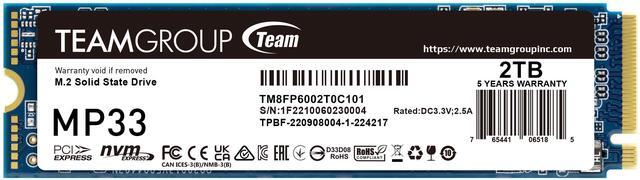
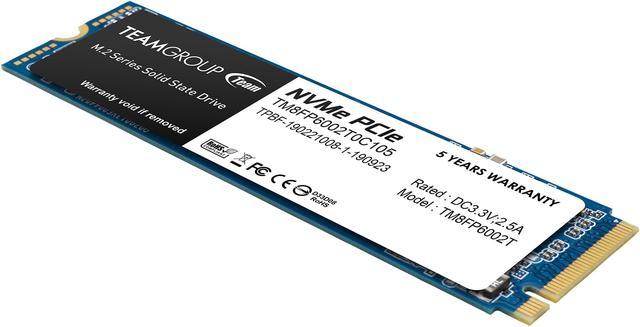
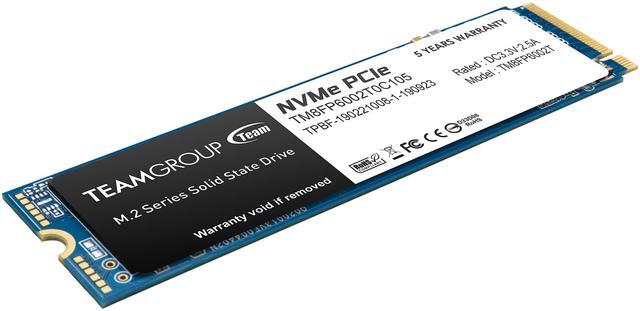
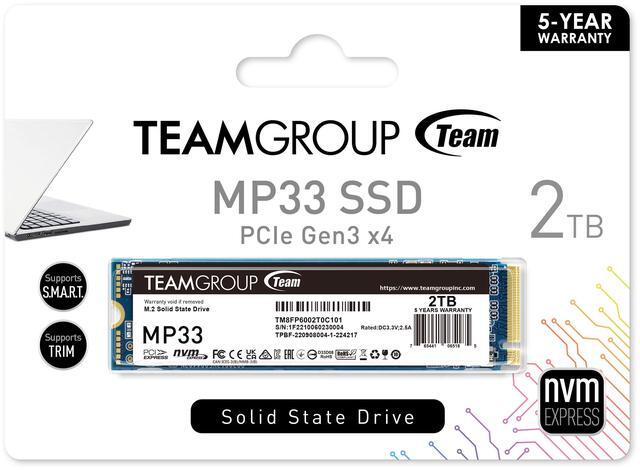
The Team Group MP33 is a 2TB M.2 2280 NVMe SSD for desktop and notebook users who want ample storage and sequential read speeds up to 1,800 MB/s and write speeds up to 1,500 MB/s over PCIe 3.0 x4.
Recommended For
- PC gamers building a large game library on a budget: the 2TB capacity suits storing multiple games, and testing of the MP33 found it suitable for typical desktop use and game-loading workloads.
- Desktop or laptop owners adding everyday storage: it is a standard M.2 2280 NVMe drive positioned for PC and notebook upgrades, provided the system supports PCIe NVMe drives.
- Home-PC users seeking a boot drive for routine computing: Tom’s Hardware found the MP33 responsive for typical desktop use, making it a fit for operating systems, apps, and everyday file access.
- PC builders with a PCIe 3.0 M.2 slot who want a capacity-focused upgrade: the MP33 offers 2TB of storage and is rated for up to 1,800 MB/s reads and 1,500 MB/s writes.
Real-World Use Scenarios
- When a PC gamer needs room for a larger installed game library, the 2TB MP33 can keep more titles on one drive; games may load faster than from a hard drive, but the SSD itself does not increase frame rates.
- When adding storage to a compatible desktop or laptop, the MP33 fits an M.2 2280 PCIe NVMe slot, giving the system a compact internal drive without needing a separate SATA drive and cable.
- For routine file management—such as moving folders of programs, games, or large files—the MP33 provides a faster internal workspace than a hard drive; a test of the 2TB model included copies of large-file and mixed-file folders.
- When using the drive for everyday Windows applications and personal files, 2TB provides space to keep a broad set of apps and data on one internal SSD, rather than managing a smaller system drive and separate storage.
- For a budget PC build or storage upgrade, the MP33 can serve as a general-purpose NVMe drive for games, applications, and files; it is best matched to systems with a compatible PCIe 3.0 M.2 slot rather than workloads requiring a higher-endurance or sustained-write-focused drive.
Spec Summary
| Attribute | Value |
|---|
| Best For | Consumer gaming storage for compatible laptops and desktops |
|---|
| Capacity | 2 TB |
|---|
| Interface And Form Factor | M.2 2280 SSD with PCIe 3.0 x4 and NVMe 1.3 |
|---|
| Read Write Performance | Sequential speeds up to 1,800 MB/s read and 1,500 MB/s write; 4K random performance up to 220,000 IOPS read and 200,000 IOPS write |
|---|
| Memory And Cache | 3D NAND flash memory with SLC caching; listed cache is 0 MB |
|---|
| Endurance And Environmental | 480 TBW, 1,500,000-hour MTBF; operating range 0°C to 70°C and storage range -40°C to 85°C; rated for 90% RH below 40°C, 1,500G shock, and 20G vibration at 80–2,000 Hz |
|---|
| Physical Specifications | 80 × 22 × 3.8 mm; weighs 6 g |
|---|
| Model Identifiers | Team Group MP33; model and part number TM8FP6002T0C101 |
|---|
Reference Q&A
Q: TeamGroup MP33 2TB or Crucial P3 2TB—which should I buy?
A: Choose the MP33 if its rated speeds of up to 1,800 MB/s read and 1,500 MB/s write meet your needs and it costs less. Choose the Crucial P3 if you want higher advertised sequential speeds: up to 3,500 MB/s read and 3,000 MB/s write. Both are M.2 NVMe drives, so confirm your system supports the drive and compare current prices before deciding.
Q: Is the MP33 2TB enough for gaming, or should I get a faster PCIe 4.0 SSD?
A: For a game library, the MP33’s 2TB capacity and PCIe 3.0 NVMe interface can be a practical choice when it costs less. A PCIe 4.0 SSD offers higher potential transfer speeds, which matter more for large file transfers and other storage-heavy work than for typical gameplay: Tom’s Hardware found no consistent gameplay-performance advantage among PCIe 3.0, 4.0, and 5.0 drives in its 11-game test. Check that the drive fits your system’s M.2 slot and that the price difference is worthwhile.
Q: Should I get the 2TB MP33 or the 1TB version?
A: Choose the 2TB version if you need more room for games, apps, or files and want the higher rated write endurance: TEAMGROUP lists 480TBW for 2TB and 240TBW for 1TB. Both capacities are rated for up to 1,800 MB/s read and 1,500 MB/s write, so the 2TB model’s main advantages are capacity and endurance rating, not higher advertised sequential speed.
Q: Is the MP33 2TB worth paying more for than the MP33 Pro?
A: The MP33 Pro has higher advertised sequential speeds: up to 3,500 MB/s read and 3,000 MB/s write for its 2TB model, compared with 1,800 MB/s read and 1,500 MB/s write for the MP33. Consider the Pro if you regularly move large files and the price difference is acceptable; choose the MP33 if its lower rated speeds are sufficient and it is less expensive.
Q: Will this SSD work in my laptop or desktop?
A: It can work in either, provided the computer has an M.2 2280 slot that supports PCIe NVMe. Check your device specifications before buying: an M.2 slot that supports SATA only is not sufficient, and fit or capacity limits can vary by computer.
Q: Is this a good choice for everyday use and gaming?
A: The 2TB capacity and NVMe interface make this drive suitable as storage for everyday computing, applications, and games, if your system supports an M.2 2280 PCIe NVMe SSD. Its stated maximum sequential speeds are up to 1,800 MB/s read and 1,500 MB/s write.
Q: Is it suitable for frequent large file transfers?
A: It supports PCIe 3.0 x4 and SLC caching, with listed peak sequential speeds of up to 1,800 MB/s read and 1,500 MB/s write. Those are maximum specifications, not guaranteed sustained speeds; performance may vary with workload and cache behavior. Consider your workload if you regularly write very large amounts of data.
Q: Does this SSD need a heatsink?
A: The provided product specifications do not say that a heatsink is included or required. Check the computer’s installation guidance and available clearance; if the system provides an M.2 heatsink, follow its instructions for use.
Q: Is the MP33 2TB a reasonable choice for a budget gaming PC?
A: It can suit a budget build when 2TB capacity and lower cost matter more than top-end speed. The listed model is a PCIe 3.0 x4 NVMe drive rated for up to 1,800 MB/s reads and 1,500 MB/s writes; Reddit discussions describe the MP33 as a budget option and compare it with faster, pricier drives. Check the current price against alternatives before choosing.
Q: Is the MP33 worth choosing over a faster SSD for gaming?
A: It may be a sensible lower-cost option if the price difference matters more than higher sequential speeds. In a Reddit discussion about a gaming build, users compared the MP33 with a faster PCIe 4.0 drive; this MP33 model is PCIe 3.0 x4 and rated up to 1,800/1,500 MB/s sequential read/write. The discussion does not establish that paying more for a faster drive improves gaming enough to justify the price for every buyer.
Q: Should I trust the MP33 with important data?
A: Reddit includes individual reports of MP33 drive failures, but those anecdotes do not establish how often failures occur. The supplied specifications list a 480TB endurance rating for this 2TB model; keep separate backups for important files rather than relying on any single SSD.