Acer Nitro V16 16.0" WUXGA 180Hz Gaming Laptop, Intel Core 7 240H, GeForce RTX 5060, 32GB DDR5, 512GB PCIe Gen 4 SSD, Windows 11 Home ANV16-72-73C7
  •  
  • $1,349.99 –
  • Save: 20%
  • $37.99
  • Free 30-day Returns
  • Price alert
    Shop it at NeweggBusiness.
    Get Educated

    Make informed decisions with expert advice. Learn More

    Timetec Hynix IC 16GB KIT(2x8GB) Compatible for Apple DDR3 1333MHz PC3-10600 for Early/Late 2011 13/15/17 inch MacBook Pro, Mid 2010 Mid/Late 2011 21.5/27 inch iMac, Mid 2011 Mac Mini(16GB KIT(2x8GB))

    • 32GB (4 x 8GB)
    • 16GB (2 x 8GB)
    • 16GB (4 x 4GB)
    • 8GB
    • 8GB (2 x 4GB)
    • 4GB
    • DDR3 1333 (PC3 10600)
    • CAS Latency 9
    +
    +
    Overview
    Specs
    Reviews (7)

    Any questions? Ask CelesteSM will help you find out quickly.

    MAC DDR3 SODIMM
    DDR3 MAC SODIMM
    Great Quality, Fast Speed, High Performance

    All Timetec modules are built from strict selected premium chip ICs for the high-performance potential to allow excellent stability and backed by Timetec advanced replacement program. All memory modules are engineered to perform in even the most extreme environments and rigorously worked to ensure that each module meets our stringent performance.

    Specifications
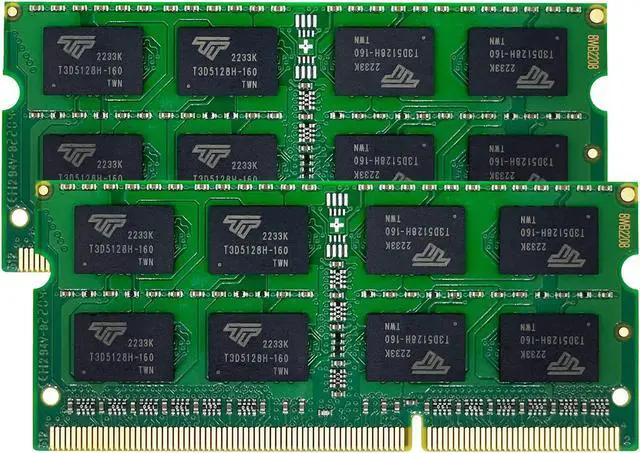
    Module Type DDR3 Non-ECC Unbuffered SODIMM
    Frequency 1333MHz
    CAS Latency CL9
    Capacity 8GB
    Voltage 1.5V
    Pins 204 Pin
    Dimensions 30(H) x 67.6(L)mm
    NP4 C list
    Increase Multitasking

    Timetec memory is engineered to maximize effectiveness and efficiency of your Mac system and increase your Mac multitasking capabilities.

    DDR3 SODIMM MAC bg1
    Easy Installation

    Just with a screwdriver and your owner's manual, you can upgrade your Mac System at home within a few minutes with the easy plug and play design.

    DDR3 MAC SODIMM bg2
    Strict Selected IC

    Timetec memory only use high quality IC which is engineered to maximize effectiveness.

    DDR3 MAC SODIMM bg3
    DDR3 1333MHz PC3-10600 204 Pin Unbuffered Non-ECC 1.5V CL9 Dual Rank 2Rx8 based 512x8
    Module Size: 8GB
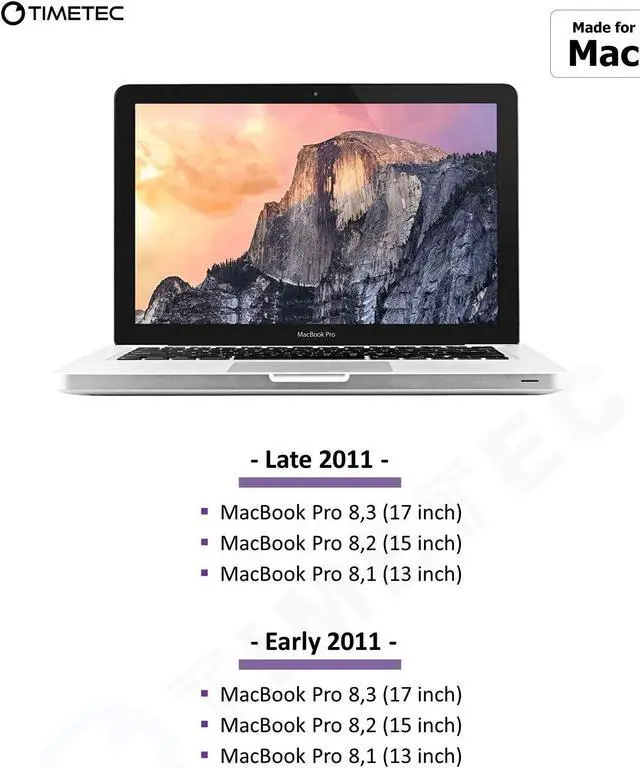
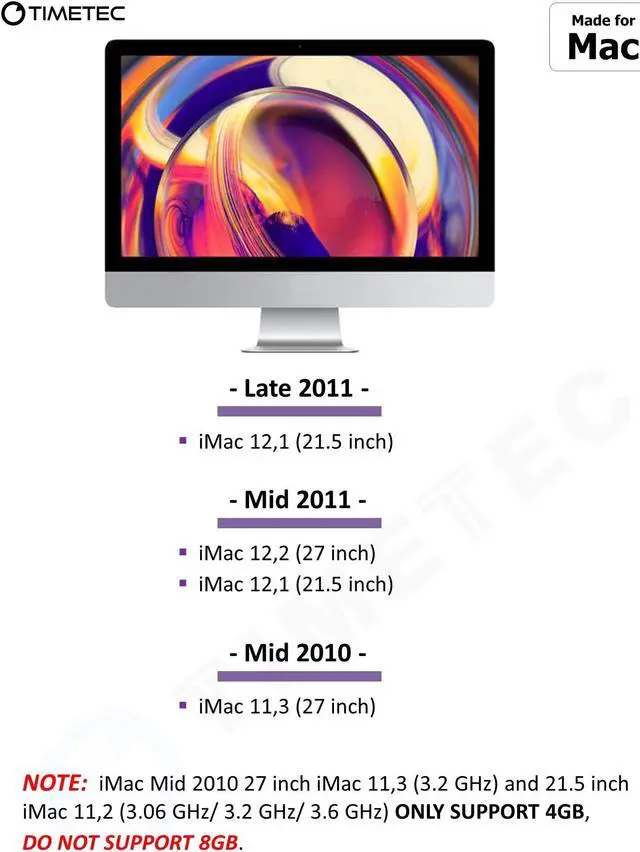
    Package: 2x8GB Designed for Apple MacBook Pro -13 inch / 15 inch / 17 inch Early 2011, 13 inch / 15 inch / 17 inch Late 2011 - MacBookPro8, 1 MacBookPro8, 2 MacBookPro8, 3 Designed for Apple iMac - 27 inch Mid 2010, 21.5 inch / 27 inch Mid 2011, 21.5 inch Late 2011- iMac11, 3 iMac12, 1 iMac12, 2 Designed for Apple Mac Mini - Mid 2011 - MacMini5, 1 MacMini5, 2 MacMini5, 3 Guaranteed Lifetime warranty from Purchase Date Free technical support (support@timetecinc. com)

    Warranty & Returns

    Warranty, Returns, And Additional Information

    Warranty

    • Please contact the Seller directly for warranty information. Warranty information may also be found on the Manufacturer's website.
    • CONTACT

    Return Policies

    Manufacturer Contact Info

    LOADING...

    The Timetec MM-H8GD313J7C is a 16GB (2×8GB) DDR3-1333 laptop memory kit for users upgrading compatible Apple MacBook Pro, iMac, or Mac mini models listed in the product description; it uses 204-pin SO-DIMMs and CL9 latency.

    Recommended For

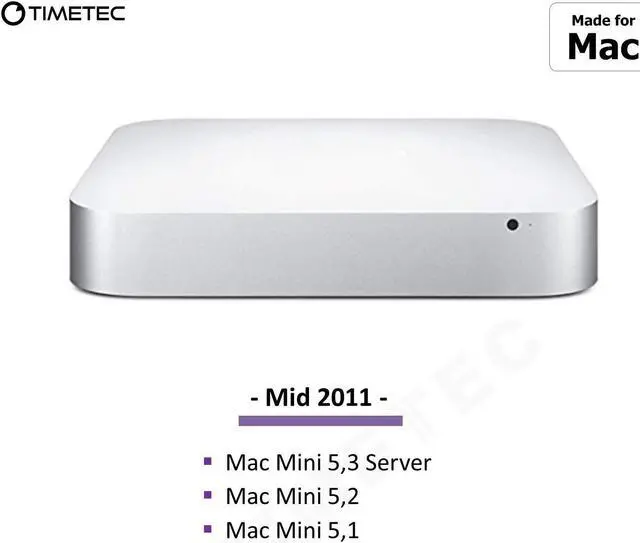
    • Mid-2011 Mac mini owners with model ID Macmini5,1, Macmini5,2, or Macmini5,3 who want to expand memory for running several apps or larger files at once; third-party upgrade guidance lists 16GB as supported for these models.
    • Owners of a listed 2011 MacBook Pro who have verified that their exact model supports this 2×8GB kit and want more memory for multitasking or memory-heavy apps. Community reports suggest the benefit depends on whether the user's workload is actually exceeding available RAM.
    • People keeping a compatible older Mac in service for legacy software, light creative work, or everyday secondary-computer tasks, when they want a RAM upgrade rather than a full system replacement. More memory can help with memory pressure, but does not remove the age-related limits of the processor or software support.
    • Mid-2010 or Mid-2011 iMac owners considering a memory upgrade for multitasking or working with larger files, provided they confirm that their exact iMac accepts 8GB modules. Apple’s published specifications list 4GB modules per slot, while third-party upgrade guidance lists this 2×8GB kit for those iMac generations.

    Real-World Use Scenarios

    • Editing large Photoshop files on a compatible 2011 Mac: more memory can reduce the time spent waiting on demanding image operations, especially with larger files; a Macworld test found a much bigger improvement at 16GB for a 500MB file than for a 100MB file.
    • Keeping a browser, office apps, and other everyday programs open on an older Mac: if the original memory was a bottleneck, the extra capacity can help reduce slowdowns when switching among apps. It won’t fix delays caused by an older processor or hard drive.
    • Running a Windows virtual machine alongside macOS apps: additional memory gives the host and virtual machine more room to share, which may help with heavier workloads; light virtual-machine testing did not show a substantial benefit from assigning more than 4GB to the VM itself.
    • Using a 2011 iMac for music work while browsing: more memory may help when the music application and browser are both competing for limited RAM. Community advice also notes that a slow hard drive can remain a separate cause of sluggishness.