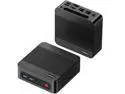
BOSGAME P4 Ultra Mini PC, Ryzen 7 7730U (8C/16T, up to 4.5GHz), 16GB DDR4 1TB SSD, 2*2.5G LAN, Wi-Fi 6E, BT5.2, 4K Triple Display HDMI+DP+Type-C
  •  
  • $399.00 –
  • Save: 24%
  • $97.99
  • Free 30-day Returns
  • Price alert
    Shop it at NeweggBusiness.
    Get Educated

    Make informed decisions with expert advice. Learn More

    Timetec Hynix IC 16GB Compatible for Apple 2017 iMac 27-inch w/Retina 5K Display, 2017 iMac 21.5-inch w/Retina 4K or Non-Retina Display DDR4 2400MHz PC4-19200 2Rx8 CL17 SODIMM Memory Upgrade (16GB)

    • DDR4 2400 (PC4 19200)
    • CAS Latency 17
    • 1.2V
    +
    +
    Overview
    Specs
    Reviews

    Any questions? Ask CelesteSM will help you find out quickly.

    DDR4 SODIMM banner MAC

    All Timetec modules are extensively working at the component level for voltage and temperature resistances, signal integrity and software compatibility to ensure high stability.

    DDR4 SODIMM
    Assured Quality, Fast Speed, High Performance

    This Timetec memory is designed to help your Mac system run faster and smoother. It allows your Mac system to load programs faster, increase responsiveness and run data-intensive programs with ease.

    Specifications
    Module Type DDR4 Non-ECC Unbuffered SODIMM
    Frequency 2400MHz
    CAS Latency CL17
    Capacity 8GB / 16GB
    Voltage 1.2V
    Pins 260 Pin
    Dimensions 30(H) x 69.6(L)mm
    iMac 2017
    iMac (21.5-inch, Mid 2017, Non-Retina 4K)
    Compatible List
    • MMQA2LL/A - "Core i5" 2.3 GHz - iMac 18,1 - A1418
    iMac 2017
    iMac (21.5-inch, Mid 2017, Retina 4K) Maximum 32GB
    Compatible List
    • MNDY2LL/A - "Core i5" 3.0 GHz - iMac 18,2 - A1418
    • MNE02LL/A - "Core i5" 3.4 GHz - iMac 18,2 - A1418
    • BTO/CTO - "Core i7" 3.6 GHz - iMac 18,2 - A1418
    iMac 2017 5k
    iMac (27-inch, Mid 2017, Retina 5K)
    Compatible List
    • MNE92LL/A - "Core i5" 3.4 GHz - iMac 18,3 - A1419
    • MNEA2LL/A - "Core i5" 3.5 GHz - iMac 18,3 - A1419
    • MNED2LL/A - "Core i5" 3.8 GHz - iMac 18,3 - A1419
    • BTO/CTO - "Core i9" 4.2 GHz - iMac 18,3 - A1419
    Design For Apple 2017 iMac 27-inch w/Retina 5K
    Display model ID: iMac 18, 3 (i5 3.4GH z, i5 3.5GH z, i5 3.8GH z, i7 4.2GH z) Design For all Apple 2017 iMac 21.5 -inch w/Retina 4K Display or Non-Retina
    Display model ID: iMac 18, 2 (i5 3.0GH z, i5 3.4GH z, i7 3.6GH z) and iMac 18, 1 (i5 2.3GH z) DDR4 2400MHz PC4-19200 260 Pin Unbuffered Non-ECC 1.2V CL17 Dual Rank 2Rx8 based 1024x8
    Module Size: 16GB
    Package: 1x16GB
    Power Supply: VDD= 1.2V ( 1.14V to 1.26V ) VDDQ = 1.2V ( 1.14V to 1.26V ) Lifetime Support from Purchase Date technical support (support@timetecinc. com) MON - FRI 9AM-6PM PST

    Warranty & Returns

    Warranty, Returns, And Additional Information

    Warranty

    • Please contact the Seller directly for warranty information. Warranty information may also be found on the Manufacturer's website.
    • CONTACT

    Return Policies

    Manufacturer Contact Info

    LOADING...

    Timetec’s 16GB DDR4-2400 SO-DIMM is a memory upgrade for compatible 2017 Apple iMacs, including 27-inch Retina 5K and 21.5-inch Retina 4K or non-Retina models. It suits owners of those iMacs seeking a compatible 260-pin, 1.2V module.

    Recommended For

    • Owners of a 2017 27-inch Retina 5K iMac who want to add memory through its user-accessible RAM slots, especially when the computer is running short of memory during everyday multitasking.
    • 2017 iMac users who keep many apps or browser tabs open and want more room for concurrent work; adding RAM is most relevant when memory pressure is contributing to slowdowns.
    • Photographers using a 2017 27-inch iMac for large Photoshop projects who encounter memory limits; published testing found substantial gains on large jobs when moving from 8GB to 64GB.
    • 2017 21.5-inch iMac owners who have confirmed their exact model and are willing to use a repair professional or undertake a more involved installation; unlike the 27-inch model, RAM access requires opening the computer.

    Real-World Use Scenarios

    • When a 2017 iMac with limited memory is juggling browser tabs, email, documents, and other everyday apps, adding this module can give macOS more room to keep them open and make switching between them feel less constrained. The benefit depends on the iMac’s existing memory and whether it is running short.
    • For a 2017 iMac used with Photoshop or Lightroom, extra memory can help when editing photos alongside other open apps, particularly if the system is low on memory. It provides more working room; it does not make the processor or storage faster.
    • For light video-editing work on a 2017 iMac, additional memory can leave more room for an editing app and other open programs. It may help if memory is the bottleneck, but it does not guarantee faster rendering or exports.
    • If you have a 2017 27-inch iMac and are comfortable with the upgrade, this memory can be used for a straightforward memory-door installation. On the 2017 21.5-inch models, Apple says memory is not user-removable, so plan for professional installation rather than treating it as a simple DIY upgrade.