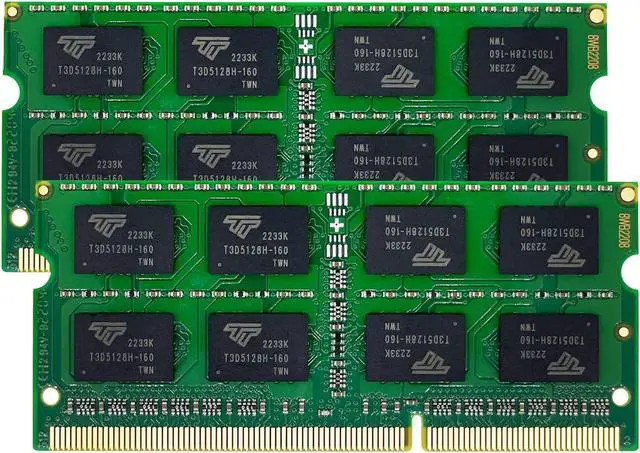
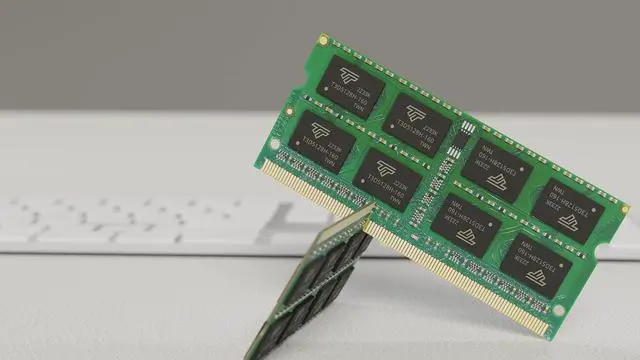
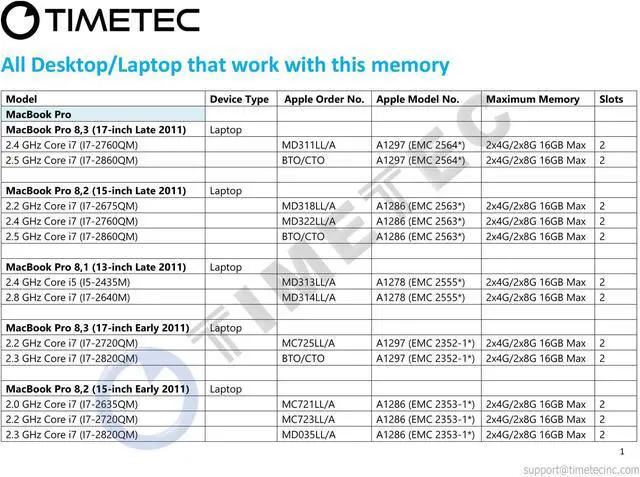
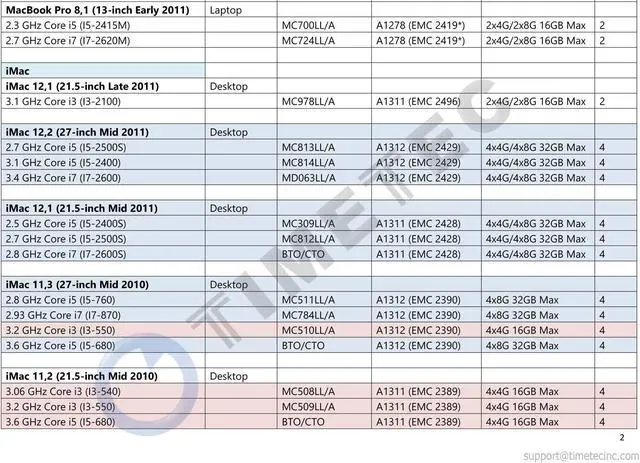
The Timetec MM-G4GD313S7C is an 8GB (2×4GB) DDR3-1333 laptop memory kit for compatible older Apple systems, including specified 2011 MacBook Pro models, 2010–2011 iMac models, and the Mid 2011 Mac mini.
Recommended For
- Owners of a listed 2011 MacBook Pro that currently has 4GB and needs an 8GB total-memory upgrade for everyday tasks such as email, documents, and lighter browsing. Check the exact model: Apple lists this memory type and an 8GB maximum for the 13-inch Early and Late 2011 models.
- Owners of a Mid 2010 or Mid 2011 iMac who want a matched pair of 4GB modules for an older desktop used for routine home or office computing. Apple specifies 1333MHz DDR3 SO-DIMMs for these iMac generations.
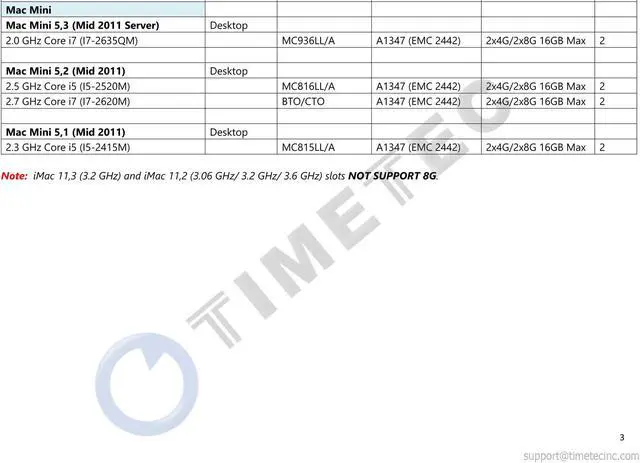
- Mid 2011 Mac mini owners who are maintaining an older desktop for basic everyday use and need two 204-pin PC3-10600 modules. Apple specifies this memory type for that Mac mini; confirm the installed configuration before buying.
- People extending the useful life of a compatible older Mac with a modest memory upgrade, rather than expecting a RAM kit to make an aging processor or storage drive perform like modern hardware.
Real-World Use Scenarios
- On a compatible 2011 MacBook Pro that currently has 4GB of RAM, replacing its memory with this 8GB kit can make it easier to keep a browser, email, and documents open together, with fewer slowdowns when switching between them if memory is the bottleneck. It will not make the processor or internet connection faster.
- For a compatible 2011 Mac mini used as a home-office desktop, upgrading from a low-memory setup can give everyday apps more room to run together. Users may notice fewer memory-related pauses during multitasking, though a slow hard drive or processor can remain the limiting factor.
- On a compatible Mid-2010 or Mid-2011 iMac, the two 4GB modules can provide extra capacity for keeping several everyday apps open while browsing, organizing photos, or working on documents. The change is most useful when the existing memory is regularly under pressure; it does not guarantee faster app launches or exports.
- For light creative work on a compatible Mac—such as editing photos while other apps remain open—more memory can reduce slowdowns caused by running short of RAM. It is a capacity upgrade, not a graphics or processor upgrade, so demanding edits may still be limited by the Mac itself.




 here!