Meet Your Seller
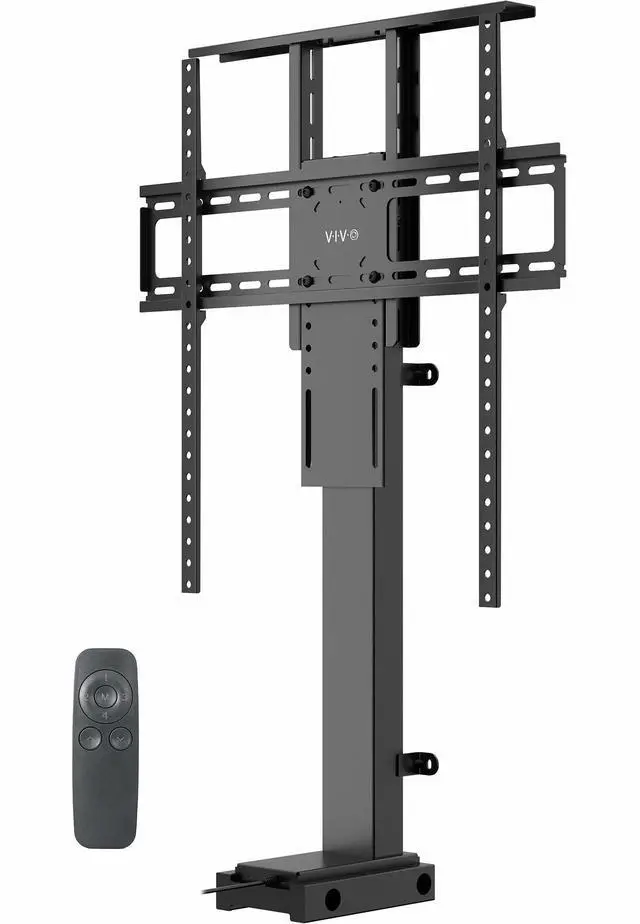
VIVO TV Motorized Vertical Stand Lifts up to 77" Screen, Height Adjustable Mount
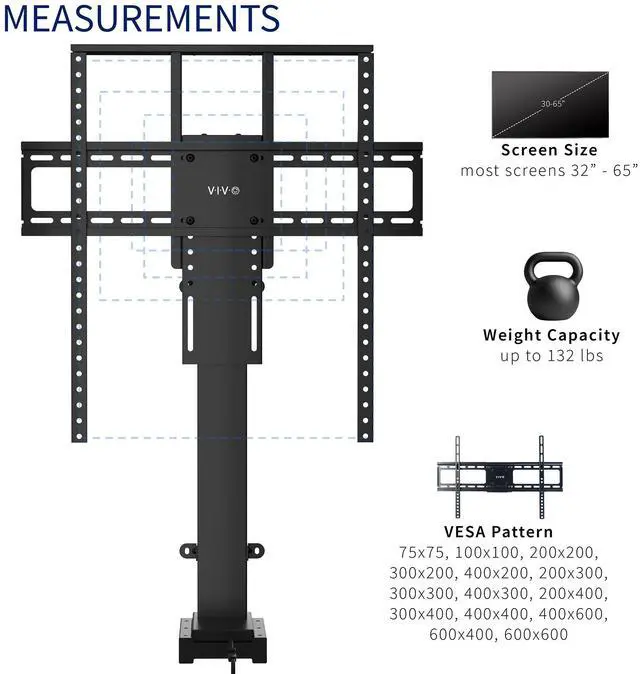
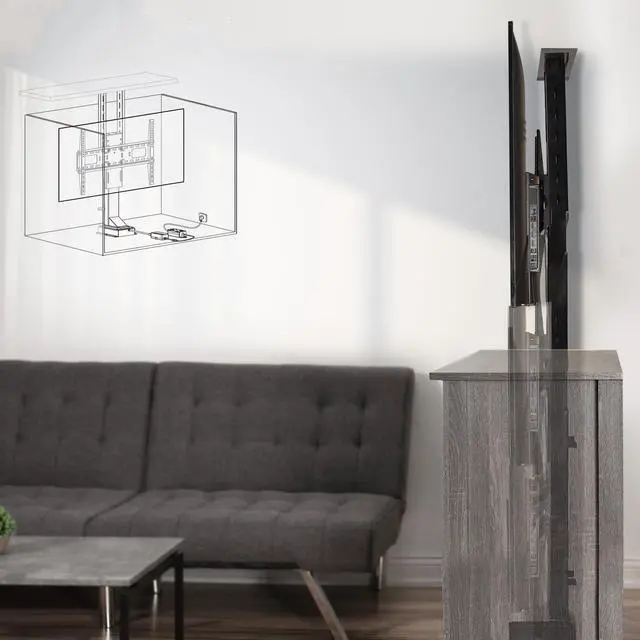
- Fits 37" to 77" Screens: Designed to support a 37 to 77 TV weighing up to 132 lbs, this motorized lift is meant to be installed inside of a cabinet for maximum stability. It does not have a freestanding base design
- Mounting Compatibility: Compatible with VESA mounting hole patterns 75x75, 100x100, 200x200, 300x200, 400x200, 200x300, 300x300, 400x300, 200x400, 300x400, 400x400, 400x600, 600x400, 600x600
- Versatile Use: Perfect for home entertainment centers, conference rooms, showrooms, and more! Please Note: This stand is not for ceiling mounting
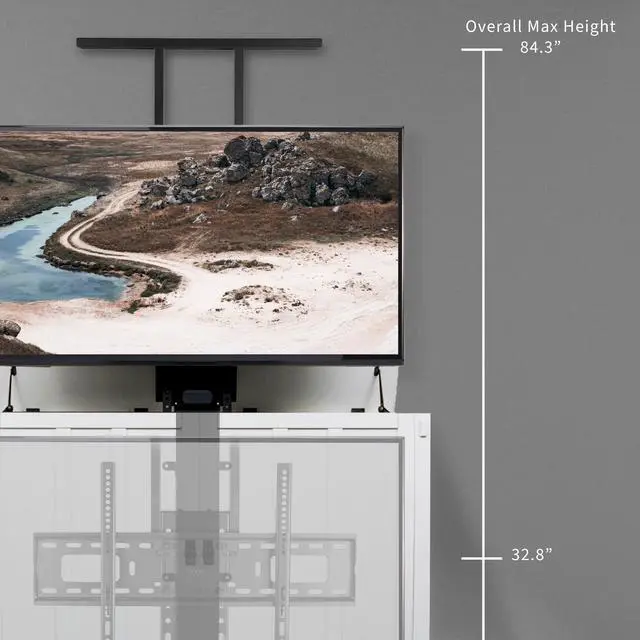
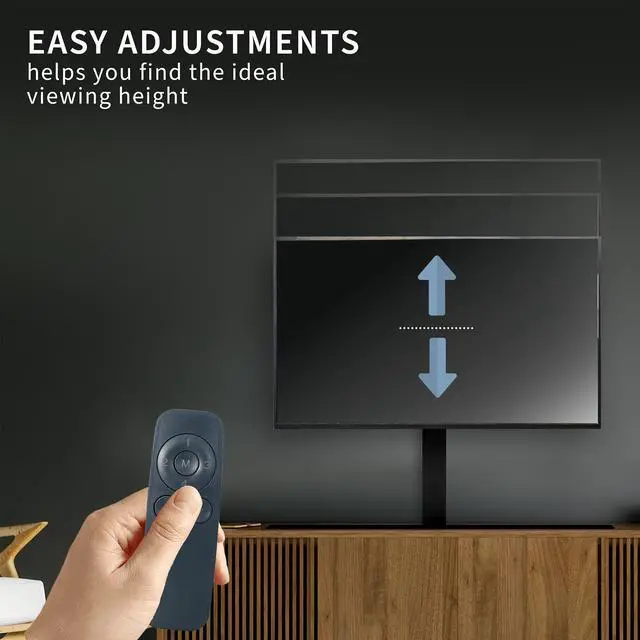
- Electric Height Adjustment: Overall lowered height is 32.8" to 74.2 and overall maximum height is 43" to 84.3 (both settings depend on the adjusted shelf height)
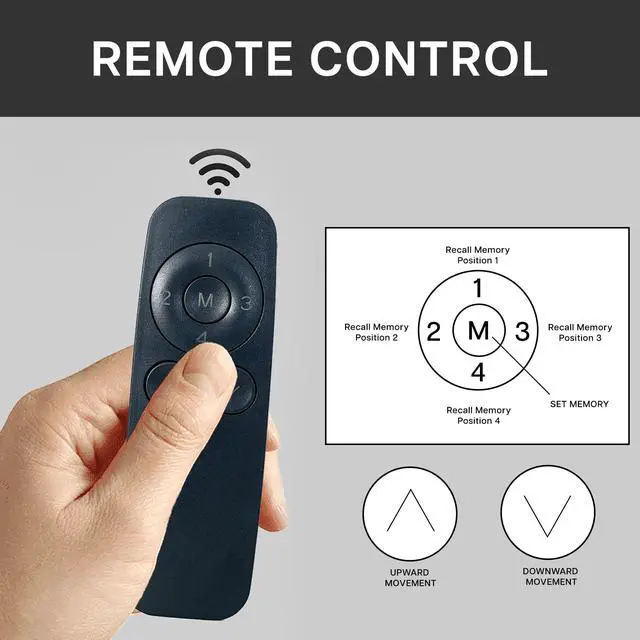
- Easy Installation: An accessory kit containing all the hardware and instructions is provided to give you everything you need for quick installation. The remote control makes adjustments smooth and simple at the press of a button
Any questions? Ask CelesteSM will help you find out quickly.
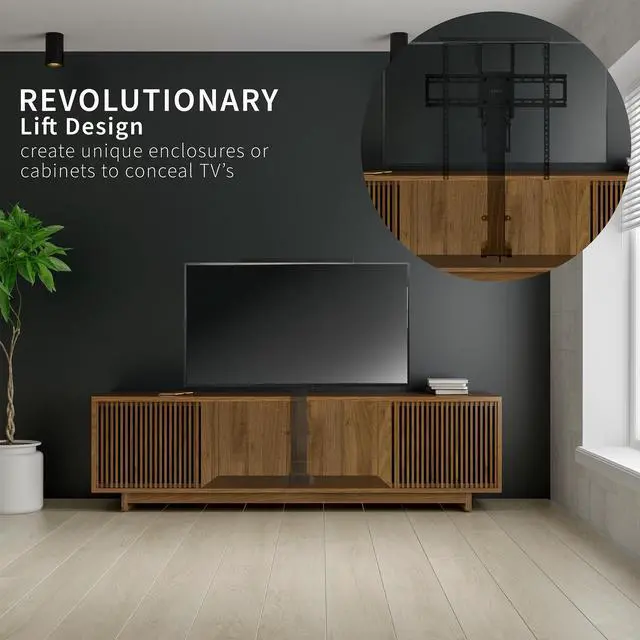
Mounting and adjusting your TV screen is smoother and simpler than ever with the Motorized TV Stand with Remote Control (MOUNT-E-UP80D) from VIVO! Instead of straining your neck, back, and eyes trying to find the perfect angle for your viewing experience, do it at the press of a button. This mount is remote-controlled with motorized height adjustment. And when youre not using the TV, take advantage of the compact design that makes it easy to conceal. The variable mount placement and holes within the column make it compatible with VESA layouts from 75x75mm to 600x600mm. Please Note: This stand is not for ceiling mounting. All the instructions and hardware are provided to get your stand assembled and TV mounted in no time!
Compatibility
Fits Screen Sizes: 37 to 77
VESA Standard (mm): 75x75, 100x100, 200x200, 300x200, 400x200, 200x300, 300x300, 400x300, 200x400, 300x400, 400x400, 400x600, 600x400, 600x600
Weight Capacity: 132 lbs
Specifications
Color: Black
Material: Aluminum, Steel
Remote Control: 4 Memory Settings
Shelf Dimensions: 19 x 2.1 x 0.5
TV Bracket Dimensions: 25.2 x 5.9
VESA Bracket Dimensions: 24.4 x 1
Overall Min Height Range: 32.8" to 74.2
Overall Max Height Range: 43" to 84.3
Base Dimensions: 8 x 5.4
Profile: 9.1"
Base Depth: 8"
Item Weight: 30 lbs
Warranty & Returns
Warranty, Returns, And Additional Information
Warranty
- Please contact the Seller directly for warranty information. Warranty information may also be found on the Manufacturer's website.
- CONTACT
Return Policies
- Return for refund within: 30 days
- Return for replacement within: 30 days
- This item is covered by VIVO Return Policy
Manufacturer Contact Info
- For a directory of all our manufacturers, please click below.
- Manufacturers Directory
The VIVO motorized vertical TV lift is a cabinet-installed mount for 37–77-inch TVs weighing up to 132 lb, with remote-controlled height adjustment. It suits home entertainment centers, conference rooms, and showrooms where users want to raise or lower a TV at the touch of a button.
Recommended For
- Homeowners with a suitable media cabinet who want to hide the TV when it is not in use and raise or lower it by remote for viewing.
- People building or adapting a fixed TV cabinet who want a motorized vertical lift for a compatible large screen, rather than a freestanding stand.
- Conference-room or showroom operators with a stable cabinet installation who want to adjust a display’s height for different presentations or viewing setups.
- Households that watch from different seating positions and want to save or recall preferred screen heights using the remote’s memory settings.
Real-World Use Scenarios
- In a living room where the TV is meant to stay out of sight when it’s off, install the lift inside a suitable cabinet; raise the screen by remote for viewing and lower it to conceal it afterward.
- For a built-in entertainment center, use the lift to bring the TV above the cabinet for a movie or show, then lower it back into the cabinetry to keep the room’s everyday look less screen-focused.
- In a conference room with a cabinet-based display installation, raise the screen for a presentation and lower it between sessions when the display is not needed.
- When a cabinet-mounted TV sits too low or high for the usual seating position, use the remote to adjust its height for a more comfortable viewing angle without manually repositioning the screen.
- In a showroom, raise a cabinet-stored TV when demonstrating products or video content, then lower it when the display area needs to look uncluttered.