




 here!
here!
I’m your shopping assistant for PC builds, upgrades, and everything tech.
Got questions? Ask away!
Start a conversation
here!
I’m your shopping assistant for PC builds, upgrades, and everything tech.
Got questions? Ask away!
Start a conversation




Any questions? Ask CelesteSM will help you find out quickly.

Systems/ Devices Compatibility
- Windows 11 or higher
- Mac OS 14.6 or later (M chip)
- Compatible with Thunderbolt 5/4, USB4, and USB 3.0 computers featuring a USB-C port.
How to Check Your Laptop's Port:
For Best Performance (Thunderbolt 5/4): Look for the lightning bolt symbol next to the USB-C port on your laptop. A Thunderbolt 5 port is required to unlock all features, such as triple display on Windows.
For Mac Users: All modern Macs with USB-C ports feature Thunderbolt 3 or higher, ensuring great compatibility. Display capabilities depend on your Mac's chip model (M1/M2/M3/M4 Base/Pro/Max).
For USB4 & USB-C (DP Alt Mode) Ports: The dock is compatible, but performance in display, data, and charging will be limited by your host device's capabilities.
To ensure the best experience, please check your laptop's official specifications.


Systems/ Devices Compatibility
- Windows 11 or higher
- Mac OS 14.6 or later (M chip)
- Compatible with Thunderbolt 5/4, USB4, and USB 3.0 computers featuring a USB-C port.
How to Check Your Laptop's Port:
For Best Performance (Thunderbolt 5/4): Look for the lightning bolt () symbol next to the USB-C port on your laptop. A Thunderbolt 5 port is required to unlock all features, such as triple display on Windows.
For Mac Users: All modern Macs with USB-C ports feature Thunderbolt 3 or higher, ensuring great compatibility. Display capabilities depend on your Mac's chip model (M1/M2/M3/M4 Base/Pro/Max).
For USB4 & USB-C (DP Alt Mode) Ports: The dock is compatible, but performance in display, data, and charging will be limited by your host device's capabilities.
To ensure the best experience, please check your laptop's official specifications.
Multiple Display Resolution (Max. Resolution)
Windows 11 or higher:
Single Display:
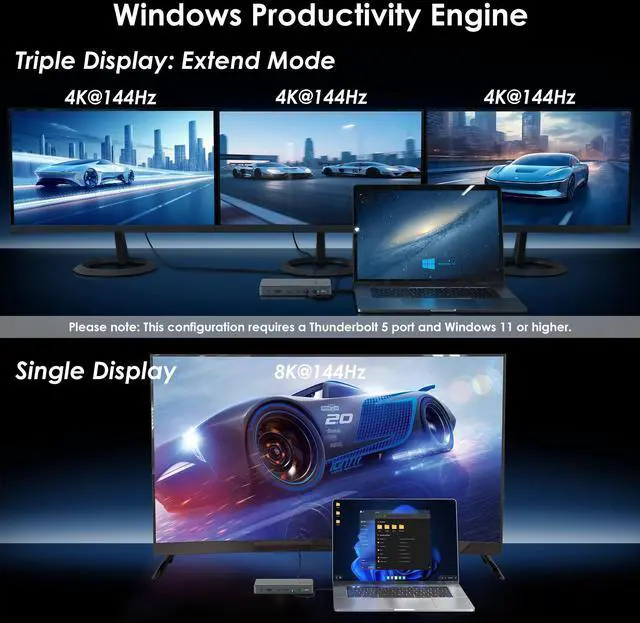
Via Thunderbolt 5: Up to 8K@144Hz
Via Thunderbolt 4: Up to 8K@60Hz
Via USB-C Alt Mode: Up to 4K@60Hz
Via Thunderbolt 3: Not supported.
Dual Display:
Via Thunderbolt 5: Up to 8K@60Hz
Via Thunderbolt 4: Up to 6K@60Hz
Via Thunderbolt 3: Not supported.
Via USB-C Alt Mode: Not supported.
Triple Display:
Via Thunderbolt 5: Up to 4K@144Hz
Via Thunderbolt 4: Not supported.
Via Thunderbolt 3: Not supported.
Via USB-C Alt Mode: Not supported.
macOS (14.6 or later):
Single Display:
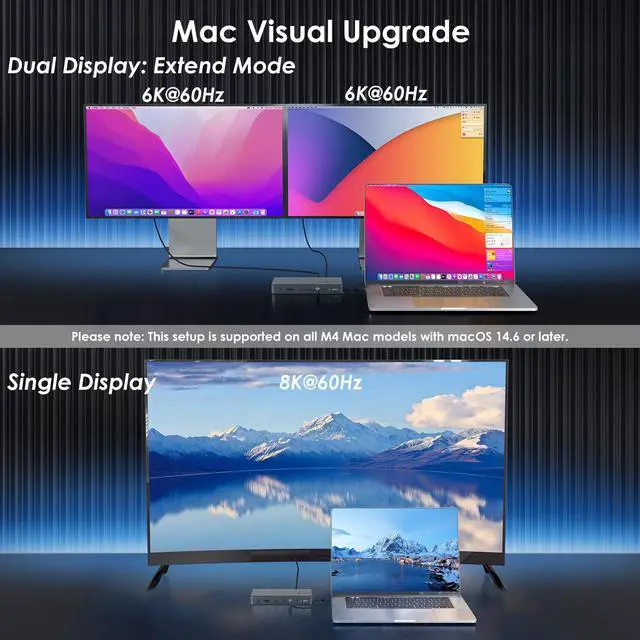
M4 Base/Pro/Max: Up to 8K@60Hz
M1/M2/M3 Pro and Max: Up to 6K@60Hz M3 Base: Up to 6K@60Hz
M1/M2 Base: Up to 4K@60Hz
Dual Display:
M4 Base/Pro/Max: Up to 6K@60Hz
M1/M2/M3 Pro and Max: Up to 6K@60Hz
M1/M2/M3 Base: Not supported.
Triple Display:
All M-series chip Macs (including M4): Not supported.
Specification:
1.Model: WL-UTD59
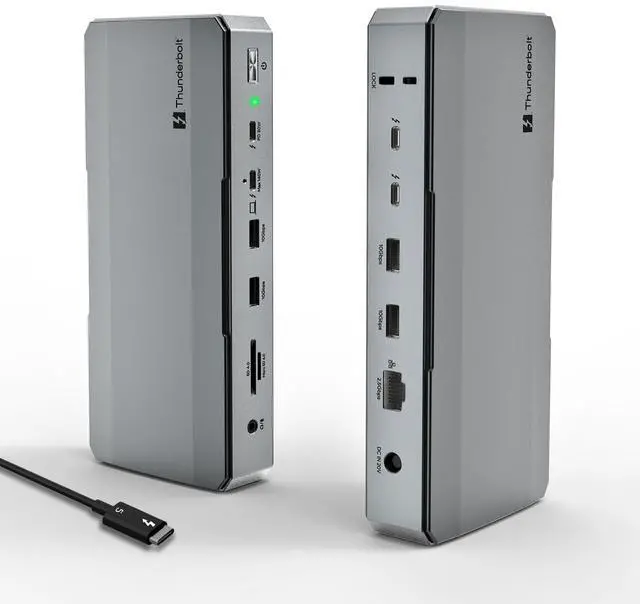
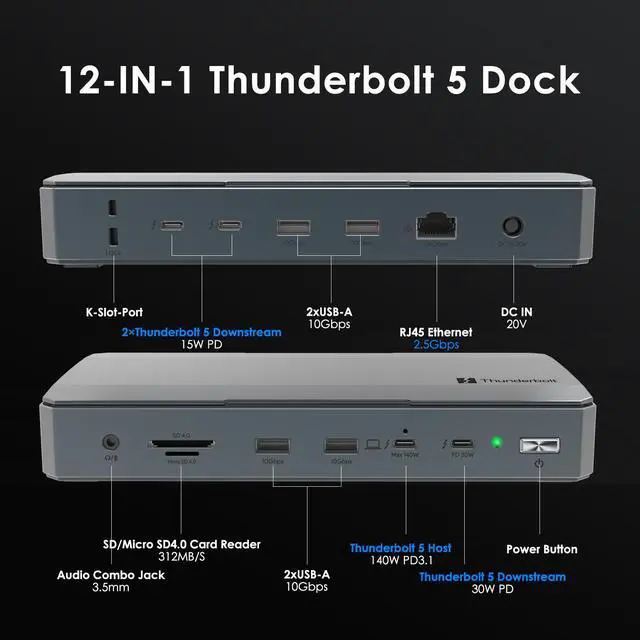
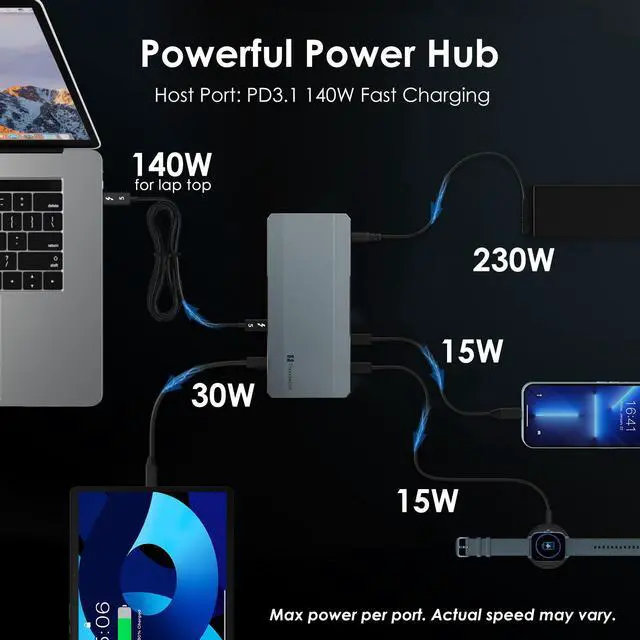
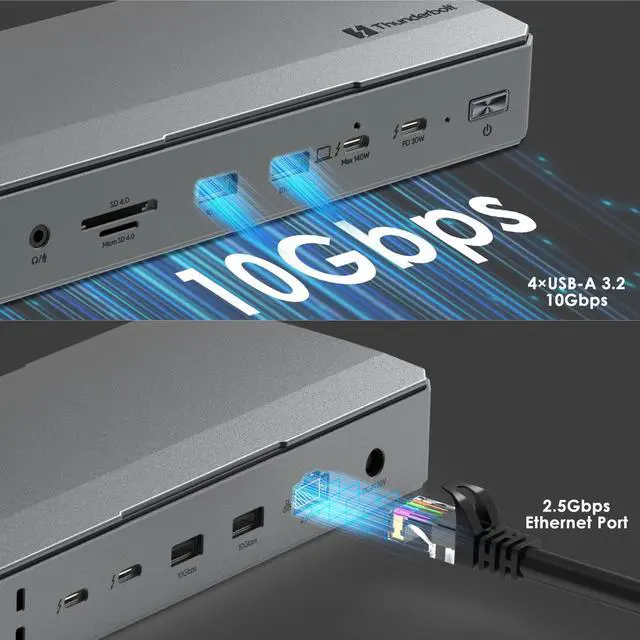
2.Ports: Front: 1×Combo Audio Jack; SD/Micro SD Card Reader(UHS-, SD 4.0); 2×USB-A(10Gbps); 1×TBT 5 UFP (Host, Max. 140W Charging, Video); 1×TBT 5 DFP (80Gbps, Video, PD 30W);
Rear:1×Lock; 2×TBT 5 DFP (80Gbps, Video, Charging); 2×USB-A (10Gbps); 1×RJ45 Ethernet; 1×DC IN (20V).
3.Unit Size: LxW×H :21.9cm×9.7cm×3.5cm/8.62inch×3.82inch×1.38inch
4.USB-C to C/ HDMI Cable Length: 100cm/39.4in
5.Unit Weight: 610g/21.4oz
6.Material: Aluminum alloy
Features
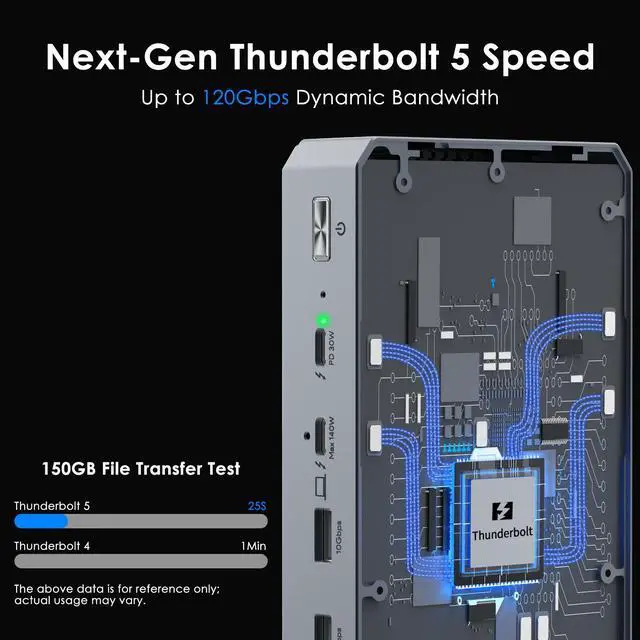
- 1* Thunderbolt5 UFP provides 80Gbps data, 120Gbps bandwidth video transfer, 140W instant charging for the USB-C laptop.
- 3* Thunderbolt5 DFP provide 80Gbps data, dual 8K@60Hz or triple 4K@144Hz display at 120Gbps bandwidth, one of them supports 30W instant charging for the downstream devices.
- 4* USB-A transfer speed up to 10Gbps, and compatible with USB 3.0/2.0.
- 1* RJ45 Ethernet provides efficient transfer, low-latency game experience, stable wired network.
- 1* UHS- SD/Micro SD card reader transfers high-definition video and vivid images at 312MB/s, and compatible with UHS-devices.
- 1* Combo 3.5mm mic/headphone jack for clear audio in and out.
In the Box
- 1 x Thunderbolt5 Multifunctional Docking Station
- 1 x 1m USB-C to USB-C Thunderbolt5 Cable(80/120Gbps)
- 1 x 20V Power Adapter
- 1 x Screwdriver
- 1 x Quick Start Guide
Warm Tips:
1. For the best experience, a laptop with a Thunderbolt 5 or Thunderbolt 4 port is recommended. Performance will be limited on standard USB-C and USB4 ports.
2.Triple External Displays: Support for three external displays is potentially available only when connected to a laptop featuring a Thunderbolt 5 port and running Windows 11 or later. Actual support depends on the specific laptop's specifications.
3.macOS System Limitation: macOS systems do not support triple external displays through this dock. The number and resolution/refresh rate of supported external displays depend on the specific Mac chip model (M1/M2/M3/M4 Base/Pro/Max). Please refer to the compatibility list for details.
4.High Resolution/High Refresh Rates: Achieving 6K/8K resolutions and refresh rates above 60Hz typically requires both your laptop (GPU) and external monitor(s) to support DSC (Display Stream Compression).
5.Accessories: USB-C to HDMI/DP cables and the security lock are not included and must be purchased separately.
Instructions about the monitor(s): 1.Dual 5K monitors must be Thunderbolt 4 or Apple Studio Displays. Dual LG UltraFine 5K monitors are not supported. 6K monitors can be a Thunderbolt 4 monitor or an Apple Pro Display XDR. DSC (Display Stream Compression) support is required for 6K and 8K resolutions.
2.Higher refresh-rates (above 60Hz) may require DSC (Display Stream Compression) support on the monitors and host GPU. The bit/color depth may vary in order to support higher refresh-rates.
3.Some M3 MacBooks such as the MacBook Air can support dual external monitors up to 5K and 6K when the laptop lid is closed (clamshell mode).
4. Currently M1/2/3/4 Macs can only support up to HDMI 2.0b over its Thunderbolt ports. As such, resolutions will be limited to 4K 60Hz when using an HDMI adapter. If a higher refresh-rate is required, please use a USB-C to USB-C or USB-C to DisplayPort or DisplayPort to DisplayPort connection. For more information about a Macs external display support please Apple's or CalDigit's support webpages.
5. Results may vary due to OS updates. For external display compatibility over a single Thunderbolt connection on different Windows computers, please refer to the manufacturers website.


