




 here!
I’m your shopping assistant for PC builds, upgrades, and everything tech.
Got questions? Ask away!
Start a conversation
here!
I’m your shopping assistant for PC builds, upgrades, and everything tech.
Got questions? Ask away!
Start a conversation




Any questions? Ask CelesteSM will help you find out quickly.


Systems
- Microsoft Windows 10 /11
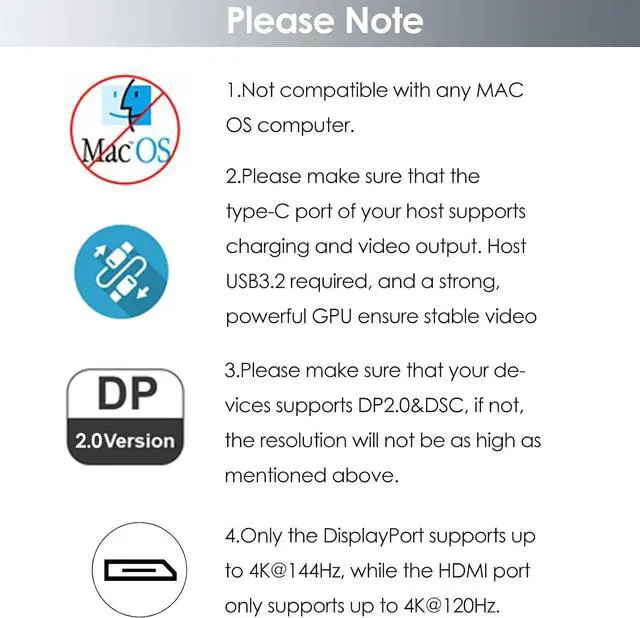
- Apple Mac OS 10.8 or later (Can extend a different display only)
- Your computer must have a USB-C port that supports video output
Display Resolution For Windows & Mac OS
Windows
1. Single Display
HDMI1/HDMI2:
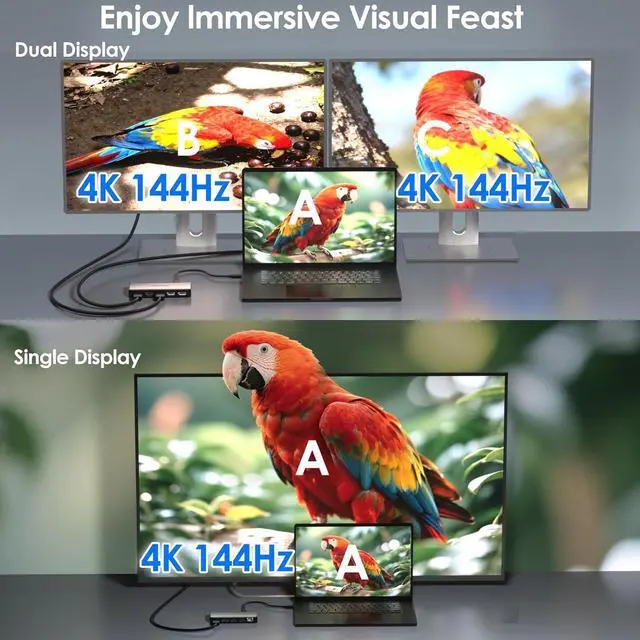
4K@120Hz (Host with DP1.4 & DSC/ DP2.1 & DSC)
DP1/DP2:
4K@144Hz (Host with DP1.4 & DSC/ DP2.1 & DSC)
2. Dual Display
Dual DP:
4K@144Hz (Host with DP2.1 & DSC)
4K@ 60Hz (Host with DP1.4 & DSC)
Dual HDMI:
4K@120Hz (Host with DP2.1 & DSC)
4K@ 60Hz (Host with DP1.4 & DSC)
HDMI+DP:
4K@120Hz+4K@144Hz (Host with DP2.1 & DSC)
3. Triple Display
Host with DP2.1 & DSC:
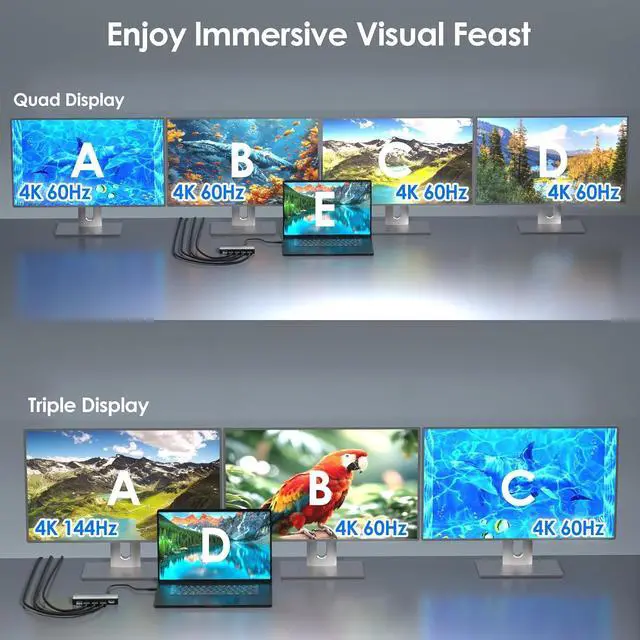
Single DP 4K@144Hz + Dual HDMI 4K@60Hz
Single HDMI 4K@120Hz + Dual DP 4K@60Hz
Host with DP1.4 & DSC:
Dual DP 4K@60Hz+Single 4K@30Hz HDMI
3. Quad Display
Host with DP2.1 & DSC:
Quad 4K@60Hz
Host with DP1.4 & DSC:
Single DP 4K@60Hz+Triple DP/HDMI1080P@60Hz
Mac OS
1. Single Display
HDMI1/HDMI2:
4K@60Hz (Host with DP1.4 & DSC/ DP2.1 & DSC)
DP1/DP2:
4K@144Hz (Host with DP1.4 & DSC/ DP2.1 & DSC)
2. Dual Display(Only Mirror Mode)
Dual 4K@60Hz(Host with DP2.1 & DSC)
Dual HDM/DP 4K@60HZ(Host with DP1.4 & DSC)
3. Triple Display(Only Mirror Mode)
Triple 4K@60Hz(Host with DP2.1 & DSC)
Triple HDM/DP 4K@60HZ(Host with DP1.4 & DSC)
4. Quad Display(Only Mirror Mode)
Quad 4K@60Hz(Host with DP2.1 & DSC)
Quad HDM/DP 4K@60HZ(Host with DP1.4 & DSC)
Features
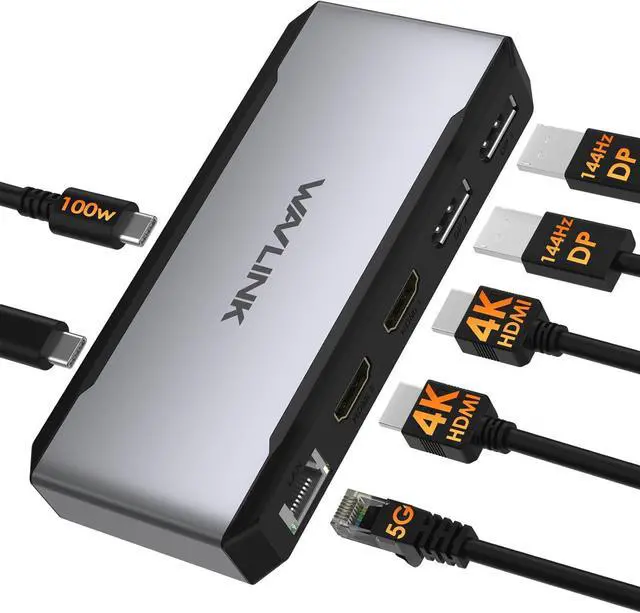
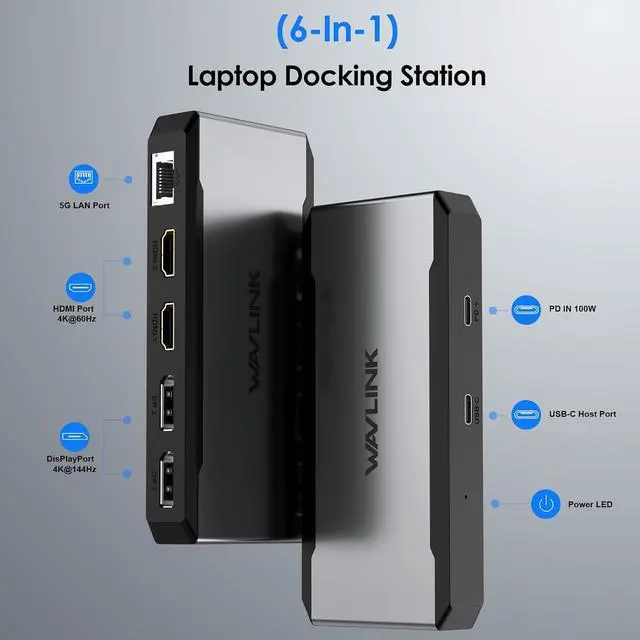
- 2x DP 21ports and 2x HDMI 21 ports can quadruple extend or mirror your screen up to vivid 4K@144Hz
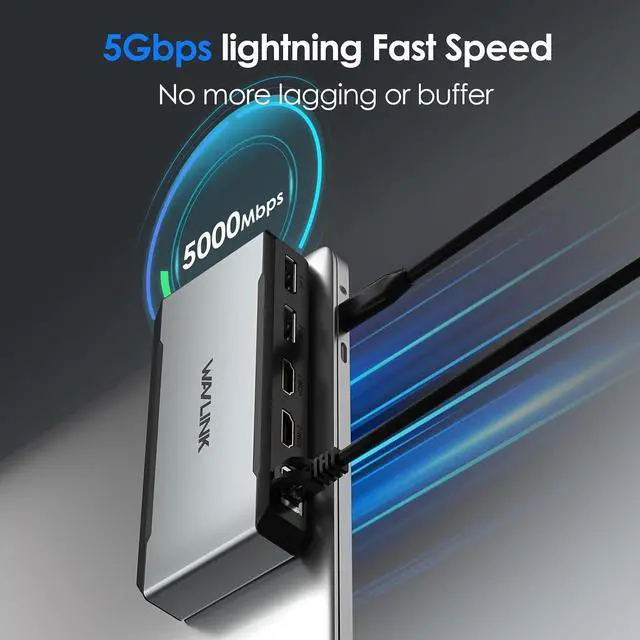
- 1x 5Gbps LAN port speeds up your gaming and streaming playing backward 2500/1000/100/10Mbps.
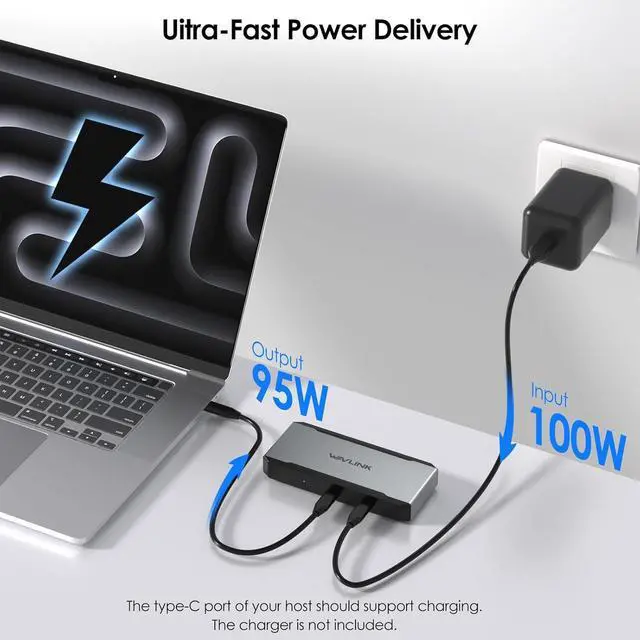
- 1x USB-C port supports 90W upstream charging to your laptop, and 10W downstream charging to other devices Drver-free,plug and play
In the Box
1 x Docking Station
1 x USB-C to C E-Mark Cable
1 x Quick Start Guide
The WAVLINK WL-UMD323 is a USB-C docking station built for Windows users who need a single-cable setup for up to four external 4K displays, 90W laptop charging, and fast wired networking in desk-based work, design, or multitasking environments.
| Attribute | Value |
|---|---|
| Best For | Windows laptop users who need a quad-monitor 4K productivity setup for office work, multitasking, data analysis, and multi-window workflows |
| Ports & Display Outputs | Two DisplayPort 2.1 and two HDMI 2.1 outputs enabling quadruple extend or mirror of connected screens with support up to 4K@144Hz |
| Power & Charging | Single USB C PD port that provides 90W upstream charging to a connected laptop and 10W downstream charging for other devices (charger not included; requires a 20V/5A/100W USB-C power adapter sold separately |
| Networking | 5 Gbps Ethernet port with auto‑negotiation for 2500/1000/100/10 Mbps |
| Compatibility & Host Requirements | Designed primarily for Windows 10/11 systems. Compatible with Intel-based Macs running macOS 10.8 or later, but note: macOS only supports mirror mode across external displays (all external monitors show the same content). M-series Macs (M1/M2/M3/M4) are not recommended for multi-display use with this dock. For Mac users needing multiple extended displays, consider a DisplayLink-based dock instead; requires a USB-C port on the host that supports video output |
| Setup & Software | Driver‑free plug‑and‑play installation (no additional drivers required) |
| Model Identifiers | Wavlink WL-UMD323 in Silver |
Q: Should I choose the WAVLINK WL-UMD323 or a Thunderbolt 4/USB4 dock for a multi-monitor desk?
A: Choose the WAVLINK WL-UMD323 when your priority is adding up to four external displays from a regular USB-C laptop. This dock uses MST (Multi Stream Transport) technology to drive multiple monitors through the host's native DisplayPort Alt Mode, rather than using software-based video compression like DisplayLink.
Q: Is the WAVLINK WL-UMD323 a better fit than a basic dual-monitor USB-C dock?
A: Yes, if you specifically need more than two displays or want a dock built around a monitor-heavy workspace. A basic dual-monitor USB-C dock is usually the simpler choice for standard office setups with one or two screens and more peripheral ports. The WL-UMD323 makes more sense when display count is the main buying reason, since its positioning centers on quad-display support with 90W host charging and Ethernet rather than a broader port mix.
Q: Should I buy the WAVLINK WL-UMD323 or move up to a higher-tier dock with more ports and Thunderbolt-class expansion?
A: The WL-UMD323 is a specialized 6-in-1 dock that prioritizes quad-display output (4× video ports) and wired networking. It does not include USB-A ports, card readers, or audio jacks—this is by design for its targeted multi-monitor productivity use case. If you need broader peripheral connectivity alongside display expansion, a more general-purpose dock would be a better fit.
Q: Is the WAVLINK WL-UMD323 better for office productivity or for high-refresh gaming setups?
A: The WL-UMD323 is the better fit for office productivity and multi-screen desktop work. For gaming-first use, a native video connection or a Thunderbolt/USB4 dock with native display output is usually the safer choice. Across review coverage and community discussion, DisplayLink-style docks are commonly treated as a strong solution for spreadsheets, browser work, chat, and general multitasking, while latency-sensitive gaming is the use case where users more often prefer native display output.
Q: Should Mac users choose the WAVLINK WL-UMD323 or a driverless USB4/Thunderbolt dock?
A: This dock is NOT recommended for Mac users who need independent extended displays. On macOS, MST is not supported—the dock operates in SST (Single Stream Transport) mode, meaning all external monitors will show the same mirrored content. The WL-UMD323 is designed primarily for Windows 10/11 users seeking multi-monitor expansion. For Mac users needing multiple independent extended displays, a DisplayLink-based dock is the recommended alternative.
Q: Will this dock run four external monitors on any USB-C laptop?
A: No. It is best suited to Windows 10/11 laptops whose USB-C port supports video output. Retail Q&A for comparable docks repeatedly shows that monitor count depends on the host port and operating system, especially on Mac systems where multi-monitor behavior is often more limited. For this WAVLINK model, buyers should treat Windows support as the main use case and verify that the laptop’s USB-C port supports display output before buying.
Q: Is this a good choice for a MacBook setup?
A: Usually no, unless your needs are simple and you have confirmed the exact display behavior you want. The product data says macOS can extend only a different display, while the listing is primarily positioned for Windows systems. Comparable retail Q&A pages show that Mac buyers often run into limits on multiple extended displays unless the dock uses a specific workaround such as DisplayLink. This dock is a safer fit for Windows multi-monitor desks than for Mac-first setups.
Q: Is this dock good for office work, meetings, and a permanent desk setup?
A: Yes, if your priority is a fixed workstation with multiple displays, wired networking, and laptop charging. The port mix matches common office needs better than travel use: four display outputs, Ethernet, and upstream charging. Comparable retail Q&A trends show buyers repeatedly ask about dual or triple monitor productivity, laptop-closed use, and stable wired connectivity. The main trade-off is that this is more of a desk dock than a minimalist travel adapter.
Q: Is this worth buying as a travel work device?
A: Probably not for most travelers. This model makes more sense as a stationary multi-monitor dock than as a compact carry-everywhere hub. Retail Q&A on similar docks frequently focuses on power adapters, desk use, and multi-monitor compatibility rather than portability. If you mainly need one external display and a few ports on the road, a smaller USB-C hub is usually the simpler choice; if you need a full desk replacement at one location, this dock is the better fit.
Q: What is the main trade-off versus a simpler dual-monitor USB-C dock?
A: The advantage is higher workspace potential: up to four display outputs and faster wired networking than a basic hub. The trade-off is stricter compatibility and a narrower ideal user. Comparable retail Q&A shows simpler docks are easier to understand and more predictable for casual setups, while advanced multi-display docks require buyers to confirm host video support, OS behavior, and power setup. Choose this WAVLINK dock if you specifically need a Windows-centric multi-monitor desk; choose a simpler dock if you want broad plug-and-play convenience.
Q: Who is this dock actually suitable for?
A: This dock is best suited to Windows users who need multiple external displays from a USB-C laptop that supports video output. It is a practical fit for desk-based work setups where quad-display support, wired networking, and laptop charging matter more than portability. It is a weaker fit for buyers who need broad cross-platform certainty, because the listing is centered on Windows and Mac support is described more narrowly.
Q: Is this a good choice if I want four monitors from one USB-C connection?
A: It can be a good choice if your main goal is maximizing monitor count from a supported USB-C laptop, but buyers should treat the headline display specs carefully. In community discussion around similar Wavlink multi-monitor docks, a repeated theme is that real-world display limits depend on the laptop, the USB-C video capability, and whether the setup relies on native USB-C video expansion. It makes the most sense for productivity-focused multi-monitor setups, not for assuming every host will drive four high-refresh displays exactly as advertised.
Q: What is the main compatibility trade-off before buying?
A: The main trade-off is that the dock is not universally plug-and-play in every setup, even if the connector fits. Your laptop must support USB-C video output, and multi-display behavior can vary by operating system and host hardware. For buyers deciding between docks, compatibility checking is more important here than raw port count.
Q: Is this worth buying over a mainstream business dock?
A: It is worth considering if you specifically want high monitor count and a simpler feature set at the product's category level, but it is a less conservative choice than established business docks from major PC brands. Reddit discussions about Wavlink docks repeatedly focus on compatibility questions and reliability concerns, so risk-averse buyers may prefer a mainstream enterprise dock, while monitor-count-focused buyers may still find this type of dock appealing.
Q: Is this a good dock for gaming or high-refresh monitor setups?
A: The WL-UMD323 can support high refresh rates like 4K@144Hz on a single display, but this requires a host with DP 2.1 and DSC support. In multi-monitor configurations (especially 3-4 displays), refresh rates will typically drop to 4K@60Hz or lower. The dock is designed for productivity and workspace expansion first; high-refresh performance depends heavily on your specific laptop's USB-C video capabilities. Treat gaming or maximum-refresh setups as a compatibility check, not a guaranteed feature.


