• $349.99
  • Free 30-day Returns
  • Ships from Hong Kong.
    Price alert
    Shop it at NeweggBusiness.

    Meet Your Seller

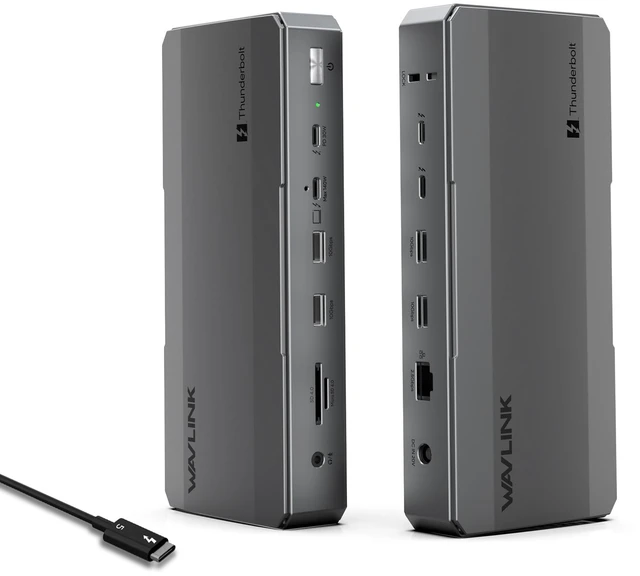
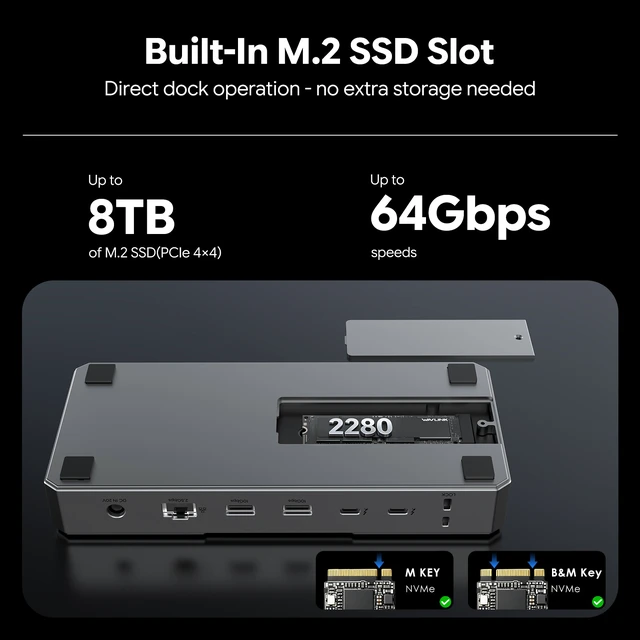
    WAVLINK Thunderbolt 5 Docking Station with NVMe M.2, up to 120Gbps, MAX 140W PD, Triple 4K/Dual 8K Display, 3x TB5 Downstream Ports, 4x USB-A 10Gbps, 2.5G Ethernet, for Mac & Windows TB5/4 Laptops

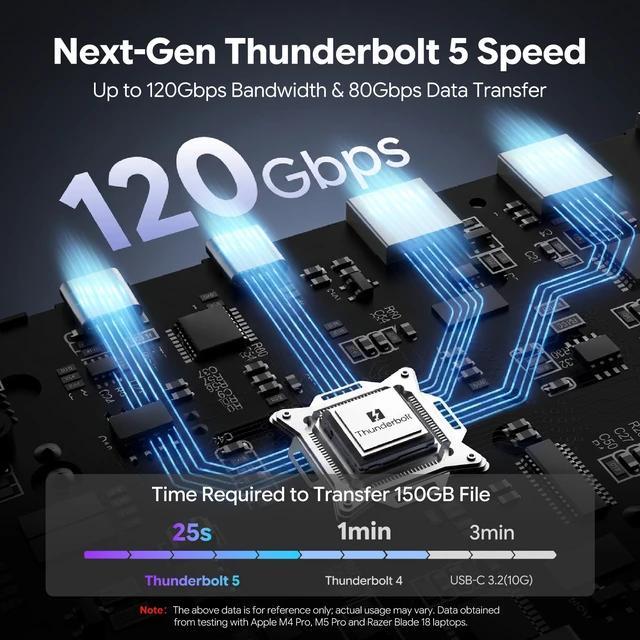
    • Next-Gen Thunderbolt 5 Speed: Experience the future of connectivity with up to 120Gbps dynamic bandwidth. This dock leverages the full power of Thunderbolt 5, providing 80Gbps bi-directional speed and Bandwidth Boost for unparalleled performance with high-resolution displays and data-intensive tasks.
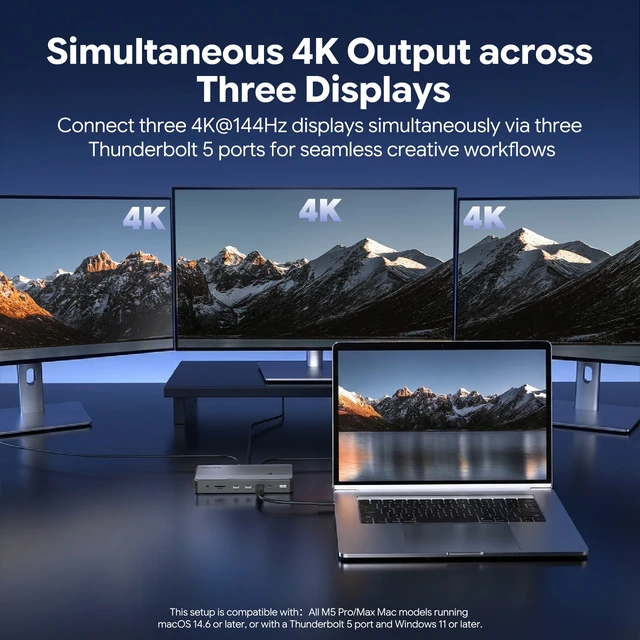
    • Stunning Multi-Monitor Displays: Drive up to Triple 4K displays on compatible Windows PCs with Thunderbolt 5, or up to Dual 6K displays on supported Mac models (M1/M2/M3 Pro/Max, M4 All models). This dock unlocks your laptop's full visual potential for ultimate productivity.
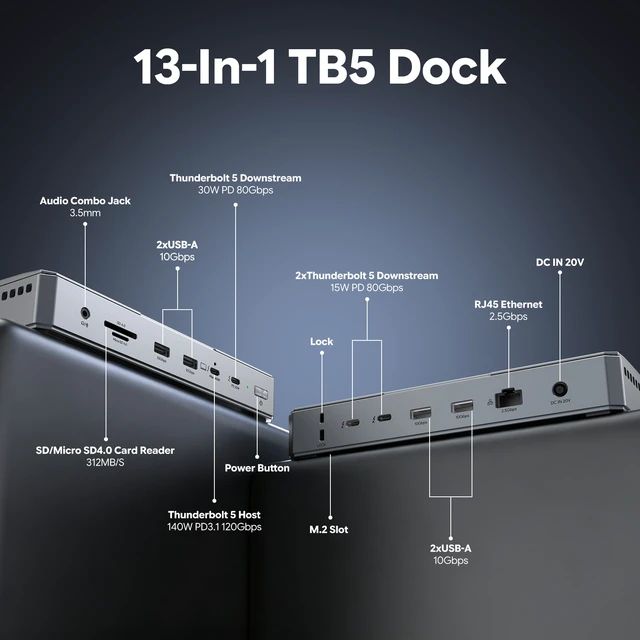
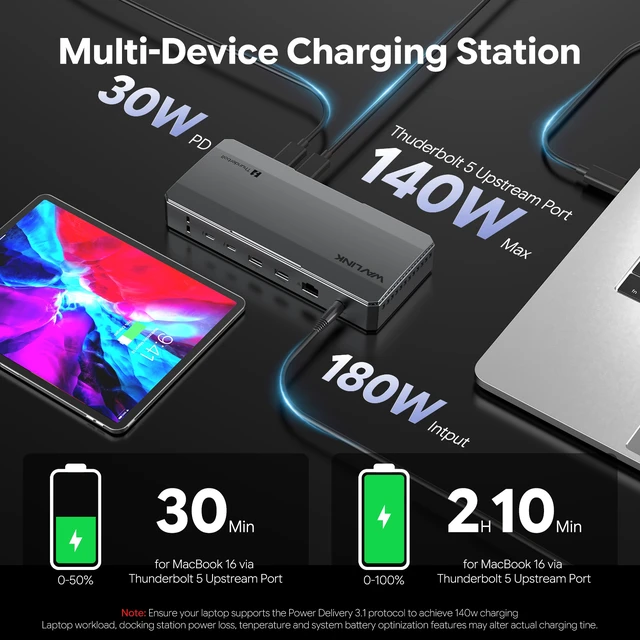
    • MAX 140W Power Delivery: Power and charge your high-performance laptop with up to 140W via a single Thunderbolt 5 cable. This dock also keeps your peripherals charged with three downstream Thunderbolt 5 ports offering up to 30W and 15W of power, simplifying your workspace.
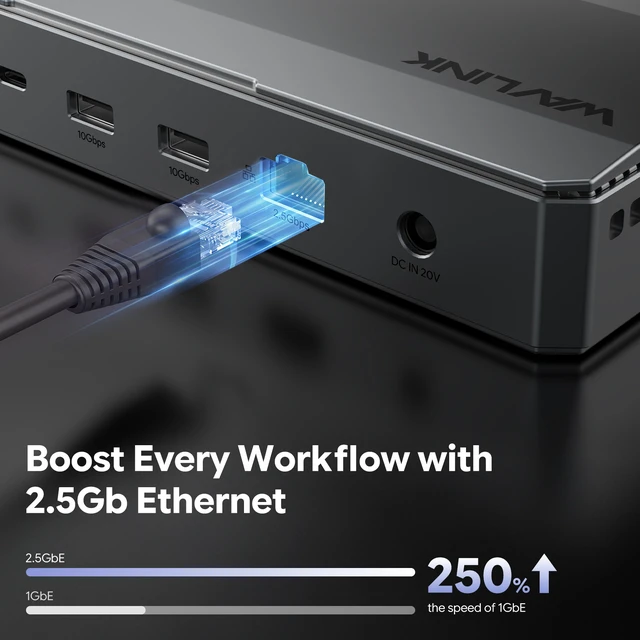
    • Complete Connectivity Hub: Connect all your essential devices. This 12-in-1 hub includes 3x Thunderbolt 5 Downstream ports, 4x USB-A 3.2 ports (up to 10Gbps), a blazing-fast 2.5Gbps Ethernet port, a UHS-II SD & microSD 4.0 Card Reader (up to 312MB/s), and a 3.5mm combo audio jack.
    • Important Compatibility Notes: Triple display requires a Windows 11+ PC with Thunderbolt 5. Dual display on Mac depends on chip model (M1/M2/M3 Pro/Max, M4 All models). High resolutions/refresh rates often require DSC support. For best performance, a Thunderbolt 5/4 host is recommended.
    +
    +
    Overview
    Specs
    Reviews
    avatar

    Any questions? Our AI mode will help you find out quickly.

    Docking Station
    Docking Station
    Docking Station
    Docking Station
    Docking Station
    Docking Station
    Docking Station
    Docking Station
    Docking Station
    Docking Station
    Docking Station
    Docking Station
    Docking Station
    Docking Station
    Docking Station
    Docking Station

    Systems/ Devices Compatibility

    - Windows 11 or higher

    - Mac OS 14.6 or later (M chip)

    - Compatible with Thunderbolt 5/4, USB4, and USB 3.0 computers featuring a USB-C port.


    How to Check Your Laptop's Port:

    For Best Performance (Thunderbolt 5/4): Look for the lightning bolt () symbol next to the USB-C port on your laptop. A Thunderbolt 5 port is required to unlock all features, such as triple display on Windows.

    For Mac Users: All modern Macs with USB-C ports feature Thunderbolt 3 or higher, ensuring great compatibility. Display capabilities depend on your Mac's chip model (M1/M2/M3/M4 Base/Pro/Max).

    For USB4 & USB-C (DP Alt Mode) Ports: The dock is compatible, but performance in display, data, and charging will be limited by your host device's capabilities.

    To ensure the best experience, please check your laptop's official specifications.


    Multiple Display Resolution (Max. Resolution)

    Windows 11 or higher:

    Single Display:

    Via Thunderbolt 5: Up to 8K@144Hz

    Via Thunderbolt 4: Up to 8K@60Hz

    Via USB-C Alt Mode: Up to 4K@60Hz

    Via Thunderbolt 3: Not supported.

    Dual Display:

    Via Thunderbolt 5: Up to 8K@60Hz

    Via Thunderbolt 4: Up to 6K@60Hz

    Via Thunderbolt 3: Not supported.

    Via USB-C Alt Mode: Not supported.

    Triple Display:

    Via Thunderbolt 5: Up to 4K@144Hz

    Via Thunderbolt 4: Not supported.

    Via Thunderbolt 3: Not supported.

    Via USB-C Alt Mode: Not supported.

    macOS (14.6 or later):

    Single Display:

    M4 Base/Pro/Max: Up to 8K@60Hz

    M1/M2/M3 Pro and Max: Up to 6K@60Hz M3 Base: Up to 6K@60Hz

    M1/M2 Base: Up to 4K@60Hz

    Dual Display:

    M4 Base/Pro/Max: Up to 6K@60Hz

    M1/M2/M3 Pro and Max: Up to 6K@60Hz

    M1/M2/M3 Base: Not supported.

    Triple Display:

    All M-series chip Macs (including M4): Not supported.

    Warranty & Returns

    Warranty, Returns, And Additional Information

    Warranty

    • Please contact the Seller directly for warranty information. Warranty information may also be found on the Manufacturer's website.
    • CONTACT

    Return Policies

    Manufacturer Contact Info

    LOADING...