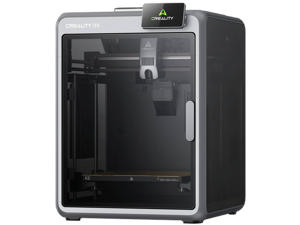
FDM 3D Printers
Pros:
- Ease of use
- Cost-effective
- Low maintenance, strong and durable parts
- Faster on larger build volumes
Best for:
- School projects
- Custom creative pieces
- Functional prototypes
- Cosplay and large props


Introducing Flashforge Creator 5 Pro, a next-generation multicolor 3D printer built around four independent tool heads. This filament 3D printer can print intricate, multi-color models as a single finished piece, skipping assembly and post-print painting altogether. Compatible with a broad range of materials, including PLA, PETG, ABS, ASA, PC, and PA.
Shop Flasforge 3D PrinterIntroducing the F2, a portable dual-laser engraver built for on-site customization and small-batch production, featuring a 15W diode and 5W IR laser, a built-in 50MP camera, and speeds up to 6,000mm/s. Compact, pre-assembled, and fitted with an eye-protection cover, it's easy to bring along to fairs, shops, and events.
Shop xTool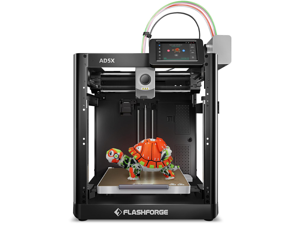
$20 promotional gift card w/ purchase, limited offer
Explore 3D printing hardware, materials, and maker tools at Newegg. Compare 3D printers, filament, 3D scanners, engraving equipment, and accessories for prototyping, STEM learning, engineering, custom parts, models, cosplay, product design, and creative production. Whether you are buying your first FDM printer, upgrading to a faster multicolor system, or building a complete fabrication workflow, understanding print technology, build volume, material compatibility, automation features, and ongoing consumable costs can help you choose the right setup.
3D printing turns digital designs into physical objects by building material layer by layer. Today, the technology supports everything from beginner projects and classroom learning to prototypes, replacement parts, cosplay, engineering models, custom tools, and small-batch production.
Newegg’s 3D Printing category brings together printers, scanners, filament, engravers, and accessories to help move from a digital idea or physical object to a finished real-world model.
Each 3D printing technology has different strengths. Consider your project goals, detail requirements, materials, build size, maintenance preferences, and budget.
Browse 3D Printers on Newegg and compare models by technology, build volume, supported materials, print speed, automation features, enclosure design, extruder setup, and connectivity.
Modern desktop 3D printers increasingly combine faster motion systems with features such as automatic leveling, direct-drive extrusion, removable build plates, multicolor printing, quick-change nozzles, cameras, and network connectivity.
Build volume determines the maximum size of an object that can be printed in a single job. Compact printers work well for miniatures, small mechanical parts, models, and everyday projects.
Larger build volumes are better suited to helmets, cosplay props, larger prototypes, enclosures, engineering models, and printing several smaller objects in one production run.
Desktop build volumes around 260 × 260 × 260 mm or 300 × 300 × 300 mm can provide useful flexibility for many home and maker workflows, but always compare the exact printer dimensions and usable build area.
Higher print speeds can reduce production time, but maximum advertised speed does not determine print quality by itself. Acceleration, motion-system design, slicer settings, material, nozzle size, cooling, layer height, and model geometry also affect the finished result.
If you frequently print large prototypes, a high-speed motion system may save substantial time. For miniatures, display models, and detailed surfaces, accuracy and consistency may be more important than maximum speed.
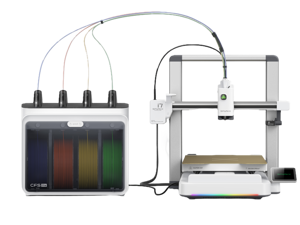
Multicolor printing allows compatible printers to automatically switch between filament colors or materials during a print. This can reduce manual filament changes and expand what can be produced in a single job.
Multicolor systems are useful for character models, signs, educational objects, prototypes, labels, decorative items, and functional components where colors identify different sections.
If this is your first 3D printer, prioritize features that reduce calibration and setup work.
Rapid prototyping is one of the most useful applications of desktop 3D printing. Designers can test shape, fit, geometry, ergonomics, mounting points, and assembly before committing to more expensive manufacturing methods.
Engineers and product developers can create multiple revisions quickly, while hobbyists can print brackets, adapters, fixtures, organizers, project enclosures, replacement components, and custom tools.
A complete 3D printing setup includes more than the printer itself. Filament or resin, scanners, engraving equipment, maintenance parts, nozzles, build plates, storage solutions, and post-processing tools can all influence the finished result.
Shop 3D Printing Filament and compare materials based on strength, flexibility, temperature resistance, appearance, and ease of printing.
Many filaments absorb moisture from the air. Wet filament can contribute to stringing, bubbling, inconsistent extrusion, rough surfaces, and weaker prints.
Store opened filament in a dry environment and consider sealed containers, desiccant, or filament dryers when appropriate.
Browse 3D Printing Accessories for replacement parts, nozzles, build plates, hotends, extruders, filament storage, dryers, maintenance tools, and printer upgrades.
Useful accessories can include:
Newegg’s broader 3D Printing category also includes laser engraving equipment.
Engraving complements additive manufacturing by allowing creators to mark, personalize, or cut compatible materials. For example, a maker can print an enclosure and then use engraving equipment to add labels, logos, artwork, or identification marks.
A 3D scanner captures the shape and geometry of physical objects and converts them into digital models.
Scanning can support reverse engineering, replacement-part design, customization, digital archiving, inspection, CAD workflows, and preparing existing physical objects for 3D printing.
When comparing scanners, consider accuracy, scanning technology, supported object size, tracking method, software, computer requirements, portability, and the intended workflow.
Use Newegg filters together with product specifications, customer ratings, and recent reviews to narrow down the most suitable setup.
Important comparison points include:
Visit Newegg Insider 3D Printing for buying guides, technology explainers, product coverage, and maker-focused educational content.
Last Updated: September 2026 | Newegg 3D Printing Buying Guide
FDM printers melt filament and are popular for functional parts, prototypes, larger models, and general maker projects. Resin printers cure liquid resin and are generally better suited to projects where very fine detail and smooth surfaces are the priority.
Compare printing technology, build volume, material compatibility, print speed, automatic leveling, enclosure design, multicolor support, slicer software, replacement parts, warranty, and recent Newegg customer reviews.
An FDM printer with automatic bed leveling, simple filament loading, a removable build plate, reliable slicer software, and widely available replacement parts is often a practical starting point.
PLA is generally easier to print and works well for models, prototypes, and everyday projects. PETG is usually tougher and more temperature resistant, making it useful for many functional parts.
Choose based on your largest expected project. Smaller printers work well for miniatures and ordinary parts, while larger build volumes are better for helmets, props, enclosures, large prototypes, and multiple parts.
Not necessarily. Higher speed can reduce printing time, but motion control, material, cooling, acceleration, layer height, nozzle size, and slicer settings also affect print quality.
Automatic bed leveling measures the build surface and compensates for small height differences. This can improve first-layer consistency and reduce manual adjustment.
A filament dryer can help when materials absorb moisture. Dry filament can improve extrusion consistency and reduce bubbling, stringing, rough surfaces, and weakened printed parts.
A 3D scanner captures the geometry of physical objects so users can create digital models for reverse engineering, customization, archiving, inspection, CAD work, or 3D printing.
Useful accessories can include extra filament, replacement nozzles, build plates, filament dryers, cleaning tools, spare hotend components, calibration tools, and print-removal equipment.
“ The software is so easy to use. ”
Flashforge AD5X 3D Printer, 600mm/s High-Speed and Multi-Color 3D Printer with 300C Nozzle, Auto Leveling and PEI Flexible Plate, 8.7 x 8.7 x 8.7in“ The software easily converts photos to expressive plaques. ”
LONGER RAY5 Engraver, 40W Engraving Cutting Machine for Metal and Wood, 5w Cutter and Engraver Machine, 15.7x15.7inch, 3.5-inch Color Touch Screen, Offline Engraving / Cutting