

Your Browsing History
Quick View
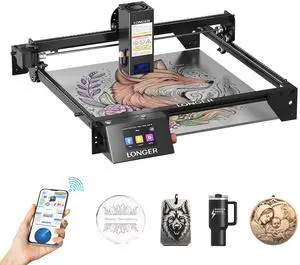
LONGER RAY5 20W Upgraded Laser Engraver , 3.5" Color Touchscreen, App & Offline Control, 400×365mm Work Area, for Metal, Glass & Wood Engraving
- Type: Laser Engraver
- Output Power: 20W
- Model #: RAY5-20-3-3
- $443.99
- $355.19 –
- Save: 20%
- Free Shipping
Quick View

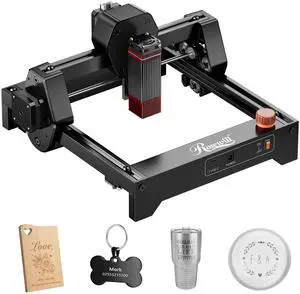
- Type: Laser Engraver
- Technology: Diode Laser
- Work Area: 130 x 140mm
- Output Power: 2.5W
- Model #: Ray6mini_2.5W
- $79.99 –
- Free Shipping
Quick View
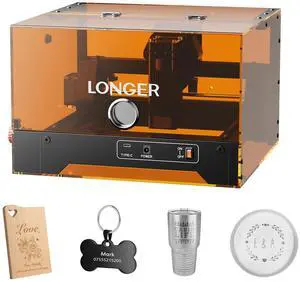
LONGER Ray5 MiniS 5.5W Laser Engraver with Enclosure, Safe Desktop for Beginners, 12000mm/min, WiFi & Offline, LightBurn/LaserGRBL, Door Detection & Emergency Stop, Wood/Acrylic/Leather
- Type: Laser Engraver
- Technology: Diode Laser
- Work Area: 130*120mm
- Output Power: 5.5W
- Model #: Ray5 MiniS 5.5W
- $203.99
- $166.99 –
- Save: 18%
- Free Shipping
Quick View
- Type: Laser Engraver
- Technology: Diode Laser
- Work Area: 130 x 140mm
- Output Power: 3.5W
- Model #: Ray6mini_3.5W
- $139.99
- $89.99 –
- Save: 35%
- Free Shipping
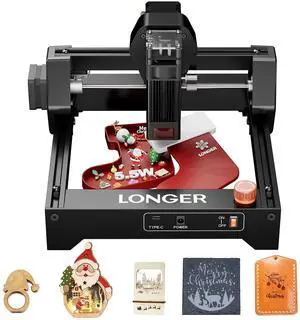
Quick View
LONGER Ray5 mini 5.5W High-Speed Desktop Laser Engraver, Laser Cutter up to 12000mm/min, CNC DIY Machine for Wood, Metal, Acrylic, Leather, 130×130mm Work Area
Limited time offer, ends 10/09
- Output Power: 5.5W
- Model #: Ray5 mini 5.5W
- $125.00 –
- Free Shipping

Quick View
Longer RAY5 20W B1 20W B1 30W B1 40W Laser Air Assist Nozzle Kit
- Model #: Air Assist Nozzle Kit
- $25.99 –
- Free Shipping
Quick View
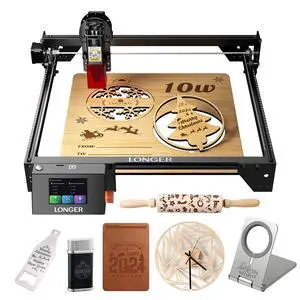
LONGER Ray5 10W Upgraded Laser Engraver with 3.5" Color Touchscreen, 400×400mm Large Engraving Area, Supports Wood, Metal, Acrylic, Leather and More for DIY Projects and Custom Creations.
- Output Power: 10W
- Model #: RAY5 10W-US-4
- $249.99
- $199.99 –
- Save: 20%
- Free Shipping
Quick View
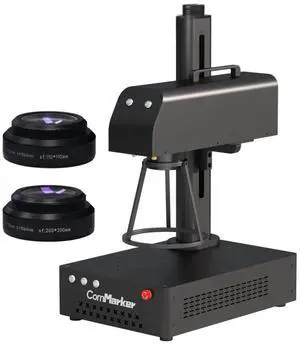
ComMarker B4 20W Fiber Laser Engraver,LightBurn Compatible Laser Engraving Machine with 2Lens,2-in-1 Desktop and Handheld Fiber Laser Marking Machine for Jewelry,Sliver,Gold
- Output Power: 20W
- Model #: B4 20W
- $1,399.00 –
- Free Shipping
Quick View
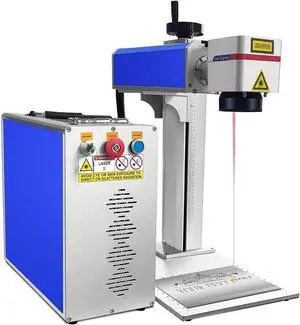
SIHAO 20W Fiber Laser Marking Machine Compatible with Coreldraw, AutoCAD, 7.9"x7.9" Work Area for Precise Metal Engraving
- Output Power: 20W
- Model #: 8DBJFTS20W150*1500000V1-1
- $1,918.56
- $1,598.80 –
- Save: 16%
- Free Shipping
Quick View
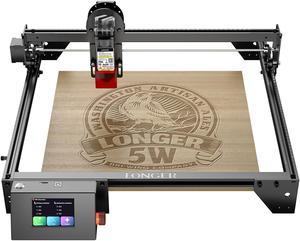
LONGER RAY5 Laser Engraver, 5W Laser Engraving Cutting Machine for Metal and Wood, 3.5-inch Color Touch Screen, Offline Engraving/Cutting
- Type: Laser Engraver & Cutter
- Output Power: 5W
- Model #: RAY5 5W-2
- $259.99 –
- Free Shipping
Quick View
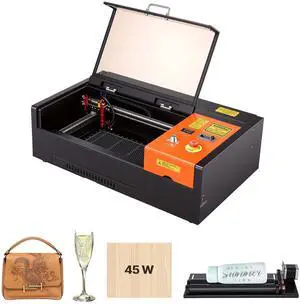
VEVOR 45W CO2 Laser Engraver, 12 x 8 in, Desktop CO2 Laser Engraver Cutter Machine with Rotary Axis, Air Assist, Engraving Machine Compatible with LightBurn CorelDRAW GRBL, for Wood Acrylic Glass
- Type: Other Appliances
- Output Power: 45W
- Model #:
- $911.90
- $759.90 –
- Save: 16%
- Free Shipping
Quick View
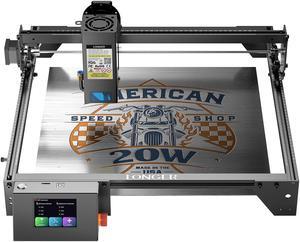
Longer RAY5 Laser Engraver 130W, Higher Accuracy Laser Engraver 20W Output Power, 3.5"Touch Screen APP Offline Control, DIY Engraver Tool for Metal/Glass/Wood, Cutting Area 14.7"x14.7"
- Type: Laser Engraver
- Technology: Dioser Technology
- Work Area: 400x365mm (15.75x14.37inch)
- Output Power: DC24V5A 120W
- Model #: longer ray5 20w
- $443.99 –
- Free Shipping
Quick View
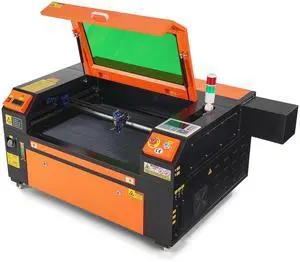
80W CO2 Laser Engraver, 20 x 28 in, 19.7 IPS Laser Cutter Machine with 2-Way Pass Air Assist, Compatible with LightBurn, CorelDRAW, AutoCAD, Windows, Mac OS, Linux, for Wood Acrylic Fabric More
- Type: Other Appliances
- Output Power: 80W
- Model #:
- $2,529.90 –
- Free Shipping
Quick View
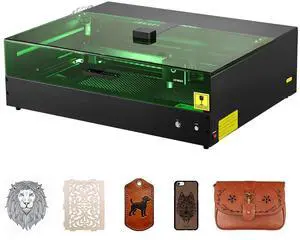
Laser Engraver, 20W, Laser Engraving and Cutting Machine with Enclosure Camera, Laser Cutter, 36000 mm/min, 19.7 x 12.6 in Working Area, for Wood, Leather, Glass, Paper, Certain Metal, Class 1
- Type: Other Appliances
- Output Power: 20W
- Model #:
- $1,099.90 –
- Free Shipping
Quick View
in 30 days
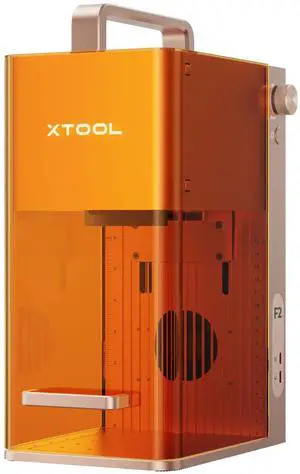
xTool F2 - 5W IR & 15W Diode Portable Dual Laser Engraver | P1010148- Type: Laser Engraver & Cutter
- Processing Mode: Flat Engraving / Laser Cutting
- Technology: 15W Diode Laser + 5W 1064nm Infrared Laser
- Work Area: 4.53" x 4.53"(115mm x 115mm)
- Model #: P1010148
- $1,499.00
- $1,299.00 –
- Save: 13%
- More options from $1,299.00 - $1,499.00
- Free Shipping
Quick View
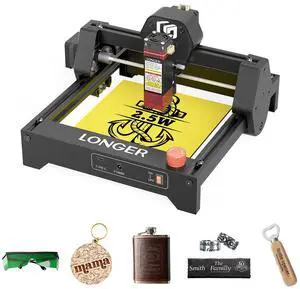
LONGER Ray5 mini Laser Engraver and Portable Laser Engraver, 0.04mm Laser Spot, 12000mm/min, Desktop Laser Engraver, Ideal for DIY Projects on Wood, Metal, Acrylic, Leather, and More (2.5W)
- Output Power: 2.5W
- Model #: RAY5 2.5W
- $139.99 –
- Free Shipping
Quick View
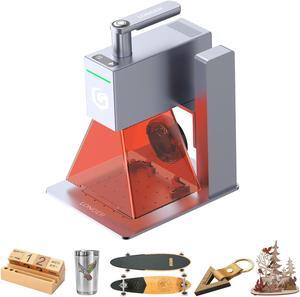
Longer Nano Portable Laser Engraving Machine - 5000mm/s High Speed, 6W Laser Output Power, 0.05mm Precision, Suitable for Wood, Acrylic, Leather, Fabric, Metal, Ceramic, DIY Projects
- Output Power: 6W
- Model #: Nano-6W
- $899.99 –
- Free Shipping
Quick View
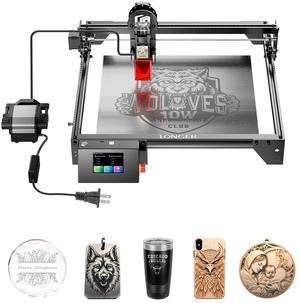
Longer RAY5 Laser Engraver with Air Assist Kit, 10W High-Precision Laser Engraver, Compressed Spot CNC, App Offline Control, DIY Engraving Tool for Metal/Glass/Wood, Engraving Area 15.7 "x15.7"
- Output Power: 10W
- Model #: RAY5 10W-3
- $419.99 –
- Free Shipping
Quick View
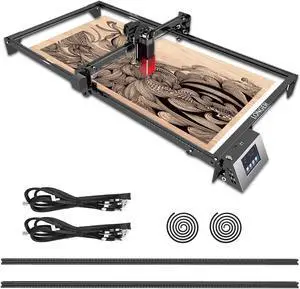
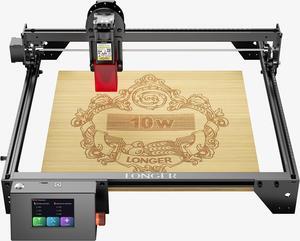
Longer Ray5 Engraver, Engraving Cutting Machine10W Output Power Engraving Cutting Machine, 32-bit Motherboard, Compressed Spot CNC, App Offline Control, Engraving Area 400x400mm
- Output Power: 10W
- Model #: 10W
- $268.99
- $255.99 –
- Free Shipping
Quick View
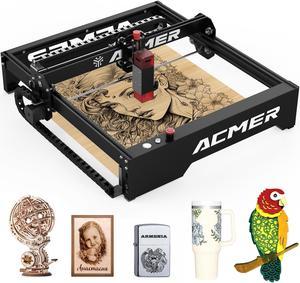
Acmer P1 Laser Engraver, 10W Output Laser Cutter and Engraver Machine for Wood, Metal, Acrylic, Leather
- Output Power: 10W
- Color: Black
- Model #: P1-10W
- $349.00 –
- Free Shipping
Quick View
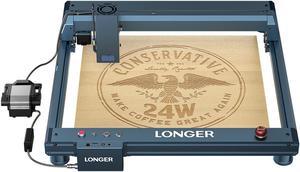
Longer Laser B1 Engraver, 120W DIY Precisely Laser Cutting Machine, 24W Laser Engraver Machine with Air Assist, Precise Cutting of Wood and Metal, Acrylic, Stainless Steel High-Speed 36000mm/min
- Output Power: 20W
- Model #: B1 20W-2
- $575.99 –
- Free Shipping
Quick View
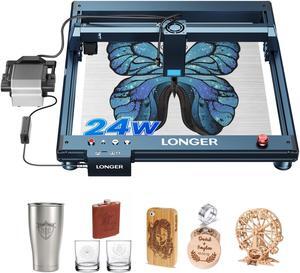
Longer Laser B1 Engraving Machine, 150W DIY Precision Laser Cutter, 24W Laser Engraver with Air Assist, High Speed 36,000mm/min, Capable of Precise Cutting on Wood, Metal, Acrylic, Stainless Steel
- Output Power: 20W
- Model #: Laser B1 20W
- $999.99 –
- Free Shipping
Quick View
Longer Nano Pro Portable Laser Engraver, 12W Laser Engraver and Cutter, Engraving Precision 0.01 * 0.01mm, 5000mm/s High-Speed DIY Engraver Tool for Wood, Acrylic, Leather, Cloth, Metal, Ceramics
- Output Power: 12W
- Model #: Nano pro-12W-2
- $999.99 –
- Free Shipping
Quick View
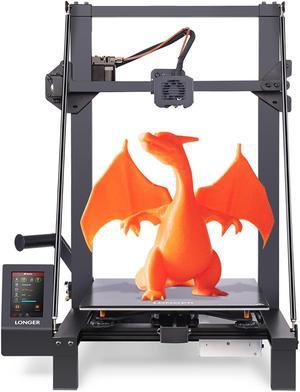
Longer Large Print Size 300x300x400mm (11.8"x11.8"x15.7") 3D Printer Upgraded with Dual Blower Kit, Open Source, Removable Lattice Glass Platform, Diagonal Rod and Resume Printing
- Brand: Longer
- Part Number: 202202
- Type: 3D Printer
- Color: Black
- Model #: lk5 pro2
- $345.99 –
- Free Shipping
Quick View
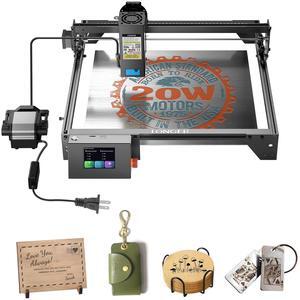
Longer RAY5 Upgraded 20W Laser Engraver Machine with Air Assist Kit, Exclusive 3.5" Touch Screen for DIY, Cutting Tool for Metal Coloring, Acrylic, Wood, Glass, Leather.
- Type: Laser Engraver & Cutter
- Output Power: 20W
- Model #: RAY5 20W-3
- $649.99 –
- Free Shipping
Quick View
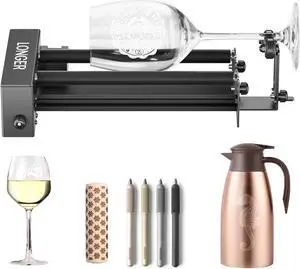
Longer Laser Engraver New-Rotary Roller, Y-axis 360° Rotation, Compatible with Other Brands of Engraver,a Good Partner for Laser Engraving Machine
- Model #: New--Roller+Bracket
- $83.99 –
- Free Shipping
Quick View
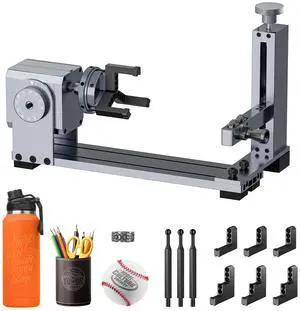
LONGER Rotary Extension (with Riser) is Ideal for Engraving Cylindrical, Wine Glass, and Irregular Objects. Compatible with Nano, Nano Pro, Ray5, B1, and Most Other Laser engravers.
- Model #: 4-in-1 Rotary Roller
- $167.99 –
- Free Shipping
Quick View
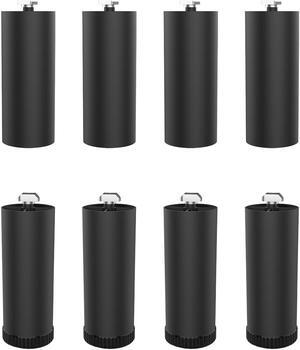
Longer Ray5 Laser Engraver Height Extension Kit 8 Riser Pads, Specially Designed for Laser Engraving Machines
- Model #: Ray5 8 Riser Pads
- $39.99 –
- Free Shipping
Quick View
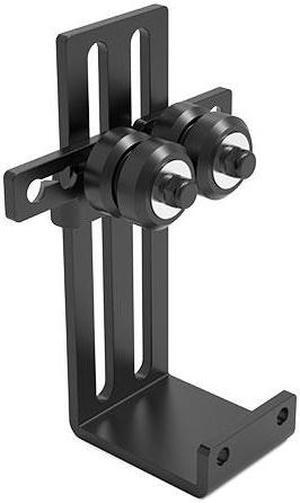
LONGER Laser Engraving machine's Rotary Roller Lifting Frame can be utilized more effectively with the Rotary Drums of most Laser Engraving Machines.
- Model #: Roller Lifting Bracket Kit
- $39.99 –
- Free Shipping
Quick View
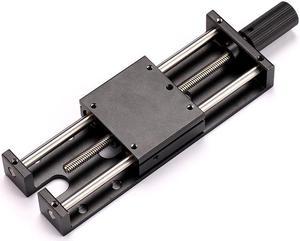
LONGER Laser Engraver Ray5 5W / 10W Laser Module Lifting Bracket Kit
- Model #: Ray5 Lifting Bracket Kit
- $39.99 –
- Free Shipping
Quick View
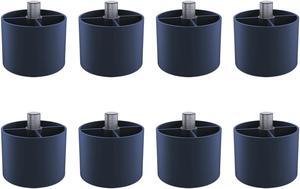
Longer B1 Laser Engraver Height Extension Kit 8 Riser Pads, Specially Designed for Laser Engraving Machines
- Model #: B1 8 Riser Pads
- $39.99 –
- Free Shipping
Quick View
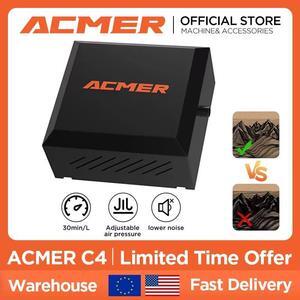
ACMER Air Assist Pump Kit for Laser Cutter and Engraver, 30L/Min Adjustable, ,Eliminates Smoke/Dust, Shields Lens, Lowers Temp for Precision & Safety.
- Brand: ACMER
- Model #: ACMER-C4
- $69.00 –
- Free Shipping
Quick View
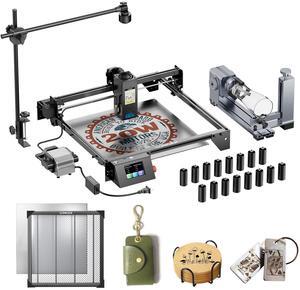
Longer RAY5 20W Laser Engraver with Air Assist Kit, 4-in-1 Rotary Roller, 16 Pcs Raiser, Camera Kits and Honeycomb panel 440*440mm, DIY, Cutting Tool for Metal Coloring, Acrylic, Wood, Glass, Leather.
- Output Power: 20W
- Model #: 20w+air+claw+440+Camera+16 Pcs Raiser
- $1,059.99 –
- Free Shipping
Laser Engraver & Accessories Featuring Ortur and NEJE Models
Explore a selection of precise laser engravers and compatible accessories designed for hobbyists and professionals. Choose from Ortur and NEJE models with adjustable power options to customize your engraving projects.
How to Choose Laser Engraver & Accessories
Key Features and Technology to Consider
- Laser Type and Power: Determine if a diode or CO2 laser suits your projects, with power levels affecting engraving depth and material compatibility.
- Engraving Area Size: Match the working area dimensions to your typical project size to avoid unnecessary limitations.
- Software Compatibility: Ensure the engraver works seamlessly with your design software of choice for smooth workflow integration.
- Material Support: Some models excel with wood, acrylic, or metal; verify what materials the engraver can precisely handle.
- Precision and Resolution: Check specs for laser spot size and resolution to achieve the detail level your projects require.
- Safety Features: Look for protective enclosures, emergency stop functions, and proper ventilation options to operate securely.
Understanding Laser Power and Its Impact
The single most critical technical factor for laser engravers is their power output, typically measured in watts. This determines not only the types of materials you can engrave or cut but also the speed and quality of the results. For example, higher wattage enables better performance on harder materials like metals, while lower wattages are sufficient for softer substrates like wood and leather. Adjustable power settings add versatility, allowing fine-tuning based on detail, depth, and material hardness. Since Ortur and NEJE models offer a range of wattage options, carefully consider your primary application before choosing one to achieve both efficiency and precision in your work.
Advanced Uses and Developer Insights
For professionals and developers pushing the boundaries of laser engraving, integrating laser engravers into complex workflows is key. Models compatible with open-source firmware support custom scripting for automation and precision control, essential in prototype development or batch production environments. Moreover, hybrid solutions combining additive and subtractive techniques are emerging, and you can explore these innovations through the 3D Printing & Maker category, where laser engravers intersect with 3D printing technology. Leveraging these advanced tools allows for unprecedented customization and rapid iteration cycles in your professional projects.
Performance and Setup Tips
- Calibrate your laser engraver before the first use to ensure accurate focus and alignment.
- Choose the correct laser power and speed settings for each material to avoid burns or weak engravings.
- Use proper ventilation or a fume extractor when working with materials that emit harmful smoke.
- Test engravings on scrap material to fine-tune design placement and laser parameters.
- Keep lenses clean and regularly inspect the optical path to maintain consistent performance.
- Secure your workpiece firmly to prevent shifting during operation for crisp, precise results.
- Explore Power Search tools on Newegg to refine your engraver’s feature set and optimize your project outcomes.
Newegg shopping tip: When choosing a laser engraver, pay close attention to the power output and supported materials to ensure it fits your project needs. Also, consider compatibility with software and available accessories like rotary attachments to expand your creative options.
Explore Laser Engraver & Accessories & Related Categories
Discover precision craftsmanship with Maker laser engravers featuring advanced diode lasers perfect for detailed wood, acrylic, and metal etching projects.
Explore hybrid tools combining 3D printing and laser engraving, ideal for prototype development with flexible material compatibility and layered design finesse.
Narrow down your laser engraver options using Power Search filters including wattage, working area, and compatible software to find the perfect workflow fit.
Getting Started with Laser Engraving for Beginners
If you’re new to laser engraving, the world of laser engravers and accessories might seem a bit overwhelming at first. These precision tools use focused laser beams to etch designs onto a variety of materials, including wood, acrylic, leather, and even some metals. Starting with a user-friendly model like those from Ortur or NEJE can help ease the learning curve with intuitive interfaces and flexible power adjustments. For your first project, consider simple designs on wood or acrylic, and make sure you’re comfortable with safety precautions such as eye protection and proper ventilation. If you want to explore your options before committing, our Maker category offers a clear overview of entry-level devices designed for DIY enthusiasts and hobbyists.
Ideal Laser Engravers for Small Business Branding
Entrepreneurs and small business owners often turn to laser engravers to add unique customization and branding to their products. Whether you’re personalizing promotional items, crafting custom gifts, or marking your logo on packaging, the versatility of laser engraving is a huge asset. Models from Ortur and NEJE provide adjustable power settings to work with diverse materials, helping produce professional-quality results right from your workspace. Consider a laser engraver with a larger working area if you need to handle medium-sized inventory regularly. A well-chosen device in this category can accelerate your workflow and significantly reduce costs compared to outsourcing engraving jobs.
Laser Engraving for Artists and Makers
Artists and makers value laser engravers as creative tools that extend their craft beyond traditional methods. With capabilities to etch delicate, intricate patterns onto wood, glass, or metal, these machines enable the making of bespoke artworks, jewelry, and decorative pieces. Hybrid tools that combine 3D printing and laser engraving open doors to innovative mixed-media designs, making the 3D Printing & Maker options especially appealing for experimental creators. Such versatility encourages pushing the boundaries of both form and technique in personalized intensities and detailed etching.
Before You Buy
- Confirm the types of materials you plan to engrave and ensure the laser engraver supports them safely and effectively.
- Check the laser power (wattage) and work area dimensions to match your project size and detail requirements; use our Power Search for tailored recommendations.
- Verify compatible software and file formats supported by the laser engraver to ensure a smooth design-to-engraving process.
- Consider safety features such as emergency stop buttons, protective housings, and ventilation needs to maintain a safe working environment.
- Review warranty coverage and customer support availability to provide peace of mind during your purchasing decision.
Research more: When choosing a laser engraver, consider the material types and project sizes you plan to work with, as these factors influence the power and precision you’ll need. For deeper insights into features and comparison tips, check out the Newegg Insider buying guides tailored to laser engravers and their accessories.
Last Updated: September 2026 | Newegg Laser Engraver & Accessories Buying Guide
Laser Engraver & Accessories FAQs:
How does a CO2 laser engraver compare to a diode laser engraver for hobby use?
CO2 lasers generally offer more power and work better on a wider range of materials like wood, acrylic, and glass, while diode lasers are quieter, cheaper, and great for lighter projects such as engraving plastic or paper.
Are there major differences between brands like Ortur and Glowforge when it comes to laser engravers?
Ortur machines are often more affordable and DIY-friendly, good for users comfortable tuning settings, whereas Glowforge models come ready to use with user-friendly software and higher precision but at a premium price.
What materials can a typical laser engraver cut or engrave?
Most laser engravers can handle wood, acrylic, leather, paper, and some plastics. Higher-powered models might also cut thin metals, but that depends on the wattage and laser type.
How do I know which laser engraver size is right for my projects?
It’s important to consider the working area of the engraver based on the size of the items you want to customize. Small desktop models suit jewelry or small crafts, while larger machines are necessary for bigger signs or panels.
What should I look for in a laser engraver if I want to work with different materials like wood, acrylic, and metal?
Focus on a machine with adjustable power settings and compatibility with multiple materials; CO2 lasers are generally great for wood and acrylic, while fiber lasers handle metals better. Also, check if it has good software support to customize designs easily.
Is it better to buy a complete laser engraver kit or just the machine and get accessories separately?
If you’re new to laser engraving, kits can be a solid value because they usually include everything you need to get started. But if you already know what you want or have specific needs, buying the machine and accessories separately lets you customize your setup more precisely.
How reliable are laser engravers for long-term use, or do they wear out quickly?
Most laser engravers can last for years if properly maintained, but cheap models might have parts that degrade faster. Checking user reviews for comments on durability and motor life can give a good sense of how long a particular model will hold up.
What are common issues people run into with laser engravers, and how can I spot them in reviews?
People often mention problems with focus consistency, software glitches, or poor customer support. Look for reviews that talk about how well the machine holds its calibration over time and if replacement parts are easy to get.
How do I get started with my new laser engraver out of the box?
First, carefully unpack and assemble any parts if needed, then connect it to your computer using the recommended software. Run a few test engravings on scrap material to calibrate settings like speed and power before working on your final project.
What’s the best way to maintain laser engraver accessories for consistent performance?
Regularly clean the lens and mirrors to prevent residue buildup, and check that belts and rails are properly tensioned and lubricated. Keeping accessories in good shape helps avoid misalignments and ensures your engraving stays sharp and precise.
Bestselling Laser Engraver & Accessories Reviews:
Blindeye503
2/23/2026 8:13:09 PM
Small but powerful!
“ Only tested it with the android app but very impressed and happy with it. ”
Rosewill Mini Laser Engraver, 2.5W Diode Laser Engraving & Cutting Machine, 12000mm/min High Speed, 0.04mm Compressed Spot, ,130x140mm Engraving Area,Portable Engraver Eye ProtectionZeek
7/22/2023 4:26:05 PM
Works great... Huge learning curve.
“ I am very impressed with what I am able to make after learning the process. ”
LONGER RAY5 Engraver, 40W Engraving Cutting Machine for Metal and Wood, 5w Cutter and Engraver Machine, 15.7x15.7inch, 3.5-inch Color Touch Screen, Offline Engraving / Cutting