




 here!
here!
I’m your shopping assistant for PC builds, upgrades, and everything tech.
Got questions? Ask away!
Start a conversation
here!
I’m your shopping assistant for PC builds, upgrades, and everything tech.
Got questions? Ask away!
Start a conversation

OUT OF STOCK
OUT OF STOCK
OUT OF STOCK
OUT OF STOCK
OUT OF STOCK
OUT OF STOCK
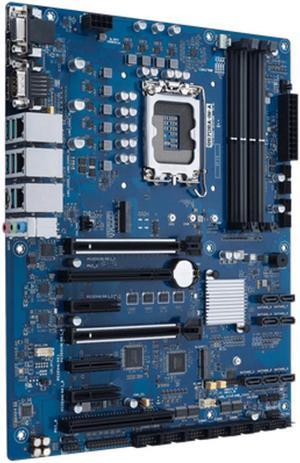
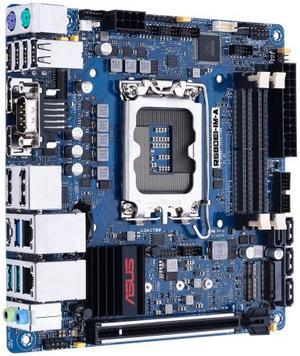
Build your server or servers according to your needs using ASUS® server motherboards. They come in a range of form factors (sizes) and expansion slots. Servers differ from other computers in that they store, process, and protect a large volume of data. An ASUS server motherboard is specifically geared towards this purpose. The chipsets and socket types differ on motherboards, so when deciding on one, consider the CPU and type of Random Access Memory (RAM) you are going to install. Whether you are setting up a server at home or for your business, there are server motherboards for every purpose. Intel® processors and Intel motherboards such as Intel Xeon® server motherboards help businesses boost productivity.
ATX server motherboards are the second biggest motherboards, and so have more room for expansion. An ATX motherboard requires an ATX case, but will also fit into a larger eATX (Extended ATE) case. If you have a small case, go with an mATX or micro ATX server motherboard, or choose the mini server motherboard. These smaller motherboards can fit into a bigger case easily. There is also an ITX server motherboard that correlates to Intel systems. Save space and keep your servers safe with motherboards that are suitable for rackmount servers. These servers are wider and flatter than standard computer towers. They are a suitable choice for bigger businesses that need multiple servers to run daily operations efficiently. Blade servers have the same benefits, in that they slot vertically instead of horizontally, and connected via one fiber optic cable. It makes blade servers a popular choice for big corporations in need of more than ten servers.
The (CPU) Central Processing Unit is essential for processing your data, in addition to how much RAM you have. AMD processors only work with AMD motherboards like the AMD Ryzen Ripper motherboards, for example. Make sure that the memory slots are compatible with the type of RAM you want. For example, DDR3 RAM slots are only compatible with DDR 3 RAM. These motherboards come with the CPU, RAM, and VGA embedded. For further convenience, select a motherboard where the embedded CPU comes with fans for cooling.
Server motherboards use ECC (Error Checking and Correction) to prevent data from becoming corrupted. Single bit error correction checks for malfunctions, and is a popular option for many servers. Select a motherboard with Chipkill™ technology for advanced ECC, which corrects multi-bit errors, and reconstructs memory data should the need arise. Keep the electrical load lower by choosing a motherboard with registered memory, which buffers the data coming through to reduce strain. To increase storage, get a motherboard with high-throughput expansion slots that will be compatible with HDD (Hard Drive Disk) or RAID (Redundant Array of Independent/Inexpensive Disks) controllers. Keep it simple with embedded solutions.


