




 here!
here!
I’m your shopping assistant for PC builds, upgrades, and everything tech.
Got questions? Ask away!
Start a conversation
here!
I’m your shopping assistant for PC builds, upgrades, and everything tech.
Got questions? Ask away!
Start a conversation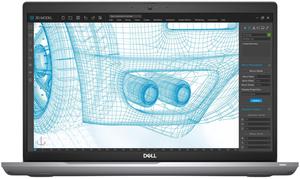

Free Norton VPN Standard Product Key w/ purchase, limited offer

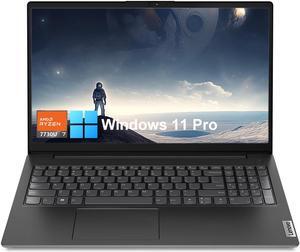

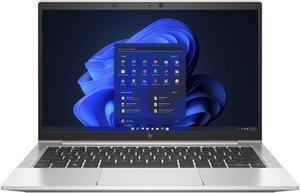
Free Norton VPN Standard Product Key w/ purchase, limited offer
Free game w/ purchase, limited offer
+ $20 off w/ promo code FTTF7739, limited offer
Newegg offers a range of business laptops and mobile workstations equipped with features like SSD storage, 4GB RAM options, and high-resolution displays up to 1920x1200. Designed for professionals handling advanced tasks such as CAD and 3D design, these devices support efficient enterprise workflows and secure computing.
The processor is the heart of any business laptop, dictating speed, efficiency, and multitasking capacity. Modern laptops featuring Intel 13th Gen processors deliver exceptional performance for demanding tasks such as advanced 3D design, CAD applications, and large spreadsheet computations typical in professional environments. These CPUs also boast enhanced power management, helping extend battery life during long workdays. Selecting a laptop with the latest generation processor ensures compatibility with future software updates and enterprise-level security protocols like TPM 2.0 to safeguard your data.
For professionals handling intensive workloads, upgrading your business laptop’s graphics power can be a game-changer. Consider pairing your device with an egpu enclosure to meet demanding visualization and rendering needs without sacrificing portability. Additionally, fast NVMe storage expansion through technology like oculink supports low-latency workflows in data-heavy projects. Whether provisioning multiple enterprise laptops or customizing a setup for software development, leveraging these expansion options elevates both performance and productivity.
Newegg shopping tip: When choosing a business laptop, focus on balancing performance with portability—prioritize a reliable processor and enough RAM for your workload, but don’t overlook battery life and build quality for long days on the move. Also, consider display resolution and connectivity options to ensure it fits your workspace needs.
Boost your laptop’s graphics power with an eGPU enclosure that leverages Thunderbolt 3 for seamless plug-and-play GPU upgrades on the go.
Explore Business Laptops featuring Intel 13th Gen chips and robust security like TPM 2.0, tailored for multitasking and enterprise software.
Discover Oculink’s ultra-fast PCIe 4.0 lanes delivering direct NVMe SSD connections, perfect for high-speed storage and low-latency expansion.
If you’re new to the world of business laptops, it helps to know what sets them apart from regular consumer notebooks. Business laptops are engineered to handle demanding professional tasks like advanced 3D design, CAD, and multitasking over long hours. They prioritize durability, security features such as TPM 2.0, and reliable performance. When browsing options, consider key specs like processor generation, memory, and storage type. For a wide variety that fits different professional needs, you can Business Laptops at Newegg to find your ideal match.
For business travelers who need powerful computing on the go, lightweight laptops with long battery life and durable builds are essential. These mobile workstations often include high-resolution displays (like 1920x1200 or 1920x1080), ample SSD storage for speed, and security features to keep work data safe outside the office. If your job requires connecting multiple peripherals or multiple displays on the road, pairing your laptop with a Docking Station can expand your setup efficiently without hassle. Prioritize models with Thunderbolt 4 ports for seamless device compatibility and speed.
Professionals using advanced design software, CAD, or 3D modeling require business laptops with robust CPUs and dedicated graphics performance. Mobile workstations equipped with workstation-grade GPUs and ECC memory deliver the stability and speed needed for complex data tasks. If your workflow demands extra graphics muscle, consider complementing your setup with an egpu for significant rendering power outside the office. For maximum reliability, browse Computer Systems tailored to your professional needs as well.
Research more: When choosing a business laptop, consider factors like processor power, memory, storage type, and display resolution to match your specific work needs. For deeper insights and expert advice, check out the Newegg Insider buying guides tailored to business and mobile workstation laptops.
Last Updated: October 2026 | Newegg Business Laptop Buying Guide
ThinkPads are known for their rugged build and excellent keyboards, making them great for heavy typing and frequent travel. Dell Latitudes tend to offer a bit more variety in configurations and are often favored for their sleek design and solid performance.
For most business tasks like spreadsheets and presentations, integrated graphics are sufficient and help save battery life. If your work involves video editing or 3D modeling, a dedicated GPU can provide a noticeable boost in speed and visuals.
Business laptops typically offer stronger security features, longer battery life, and more reliable performance compared to regular consumer laptops. They also tend to have durable builds and professional-grade processors to handle multitasking efficiently.
Yes, many business laptops are designed to be slim and portable while still packing enough power for demanding tasks. Models with Intel Core i5 or i7 processors and SSD storage are common choices for balancing mobility with performance.
Look for a lightweight model with long battery life and durable build quality, so it can handle the wear and tear of travel while lasting through long workdays without charging.
For smooth multitasking and reliability, aim to spend at least $700 to $1,000 on a laptop with a decent processor, 8GB or more of RAM, and a solid-state drive for faster performance.
Business laptops are generally built with higher durability standards and tested for longer lifespans, making them more reliable for daily work use than typical consumer laptops.
Pay attention to issues like overheating, battery life inconsistencies, and frequent keyboard or trackpad failures, as these can mess up productivity over time.
Start by installing a trusted VPN and enabling your laptop’s built-in firewall. Keep your operating system and security software updated, and use strong, unique passwords to protect your work data.
Dim your screen brightness, close unnecessary apps, and turn off Bluetooth or Wi-Fi when not in use. Also, try using the laptop’s power-saving mode to stretch battery performance.
“ This is an excellent notebook for starting businesses. ”
RATEYUSO Windows 11 Pro Laptop,Intel N5095 CPU Notebook,16GB DDR4 RAM +512GB SSD,15.6 Inches FHD 1080P IPS Display, Full Size Keyboard with Fingerprint Reader,Bluetooth 4.2,WIFI 2.4G/5G, 3.5 lbs


