- Home
- Components & Storage
- Hard Drive
- Desktop External Hard Drives
Desktop External Hard Drives
- In Stock
- Sold by Newegg
- New
- Brands
- Show More
- Price
- Show More
- Capacity
- Form Factor
- Interface
- RPM
- Thunderbolt
- Sold by
- All Top Brands
- Availability
- Condition
- Current Promotion
- Useful Links
- Show More
- Customer Ratings
- & up

- RPM: 7200 RPM
- RAID: RAID System (0, 1)
- Dimensions: 3.67" x 4.65" x 8.54"
- Weight: 6.17 lbs.
- Model #: STHJ8000800
- $1,416.75 –
- More options from $573.13 - $1,416.75
- Free Shipping

- Dimensions: 7.09" x 3.94" x 6.30"
- Weight: 5.42 lbs.
- Package Contents: Desktop RAID storage WD Discovery software for WD Backup, WD Security and WD Drive Utilities USB-C to USB-C cable USB-C to USB-A cable AC adapter Disk replacement tool Quick install guide
- Model #: WDBFBE0280JBK-NESN
- $2,161.42 –
- More options from $992.08 - $2,161.42
- Free Shipping

- Model #: WDBBGB0080HBK-NESN
- $488.51 –
- Free Shipping

- Cache: 8MB
- Parts: 1 Year
- Model #: ADT-3PL256-8000
- $889.00 –
- More options from $679.00 - $889.00
- Free Shipping

- Brand: Seagate
- Series: Expansion
- Capacity: 22TB
- Color: Black
- Model #: STKP22000400
- $957.40 –
- More options from $956.00 - $957.40
- Free Shipping

- Brand: OWC
- Capacity: 8TB
- Color: Black
- RPM: 7200 RPM
- Model #: OWCTB3SRT08.0S
- $1,399.99 –

- Dimensions: 6.06" x 5.87" x 9.17"
- Weight: 12.13 lbs.
- Package Contents: DriveStation Quad Setup CD-ROM Quick Setup Guide USB 3.0 Cable AC Adapter Warranty Statement
- Parts: 3 Year
- Model #: HD-QH24TU3R5
- $1,861.43 –
- More options from $1,506.98 - $1,861.43
- Free Shipping

- Brand: OWC
- Capacity: Diskless
- Color: Black - Gray
- RPM: N/A
- Model #: OWCT4MSS000
- $279.99 –
- Free Shipping

- Model #: MBVB08XKKFDVN
- $609.99 –
- Free Shipping

Limited time offer, ends 11/20
- Model #: C745-Lsy715-644
- $36.79 –
- More options from $36.79 - $38.99
- Free Shipping

- Model #: ADT-3PL256F-2000
- $409.00
- $370.99 –
- Save: 9%
- More options from $370.99 - $419.00
- Free Shipping

- Model #: ADIB081148XQS
- $4,259.00 –
- More options from $2,596.14 - $4,259.00
- Free Shipping

- Dimensions: 6.72" x 1.92" x 5.48"
- Weight: 2.12 lbs.
- Package Contents: Desktop hard drive SuperSpeed USB-A cable (5Gbps) AC adapter Software for device management and backup with password protection Quick install guide
- Model #: WDBBGB0120HBK-EESN
- $528.99 –
- Free Shipping

- Cache: 8MB
- Average Seek Time: 12ms
- Dimensions: 7.2" x 4.5" x 1.5"
- Model #: ADT-3PL256-6000
- $659.00 –
- Free Shipping

- RPM: 7200 RPM
- Cache: 8MB
- Average Seek Time: 12ms
- Dimensions: 7.2" x 4.5" x 1.5"
- Model #: ADT-3PL256-2000
- $589.00 –
- More options from $399.00 - $601.07
- Free Shipping

- Brand: Avolusion
- Series: PRO-T5
- Capacity: 3TB
- RPM: 7200 RPM
- Model #: T5-WH-3TB-WIN-CR
- $149.99 –
- Free Shipping

- Brand: SanDisk Professional
- Series: G-DRIVE PROJECT
- Capacity: 26 TB
- RPM: 7200 RPM
- Model #: SDPHG1H-026T-NBAAD
- $2,076.00
- $1,782.99 –
- Save: 14%
- More options from $1,782.99 - $2,110.98
- Free Shipping

- Model #: SDPHG1H-008T-NBAAD
- $769.99 –
- More options from $769.99 - $997.91
- Free Shipping

- Cache: 8MB
- Average Seek Time: 12ms
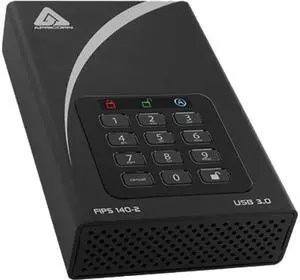
- Features: Military Grade FIPS PUB 197 Validated Encryption Hardware Encrypted Drive - Real-time 128-bit or 256-bit AES-XTS encryption seamlessly encrypts all data on the drive, protecting the drive even if it is removed from it's casing Super Speed USB 3.0 Connection Administrator Password feature - Ideal for IT departments looking to secure their mobile
- System Requirements: Compatible with all Operating Systems, including Windows, Mac and Linux Requires USB port
- Model #: ADT-3PL256F-6000
- $679.00 –
- More options from $679.00 - $799.00
- Free Shipping

- Brand: Synology
- Capacity: 4TB
- Interface: 1 x USB-A 3.2 Gen 1 port 1 x USB-C 3.2 Gen 1 port
- Part Number: BST151-4T
- Model #: BST151-4T
- $396.99 –
- More options from $396.99 - $490.79
- $3.99 Shipping

- Brand: Glyph Technologies
- Capacity: 24TB
- RPM: 7200 RPM
- Interface: USB-C 3.2 Gen 2 Interface
- Model #: BBPR24000ENT
- $1,699.99 –
- More options from $1,059.99 - $1,699.99
- Free Shipping

- Model #: BBPR22000ENT
- $1,579.99 –
- Free Shipping

- Model #: ADT3PL25616TB
- $1,689.00 –
- More options from $1,199.00 - $1,689.00
- Free Shipping

- Model #: BBPR20000ENT
- $1,449.99 –
- Free Shipping

- Type: Enclosure
- Model #: SDPH34H-048T-NBAAB
- $5,259.99 –
- More options from $4,399.99 - $5,259.99
- $40.35 Shipping

- Model #: BBPR16RDTB3
- $1,599.99 –
- $22.85 Shipping

- Model #: BBPR16000RAID
- $1,499.99 –
- More options from $899.99 - $1,499.99
- $20.35 Shipping

- Model #: SDPH34H-072T-NBAAB
- $5,829.99 –
- More options from $4,522.99 - $5,829.99

- Model #: BBPR40RDTB3
- $3,049.99 –
- $22.85 Shipping

- Model #: STEA4000402-PB-R
- $494.95 –
- Free Shipping

- Cache: 8MB
- Dimensions: 1.50" x 4.50" x 7.20"
- Weight: 3.10 lbs.
- Model #: ADT-3PL256F-16TB
- $1,699.00 –
- Free Shipping

- Model #: 994255010870
- $1,720.99 –
- $5.00 Shipping

- Model #: E7X53A REF
- $510.00 –
- Free Shipping
Desktop External Hard Drives with Thunderbolt and USB 3.2 Connectivity
Explore a wide selection of desktop external hard drives designed for PC users needing dependable storage with fast data transfer via USB 3.2 and Thunderbolt. This page helps you find reliable HDD options and access the best Black November deals and Black Friday deals on external drives for your desktop setup.
How to Choose Desktop External Hard Drives
Key Features and Technologies to Weigh
When choosing a desktop external hard drive, consider these critical points:
- Connection interface: USB 3.2 offers broad compatibility and fast transfers, while Thunderbolt supports ultra-high-speed data transfer, ideal for video editing and large file handling.
- Storage capacity: Depending on your data needs, options range from standard sizes up to massive capacities, such as 48TB or even 60TB.
- Drive technology: Traditional spinning hard disk drives (HDDs) offer large capacity and cost-effectiveness, while newer helium-filled drives optimize power and noise.
- Durability and noise: Look for drives engineered to balance quiet operation with robust build quality, especially important if your external drive sits on or near your desktop workspace.
- Data protection: Features like AES hardware encryption can be crucial for professional setups handling sensitive or critical files.
Why Storage Capacity is the Most Critical Factor
For desktop external hard drives, storage capacity often outweighs other specs because these devices are primarily used for backing up large amounts of data or managing extensive media libraries. The capacity you choose shapes your workflow and future-proofs your setup, especially during peak shopping seasons like Black November deals and Black Friday deals when upgrading your storage is top of mind.
From everyday use to enterprise-grade storage, capacities ascend from practical 12TB options to professional-grade 22TB and beyond. Larger capacities like 24TB or 28TB suits users who need to archive or serve large files with reliability and efficiency.
Choosing the right capacity ensures smooth handling of your data now and during the busy Black November deals when demand for larger, faster external drives spikes.
Advanced Use Cases for Developers and Professionals
Pros working with hefty datasets, video editing, or server backups require drives with robust performance and reliability. Desktop external hard drives with NAS-grade durability or RAID-optimized firmware are especially valuable here. For example, the 20TB NAS-grade drives stand up to continual read/write cycles essential in multi-user or server environments.
Similarly, professionals archiving extensive raw footage or managing large-scale projects benefit from drives like the 22TB RAID-enabled drives. These integrate seamlessly into workflows demanding high throughput and redundancy, providing peace of mind during critical backups or collaborative projects.
Keep a lookout for technologies like SMR (Shingled Magnetic Recording) in large-capacity drives, as it offers increased storage density at the cost of slower write speeds—useful to consider in professional workflows where read speed and reliability come first.
Performance and Setup Tips
- Connect using the fastest compatible interface (Thunderbolt if available) to maximize transfer speeds, especially important when moving large files.
- Use high-quality, short cables to reduce latency and connection issues during transfer peaks.
- Format the drive with a file system that fits your operating system and use case (e.g., NTFS for Windows, exFAT for cross-platform compatibility).
- Enable drive encryption if sensitive data security is a priority, especially for drives that may be accessed by multiple users.
- Regularly update your desktop and external drive firmware during Black November deals to ensure the latest performance optimizations and bug fixes.
- Consider pairing your external drive with backup software that fits your workflow, setting up automatic backups to safeguard data without manual oversight.
- Place the external hard drive on a stable, vibration-free surface to prevent performance degradation and prolong hardware lifespan.
- For advanced setups, configure RAID or NAS options tailored to your usage scenario to balance speed, capacity, and redundancy effectively.
Newegg shopping tip: When comparing desktop external hard drives, focus on connection types like Thunderbolt versus USB 3.2 for speed compatibility with your PC. Also, consider storage capacity alongside drive reliability, especially during Black November deals and Black Friday deals when options expand.
Explore Desktop External Hard Drives & Related Categories
Plenty of room for 4K videos and large game libraries, with SATA III interface maximizing desktop storage without breaking the bank.
Ideal for creatives, this 16TB desktop drive leverages helium-filled tech for reduced power use and quieter operation in your workspace.
Store huge datasets or server backups on this 20TB beast, featuring NAS-grade reliability to handle constant data access.
Getting Started with Desktop External Hard Drives
For anyone new to desktop external hard drives, picking the right model can feel overwhelming given the variety of options available. These drives connect to your PC via fast interfaces like USB 3.2 or Thunderbolt, making data transfer smooth and efficient. Typically larger and more powerful than portable drives, desktop external hard drives offer expansive storage ideal for backing up large files, media libraries, or business data. If your main priority is maximizing storage space without overspending, consider models with capacities like 12TB. During this holiday season, be sure to explore Black November deals to find the best desktop external hard drive to meet your backup and storage needs.
Ideal Storage Solutions for Creative Professionals
Creative professionals working with video editing, photography, or graphic design require drives that combine high capacity with reliable, quiet operation to keep up with intensive workflows. Desktop external hard drives with capacities from 16TB up to 32TB offer the storage space and performance needed for large project files. Many drives also feature Thunderbolt connectivity, delivering ultra-fast transfer speeds that help speed up edits and review cycles. If you’re looking to invest in long-term storage this season, checking out Black Friday deals on desktop external hard drives can lead to excellent value opportunities for your workspace setup.
Backup and Archival for Small Business & Power Users
Small businesses and power users who generate or handle large volumes of data often require desktop external hard drives that provide both capacity and durability. Models boasting capacities of 20TB and above, including options like 24TB or 22TB, deliver the robust storage foundation required for servers, backups, and archiving. These drives are engineered for continuous operation and often include features like RAID support and encryption. With Black November deals unfolding across the market, now is an advantageous time to upgrade your desktop external hard drive infrastructure.
Before You Buy
- Confirm the interface type: Choose between USB 3.2, Thunderbolt, or SATA depending on your PC’s connectivity and speed requirements.
- Assess storage capacity needs: Evaluate your data size now and future growth to select from options starting at 12TB to as high as 60TB.
- Consider drive technology: Helium-filled drives offer quieter operation, while RAID-enabled models provide extra data protection and performance.
- Check power source requirements: Desktop external drives typically require external power adapters, so ensure you have a suitable outlet nearby.
- Look out for warranty and support options to protect your investment over time.
- Shop early during Black Friday deals and Black November deals to secure a high-capacity desktop external hard drive at competitive pricing.
Need Expert Guidance Choosing Your Perfect Desktop External Hard Drives? We're Here to Help
- While the video "6 Parts for a Student PC That Does It All" from Newegg Studios covers this topic, you can watch it below:
Research more: When choosing a desktop external hard drive, consider the connection type, like USB 3.2 or Thunderbolt, to match your PC’s speed and compatibility needs. For more detailed advice on picking the right drive this Black November, check out Newegg Insider buying guides to help you make an informed choice during Black Friday deals.
Last Updated: November 2026 | Newegg Desktop External Hard Drives Buying Guide
Desktop External Hard Drives FAQs:
How do desktop external hard drives from Western Digital compare to Seagate in terms of reliability and speed?
Western Digital drives often focus on durability and quieter operation, while Seagate tends to offer faster performance models. Both brands are reliable, but your choice should depend on whether you prioritize speed or long-term reliability.
Is it better to get a single large-capacity external hard drive or multiple smaller drives for desktop use?
A single large drive is more convenient and can be cheaper per gigabyte, but multiple smaller drives provide better backup flexibility and can reduce risk if one fails. It really depends on your need for portability, organization, and data protection.
How much storage capacity do desktop external hard drives usually offer?
These drives typically range from 1TB up to 16TB or more, giving you plenty of space for large files, backups, and media libraries.
Do desktop external hard drives need their own power source?
Most desktop external hard drives require an external power adapter since they draw more power than what a USB connection alone can provide.
How do I decide what storage capacity I need for a desktop external hard drive?
Think about what you’ll be storing—if it’s mostly documents and a few photos, 1TB might be enough, but for videos, games, or backups, you’ll want 4TB or more. It’s better to buy a bit bigger than you think you need to avoid running out of space quickly.
Is it worth spending more on a faster external hard drive, or is a budget model fine?
If you’re just backing up files or streaming media, a cheaper drive will do the job. But for editing video or running software directly from the drive, investing in a faster SSD or a high-RPM HDD can save you time and frustration.
How reliable are desktop external hard drives for long-term storage?
Most desktop external hard drives are pretty reliable if you stick with reputable brands and handle them carefully. However, they’re mechanical devices, so failure can happen over time—regular backups are a smart move.
What should I watch out for when reading user reviews on external hard drives?
Pay attention to patterns in reviews, like frequent reports of drive failure or overheating. One-off complaints are normal, but consistent issues might indicate a problem with that model.
How do I get my new external hard drive ready for use on my PC?
Just plug it in via USB and your computer should recognize it automatically. If it doesn’t show up, you might need to format the drive using your Disk Management tool before you can start saving files.
What’s the best way to organize and back up data on a desktop external hard drive?
Create dedicated folders for different types of files and regularly copy important data to the drive. Using backup software can automate the process and keep your files safe without much hassle.
Bestselling Desktop External Hard Drives Reviews:
“ My desktop computer easily recognized this hard drive when I connected them. ”
Seagate Expansion 8TB External Hard Drive HDD - USB 3.0, with Rescue Data Recovery Services (STKP8000400)“ It was a great price and gives a fair amount of external storage. ”
WD Elements 8TB USB 3.0 Desktop External Hard Drive WDBWLG0080HBK-NESN Black“ Large space and great speed for an external HDD ”
Seagate Expansion Desktop 16TB External Hard Drive HDD - USB 3.0 - STKP16000400“ All in all, this is a great external HDD if you're looking to expand your storage capabilities. ”
WD Elements 24TB Desktop External Hard Drive WDBWLG0240HBK-NESN Black