here!
here!
I’m your shopping assistant for PC builds, upgrades, and everything tech.
Got questions? Ask away!
Start a conversation
here!
I’m your shopping assistant for PC builds, upgrades, and everything tech.
Got questions? Ask away!
Start a conversation






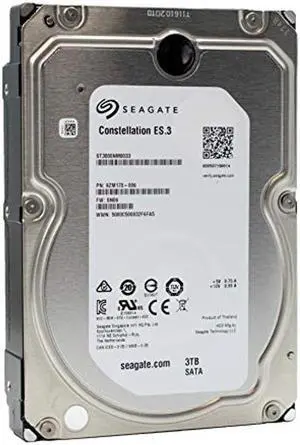
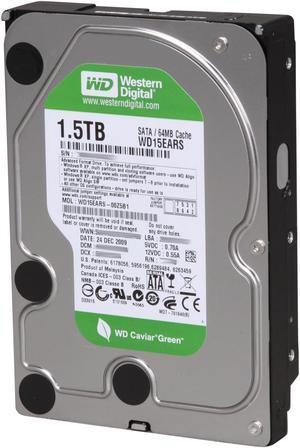
OUT OF STOCK
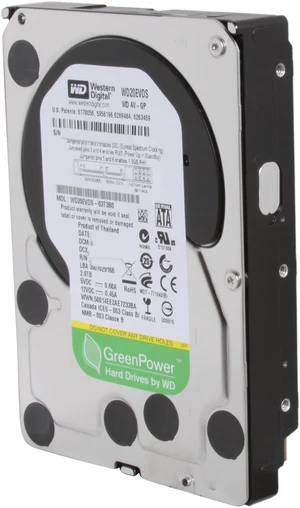
OUT OF STOCK
Explore a wide selection of desktop internal hard drives designed to enhance your PC’s storage capacity and improve read/write speeds. This page provides options suitable for upgrading or expanding your desktop, including various capacities and SATA configurations to meet your specific needs.
When selecting a desktop internal hard drive, RPM—rotations per minute—is a critical technical factor that directly impacts drive speed and performance. Desktop HDDs commonly spin at either 5400 or 7200 RPM. A 7200 RPM drive will read and write data faster than a 5400 RPM model, which means quicker boot times, file transfers, and application loading. This difference becomes prominent when working with large files or running resource-intensive software.
However, 7200 RPM drives also consume more power and may generate additional noise compared to their 5400 RPM counterparts. For general users prioritizing quiet operation and energy savings, a 5400 RPM drive might suffice. For gamers, video editors, or professionals who value speed, the 7200 RPM option is usually worth the tradeoff.
Ultimately, RPM is one of the most straightforward specs to check that gives a real-world sense of how responsive and fluid your workflow will feel with a new internal hard drive.
For developers, content creators, and power users dealing with massive datasets or complex workflows, choosing the right desktop internal hard drive requires balancing capacity, speed, and reliability. Drives in the 12TB - 16TB range offer an excellent compromise between vast capacity and trustworthy endurance, enabling extensive project archives or large video libraries without frequent drive swaps or setups.
Advanced users should also prioritize drives with CMR technology for consistent performance during heavy write operations and consider RAID integration for data security and speed boosts. Pairing high-capacity HDDs with faster SSDs inside custom builds can further optimize both storage and responsiveness in professional environments.
Newegg shopping tip: When choosing a desktop internal hard drive, pay close attention to storage capacity and RPM speed—higher RPM means faster data access but can cost more. Also, check if the drive interface matches your motherboard, with SATA being the common standard for compatibility and speed.
Massive 18TB+ drives harness the latest SMR or CMR tech, perfect for heavy-duty NAS setups or backup farms with colossal storage needs.
Balance raw capacity and endurance with 12TB-16TB internal drives, ideal for pros who need bulk storage without sacrificing reliability.
Versatile 6TB-10TB drives hit the sweet spot for gamers and creatives needing fast, spacious HDDs for large libraries or quick data access.
If you’re new to upgrading your PC’s storage, internal hard drives offer a straightforward and cost-effective way to add more space for your software, documents, and media. Most desktop systems support standard 3.5-inch drives that connect via SATA, which ensures compatibility across a wide range of models. Starting with drives in the 1TB - 5TB range is a practical choice—you get enough room for typical use without overspending. Plus, these drives balance decent read/write speeds with large capacity to keep your PC running smoothly.
Gamers often juggle large game libraries and hefty updates, making storage capacity and speed critical. Desktop internal hard drives between 6TB - 10TB are ideal for this use case, delivering ample space to store AAA titles along with snappy load times to keep gameplay seamless. These drives help you avoid constant game deletions or compromises on quality and DLC content. They’re also an excellent match for gamers who use their PC for streaming or editing gameplay footage, balancing size, speed, and affordability.
Professional content creators, like video editors, photographers, and designers, need dependable drives with huge capacities to handle bulk files and long-term preservation. Desktop internal HDDs in the ranges of 12TB - 16TB or even 18TB & Higher provide the storage space and endurance required for extensive editing projects and archival purposes. These drives are built to manage sustained data transfers and offer the reliability needed to protect valuable work files over time.
Research more: When choosing a desktop internal hard drive, consider your storage needs and the drive’s speed to balance capacity with performance. For a deeper dive into features like SATA vs. NVMe or how cache size impacts speed, check out the Newegg Insider buying guides before making your pick.
Last Updated: October 2026 | Newegg Desktop Internal Hard Drives Buying Guide
A 7200 RPM drive generally offers faster data access and load times than a 5400 RPM one, which can help with game loading and file transfers, but the difference might not be very noticeable once the game is running.
If you need space for lots of games and videos, 1TB drives give you double the storage, but if load speed is your priority, focusing on a faster drive or switching to an SSD might make a bigger difference than size alone.
SATA drives use a slower interface and are usually cheaper with larger storage, while NVMe drives connect directly to the motherboard via PCIe slots and offer much faster data transfer speeds, ideal for gaming and heavy workloads.
Most desktops support standard 3.5-inch hard drives, but check your case and motherboard specs for compatibility, especially if you’re considering a 2.5-inch drive, which might require an adapter or dedicated slot.
If you want faster boot times and quicker file access, go for an SSD. But if you need more storage space at a lower cost, a traditional HDD is your best bet.
For gaming and media, aim for at least 1TB to ensure you have enough room for games, videos, and other files without constantly managing space.
Look for consistent feedback on drive longevity and performance without frequent failures or errors. Reviews mentioning quiet operation and stable speeds over time usually indicate a dependable drive.
Pay attention to reports of unusual noises, frequent disconnects, or slow read/write speeds, as these can signal potential quality problems. Also, be cautious if multiple users mention the drive failing shortly after purchase.
First, power down your computer and unplug it. Open the case, find an empty drive bay, and securely mount the hard drive using the screws provided. Then, connect the SATA data cable to the drive and motherboard, attach the power cable from the power supply, and close the case before powering up.
After installation, boot into your operating system and use the disk management tool to initialize, partition, and format the new drive. This prepares it to store files and ensures it shows up correctly in your system.
“ This SSD has done yeoman work for a couple years. I have it attached via USB on my desktop and it has all my work on it, safe from Windoze crash damage or erasure on OS re-installs. ”
WD Blue 500GB Desktop Hard Disk Drive - 7200 RPM SATA 6 Gb/s 16MB Cache 3.5 Inch - WD5000AAKX