• In Stock
  • Sold by Newegg
  • AI Ready
  • Make an Offer
  • New
Brands
Show More
GPU/VPU
Show More
CPU Type
Show More
Screen Size
Show More
Memory
SSD
Show More
HDD
Virtual Reality Ready
Operating System
Touchscreen
Processor Name
Number of Cores
Optical Drive Type
Series
Backlit Keyboard
HDMI
Video Port
Thunderbolt
Ethernet
Resolution
Panel
WiFi Generation
Webcam
Wide Screen Support
Bluetooth
Usage
WLAN
Type
Battery
Style
Weight
Video Memory
Refresh Rate
Memory Slot (Available)
USB
All Top Brands
Availability
Condition
Price
Current Promotion
Discount
Sold by
Useful Links
Customer Ratings
  • Massive Mega sale
  • Save big and power up
  • Trending now
  • Featured Brands

    See Deals from Acer AmericaSee Deals from ASUSSee Deals from GIGABYTESee Deals from MSISee Deals from XIDAXSee Deals from Lenovo
Sort By:
View:
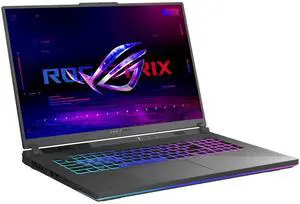
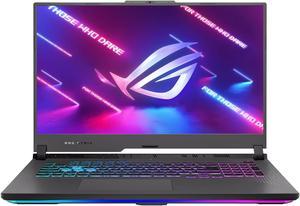
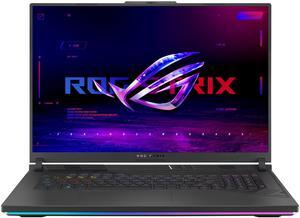
ASUS ROG Strix G16 (2025) Gaming Laptop, 16 FHD+ 16:10 165Hz/3ms Display, RTX 5050, Core i7 14650HX, 16GB RAM, 1TB SSD, Win 11 H, G615JHR-DS74
Quick View
ASUS
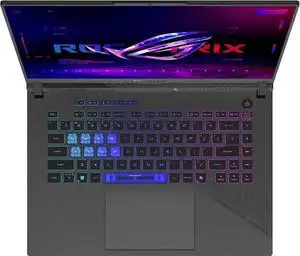
ASUS ROG Strix G16 (2025) Gaming Laptop, 16 FHD+ 16:10 165Hz/3ms Display, RTX 5050, Core i7 14650HX, 16GB RAM, 1TB SSD, Win 11 H, G615JHR-DS74
  • Resolution: 1920 x 1200
  • Graphic Type: NVIDIA® GeForce RTX™ 5050
  • Memory: 16 GB
  • SSD: 1 TB
  • Model #: G615JHR-DS74
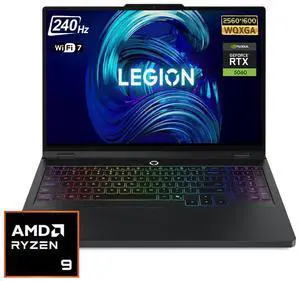
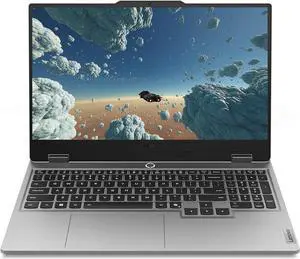
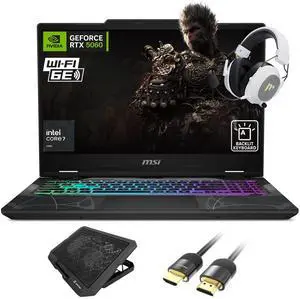
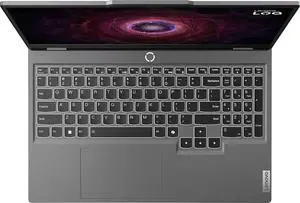
Lenovo Legion 5 Gaming Laptop (15.1" 2.5K OLED G-SYNC 165Hz, NVIDIA RTX 5060 8GB, AMD Ryzen 7 260 (> i7-1355U), 32GB DDR5, 1TB SSD), 24-Zone RGB Backlit, Wi-Fi 7, 5MP Webcam, Ethernet, Win 11 Home
Quick View
  •  
  • $1,649.99 
  • Free Shipping
MSI Vector 16 HX AI Gaming Laptop Intel Core Ultra 9 275HX NVIDIA GeForce RTX 5080 16GB Memory 1 TB NVMe SSD 16.0" Windows 11 Home (A2XWIG-050US)
Quick View
MSI
Refurbished MSI Vector 16 HX AI Gaming Laptop Intel Core Ultra 9 275HX NVIDIA GeForce RTX 5080 16GB Memory 1 TB NVMe SSD 16.0" Windows 11 Home (A2XWIG-050US)
  • GPU/VPU: GeForce RTX 5080 Laptop GPU
  • Processor Name: Intel Core Ultra 9 275HX
  • Memory: 16GB
  • SSD: 1TB NVMe
  • Model #: Vector 16 HX AI A2XWIG-050US
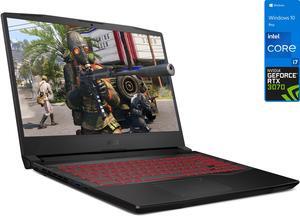
New MSI Delta 15.6" FHD Laptop | Ryzen R7-5800H Processor | AMD Radeon RX 6700M Graphics | 16GB Memory | 1TB SSD | Backlit Keyboard | Black
Quick View
New MSI Delta 15.6" FHD Laptop | Ryzen R7-5800H Processor | AMD Radeon RX 6700M Graphics | 16GB Memory | 1TB SSD | Backlit Keyboard | Black
  • GPU/VPU: AMD Radeon Graphics
  • Processor Name: AMD Ryzen 7 5800H
  • Memory: 16GB
  • SSD: 1TB
  • Model #: MSI-16/1
  •  
  • $949.99 
  • Free Shipping
MSI Vector 16 HX Gaming Laptop Intel Core i9-14900HX GeForce RTX 4060 16GB Memory 1 TB NVMe SSD 16.0" Windows 11 Pro (A14VFG-246US)
Quick View
MSI
Refurbished MSI Vector 16 HX Gaming Laptop Intel Core i9-14900HX GeForce RTX 4060 16GB Memory 1 TB NVMe SSD 16.0" Windows 11 Pro (A14VFG-246US)
  • GPU/VPU: GeForce RTX 4060 Laptop GPU
  • Processor Name: Intel Core i9-14900HX
  • Memory: 16GB
  • SSD: 1TB NVMe
  • Model #: Vector 16 HX A14VFG-246US
  • $1,599.99
  •  
  • $1,269.99 
  • Save: 20%
  • $1,219.99 after $50.00 rebate
  • Free Shipping
New Asus ROG 17.3 FHD Laptop | AMD Ryzen 7 4800H Processor | 32GB Memory | 1TB SSD | Nvidia GeForce RTX 3060 | Backlit Keyboard | Windows 10 Home | Gray | Bundle with USB3.0 HUB
Quick View
  •  
  • $1,247.99 
  • Free Shipping
ASUS ROG Strix G16 - 16" GeForce RTX 5060 Laptop GPU - Intel Core Ultra 9 275HX - 16GB Memory - 1 TB NVMe SSD - Wi-Fi 7 Windows 11 Home Gaming Laptop - 240 Hz (G615LM-DS94 )
Quick View
ASUS
ASUS ROG Strix G16 - 16" GeForce RTX 5060 Laptop GPU - Intel Core Ultra 9 275HX - 16GB Memory - 1 TB NVMe SSD - Wi-Fi 7 Windows 11 Home Gaming Laptop - 240 Hz (G615LM-DS94 )
  • GPU/VPU: GeForce RTX 5060 Laptop GPU
  • Processor Name: Intel Core Ultra 9 275HX
  • Memory: 16GB
  • SSD: 1TB NVMe
  • Model #: 90NR0LJ1-M000M0
ASUS ROG Zephyrus G14 Gaming and Entertainment Laptop (AMD Ryzen 9 4900HS 8-Core, 16GB RAM, 1TB PCIe SSD, 14.0" Full HD (1920x1080), NVIDIA RTX 2060 Max-Q, Wifi, Bluetooth, 2xUSB 3.2, Win 10 Pro)
Quick View
  •  
  • $1,899.99 
  • Free Shipping
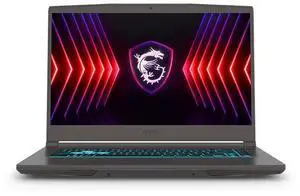
MSI Thin Gaming Laptop, 15.6" 144Hz FHD Display, Intel Core i5-13420H Upto 4.6GHz, 16GB RAM, 1TB SSD, NVIDIA GeForce RTX 4050, Backlit keys, Windows 11 Pro
Quick View
MSI
MSI Thin Gaming Laptop, 15.6" 144Hz FHD Display, Intel Core i5-13420H Upto 4.6GHz, 16GB RAM, 1TB SSD, NVIDIA GeForce RTX 4050, Backlit keys, Windows 11 Pro
  • GPU/VPU: NVIDIA GeForce RTX 4050 Laptop GPU
  • Memory: 16GB
  • SSD: 1TB
  • Operating System: Windows 11 Pro
  • Model #: Thin4050i5-161nP
  •  
  • $919.99 
  • Free Shipping
ASUS ROG Strix G16 ROG Nebula 2.5K 240Hz 3ms 16" Gaming Notebook AMD Ryzen 9 9955HX 32GB RAM 1TB SSD NVIDIA GeForce RTX 5070Ti Eclipse Gray
Quick View
  • $1,979.99
  •  
  • $1,949.99 
  • Free Shipping
MSI Vector 16 inch QHD+ 240Hz Gaming Laptop AMD Ryzen 9 8940HX NVIDIA GeForce RTX 5070Ti - 16GB RAM 1TB SSD Gray (2025)
Quick View
MSI
MSI Vector 16 inch QHD+ 240Hz Gaming Laptop AMD Ryzen 9 8940HX NVIDIA GeForce RTX 5070Ti - 16GB RAM 1TB SSD Gray (2025)
  • GPU/VPU: GeForce RTX 5070 Ti Laptop GPU
  • Memory: 16GB
  • SSD: 1TB NVMe
  • Brand: MSI
  • Model #: A8WHG-004US
MSI GF Series - 15.6" GeForce RTX 3050 Laptop GPU - Intel Core i5-10500H - 8GB Memory - 256GB NVMe SSD - Windows 10 Home 64-bit Gaming Laptop - 144 Hz IPS (GF63 Thin 10UC-440 )
Quick View
MSI GF Series - 15.6" GeForce RTX 3050 Laptop GPU - Intel Core i5-10500H - 8GB Memory - 256GB NVMe SSD - Windows 10 Home 64-bit Gaming Laptop - 144 Hz IPS (GF63 Thin 10UC-440 )
  • GPU/VPU: GeForce RTX 3050 Laptop GPU
  • Processor Name: Intel Core i5-10500H
  • Memory: 8GB
  • SSD: 256GB NVMe
  • Model #: GF63 Thin 10UC-440
Lenovo ThinkPad T14 Gen 2 Laptop, 14.0" FHD IPS  300 nits, i7-1185G7,   Iris Xe Graphics, 16GB, 512GB SSD, Win 10 Pro
Quick View
Lenovo
Lenovo ThinkPad T14 Gen 2 Laptop, 14.0" FHD IPS 300 nits, i7-1185G7, Iris Xe Graphics, 16GB, 512GB SSD, Win 10 Pro
  • Processor Name: 3.00GHz
  • Memory: 16GB
  • SSD: 512GB
  • Operating System: Windows 10
  • Model #: 20W0003MUS
Lenovo ThinkPad T14 Gen 2 Laptop, 14.0" FHD IPS  300 nits, i5-1135G7,   Iris Xe Graphics, 16GB, 512GB SSD, Win 10 Pro
Quick View
Lenovo
Lenovo ThinkPad T14 Gen 2 Laptop, 14.0" FHD IPS 300 nits, i5-1135G7, Iris Xe Graphics, 16GB, 512GB SSD, Win 10 Pro
  • Processor Name: 4.20GHz
  • Memory: 16GB
  • SSD: 512GB
  • Operating System: Windows 10
  • Model #: 20W0003KUS
MSI Vector 16 HX AI 16" 240Hz QHD+ Gaming NVIDIA GeForce RTX 5070 Ti 12GB GDDR7 Intel Core Ultra 7 255HX 64GB DDR5 RAM 2TB SSD RGB Backlit Wi-Fi 6E Bluetooth 5.3 Thunderbolt 5 HDMI 2.1 Win 11 Pro Gray
Quick View
MSI
MSI Vector 16 HX AI 16" 240Hz QHD+ Gaming NVIDIA GeForce RTX 5070 Ti 12GB GDDR7 Intel Core Ultra 7 255HX 64GB DDR5 RAM 2TB SSD RGB Backlit Wi-Fi 6E Bluetooth 5.3 Thunderbolt 5 HDMI 2.1 Win 11 Pro Gray

Limited time offer, ends 01/28

  • GPU/VPU: GeForce RTX 5070 Ti Laptop GPU
  • Processor Name: Intel Core Ultra 7 255HX
  • Memory: 64GB
  • SSD: 2TB
  • Model #: HC640022053025
MSI Vector 16 HX AI 16" 240Hz QHD+ Gaming NVIDIA GeForce RTX 5070 Ti 12GB GDDR7 Intel Core Ultra 7 255HX 64GB DDR5 RAM 2TB SSD RGB Backlit Wi-Fi 6E Bluetooth 5.3 Thunderbolt 5 HDMI 2.1 Win 11 Pro Gray
Quick View
MSI
MSI Vector 16 HX AI 16" 240Hz QHD+ Gaming NVIDIA GeForce RTX 5070 Ti 12GB GDDR7 Intel Core Ultra 7 255HX 64GB DDR5 RAM 2TB SSD RGB Backlit Wi-Fi 6E Bluetooth 5.3 Thunderbolt 5 HDMI 2.1 Win 11 Pro Gray

Limited time offer, ends 01/28

  • GPU/VPU: GeForce RTX 5070 Ti Laptop GPU
  • Processor Name: Intel Core Ultra 7 255HX
  • Memory: 64GB
  • SSD: 2TB
  • Model #: HC640022053025SUB
Lenovo Ideapad 3 15 Laptop Computer 15.6" HD Touchscreen 10th Gen Intel Quad-Core i5-1035G1 12GB DDR4 256GB SSD Dolby HDMI Webcam WiFi Win 10
Quick View
Lenovo
Lenovo Ideapad 3 15 Laptop Computer 15.6" HD Touchscreen 10th Gen Intel Quad-Core i5-1035G1 12GB DDR4 256GB SSD Dolby HDMI Webcam WiFi Win 10
  • GPU/VPU: Intel UHD Graphics
  • Processor Name: Intel Core i5-1035G1
  • Memory: 12GB
  • SSD: 256GB
  • Model #: 81WE00NKUS-0120001
Lenovo Legion Y540 15.6" Gaming Laptop 144Hz i7-9750H 16GB RAM 256GB SSD GTX 1660Ti 6GB - 9th Gen i7-9750H Hexa-Core - 144Hz Refresh Rate - NVIDIA GeForce GTX 1660Ti 6GB GDDR6
Quick View
  •  
  • $1,299.99 
ASUS TUF Gaming F15 Gaming Laptop, 15.6" 144Hz FHD Display, Intel Core i5-11400H Processor, GeForce RTX 2050, 8GB DDR4 RAM, 512GB PCIe SSD Gen 3, Wi-Fi 6, Windows 11, FX506HF-ES51
Quick View
  •  
  • $1,024.99 
  • Free Shipping
MSI - 14" GeForce RTX 4060 Laptop GPU - Intel Core i7-13620H - 16 GB (2 x 8 GB) Memory - 1TB NVMe SSD - Windows 11 Pro 64-bit Gaming Laptop - 165 Hz IPS (Stealth 14Studio A13VF-250US )
Quick View
MSI
Open Box MSI - 14" GeForce RTX 4060 Laptop GPU - Intel Core i7-13620H - 16 GB (2 x 8 GB) Memory - 1TB NVMe SSD - Windows 11 Pro 64-bit Gaming Laptop - 165 Hz IPS (Stealth 14Studio A13VF-250US )
  • GPU/VPU: GeForce RTX 4060 Laptop GPU
  • Processor Name: Intel Core i7-13620H
  • Memory: 16 GB (2 x 8 GB)
  • SSD: 1TB NVMe
  • Model #: Stealth 14Studio A13VF-250US
  • $1,599.99
  •  
  • $1,279.99 
  • Save: 20%
  • $11.62 Shipping
MSI GS Series - 17.3" GeForce RTX 3060 Laptop GPU - Intel Core i7-12700H - 16GB Memory - 1TB PCIe SSD - Windows 11 Home 64-bit Gaming Laptop - 144 Hz IPS (Stealth GS77 12UE-046 )
Quick View
MSI
MSI GS Series - 17.3" GeForce RTX 3060 Laptop GPU - Intel Core i7-12700H - 16GB Memory - 1TB PCIe SSD - Windows 11 Home 64-bit Gaming Laptop - 144 Hz IPS (Stealth GS77 12UE-046 )
  • GPU/VPU: GeForce RTX 3060 Laptop GPU
  • Processor Name: Intel Core i7-12700H
  • Memory: 16GB
  • SSD: 1TB PCIe
  • Model #: Stealth GS77 12UE-046
2021 MSI GF65 Thin 10UE-047 15.6" 144Hz 3ms Gaming Laptop Intel Core i7-10750H RTX3060 16GB 512GB NVMe SSD Win10
Quick View
MSI
2021 MSI GF65 Thin 10UE-047 15.6" 144Hz 3ms Gaming Laptop Intel Core i7-10750H RTX3060 16GB 512GB NVMe SSD Win10
  • GPU/VPU: GeForce RTX 3060 Laptop GPU
  • Memory: 16GB
  • SSD: 512GB PCIe
  • Operating System: Windows 10 Home
  • Model #: 10UE-047
MSI - 18" GeForce RTX 5080 Laptop GPU - Intel Core Ultra 9 285HX - 64GB DDR5 6400MHz Memory - 4 TB SSD - Wi-Fi 7 Windows 11 Home Gaming Laptop - 120 Hz Mini LED (Raider 18 HX AI A2XWIG-014US )
Quick View
MSI
Open Box MSI - 18" GeForce RTX 5080 Laptop GPU - Intel Core Ultra 9 285HX - 64GB DDR5 6400MHz Memory - 4 TB SSD - Wi-Fi 7 Windows 11 Home Gaming Laptop - 120 Hz Mini LED (Raider 18 HX AI A2XWIG-014US )
  • GPU/VPU: GeForce RTX 5080 Laptop GPU
  • Processor Name: Intel Core Ultra 9 285HX
  • Memory: 64GB DDR5 6400MHz
  • SSD: 4TB
  • Model #: Raider 18 HX AI A2XWIG-014US
  •  
  • $3,399.99 
  • Free Shipping
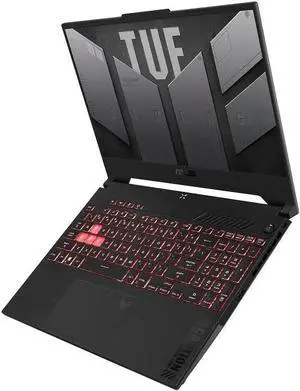
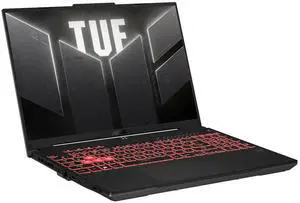
ASUS TUF Gaming A15 (2023) Gaming Laptop, 15.6" FHD 144Hz, 100% sRGB Display, GeForce RTX 4060, AMD Ryzen 7 7735HS, 16GB DDR5, 1TB PCIe SSD, Wi-Fi 6, Windows 11, FA507NV-EH74
Quick View
ASUS
ASUS TUF Gaming A15 (2023) Gaming Laptop, 15.6" FHD 144Hz, 100% sRGB Display, GeForce RTX 4060, AMD Ryzen 7 7735HS, 16GB DDR5, 1TB PCIe SSD, Wi-Fi 6, Windows 11, FA507NV-EH74
  • GPU/VPU: GeForce RTX 4060 Laptop GPU
  • Processor Name: AMD Ryzen 7 7735HS
  • Memory: 16GB
  • SSD: 1TB PCIe
  • Model #: FA507NV-EH74
  •  
  • $1,698.00 
  • Free Shipping
MSI GF65 Thin 9SD-837 - 15.6" 144 Hz - Intel Core i7-9750H - GeForce GTX 1660 Ti - 8 GB Memory - 512 GB SSD - Windows 10 Home - Gaming Laptop
Quick View
MSI GF65 Thin 9SD-837 - 15.6" 144 Hz - Intel Core i7-9750H - GeForce GTX 1660 Ti - 8 GB Memory - 512 GB SSD - Windows 10 Home - Gaming Laptop
  • GPU/VPU: GeForce GTX 1660 Ti
  • Processor Name: Intel Core i7-9750H
  • Memory: 8GB
  • SSD: 512GB
  • Model #: GF65 Thin 9SD-837
  •  
  • $1,084.99 
  • Free Shipping

Buying a Gaming Laptop

How to Choose the Right Gaming Laptop

Picking the right gaming laptop doesn’t have to feel like solving a puzzle. Whether you're chasing 240 FPS in competitive shooters or want smooth 4K visuals in single-player epics, here’s what actually matters when choosing your next portable powerhouse. Learn more in our full Insider guide: How to Choose the Best Gaming Laptop – 2025 .

Gaming Laptop vs. DIY Desktop: What You Gain (and Give Up)

The Plug-and-Play Option (Gaming Laptop) The DIY Route (Customer - Built Desktop )

  • Total control — Handpick everything from the case to cooling and RGB.
  • Cost efficiency — Can save 15–30% when parts are on sale.
  • Learning experience — Building your first PC is rewarding.
  • Risk factor — Mistakes can lead to troubleshooting and extra time.

The Plug-and-Play Option (Gaming Laptop)

  • Zero assembly — Unbox, sign in, and start gaming immediately.
  • Portable performance — Compete, create, and play anywhere.
  • No-compromise visuals — Many premium laptops now feature RTX 50 series GPUs and high-refresh-rate displays.
  • Upgrade limits — Some models have limited RAM/SSD upgrade options.

What Really Matters in a Gaming Laptop

  1. GPU — Your Gaming Lifeline

    Your GPU drives frame rates and visual quality. Match the GPU tier to your target resolution:
    1080p @ 144Hz: RTX 4060 Laptop / RX 7600S
    1440p + Ray Tracing: RTX 5080 / RTX 4080 Laptop
    4K Ultra: RTX 5090 / RTX 4090 Laptop or higher

  2. CPU — The Game’s Conductor

    Current favorites include Intel Core Ultra 9 and AMD Ryzen AI 300 Series. If you stream or multitask heavily, Intel Core i9 or AMD Ryzen 9 offers extra headroom for smooth gaming plus background workloads. Explore CPU options.

  3. RAM — Your Multitasking Muscle

    16GB is the baseline. 32GB DDR5 (5600MHz+) is ideal for newer AAA titles and creative multitasking. Heavy creators or power users can consider 64GB. Filter by Laptop Memory.

  4. Storage — Speed Meets Capacity

    Aim for at least a 1TB Gen4 NVMe SSD for faster game loads and smoother updates. Some GPU bundles may include bonus storage.

Gaming’s Best Supporting Actors

Must-Have Peripherals

Newegg’s Game-Changing Tools

Laptop Finder: Use the Laptop Finder tool to filter by screen size, GPU, CPU, RAM, storage, and budget—so you can quickly identify the best gaming laptop for your needs.

Deal Alerts: Track the latest savings on gaming laptops on sale and catch limited-time price drops.

Get ready for major seasonal savings—featuring deep discounts on top-rated RTX and AI-powered gaming laptops. Upgrade to premium notebooks like ASUS ROG, MSI Stealth, and Lenovo Legion with RTX 5090 / 5080 / 5070 Ti GPUs and Intel Core Ultra or Ryzen AI processors for next-gen performance. These early offers are limited-time and may include some of the lowest prices of the season.

  • Watch the "Laptop Performance Essentials" video from Newegg Studio to learn how GPU power, cooling, and system efficiency impact laptop performance, stability, and long-term reliability.

Last Updated: January 2026| Newegg SEO Team: Newegg Laptop Buying Guide

Gaming Laptop Frequently Asked Questions:

ROG Strix vs. Legion Pro 5i — which is better for gaming?

Both are excellent gaming laptops , but they lean into different strengths. ROG Strix models usually push more aggressive GPU power limits and RGB styling, while Legion Pro 5i systems focus on balanced thermals, quieter fans, and a cleaner design. If you want maximum tuning and flair, Strix fits better; if you prefer a cooler, more understated daily driver, Legion Pro 5i is a great choice.

RTX 5090 laptops vs. RX 9000 — which provides better value?

RTX 5090 laptops typically win on features like DLSS, Frame Generation, and stronger ray tracing performance, while RX 9000 machines can offer similar traditional raster performance at a lower price. If you care about upscaling tech and creator app support, the RTX 5090 is usually better; if your priority is a lower-cost 1080p or 1440p gaming machine, RX 7700S can deliver excellent value.

How does this laptop perform against Razer Blade models?

Compared to Razer Blade laptops, this system often trades a slimmer, all-metal premium chassis for stronger cooling headroom and better performance-per-dollar. Blades are known for their ultra-thin builds and minimalist design, while many competitors give you higher GPU power limits, more RAM, or more storage at the same budget. If you want maximum luxury and portability, a Blade appeals; if you want more raw performance for your money, this model may come out ahead.

Which delivers better thermal performance in esports titles?

Thermal performance in esports titles depends on the cooling design more than the game itself. Laptops with dual-fan, multi-heatpipe systems and good intake and exhaust vents will generally run cooler and sustain higher boost clocks. When comparing models, look for reviews or tests that show sustained CPU and GPU temperatures in games like Valorant, CS2, or League of Legends to see which one stays cooler under load.

Does this model outperform previous-year Legion laptops?

Most current-generation models outperform previous-year Legion laptops thanks to newer CPUs, more efficient GPUs, and faster memory. You can usually expect higher frame rates at the same settings, better ray tracing performance, and improved battery efficiency. For a clear comparison, check side-by-side benchmarks in the games and resolution you actually play.

Does this model support DLSS 4 for better gaming performance?

If the laptop uses a NVIDIA RTX 40-series or 50-series GPU, it is designed to support DLSS in compatible titles, with newer GPUs ready for DLSS 3 or 4 features. DLSS can dramatically boost frame rates while keeping image quality sharp, especially at higher resolutions or with ray tracing enabled. Always confirm the exact GPU model and check the game’s support list to make sure DLSS 4 is available for your favorite titles.

What is the TGP (Total Graphics Power) of the GPU in this laptop?

The exact TGP for this laptop’s GPU depends on the specific configuration and manufacturer tuning. You can usually find it listed in detailed product specifications, on the OEM website, or in third-party reviews and teardowns. As a rule, higher TGP settings let the GPU sustain higher boost clocks, but they also require stronger cooling and tend to produce more heat and fan noise.

What is the sustained GPU wattage during long gaming sessions?

During long gaming sessions, the GPU usually settles near its configured TGP, adjusted by temperature and power limits. In a well-cooled laptop, sustained wattage will remain close to that advertised value instead of dropping significantly over time. You can monitor actual GPU power draw with utilities like MSI Afterburner, GPU-Z, or the manufacturer’s performance software while you play.

Does this laptop include MUX switch support?

Many modern gaming laptops now include a MUX switch or a dedicated “dGPU only” mode that routes the display directly to the discrete GPU for extra performance. This can improve frame rates and reduce latency compared to always using hybrid graphics. Check the product page or the laptop’s control center software for options labeled MUX, GPU switch, Ultimate mode, or similar terms.

Does the display support G-SYNC or FreeSync?

Adaptive sync support depends on the exact panel and GPU pairing used in this laptop. Many gaming notebooks now offer G-SYNC, FreeSync , or a generic Adaptive-Sync mode to reduce tearing and stutter in fast-paced games. Look for these terms in the display specifications, and be sure to enable the feature in your graphics control panel if it is available.

Should I buy a gaming laptop or a desktop gaming PC?

Buy a gaming laptop if you need portability for school, travel, or shared spaces and still want strong performance in modern titles. Choose a desktop gaming PC if you care more about maximum power, easier upgrades, and better thermals at the same budget. In general, desktops win on performance-per-dollar, while laptops win on flexibility and convenience.

What’s the best gaming laptop under $1,500?

The best gaming laptop under $1,500 usually includes a modern 6–8 core CPU, an RTX 4060 or similar GPU, 16GB of RAM, and a 144Hz or faster display. Focus on a balanced configuration with a quality panel, solid cooling, and at least a 512GB SSD instead of chasing just one headline spec. Comparing a few trusted brands and reading recent reviews will help you spot the strongest all-around option in this price range.

Is this a good laptop for both gaming and school?

Yes, as long as it has a modern CPU, 16GB of RAM, and a manageable weight, it can handle both gaming and school work comfortably. You can run office apps, video calls, and research tools during the day, then switch to high-refresh gaming after hours. Just pay attention to battery life and portability if you plan to carry it around campus every day.

Should I choose a 240Hz display or 165Hz for gaming?

A 165Hz display already feels extremely smooth and is more than enough for most players, especially in AAA games where frame rates rarely hit 240 FPS. A 240Hz panel mainly benefits competitive esports players who chase every millisecond in titles like Valorant, CS2, or Fortnite. If you are not a hardcore competitive player, panel quality, color, and brightness often matter more than the jump from 165Hz to 240Hz.

Is 16GB RAM enough for modern gaming laptops?

Yes, 16GB RAM is still the practical minimum for modern gaming and general multitasking in 2025. However, 32GB is ideal if you stream, edit video, run many browser tabs, or want extra headroom for future titles. If the laptop supports upgrades, starting with 16GB and adding another stick later is a flexible path.

Are there keyboard input delay issues in this laptop?

Most modern gaming laptops offer low-latency keyboards that are responsive enough for fast-paced games. If input delay is noticed, it is more often due to background software load, high system usage, or wireless peripherals than the built-in keyboard itself. Checking reviews or user feedback for this exact model is the best way to confirm that there are no widespread complaints about input lag.

Is the screen bright enough for outdoor use?

For outdoor or very bright environments, a laptop display ideally needs to reach around 400 nits or more to remain clearly visible. Many gaming laptops sit closer to 300 nits, which is fine indoors but can look washed out in direct sunlight. Reviewing the rated brightness and user feedback will tell you whether this model is comfortable to use outside or better suited to indoor gaming.

Do users report thermal throttling under heavy gaming?

Reports of thermal throttling vary by model and configuration, but well-designed gaming laptops should maintain stable clocks in long play sessions. When throttling does appear, it is usually in extreme stress tests or maxed-out settings in very demanding titles. Reading recent reviews and user comments for this specific laptop will give you the clearest picture of real-world behavior under heavy gaming loads.

Are there trackpad sensitivity complaints?

Trackpad quality on gaming laptops has improved, and most models now offer accurate tracking for everyday use. When sensitivity issues do show up, they are often fixed with driver updates or by adjusting touchpad settings in Windows. For serious gaming, a dedicated mouse is still recommended, but you should not see major problems with normal navigation on a well-tuned trackpad.

Is the battery life significantly lower than advertised?

Gaming battery life is almost always much shorter than the advertised figures, which are based on light tasks like video playback or web browsing. Under real gaming loads, it is normal to see the battery drain quickly and performance reduced to manage heat and power. For the best gaming experience, plan to play while plugged in and treat the advertised battery life as guidance for light use, not full-performance gaming sessions.

How do I adjust performance modes for gaming?

Most gaming laptop include a vendor control center where you can switch between Silent, Balanced, and Performance or Turbo modes. Open that software, select the highest performance profile, and make sure the laptop is plugged in so the CPU and GPU can run at full power. You should also set Windows power mode to “Best performance” while gaming for the most consistent frame rates.

Can I install a second SSD in this laptop?

Whether you can install a second SSD depends on the internal layout and available storage slots. Many gaming laptops include at least two M.2 slots, so you can add a second NVMe drive easily, but some thinner models only have one. Check the specifications or service manual for mentions of multiple M.2 slots or 2.5-inch bays before buying an extra drive.

How do I enable high-performance mode for gaming?

To enable high-performance mode, start by plugging in the laptop and setting Windows to “Best performance” in the power settings. Then open the manufacturer’s control center and select the Performance or Turbo preset, which raises power limits and fan curves for gaming. Some models also include a dedicated hotkey or Fn shortcut to switch profiles on the fly.

How do I undervolt to reduce heat?

Undervolting involves slightly lowering CPU voltage using tools like Intel XTU, AMD Ryzen Master, or advanced BIOS options so the processor runs cooler at similar clocks. It must be done carefully and in small steps, with stress tests after each change to ensure stability. If you are new to undervolting, follow a trusted guide for your specific CPU and only proceed if you are comfortable adjusting low-level settings.

How do I update GPU firmware on gaming laptops?

GPU firmware updates are less common than driver updates and are usually provided directly by the laptop maker or GPU vendor for specific fixes. You should only install firmware labeled for your exact model, following the instructions on the support page. For everyday gaming, keeping your graphics drivers and system BIOS up to date is usually sufficient without touching GPU firmware at all.

Bestselling Gaming Laptops Reviews:

Anonymous
8/2/2025 2:02:34 PM
Performance, Durability, and Gaming Value in One Package

“ If you want a laptop thats fast, durable, and hits a sweet spot in price vs. performance, the TUF Gaming A16 is easy to recommend for gamers, students, or creators. ”

ASUS TUF Gaming A16 - 16" GeForce RTX 5060 Laptop GPU - AMD Ryzen 7 260 - 32GB Memory - 1 TB PCIe SSD - Windows 11 Home - Gaming Laptop - 165 Hz IPS (FA608UM-NS76 )
Dream420
7/23/2025 10:06:07 AM
Gaming Power!

“ If youre looking for a laptop that delivers flagship performance without paying an extra grand for branding or gimmicks, the AORUS MASTER 16 is the one. ”

GIGABYTE - AORUS MASTER 16 Gaming Laptop - 240Hz 2560x1600 OLED - NVIDIA GeForce RTX 5090 - Intel Core Ultra 9 275HX - 2TB SSD with 32GB DDR5 RAM - Windows 11 Home AD (AORUS MASTER 16 BZHC6USE65SH)
Frances
7/13/2025 12:34:12 PM
Flagship Power and Next-Level AI

“ I recently took the GIGABYTE AORUS MASTER 16 out for an intense gaming marathon, and it blew me away. ”

GIGABYTE - AORUS MASTER 16 Gaming Laptop - 240Hz 2560x1600 OLED - NVIDIA GeForce RTX 5090 - Intel Core Ultra 9 275HX - 2TB SSD with 32GB DDR5 RAM - Windows 11 Home AD (AORUS MASTER 16 BZHC6USE65SH)
Anonymous
4/16/2025 7:38:10 PM
Value gaming laptop

“ This laptop would be great for gaming, working and studying, I would say this is a decent laptop at this price. ”

KurieTim Gaming Laptop AMD Ryzen 7 5825U(2.0-4.5GHz), 15.6" FHD Display, 32GB DDR4 RAM 1TB NVMe SSD Laptop Computer with Backlit KB, Fingerprint Unlock, Webcam Switch
Anonymous
3/23/2025 8:26:06 PM
Runs smooth, great display.

“ i do light gaming in my free time, internet access is smooth and has no problems. ”

KurieTim Gaming Laptop AMD Ryzen 7 5825U(2.0-4.5GHz), 15.6" FHD Display, 32GB DDR4 RAM 1TB NVMe SSD Laptop Computer with Backlit KB, Fingerprint Unlock, Webcam Switch
Vincent S.
7/20/2024 11:29:14 PM
Great Product

“ This was the first great buy for a gaming laptop with a reasonable price. ”

KAMRUI Gaming Laptop 16.1" FHD Laptop AMD Ryzen 7 5700U 16GB DDR4 RAM 512GB SSD 5G/2.4G WIFI Bluetooth 5.2 Windows 11 Pro