• In Stock
  • Sold by Newegg
  • New
Brands
Show More
Price
Show More
Capacity
Interface
Show More
RPM
Form Factor
Height (maximum)
Show More
Sold by
All Top Brands
Availability
Condition
Useful Links
Customer Ratings
  • Built for what drives you
  • Built for what drives you
  • Featured Brands

    See Deals from Western DigitalSee Deals from SeagateSee Deals from SAMSUNG

SHOP BY Capacity

Sort By:
View:
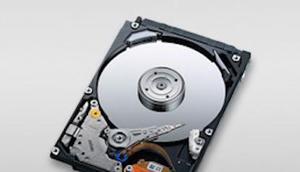
Western Digital Scorpio Black WD3200BEKT-50PK 320GB 7200 RPM 16MB Cache SATA 3.0Gb/s 2.5" Internal Notebook Hard Drive - 50 Pack Bare Drive
Quick View
Western Digital
Western Digital Scorpio Black WD3200BEKT-50PK 320GB 7200 RPM 16MB Cache SATA 3.0Gb/s 2.5" Internal Notebook Hard Drive - 50 Pack Bare Drive
  • Average Seek Time: 12ms
  • Average Latency: 5.5ms
  • Parts: 3 years limited
  • Labor: 3 years limited
  • Model #: WD3200BEKT-50PK
  •  
  • $2,200.00 –
  • Free Shipping
Hitachi HTS725050A9A360 (0J13655), 500GB, 2.5" Internal Hard Drive - New Bare Drive
Quick View
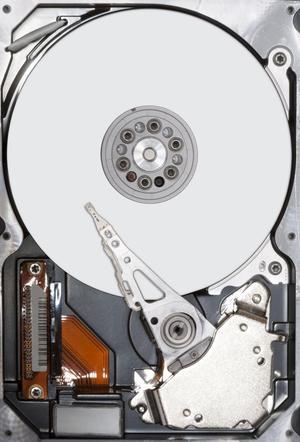
Fujitsu MHY2200BH 200GB 5400 RPM 8MB Cache SATA 1.5Gb/s 2.5" Notebook Hard Drive Bare Drive
Quick View
Fujitsu MHY2200BH 200GB 5400 RPM 8MB Cache SATA 1.5Gb/s 2.5" Notebook Hard Drive Bare Drive
  • Average Seek Time: 12ms
  • Average Write Time: 14ms
  • Average Latency: 5.56ms
  • Parts: 3 years limited
  • Model #: MHY2200BH
  •  
  • $59.19 –
  • Free Shipping
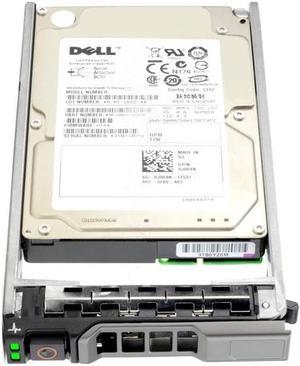
DELL 740Y7 300Gb 10000Rpm Sas6Gbits 16Mb Buffer 2.5Inch Hard Disk Drive With Trayfor Powervault Server
Quick View
DELL
DELL 740Y7 300Gb 10000Rpm Sas6Gbits 16Mb Buffer 2.5Inch Hard Disk Drive With Trayfor Powervault Server
  • NAND Flash Memory Type: Hard Drive
  • Usage: Ideal for Servers
  • Model #: 740Y7
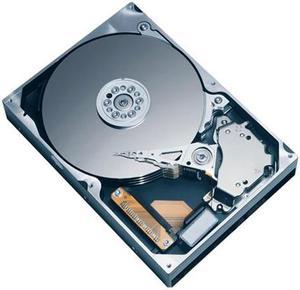
Fujitsu MHV2080BH 80GB 5400 RPM 8MB Cache SATA 1.5Gb/s 2.5" Notebook Hard Drive Bare Drive
Quick View
Fujitsu MHV2080BH 80GB 5400 RPM 8MB Cache SATA 1.5Gb/s 2.5" Notebook Hard Drive Bare Drive
  • Average Seek Time: 12ms
  • Average Write Time: 30 DAY WARRANTY NOW
  • Average Latency: 5.56ms
  • NAND Flash Memory Type: 30 DAY WARRANTY NOW
  • Model #: MHV2080BH
  •  
  • $69.00 –
  • Free Shipping
TOSHIBA MK5056GSY 500GB 7200 RPM 16MB Cache SATA 3.0Gb/s 2.5" Internal Notebook Hard Drive Bare Drive
Quick View
Used - Like New TOSHIBA MK5056GSY 500GB 7200 RPM 16MB Cache SATA 3.0Gb/s 2.5" Internal Notebook Hard Drive Bare Drive
  • Average Seek Time: 11ms
  • Average Write Time: 12ms
  • Parts: 3 years limited
  • Labor: 3 years limited
  • Model #: MK5056GSY
  •  
  • $70.00 –
  • Free Shipping
Hitachi GST 0J11561 500GB 5400 RPM 8MB Cache SATA 3.0Gb/s 2.5" Internal Notebook Hard Drive Bare Drive
Quick View
Hitachi GST 0J11561 500GB 5400 RPM 8MB Cache SATA 3.0Gb/s 2.5" Internal Notebook Hard Drive Bare Drive
  • Height (maximum): 9.5mm
  • Width (maximum): 69.75mm
  • Length (maximum): 100.3mm
  • Parts: 3 years limited
  • Model #: 0J11561
  •  
  • $79.19 –
  • Free Shipping
Hitachi GST Travelstar 5K100 HTS541040G9SA00 (0A26922) 40GB 5400 RPM 8MB Cache SATA 1.5Gb/s 2.5" Notebook Hard Drive Bare Drive
Quick View
Hitachi GST Travelstar 5K100 HTS541040G9SA00 (0A26922) 40GB 5400 RPM 8MB Cache SATA 1.5Gb/s 2.5" Notebook Hard Drive Bare Drive
  • Average Seek Time: 12ms
  • Average Latency: 5.5ms
  • Parts: 1 year limited
  • Labor: 1 year limited
  • Model #: HTS541040G9SA00
  •  
  • $59.12 –
  • Free Shipping
Fujitsu MHW2160BJ 160GB 7200 RPM 8MB Cache SATA 3.0Gb/s 2.5" Notebook Hard Drive Bare Drive
Quick View
Fujitsu MHW2160BJ 160GB 7200 RPM 8MB Cache SATA 3.0Gb/s 2.5" Notebook Hard Drive Bare Drive
  • Average Seek Time: 10.5ms
  • Average Write Time: 12.5ms
  • Average Latency: 4.17ms
  • Model #: MHW2160BJ
  •  
  • $58.19 –
  • Free Shipping
Fujitsu MHW2160BH 160GB 5400 RPM 8MB Cache SATA 1.5Gb/s 2.5" Notebook Hard Drive Bare Drive
Quick View
Fujitsu MHW2160BH 160GB 5400 RPM 8MB Cache SATA 1.5Gb/s 2.5" Notebook Hard Drive Bare Drive
  • Average Seek Time: 12ms
  • Average Write Time: 14ms
  • Average Latency: 5.56ms
  • Parts: 1 year limited
  • Model #: MHW2160BH
  •  
  • $48.00 –
  • Free Shipping
HGST Travelstar Z7K500 HTS725025A7E630 250 GB 2.5" Internal Hard Drive, SATA III - 7200 rpm - 32 MB
Quick View
HGST Travelstar Z7K500 HTS725025A7E630 250 GB 2.5" Internal Hard Drive, SATA III - 7200 rpm - 32 MB
  • Height (maximum): 7mm
  • Width (maximum): 69MM
  • Length (maximum): 100MM
  • Parts: 30 DAYS NOW
  • Model #: TI62W-00-B00J4-1
  •  
  • $39.85 –
  • Free Shipping
Hitachi GST Travelstar 7K200 HTS722012K9SA00 (0A50938) 120GB 7200 RPM 16MB Cache SATA 1.5Gb/s 2.5" Notebook Hard Drive Bare Drive
Quick View
Hitachi GST Travelstar 7K200 HTS722012K9SA00 (0A50938) 120GB 7200 RPM 16MB Cache SATA 1.5Gb/s 2.5" Notebook Hard Drive Bare Drive
  • Average Seek Time: 10ms
  • Average Latency: 4.2ms
  • Parts: 3 years limited
  • Labor: 3 years limited
  • Model #: HTS722012K9SA00
  •  
  • $63.19 –
  • Free Shipping
Fujitsu MAY2036RC 36.7GB 10000 RPM 16MB Cache Serial Attached SCSI (SAS) 2.5" Internal Hard Drive Bare Drive
Quick View
Fujitsu MAY2036RC 36.7GB 10000 RPM 16MB Cache Serial Attached SCSI (SAS) 2.5" Internal Hard Drive Bare Drive
  • Average Seek Time: 4ms
  • Average Write Time: 4.5ms
  • Average Latency: 2.99ms
  • Parts: 3 years limited
  • Model #: MAY2036RC
  •  
  • $60.19 –
  • Free Shipping
Hitachi GST Travelstar C4K60 HTC426060G9AT00 60GB 4200 RPM 2MB Cache IDE Ultra ATA100 / ATA-6 1.8" Notebook Hard Drive Bare Drive
Quick View
Hitachi GST Travelstar C4K60 HTC426060G9AT00 60GB 4200 RPM 2MB Cache IDE Ultra ATA100 / ATA-6 1.8" Notebook Hard Drive Bare Drive
  • Average Seek Time: 15ms
  • Average Latency: 7.1ms
  • Parts: 1 year limited
  • Labor: 1 year limited
  • Model #: HTC426060G9AT00
  •  
  • $82.19 –
  • Free Shipping
Hitachi GST Travelstar 5K160 HTS541612J9SA00 (0A28843) 120GB 5400 RPM 8MB Cache SATA 1.5Gb/s 2.5" Notebook Hard Drive Bare Drive
Quick View
Hitachi GST Travelstar 5K160 HTS541612J9SA00 (0A28843) 120GB 5400 RPM 8MB Cache SATA 1.5Gb/s 2.5" Notebook Hard Drive Bare Drive
  • Average Seek Time: 11ms
  • Parts: 3 years limited
  • Labor: 3 years limited
  • Model #: HTS541612J9SA00
  •  
  • $96.19 –
  • Free Shipping
Hitachi GST Travelstar 5K160 HTS541640J9SA00 (0A28840) 40GB 5400 RPM 8MB Cache SATA 1.5Gb/s 2.5" Notebook Hard Drive Bare Drive
Quick View
Hitachi GST Travelstar 5K160 HTS541640J9SA00 (0A28840) 40GB 5400 RPM 8MB Cache SATA 1.5Gb/s 2.5" Notebook Hard Drive Bare Drive
  • Average Seek Time: 11ms
  • Average Latency: 5.5ms
  • Parts: 1 yr
  • Labor: 1 yr
  • Model #: HTS541640J9SA00
  •  
  • $59.00 –
  • Free Shipping
Hitachi GST Travelstar 5K250 HTS542512K9SA00 (0A52126) 120GB 5400 RPM 8MB Cache SATA 1.5Gb/s 2.5" Notebook Hard Drive Bare Drive
Quick View
Hitachi GST Travelstar 5K250 HTS542512K9SA00 (0A52126) 120GB 5400 RPM 8MB Cache SATA 1.5Gb/s 2.5" Notebook Hard Drive Bare Drive
  • Average Seek Time: 11ms
  • Average Latency: 5.5ms
  • Height (maximum): 9.5mm
  • Width (maximum): 69MM
  • Model #: HTS542512K9SA00
  •  
  • $36.19 –
  • Free Shipping
HITACHI TRAVELSTAR 7K500 160GB SATA 2.5 INCH HARD DRIVE BARE DRIVE  HTS725016A9A364
Quick View
  •  
  • $40.19 –
  • Free Shipping
Hitachi 160GB SATA 7200rpm 2.5 inch Hard drive Bare Drive 3 year warranty thru Tech Experts
Quick View
  •  
  • $57.19 –
  • Free Shipping
SAMSUNG Spinpoint M8 ST640LM001/HN-M640MBB 640GB 5400 RPM 8MB Cache SATA 3.0Gb/s 2.5" Internal Hard Drive Bare Drive
Quick View
SAMSUNG Spinpoint M8 ST640LM001/HN-M640MBB 640GB 5400 RPM 8MB Cache SATA 3.0Gb/s 2.5" Internal Hard Drive Bare Drive
  • Average Seek Time: 12ms
  • Average Latency: 5.6ms
  • Height (maximum): 9.5 +/- 0.2mm
  • Width (maximum): 69.75 +/- 0.25mm
  • Model #: ST640LM001
  •  
  • $114.19 –
  • Free Shipping
HPE-IMSourcing 600 GB 2.5" Internal Hard Drive - SAS
Quick View
  •  
  • $100.00 –
  • Free Shipping
Hitachi GST Travelstar 7K500 HTE725025A9A364 250GB 7200 RPM 16MB Cache SATA 3.0Gb/s 2.5" Internal Notebook Hard Drive Bare Drive
Quick View
  •  
  • $54.00 –
  • Free Shipping
TOSHIBA MHZ2160BJ 160GB 7200 RPM 16MB Cache SATA 3.0Gb/s 2.5" Internal Notebook Hard Drive
Quick View
Used - Like New TOSHIBA MHZ2160BJ 160GB 7200 RPM 16MB Cache SATA 3.0Gb/s 2.5" Internal Notebook Hard Drive
  • Average Seek Time: 10.5ms
  • Average Write Time: 12.5ms
  • Average Latency: 4.17ms
  • Parts: 3 years limited
  • Model #: MHZ2160BJ
  •  
  • $68.00 –
  • Free Shipping
Fujitsu MHW2120BK 120GB 7200 RPM 8MB Cache SATA 3.0Gb/s 2.5" Internal Notebook Hard Drive Bare Drive
Quick View
Fujitsu MHW2120BK 120GB 7200 RPM 8MB Cache SATA 3.0Gb/s 2.5" Internal Notebook Hard Drive Bare Drive
  • Average Seek Time: 10.5ms
  • Average Write Time: 12.5ms
  • Average Latency: 4.17ms
  • Parts: 3 years limited
  • Model #: MHW2120BK
  •  
  • $90.19 –
  • Free Shipping
HPE-IMSourcing 900 GB 2.5" Internal Hard Drive - SAS
Quick View
  •  
  • $120.00 –
  • Free Shipping
Fujitsu MJA2160BH 160GB 5400 RPM 8MB Cache SATA 3.0Gb/s 2.5" Notebook Hard Drive Bare Drive
Quick View
Fujitsu MJA2160BH 160GB 5400 RPM 8MB Cache SATA 3.0Gb/s 2.5" Notebook Hard Drive Bare Drive
  • Average Seek Time: 12ms
  • Average Write Time: 14ms
  • Average Latency: 5.56ms
  • Parts: 3 years limited
  • Model #: MJA2160BH
  •  
  • $127.19 –
  • Free Shipping
TOSHIBA MK1246GSX 120GB 5400 RPM 8MB Cache SATA 3.0Gb/s 2.5" Notebook Hard Drive Bare Drive
Quick View
Used - Very Good TOSHIBA MK1246GSX 120GB 5400 RPM 8MB Cache SATA 3.0Gb/s 2.5" Notebook Hard Drive Bare Drive
  • Average Seek Time: 12ms
  • Parts: 3 years limited
  • Labor: 3 years limited
  • Model #: MK1246GSX
  •  
  • $97.00 –
  • Free Shipping
HGST Travelstar 5K500.B HTS545025B9A300 250 GB 2.5" Internal Hard Drive
Quick View
  •  
  • $54.95 –
  • Free Shipping
DELL 0Wf12F  1Tb 7200Rpm Sataii 64Mb Buffer 2.5Inch Hard Disk Drive With Tray
Quick View
  •  
  • $90.00 –
  • Free Shipping

Upgrade your laptop storage with reliable internal hard drives from 1TB to 5TB. Whether you need SATA, SSHD, or 5400-7200 RPM drives, explore Black November deals and Black Friday deals to find the perfect fit for your notebook.

Explore Laptop Internal Hard Drives at Newegg.

How to Choose Laptop Internal Hard Drives

Key Features and Technologies to Consider for Laptop Internal Hard Drives

  • Capacity: Choose from 1TB up to 5TB drives to match your storage needs, whether it’s for daily documents or extensive multimedia libraries.
  • Drive Type: Decide between SATA HDDs known for large capacity and lower cost, or SSHDs which blend solid-state caching with hard drive storage to boost speed.
  • RPM Speed: Higher spindle speeds like 7200 RPM improve read/write times versus 5400 RPM models, impacting overall responsiveness.
  • Form Factor: Ensure compatibility with your laptop’s 2.5-inch bay size, the standard for internal laptop hard drives.
  • Interface: SATA III is the common interface offering a reliable data transfer rate suited for most laptop upgrades.
  • Cache Memory: Drives with larger cache sizes help accelerate frequent data access, optimizing performance in everyday tasks.

Understanding RPM and Its Impact on Laptop Hard Drive Performance

RPM (Revolutions Per Minute) is a crucial spec for laptop internal hard drives because it directly affects the speed at which data is read and written. Most laptop HDDs operate at either 5400 or 7200 RPM. While 5400 RPM drives consume less power and run cooler, 7200 RPM drives deliver noticeably faster data access times. This increase in speed reduces boot times and makes transferring files smoother, an essential factor if you multitask or work with larger files regularly. When browsing through options, consider if your workload benefits more from the energy-efficient 5400 RPM or the enhanced speed of 7200 RPM variants. This distinction often matters more than raw capacity alone.

For Advanced and Professional Users: Balancing Capacity and Speed

Professionals such as video editors, developers, and gamers often require expansive storage without compromising performance. In these scenarios, larger capacity drives like 3TB, 4TB, and 5TB HDDs pair well with faster 7200 RPM speeds to handle demanding workflows efficiently. For those wanting to integrate a system that also includes solid-state performance benefits, exploring hybrid SSHD options or supplementing with 2GB - 48GB SSDs as cache drives can significantly smooth out data transfers within complex projects. For additional components, upgrades, and accessories, be sure to browse the Components & Storage section.

Performance and Setup Tips

  • Before installation, back up all existing data to avoid loss during the upgrade process.
  • Use a reputable cloning tool if you want to replicate your current system onto the new hard drive seamlessly.
  • Keep laptop firmware and BIOS updated to ensure compatibility with higher capacity and faster drives.
  • Consider formatting the new drive with your laptop’s native file system for optimal performance.
  • If choosing a less common capacity or interface, verify your laptop supports those specs to prevent installation issues.
  • Balance energy settings to optimize drive longevity without sacrificing speed, especially for 7200 RPM models.
  • Regularly check drive health using diagnostic software to anticipate any possible failures early.
  • Explore Power Search tools on Newegg to pinpoint drives that precisely fit your laptop’s requirements and maximize your upgrade experience.
  • Black November deals and Black Friday deals provide excellent opportunities to get high-capacity, high-performance laptop internal hard drives at attractive value—perfect timing for seasonal upgrades.

Newegg shopping tip: When comparing laptop internal hard drives, focus on the drive’s RPM speed and whether it’s a SATA HDD or an SSHD, as these factors impact performance and storage reliability. During Black November deals and Black Friday deals, consider your laptop’s compatibility and your storage needs to make the most of available options.

Explore Laptop Internal Hard Drives & Related Categories

2GB - 48GB

Compact SSDs from 2GB to 48GB fit legacy laptops or ultra-light systems, offering quick read speeds without bulk or heavy power draw.

2TB

Store vast libraries with 2TB drives, balancing affordable capacity and solid SATA III transfer speeds for everyday laptop use.

3TB

Push boundaries with 3TB internal drives, ideal for gaming laptops needing room for large titles or multimedia editing projects.

Choosing Your First Laptop Internal Hard Drive

If you’re new to upgrading your laptop storage, starting with a clear understanding of capacity and drive type is key. Most laptops support 2.5-inch SATA interfaces, so focusing on SATA drives offers broad compatibility. For everyday use like web browsing, document storage, and media playback, drives with 1TB to 2TB capacities give you ample room without overspending. You’ll also see plans to boost performance with hybrid SSHD models that blend HDD storage with a cache of flash memory, speeding up common tasks. During the Black November deals, consider enhancing your laptop’s longevity and speed with these easy-to-install upgrades.

Gaming Laptop Upgrades with Large Capacity Drives

Gamers demand speed, size, and reliability from their laptop internal hard drives to tackle hefty game installations and frequent load times. High-capacity options such as 3TB or even 5TB drives balance huge space for multiple AAA titles with faster rotational speeds (typically 7200 RPM), cutting down boot and load times. Mixing speed and capacity is crucial when Black Friday deals bring out some of the best gaming-ready laptop internal hard drives, letting you expand without compromise.

For Content Creators and Video Professionals

Content creators working with high-resolution videos, photos, and large audio files need storage that not only holds vast amounts of data but delivers consistent performance for editing on the go. External backups can lag behind, so choosing laptop internal hard drives with capacities like 4TB or higher paired with 7200 RPM speed ensures smoother playback and faster file transfers. SSHDs are also an option if you need a balance between speed and cost. Black November deals are an ideal time to invest in these robust solutions tailored for creatives who demand more from their laptop’s internal storage.

Before You Buy

  • Confirm your laptop’s drive form factor—most use 2.5-inch SATA drives, but check dimensions to be sure.
  • Verify the interface type and connector compatibility; SATA is common, but some ultrabooks require M.2 or compact SSDs like 2GB - 48GB flash drives.
  • Determine desired capacity based on your typical usage to avoid overspending—1TB to 2TB suits most users, while higher capacities (3TB-5TB) serve specialized needs.
  • Consider drive speed (measured in RPM); 5400 RPM saves battery but is slower, while 7200 RPM drives load data faster.
  • Plan for installation—some laptops need special adapters or removal of screws to access the drive bay.
  • Consult your laptop’s manual or support site for upgrade guidance or restrictions before purchasing.
  • Use tools like Power Search to filter drives precisely by your needs during Black Friday deals season.

Need Expert Guidance Choosing Your Perfect Laptop Internal Hard Drives? We're Here to Help

  • While the video "How to Pick the Right College Laptop for Your Major" from Newegg Studios covers this topic, you can watch it below:

Research more: Considering factors like drive speed, storage capacity, and compatibility can help you find the right internal hard drive for your laptop. For more detailed info on SATA, SSHD, and RPM differences, check out the Newegg Insider buying guides before exploring Black November deals and Black Friday deals on laptop internal hard drives.

Last Updated: November 2026 | Newegg Laptop Internal Hard Drives Buying Guide


Laptop Internal Hard Drives FAQs:

How do SSDs compare to traditional HDDs for laptop internal drives in terms of speed and durability?

SSDs are much faster than HDDs, offering quicker boot times and file transfers, and they’re more durable since they have no moving parts, which makes them less prone to damage from drops or shocks.

Is a 512GB internal hard drive noticeably better than 256GB for everyday laptop use?

It depends on your needs, but 512GB gives you a lot more room for apps, games, and files, cutting down on the hassle of constantly managing storage, while 256GB might feel tight if you deal with large files or multiple programs.

What’s the difference between a 5400 RPM and a 7200 RPM internal hard drive for laptops?

A 7200 RPM drive spins faster, which means quicker data access and better overall performance, but it can use a bit more power and create more heat compared to a 5400 RPM model.

Can I upgrade any laptop with a larger internal hard drive?

Most laptops allow you to swap out the internal hard drive for a bigger one, but you should check your laptop’s specs first to make sure it supports the size and type of drive you want to install.

How do I decide between an SSD and an HDD for my laptop’s internal hard drive?

If you want faster boot times and quick access to files, go for an SSD. HDDs offer more storage for less money but are slower, so choose based on whether speed or capacity matters more to you.

Is it worth spending extra for a higher capacity internal hard drive in my laptop?

That depends on your needs—if you handle large files like videos or games, bigger storage saves headaches later, but if you mostly browse or stream, a smaller drive can keep costs down without cramping your style.

How can I tell if a laptop internal hard drive is reliable before buying it?

Look for drives from reputable brands and check reviews for consistent performance and low failure reports. Also, pay attention to the drive's warranty length and read user feedback about its lifespan and speed under real-world use.

What common problems should I expect with internal laptop hard drives, and how do I spot them in reviews?

Frequent issues include slow read/write speeds and sudden drive failures. In reviews, watch out for comments mentioning strange noises, overheating, or data loss, as these often signal reliability problems down the line.

How do I install a new internal hard drive in my laptop?

First, power off your laptop and remove the battery if possible. Open the bottom panel to access the hard drive bay, carefully disconnect the existing drive, and replace it with the new one, making sure it’s securely connected before closing the panel.

What’s the best way to set up my new internal hard drive to optimize performance?

After installation, format the drive using your laptop’s disk management tool, then install your operating system or transfer files. For faster access, consider enabling TRIM if you’re using an SSD and keep your drive’s firmware updated.

Bestselling Laptop Internal Hard Drives Reviews:

James M.
4/15/2025 2:41:00 AM
WD Internal Laptop Disk Drive 2TB

“ Twice storage over OEM drive for Acer Laptop. ”

WD Blue WD20SPZX 2TB 5400 RPM 128MB Cache SATA 6.0Gb/s 2.5" Internal Notebook Hard Drive