• In Stock
  • Sold by Newegg
  • New
Brands
Show More
Price
Show More
Capacity
Interface
Show More
RPM
Form Factor
Height (maximum)
Show More
Sold by
All Top Brands
Availability
Condition
Useful Links
Customer Ratings
  • Built for what drives you
  • Built for what drives you
  • Featured Brands

    See Deals from Western DigitalSee Deals from SeagateSee Deals from SAMSUNG

SHOP BY Capacity

Sort By:
View:
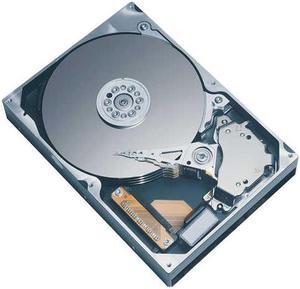
TOSHIBA MK2006GAL 20GB 4200 RPM 2MB Cache IDE Ultra ATA100 / ATA-6 1.8" Notebook Hard Drive Bare Drive
Quick View
TOSHIBA MK2006GAL 20GB 4200 RPM 2MB Cache IDE Ultra ATA100 / ATA-6 1.8" Notebook Hard Drive Bare Drive
  • Average Seek Time: 15ms
  • Average Latency: 7.14ms
  • Parts: 1 year limited
  • Labor: 1 year limited
  • Model #: MK2006GAL
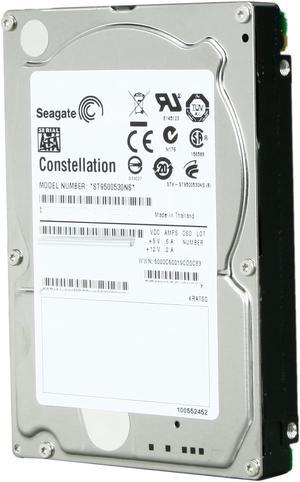
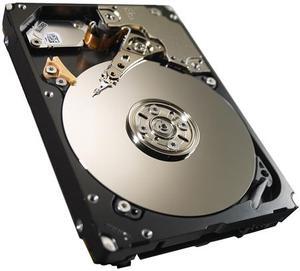
Seagate Constellation ST9500530NS 500GB 7200 RPM 32MB Cache SATA 3.0Gb/s 2.5" Internal Enterprise-class Hard Drive Bare Drive
Quick View
  • $82.62
  •  
  • $60.00 –
  • Save: 27%
  • Free Shipping
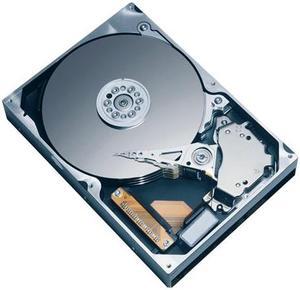
TOSHIBA MK2546GSX 250GB 5400 RPM 8MB Cache SATA 3.0Gb/s 2.5" Notebook Hard Drive Bare Drive
Quick View
TOSHIBA MK2546GSX 250GB 5400 RPM 8MB Cache SATA 3.0Gb/s 2.5" Notebook Hard Drive Bare Drive
  • Average Seek Time: 12ms
  • Parts: 3 years limited
  • Labor: 3 years limited
  • Model #: MK2546GSX
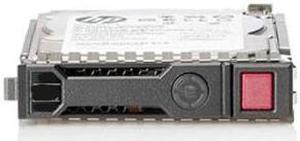
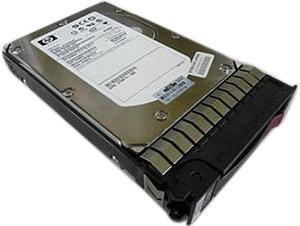
HP 652572-B21 450GB 10000 RPM SAS 6Gb/s 2.5" SFF SC Enterprise Hard Drive
Quick View
HP
HP 652572-B21 450GB 10000 RPM SAS 6Gb/s 2.5" SFF SC Enterprise Hard Drive
  • Height (maximum): 15.6 mm
  • Width (maximum): 75.7 mm
  • Length (maximum): 118.7 mm
  • Parts: 3 Year
  • Model #: 652572-B21
  • $103.00
  •  
  • $60.19 –
  • Save: 41%
  • Free Shipping
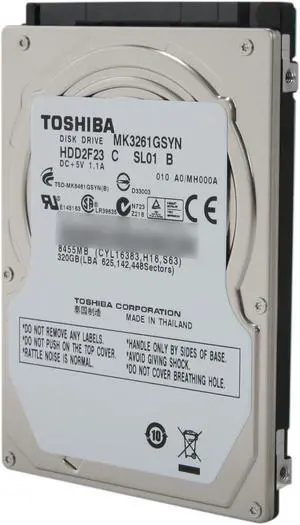
TOSHIBA MK3261GSYN 320GB 7200 RPM 16MB Cache SATA 3.0Gb/s 2.5" Internal Notebook Hard Drive
Quick View
TOSHIBA MK3261GSYN 320GB 7200 RPM 16MB Cache SATA 3.0Gb/s 2.5" Internal Notebook Hard Drive
  • Average Seek Time: 12ms
  • Average Latency: 4.16ms
  • Height (maximum): 9.5mm
  • Width (maximum): 69.75mm
  • Model #: MK3261GSYN
HP 653950-001 146GB 15000 RPM SAS 6Gb/s 2.5" Hot-Plug Hard Drive
Quick View
HP
HP 653950-001 146GB 15000 RPM SAS 6Gb/s 2.5" Hot-Plug Hard Drive
  • Parts: 30 days warranty
  • Labor: 30 days warranty
  • Model #: 653950-001
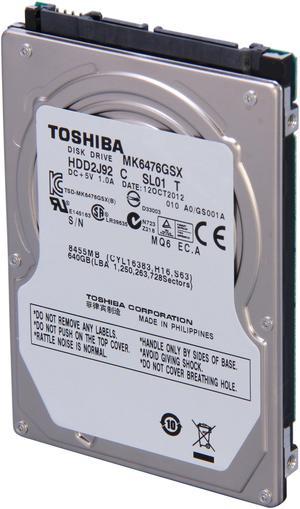
TOSHIBA MK6476GSX 640GB 5400 RPM 8MB Cache SATA 3.0Gb/s 2.5" Internal Notebook Hard Drive Bare Drive
Quick View
TOSHIBA MK6476GSX 640GB 5400 RPM 8MB Cache SATA 3.0Gb/s 2.5" Internal Notebook Hard Drive Bare Drive
  • Average Seek Time: 12ms
  • Average Latency: 5.55ms
  • Height (maximum): 9.5mm
  • Width (maximum): 69.85mm
  • Model #: MK6476GSX
HP 652605-S21 146GB 15000 RPM SAS 6Gb/s 2.5" SFF SC Enterprise Hard Drive S-Buy
Quick View
  •  
  • $40.19 –
  • Free Shipping
Seagate Momentus 7200.3 ST9320421AS 320GB 7200 RPM 16MB Cache SATA 3.0Gb/s 2.5" Internal Notebook Hard Drive Bare Drive
Quick View
Seagate Momentus 7200.3 ST9320421AS 320GB 7200 RPM 16MB Cache SATA 3.0Gb/s 2.5" Internal Notebook Hard Drive Bare Drive
  • Average Latency: 4.17ms
  • Parts: 3 years limited
  • Labor: 3 years limited
  • Model #: ST9320421AS
  •  
  • $100.00 –
  • Free Shipping
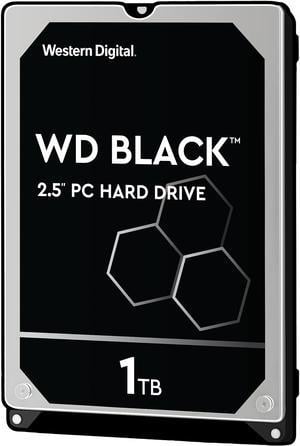
WD Black 1TB Mobile Hard Disk Drive - 7200 RPM SATA 6Gb/s 32MB Cache 2.5 Inch - WD10JPLX
Quick View
WD Black 1TB Mobile Hard Disk Drive - 7200 RPM SATA 6Gb/s 32MB Cache 2.5 Inch - WD10JPLX
  • Height (maximum): 9.5mm
  • Width (maximum): 69.85mm
  • Length (maximum): 100.20mm
  • Option: N/A
  • Model #: WD10JPLX
  • $418.20 - $430.00
Seagate Momentus 5400.4 ST9250827AS 250GB 5400 RPM 8MB Cache SATA 3.0Gb/s 2.5" Notebook Hard Drive Bare Drive
Quick View
Seagate Momentus 5400.4 ST9250827AS 250GB 5400 RPM 8MB Cache SATA 3.0Gb/s 2.5" Notebook Hard Drive Bare Drive
  • Average Latency: 5.6ms
  • Parts: 5 years limited
  • Labor: 5 years limited
  • Model #: ST9250827AS
  •  
  • $48.19 –
  • Free Shipping
Seagate Momentus 5400.3 ST9120822AS 120GB 5400 RPM 8MB Cache SATA 1.5Gb/s 2.5" Notebook Hard Drive Bare Drive
Quick View
Seagate Momentus 5400.3 ST9120822AS 120GB 5400 RPM 8MB Cache SATA 1.5Gb/s 2.5" Notebook Hard Drive Bare Drive
  • Average Latency: 5.6ms
  • Parts: 5 years limited
  • Labor: 5 years limited
  • Model #: ST9120822AS
Seagate ST9320320AS 320GB 5400 RPM 8MB Cache SATA 3.0Gb/s 2.5" Notebook Hard Drive Bare Drive
Quick View
Seagate ST9320320AS 320GB 5400 RPM 8MB Cache SATA 3.0Gb/s 2.5" Notebook Hard Drive Bare Drive
  • Average Latency: 5.6ms
  • Parts: 5 years limited
  • Labor: 5 years limited
  • Model #: ST9320320AS
Seagate Samsung Spinpoint M8 ST320LM001 320GB 5400 RPM 8MB Cache SATA 3.0Gb/s 2.5" Internal Notebook Hard Drive Bare Drive
Quick View
Seagate Samsung Spinpoint M8 ST320LM001 320GB 5400 RPM 8MB Cache SATA 3.0Gb/s 2.5" Internal Notebook Hard Drive Bare Drive
  • Average Seek Time: 12ms
  • Average Latency: 5.6ms
  • Height (maximum): 9.5mm
  • Width (maximum): 69.75mm
  • Model #: ST320LM001
  •  
  • $50.19 –
  • Free Shipping
TOSHIBA MK1252GSX 120GB 5400 RPM 8MB Cache SATA 3.0Gb/s 2.5" Notebook Hard Drive Bare Drive
Quick View
TOSHIBA MK1252GSX 120GB 5400 RPM 8MB Cache SATA 3.0Gb/s 2.5" Notebook Hard Drive Bare Drive
  • Average Seek Time: 12ms
  • Parts: 3 years limited
  • Labor: 3 years limited
  • Model #: MK1252GSX
Seagate Momentus 5400.4 ST9200827AS 200GB 5400 RPM 8MB Cache SATA 3.0Gb/s 2.5" Notebook Hard Drive Bare Drive
Quick View
Seagate Momentus 5400.4 ST9200827AS 200GB 5400 RPM 8MB Cache SATA 3.0Gb/s 2.5" Notebook Hard Drive Bare Drive
  • Average Latency: 5.6ms
  • Parts: 3 years limited
  • Labor: 3 years limited
  • Model #: ST9200827AS
  •  
  • $60.19 –
  • Free Shipping
Dell 1TB 7200 RPM 64MB Cache Serial Attached SCSI (SAS) 2.5" Internal Notebook Hard Drive
Quick View
DELL
Dell 1TB 7200 RPM 64MB Cache Serial Attached SCSI (SAS) 2.5" Internal Notebook Hard Drive
  • Parts: 3 yrs wty from seller
  • Labor: 3 yrs wty from seller
  • Model #: 9W5WV
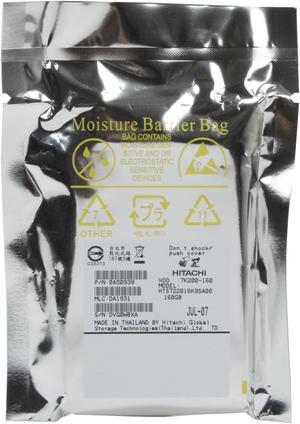
Hitachi GST Travelstar 7K200 HTS722016K9SA00 (0A50939) 160GB 7200 RPM 16MB Cache SATA 1.5Gb/s 2.5" Notebook Hard Drive Bare Drive
Quick View
Hitachi GST Travelstar 7K200 HTS722016K9SA00 (0A50939) 160GB 7200 RPM 16MB Cache SATA 1.5Gb/s 2.5" Notebook Hard Drive Bare Drive
  • Average Seek Time: 10ms
  • Average Latency: 4.2ms
  • Parts: 3 years limited
  • Labor: 3 years limited
  • Model #: HTS722016K9SA00
  •  
  • $48.19 –
  • Free Shipping
Seagate Momentus 5400.5 ST980310AS 80GB 5400 RPM 8MB Cache SATA 3.0Gb/s 2.5" Notebook Hard Drive Bare Drive
Quick View
Seagate Momentus 5400.5 ST980310AS 80GB 5400 RPM 8MB Cache SATA 3.0Gb/s 2.5" Notebook Hard Drive Bare Drive
  • Average Latency: 5.6ms
  • Height (maximum): 9.5mm
  • Width (maximum): 69MM
  • Length (maximum): 100MM
  • Model #: ST980310AS
  •  
  • $110.19 –
  • Free Shipping
TOSHIBA MK2561GSYN 250GB 7200 RPM 16MB Cache SATA 3.0Gb/s 2.5" Internal Notebook Hard Drive Bare Drive
Quick View
TOSHIBA MK2561GSYN 250GB 7200 RPM 16MB Cache SATA 3.0Gb/s 2.5" Internal Notebook Hard Drive Bare Drive
  • Average Seek Time: 12ms
  • Average Latency: 4.16ms
  • NAND Flash Memory Type: Hard Drive
  • Height (maximum): 9.5mm
  • Model #: MK2561GSYN
Seagate Momentus 7200.2 ST9160823AS 160GB 7200 RPM 8MB Cache SATA 3.0Gb/s 2.5" Notebook Hard Drive Bare Drive
Quick View
Seagate Momentus 7200.2 ST9160823AS 160GB 7200 RPM 8MB Cache SATA 3.0Gb/s 2.5" Notebook Hard Drive Bare Drive
  • Average Latency: 4.17ms
  • Parts: 3 years limited
  • Labor: 3 years limited
  • Model #: ST9160823AS
  •  
  • $90.19 –
  • Free Shipping
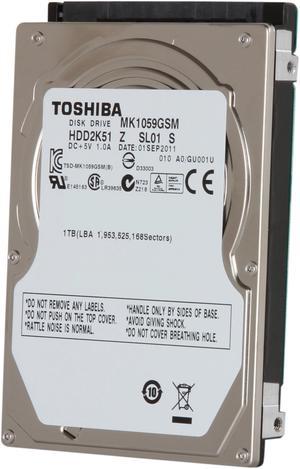
TOSHIBA MKxx59GSM Series MK1059GSM 1TB 5400 RPM 8MB Cache SATA 3.0Gb/s 2.5" Internal Hard Drive Bare Drive
Quick View
TOSHIBA MKxx59GSM Series MK1059GSM 1TB 5400 RPM 8MB Cache SATA 3.0Gb/s 2.5" Internal Hard Drive Bare Drive
  • Brand: TOSHIBA
  • Series: MKxx59GSM Series
  • Model: MK1059GSM
  • Capacity: 1TB
  • Model #: MK1059GSM
Seagate Momentus 7200.2 ST9200420AS 200GB 7200 RPM 16MB Cache SATA 3.0Gb/s 2.5" Notebook Hard Drive Bare Drive
Quick View
Seagate Momentus 7200.2 ST9200420AS 200GB 7200 RPM 16MB Cache SATA 3.0Gb/s 2.5" Notebook Hard Drive Bare Drive
  • Average Latency: 4.17ms
  • Parts: 3 years limited
  • Labor: 3 years limited
  • Model #: ST9200420AS
  •  
  • $100.19 –
  • Free Shipping
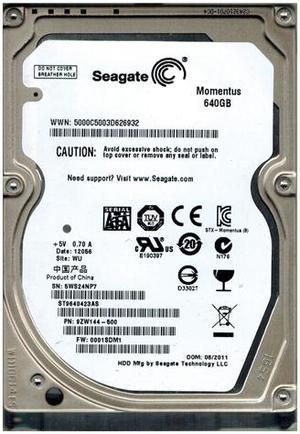
Seagate ST9640423AS 640GB 5400 RPM 16MB Cache SATA 2.5" Internal Notebook Hard Drive Bare Drive
Quick View
Seagate
Seagate ST9640423AS 640GB 5400 RPM 16MB Cache SATA 2.5" Internal Notebook Hard Drive Bare Drive
  • Average Seek Time: 11ms
  • Average Write Time: 13ms
  • Average Latency: 5.6ms
  • Height (maximum): 9.5mm
  • Model #: ST9640423AS
  •  
  • $70.00 –
  • Free Shipping
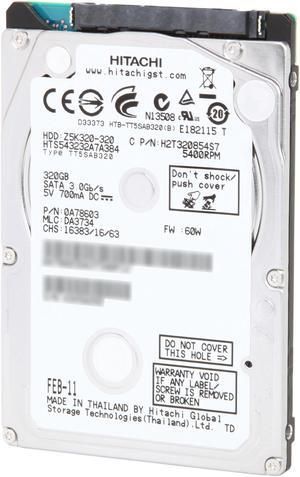
HGST Travelstar Z5K320 HTS543232A7A384 (Part#: 0A78603) 320GB 5400 RPM 8MB Cache SATA 3.0Gb/s 2.5" Internal Notebook Hard Drive Bare Drive
Quick View
HGST Travelstar Z5K320 HTS543232A7A384 (Part#: 0A78603) 320GB 5400 RPM 8MB Cache SATA 3.0Gb/s 2.5" Internal Notebook Hard Drive Bare Drive
  • Average Seek Time: 13ms
  • Average Latency: 5.5ms
  • Height (maximum): 9.5mm
  • Width (maximum): 69.75mm
  • Model #: 0A78603
  •  
  • $60.00 –
  • Free Shipping
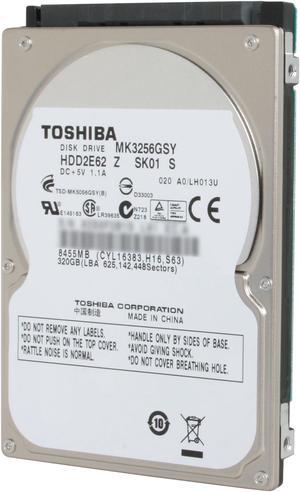
TOSHIBA MK3256GSY 320GB 7200 RPM 16MB Cache SATA 3.0Gb/s 2.5" Internal Notebook Hard Drive Bare Drive
Quick View
TOSHIBA MK3256GSY 320GB 7200 RPM 16MB Cache SATA 3.0Gb/s 2.5" Internal Notebook Hard Drive Bare Drive
  • Average Seek Time: 11ms
  • Average Write Time: 12ms
  • Parts: 3 years limited
  • Labor: 3 years limited
  • Model #: MK3256GSY
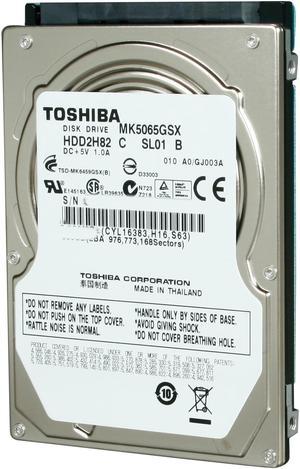
TOSHIBA MK5065GSX 500GB 5400 RPM 8MB Cache SATA 3.0Gb/s 2.5" Internal Notebook Hard Drive Bare Drive
Quick View
TOSHIBA MK5065GSX 500GB 5400 RPM 8MB Cache SATA 3.0Gb/s 2.5" Internal Notebook Hard Drive Bare Drive
  • Average Seek Time: 12ms
  • Parts: 3 years limited
  • Labor: 3 years limited
  • Model #: MK5065GSX
TOSHIBA mk6034gsx 60GB 5400 RPM 8MB Cache SATA 1.5Gb/s 2.5" Notebook Hard Drive Bare Drive
Quick View
TOSHIBA mk6034gsx 60GB 5400 RPM 8MB Cache SATA 1.5Gb/s 2.5" Notebook Hard Drive Bare Drive
  • Average Seek Time: 12ms
  • Average Latency: 5.55ms
  • Height (maximum): 9.5mm
  • Width (maximum): 69mm
  • Model #: mk6034gsx
TOSHIBA MK8034GSX 80GB 5400 RPM 8MB Cache SATA 1.5Gb/s 2.5" Notebook Hard Drive Bare Drive
Quick View
TOSHIBA MK8034GSX 80GB 5400 RPM 8MB Cache SATA 1.5Gb/s 2.5" Notebook Hard Drive Bare Drive
  • Average Seek Time: 12ms
  • Average Latency: 5.55ms
  • Height (maximum): 9.5mm
  • Width (maximum): 3in
  • Model #: MK8034GSX
HP 619291-B21 900 GB 2.5' Internal Hard Drive
Quick View
HP
HP 619291-B21 900 GB 2.5' Internal Hard Drive
  • Parts: 3 Year
  • Model #: 619291-B21
HGST Travelstar Z5K320 HTS543225A7A384 (0A78602) 250GB 5400 RPM 8MB Cache SATA 3.0Gb/s 2.5" Internal Notebook Hard Drive Bare Drive
Quick View
HGST Travelstar Z5K320 HTS543225A7A384 (0A78602) 250GB 5400 RPM 8MB Cache SATA 3.0Gb/s 2.5" Internal Notebook Hard Drive Bare Drive
  • Average Seek Time: 13ms
  • Average Latency: 5.5ms
  • Parts: 3 years limited
  • Labor: 3 years limited
  • Model #: 0A78602
Seagate Momentus 5400.2 ST98823AS 80GB 5400 RPM 8MB Cache SATA 1.5Gb/s 2.5" Notebook Hard Drive Bare Drive
Quick View
Seagate Momentus 5400.2 ST98823AS 80GB 5400 RPM 8MB Cache SATA 1.5Gb/s 2.5" Notebook Hard Drive Bare Drive
  • Average Seek Time: 12.5ms
  • Average Latency: 5.6ms
  • Height (maximum): 9.5mm
  • Width (maximum): 69MM
  • Model #: ST98823AS
  •  
  • $100.00 –
  • Free Shipping
Seagate Momentus 7200.3 ST9160411AS 160GB 7200 RPM 16MB Cache SATA 3.0Gb/s 2.5" Internal Notebook Hard Drive Bare Drive
Quick View
Seagate Momentus 7200.3 ST9160411AS 160GB 7200 RPM 16MB Cache SATA 3.0Gb/s 2.5" Internal Notebook Hard Drive Bare Drive
  • Average Latency: 4.17ms
  • Height (maximum): 9.5mm
  • Parts: 3 years limited
  • Labor: 3 years limited
  • Model #: ST9160411AS
  •  
  • $60.00 –
  • Free Shipping
Seagate Momentus 5400.5 ST9160310AS 160GB 5400 RPM 8MB Cache SATA 3.0Gb/s 2.5" Internal Notebook Hard Drive Bare Drive
Quick View
Seagate Momentus 5400.5 ST9160310AS 160GB 5400 RPM 8MB Cache SATA 3.0Gb/s 2.5" Internal Notebook Hard Drive Bare Drive
  • Average Latency: 5.6ms
  • Height (maximum): 9.5mm
  • Parts: 3 years limited
  • Labor: 3 years limited
  • Model #: ST9160310AS
  •  
  • $76.19 –
  • Free Shipping
Seagate Momentus 5400.4 ST9160827AS 160GB 5400 RPM 8MB Cache SATA 3.0Gb/s 2.5" Notebook Hard Drive Bare Drive
Quick View
Seagate Momentus 5400.4 ST9160827AS 160GB 5400 RPM 8MB Cache SATA 3.0Gb/s 2.5" Notebook Hard Drive Bare Drive
  • Average Latency: 5.6ms
  • Parts: 3 years limited
  • Labor: 3 years limited
  • Model #: ST9160827AS
  •  
  • $85.00 –
  • Free Shipping

Laptop Internal Hard Drives and Notebook Hard Drives at Newegg

Explore a wide selection of laptop internal hard drives designed to improve or replace your laptop storage, with options including 1TB, 2TB, and 5TB capacities. Whether you need a replacement for your existing drive or additional space, find the right hard drive for your laptop here.
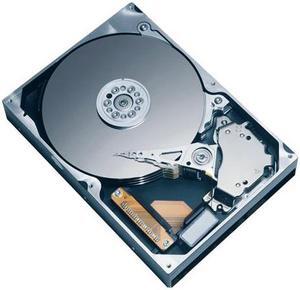
How to Choose Laptop Internal Hard Drives

Key Features and Technology to Consider for Laptop Internal Hard Drives

  • Capacity: Choose from a range of storage sizes including 1TB, 2TB, 3TB, 4TB, and even 5TB to match your data needs, whether it's everyday files or massive multimedia libraries.
  • Drive Type: Decide between traditional spinning Hard Disk Drives (HDD) and faster Solid State Drives (SSD). HDDs offer cost-effective larger storage, while SSDs deliver impressive speed benefits.
  • Form Factor: Laptop hard drives usually come in 2.5-inch sizes, balancing compactness with capacity—perfect for slim notebooks and standard laptops.
  • Interface: SATA remains common for compatibility, but NVMe drives offer a significant speed upgrade via PCIe connections, crucial for performance-heavy uses.
  • Durability: Consider shock resistance and power efficiency, especially if you travel frequently or need reliable storage on the go.
  • Cache Size: Drives with larger cache can improve data access speeds for everyday tasks.

Why Capacity is the Most Critical Factor for Laptop Internal Hard Drives

When selecting a laptop internal hard drive, capacity often takes center stage because it directly affects how much data your laptop can store. From documents and photos to demanding applications and media files, your storage needs grow over time. For users managing large projects or extensive media collections, options like 5TB drives provide the space required for massive file libraries. Mid-range capacities like 2TB hits a sweet spot for balancing storage and speed, suitable for most creative or business tasks. Meanwhile, smaller capacity options remain ideal if your needs focus on essential files or boot speed enhancements.

Advanced Use: Integrating Laptop Internal Hard Drives Into High-Performance Rigs

For developers, content creators, and professionals, optimizing laptop internal hard drives goes beyond just picking capacity and speed. Consider drives that support fast NVMe interfaces for reduced latency and rapid data transfer, crucial when working with large datasets or multiple virtual machines. Pairing these drives with other upgrade essentials found in Components & Storage lets you build a system tailored to demanding workflows. Also, keep thermal management in mind, as high-performance drives can warm up during heavy read/write cycles, so integrating adequate cooling solutions helps prolong lifespan and maintain speed consistency.

Performance and Setup Tips

  • Before installation, back up all important data from your existing drive to avoid accidental loss.
  • Use compatible mounting brackets or adapters if your new drive's size or connector differs from your laptop's original drive.
  • Initialize and format the drive using your laptop’s disk management tool to ensure proper recognition by your operating system.
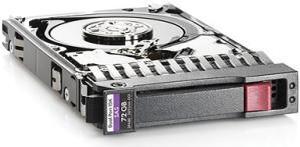
  • Optimize your file system with appropriate settings like enabling TRIM on SSDs to maintain peak performance.
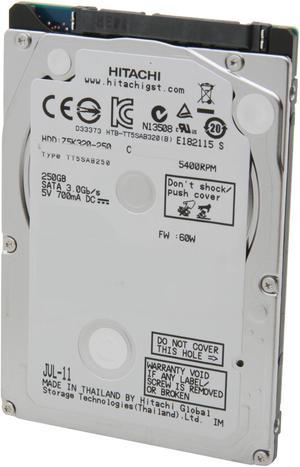
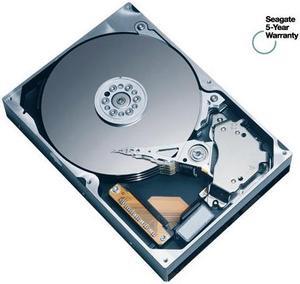
  • Keep your laptop’s firmware and storage drivers updated to leverage new features and compatibility fixes.
  • Consider cloning your current drive to the new internal hard drive to replicate your system without reinstalling the OS.
  • Regularly defragment HDDs (not SSDs) to reduce fragmentation and maintain access speed.
  • For budget upgrades focused on faster boot times without large capacity demands, check out these compact 2GB - 48GB SSD options.

Newegg shopping tip: Before buying a laptop internal hard drive, check the storage capacity and spindle speed to ensure it fits your needs for space and performance. Also, verify the drive's physical size and interface type (like SATA) to make sure it’s compatible with your laptop.

Explore Laptop Internal Hard Drives & Related Categories

2GB - 48GB

Ideal for older laptops or lightweight tasks, these smaller SSDs speed up boot times without hogging space. Great for budget upgrades or secondary drives.

2TB

A 2TB drive balances ample space with quick NVMe speeds, perfect for multimedia editing and large application libraries on the go.

3TB

Go big with 3TB storage designed for gamers and content creators who need room for expansive digital collections and fast load times.

Choosing Your First Laptop Internal Hard Drive

If you're upgrading or replacing storage in your laptop for the first time, it's important to understand what suits your needs best. Laptop internal hard drives come in various capacities and types, each designed to balance speed and space differently. For beginners, starting with a manageable capacity like 2GB - 48GB drives can be a budget-friendly way to experience faster load times without overwhelming your system or storage needs. Also, be sure to consider your laptop’s form factor and interface — knowing whether your laptop supports SATA or NVMe drives prevents compatibility issues down the road.

For Multimedia Creators and Power Users

If you work regularly with large files such as videos, music, or graphics projects, your laptop’s storage has to keep pace. A spacious drive like the 2TB model offers a balanced combination of ample storage and speedy NVMe performance, ideal for managing heavy workloads without sacrificing access times. These drives also help ensure you can keep extensive application libraries and project files on hand while maintaining system responsiveness, making them perfect for creatives on the move.

Upgrading for Gamers and Digital Enthusiasts

Gamers and digital power users often require extensive space for games, mods, and multimedia collections, alongside fast data access to reduce load times. Options like the 3TB or 4TB drives provide the extra headroom needed to store large libraries while maximizing read/write speed for an optimized gaming or creative workflow. Choosing high-capacity internal hard drives ensures you’ll rarely need to delete or shuffle files.

Before You Buy

  • Confirm your laptop’s compatible drive interface (SATA, NVMe, etc.) and physical size (2.5", M.2, etc.) to avoid incompatibility.
  • Assess the balance between capacity and speed needed for your tasks — larger drives offer storage but may trade off some speed compared to SSDs.
  • Check if your laptop BIOS supports the drive you plan to install, especially when opting for newer NVMe models.
  • Decide if you need a traditional hard drive for bulk storage or an SSD for performance improvements.
  • Review warranty terms and manufacturer reliability ratings to protect your investment over time.
  • Use tools like Power Search to filter your options efficiently.

Need Expert Guidance Choosing Your Perfect Laptop Internal Hard Drives? We're Here to Help

  • While the video "How to Pick the Right College Laptop for Your Major" from Newegg Studios covers this topic, you can watch it below:

Research more: Looking to upgrade your laptop’s storage? Check out Newegg Insider’s detailed buying guides to better understand the differences between HDDs and SSDs, capacity options, and compatibility tips before making your choice.

Last Updated: October 2026 | Newegg Laptop Internal Hard Drives Buying Guide


Laptop Internal Hard Drives FAQs:

How does a SATA internal hard drive compare to an NVMe SSD for laptops?

SATA drives generally offer more storage for your money but are slower than NVMe SSDs, which deliver faster boot times and quicker file access, making NVMe better for performance-focused users.

Are there noticeable differences between Western Digital and Seagate laptop internal hard drives?

Both brands are reliable, but Western Digital tends to emphasize quieter and cooler operation, while Seagate often provides drives with higher capacity options at competitive prices.

What storage capacities are common for laptop internal hard drives?

Laptop internal hard drives usually range from 500GB to 2TB, though you can find larger sizes if you need more space. The capacity you choose depends on how much data, apps, or games you want to store.

Are laptop internal hard drives faster than external ones?

Internal hard drives generally run faster because they connect directly to your laptop's motherboard, offering quicker data transfer speeds compared to most external drives that connect via USB. However, using an internal solid-state drive (SSD) will boost speed much more than a traditional hard disk drive (HDD).

How do I pick the right internal hard drive for my laptop without overpaying?

Focus on the drive size and speed that fit both your storage needs and budget; SSDs are faster but pricier, while traditional HDDs offer more space for less cash. Also, make sure the drive matches your laptop’s interface like SATA or NVMe.

Is it worth upgrading to an SSD for an older laptop instead of sticking with the original hard drive?

Absolutely, swapping in an SSD can make your laptop boot faster and improve overall responsiveness, making an older machine feel much snappier without needing a full replacement.

How can I tell if a laptop internal hard drive has a high failure rate before buying?

Look for reviews that mention drive longevity and any recurring issues like clicks or slow performance. Avoid models with lots of warranty claims or negative feedback on reliability.

Are there common problems with laptop internal hard drives that I should watch out for in user reviews?

Yes, issues like overheating, loud noises, and sudden data loss are red flags. Pay attention to reviews mentioning these symptoms, as they often indicate lower quality or manufacturing defects.

How do I install an internal hard drive in my laptop for the first time?

First, power off your laptop and remove the battery if possible. Then, open the access panel on the bottom, slot the hard drive into the HDD bay, secure it with screws, and reconnect everything before turning the laptop back on.

What should I do after installing a new internal hard drive to get it ready for use?

Once installed, you’ll need to format the drive and partition it using your operating system’s disk management tool before you can store files or install programs.

Bestselling Laptop Internal Hard Drives Reviews:

James M.
4/15/2025 2:41:00 AM
WD Internal Laptop Disk Drive 2TB

“ Twice storage over OEM drive for Acer Laptop. ”

WD Blue WD20SPZX 2TB 5400 RPM 128MB Cache SATA 6.0Gb/s 2.5" Internal Notebook Hard Drive