• In Stock
  • Sold by Newegg
  • Make an Offer
  • New
  • Combo Deals Only
Brands
Show More
Price
Show More
Speed
Show More
Capacity
Show More
Type
CAS Latency
Voltage
Show More
ECC
Sold by
All Top Brands
Availability
Condition
Total Capacity
Current Promotion
Discount
Useful Links
Customer Ratings
  • High-End Control
  • Featured Brands

    See Deals from CrucialSee Deals from G.SKILLSee Deals from CorsairSee Deals from Team Group
Sort By:
View:
SK Hynix HMCG78MEBSA 16GB 1Rx8 PC5-38400 DDR5 4800MHz Non-ECC Unbuffered SODIMM 262-Pin Laptop Memory RAM
Quick View
SK hynix
SK Hynix HMCG78MEBSA 16GB 1Rx8 PC5-38400 DDR5 4800MHz Non-ECC Unbuffered SODIMM 262-Pin Laptop Memory RAM
  • CAS Latency: CL40
  • Buffered/Registered: Unbuffered
  • Part Number: HMCG78MEBSA / HMCG78MEBSA095N / HMCG78MEBSA092N
  • Features: HMCG78MEBSA / HMCG78MEBSA095N / HMCG78MEBSA092N
  • Model #: HMCG78MEBSA
  •  
  • $251.71 –
Crucial 16GB (2 x 8GB) 260-Pin DDR4 SO-DIMM DDR4 2133 (PC4 17000) Laptop Memory Model CT2K8G4SFD8213
Quick View
Crucial 16GB (2 x 8GB) 260-Pin DDR4 SO-DIMM DDR4 2133 (PC4 17000) Laptop Memory Model CT2K8G4SFD8213
  • CAS Latency: CL15
  • Voltage: 1.20V
  • Buffered/Registered: Unbuffered
  • Features: CT2K8G4DFS8213 is a 16GB Kit consisting of (2) 8GB DDR4 Notebook modules that operates at speeds up to 2133 MT/s and has a CL15 latency. It is an Unbuffered DIMM. It conforms to the industry standard DDR4 ECC UDIMM layout of 288 pins and is compatible with systems that take DDR4 2133MT/s UDIMM memory.
  • Model #: CT2K8G4SFD8213
  •  
  • $128.99 –
  • Free Shipping
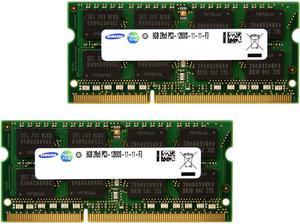
SAMSUNG M471B1G73QH0-YK0 8GB 2Rx8 DDR3 PC3L-12800 1600MHz 1.35 LAPTOP MEMORY RAM
Quick View
SAMSUNG
SAMSUNG M471B1G73QH0-YK0 8GB 2Rx8 DDR3 PC3L-12800 1600MHz 1.35 LAPTOP MEMORY RAM
  • CAS Latency: CL11
  • Timing: 11-12-F3
  • Voltage: 1.35V
  • Buffered/Registered: Unbuffered
  • Model #: SN3L816-01
  •  
  • $24.97 –
SAMSUNG MEMORY
M471A1K43DB1-CWE - Samsung 1x 8GB DDR4-3200 SODIMM PC4-25600S Single Rank x8 Module
Quick View
SAMSUNG MEMORY M471A1K43DB1-CWE - Samsung 1x 8GB DDR4-3200 SODIMM PC4-25600S Single Rank x8 Module
  • CAS Latency: CL22
  • Voltage: 1.20V
  • Buffered/Registered: Unbuffered / Unregistered
  • Parts: 3 Years
  • Model #: M471A1K43DB1-CWE
OWC 32GB (2x16GB) Compatible with Synology D4ECSO-2666-16G, D4ES01-16G | DDR4 2666MHz PC4-21300 ECC Unbuffered SODIMM 2Rx8 1.2V Memory Upgrade for NAS DiskStation, RackStation, FlashStation, & NVR DVA
Quick View
  •  
  • $313.89 –
NEMIX RAM 16GB (2X8GB) DDR3 1600MHZ PC3-12800 2Rx8 1.35V 204-PIN Non-ECC SODIMM Laptop PC PC Unbuffered Memory KIT
Quick View
NEMIX RAM 16GB (2X8GB) DDR3 1600MHZ PC3-12800 2Rx8 1.35V 204-PIN Non-ECC SODIMM Laptop PC PC Unbuffered Memory KIT
  • Brand: NEMIX RAM
  • Series: NEMIX RAM DDR3 Orignial Series 204-Pin NON-ECC Unbuffered SODIMM Memory
  • Capacity: 16GB (2 x 8GB)
  • Type: 204-Pin DDR3 SO-DIMM
  • Model #: MS12800-828LK02-514
  •  
  • $43.99 –
  • Free Shipping
Kingston 16GB 260-Pin DDR4 SO-DIMM DDR4 3200 (PC4 25600) Laptop Memory Model KCP432SS8/16
Quick View
Kingston 16GB 260-Pin DDR4 SO-DIMM DDR4 3200 (PC4 25600) Laptop Memory Model KCP432SS8/16
  • CAS Latency: CL22
  • Voltage: 1.20V
  • Buffered/Registered: Unbuffered
  • Model #: KCP432SS8/16
NEMIX RAM 32GB (2X16GB) DDR4 3200MHZ PC4-25600 2Rx8 1.2V 260-PIN Non-ECC SODIMM Laptop PC Memory KIT
Quick View
NEMIX RAM 32GB (2X16GB) DDR4 3200MHZ PC4-25600 2Rx8 1.2V 260-PIN Non-ECC SODIMM Laptop PC Memory KIT
  • Brand: NEMIX RAM
  • Series: NEMIX RAM DDR4 Orignial Series 260-Pin NON-ECC Unbuffered SODIMM Memory
  • Capacity: 32GB (2 x 16GB)
  • Type: 260-Pin DDR4 SO-DIMM
  • Model #: MS25600-628K02-G
  • $218.88
  •  
  • $199.89 –
  • Save: 8%
  • Free Shipping
A-Tech 32GB (2x16GB) DDR5 6400MHz CSODIMM PC5-51200 Non-ECC Unbuffered CL52 1.1V 262-Pin SO-DIMM Laptop, Notebook, All-in-One Computer RAM Memory Upgrade Kit
Quick View
A-Tech 32GB (2x16GB) DDR5 6400MHz CSODIMM PC5-51200 Non-ECC Unbuffered CL52 1.1V 262-Pin SO-DIMM Laptop, Notebook, All-in-One Computer RAM Memory Upgrade Kit
  • Brand: A-Tech
  • Series: A-Tech DDR5 Laptop Memory RAM
  • Capacity: 32GB (2 x 16GB)
  • Type: 262-Pin DDR5 CSODIMM
  • Model #: NE-SS-1750
  •  
  • $498.99 –
  • Free Shipping
Kingston ValueRAM 8GB 260-Pin DDR4 SO-DIMM DDR4 3200 (PC4 25600) Laptop Memory Model KVR32S22S6/8
Quick View
Kingston ValueRAM 8GB 260-Pin DDR4 SO-DIMM DDR4 3200 (PC4 25600) Laptop Memory Model KVR32S22S6/8
  • CAS Latency: CL22
  • Timing: 22-22-22
  • Voltage: 1.20V
  • Buffered/Registered: Unbuffered
  • Model #: KVR32S22S6/8
SK Hynix 8GB DDR4-21300 SODIMM PC4-2666V-SA1-11 Laptop RAM Memory Stick Module HMA81GSJJR8N-VK
Quick View
SK Hynix 8GB DDR4-21300 SODIMM PC4-2666V-SA1-11 Laptop RAM Memory Stick Module HMA81GSJJR8N-VK
  • CAS Latency: CL19
  • Voltage: 1.20V
  • Buffered/Registered: Unbuffered
  • Model #: HMA81GSJJR8N-VK
MTA8ATF1G64HZ-2G6E1 Micron 8gb Pc4-21300 Ddr4-2666mhz So-Dimm Memory
Quick View
MTA8ATF1G64HZ-2G6E1 Micron 8gb Pc4-21300 Ddr4-2666mhz So-Dimm Memory
  • Voltage: 1.20V
  • Buffered/Registered: Unbuffered
  • Multi-channel Kit: Dual Channel Kit
  • Model #: 428-589016000173898
  •  
  • $56.99 –
  • Free Shipping
4GB RAM Replacement for Synology D4NESO-2666-4G | DDR4 2666MHz PC4-21300 SODIMM 260-Pin 1Rx8 NAS Memory RS820RP+, RS820+, DS920+, DS720+, DS420+, DS220+, DS2419+, DS2419+II, DS1819+, DVA3219, DS1618+
Quick View
  •  
  • $71.06 –
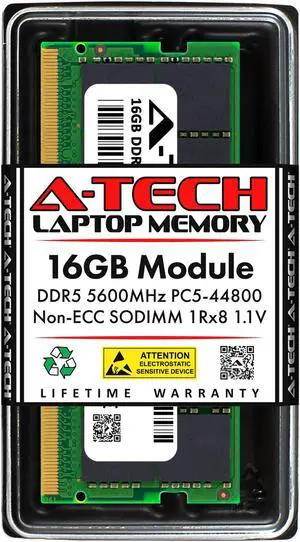
16GB RAM Replacement for Micron MTC8C1084S1SC56BD1, MTC8C1084S1SC56BG1, MTC8C1084S1SC56BH1 | DDR5 5600MHz PC5-44800 SODIMM 1Rx8 Laptop Memory
Quick View
16GB RAM Replacement for Micron MTC8C1084S1SC56BD1, MTC8C1084S1SC56BG1, MTC8C1084S1SC56BH1 | DDR5 5600MHz PC5-44800 SODIMM 1Rx8 Laptop Memory
  • Brand: A-Tech
  • Series: Compatible Replacement for Micron MTC8C1084S1SC56BD1 MTC8C1084S1SC56BG1 MTC8C1084S1SC56BH1
  • Capacity: 16GB
  • Type: 262-Pin DDR5 SO-DIMM
  • Model #: NE-PNR-2358
  •  
  • $268.86 –
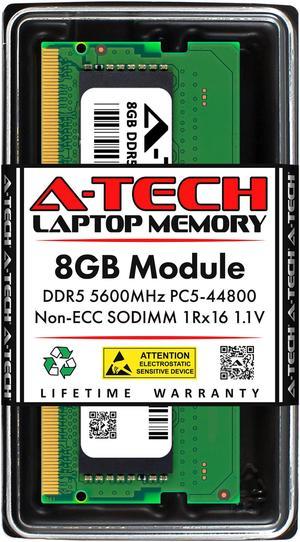
8GB RAM Replacement for Crucial CT8G56C46S5 | DDR5 5600MHz PC5-44800 SODIMM 1Rx16 Laptop Memory
Quick View
8GB RAM Replacement for Crucial CT8G56C46S5 | DDR5 5600MHz PC5-44800 SODIMM 1Rx16 Laptop Memory
  • Brand: A-Tech
  • Series: Compatible Replacement for Crucial CT8G56C46S5
  • Capacity: 8GB
  • Type: 262-Pin DDR5 SO-DIMM
  • Model #: NE-PNR-2516
  •  
  • $135.60 –
8GB RAM Replacement for Hynix HMCG66AGBSA, HMCG66AGBSA092N, HMCG66AGBSA095N | DDR5 5600MHz PC5-44800 SODIMM 1Rx16 Laptop Memory
Quick View
8GB RAM Replacement for Hynix HMCG66AGBSA, HMCG66AGBSA092N, HMCG66AGBSA095N | DDR5 5600MHz PC5-44800 SODIMM 1Rx16 Laptop Memory
  • CAS Latency: CL40
  • Voltage: 1.10V
  • Buffered/Registered: Unbuffered
  • Features: HMCG66AGBSA, HMCG66AGBSA092N, HMCG66AGBSA095N
  • Model #: NE-PNR-1873
  •  
  • $135.60 –
SK Hynix 8GB 1X8GB HMA81GS6DJR8N-VK DDR4 1Rx8 PC4-2666T SODIM 260-PIN Laptop Memory Ram
Quick View
SK Hynix 8GB 1X8GB HMA81GS6DJR8N-VK DDR4 1Rx8 PC4-2666T SODIM 260-PIN Laptop Memory Ram
  • CAS Latency: CL19
  • Voltage: 1.20V
  • Buffered/Registered: Unbuffered
  • Model #: hynix-8gb-so-2666
Timetec 8GB DDR5 5600MHz PC5-44800 Unbuffered Non-ECC 1.1V CL46 1Rx16 Single Rank 262Pin SODIMM Laptop Memory RAM Module Upgrade
Quick View
  •  
  • $125.99 –
  • Free Shipping
AC774048 - Dell Compatible 16GB PC5-44800 DDR5-5600Mhz 1Rx8 non-ECC SODIMM
Quick View
AC774048 - Dell Compatible 16GB PC5-44800 DDR5-5600Mhz 1Rx8 non-ECC SODIMM
  • Chipset: Major Brand Chipset
  • Parts: 5 Years
  • Model #: AC774048
  •  
  • $254.45 –
8GB RAM Replacement for Micron MTC4C10163S1SC56, MTC4C10163S1SC56BD1, MTC4C10163S1SC56BG1 | DDR5 5600MHz PC5-44800 SODIMM 1Rx16 Laptop Memory
Quick View
8GB RAM Replacement for Micron MTC4C10163S1SC56, MTC4C10163S1SC56BD1, MTC4C10163S1SC56BG1 | DDR5 5600MHz PC5-44800 SODIMM 1Rx16 Laptop Memory
  • Brand: A-Tech
  • Series: Compatible Replacement for Micron MTC4C10163S1SC56 MTC4C10163S1SC56BD1 MTC4C10163S1SC56BG1
  • Capacity: 8GB
  • Type: 262-Pin DDR5 SO-DIMM
  • Model #: NE-PNR-2515
  •  
  • $135.60 –
16GB (2 x 8GB) 204-Pin DDR3 SO-DIMM DDR3 1600 (PC3 12800) Laptop Memory Model M471B1G73CB0-CK0
Quick View
16GB (2 x 8GB) 204-Pin DDR3 SO-DIMM DDR3 1600 (PC3 12800) Laptop Memory Model M471B1G73CB0-CK0
  • CAS Latency: CL11
  • Multi-channel Kit: Dual Channel Kit
  • Features: 2Rx8
  • Model #: M471B1G73CB0-CK0
Timetec 4GB DDR3L / DDR3 1600MHz PC3L-12800 / PC3-12800 Non-ECC Unbuffered 1.35V / 1.5V CL11 1Rx8 Single Rank 204 Pin SODIMM Laptop Notebook PC Computer Memory RAM Module Upgrade (4GB)
Quick View
  •  
  • $14.99 –
  • Free Shipping
Timetec Hynix IC 16GB Kit (2x8GB) DDR3L 1866MHz PC3-14900 Unbuffered Non-ECC 1.35V CL13 2Rx8 Dual Rank 204 Pin SODIMM Apple Memory RAM Module Upgrade (16GB Kit (2x8GB))
Quick View
Timetec Hynix IC 16GB Kit (2x8GB) DDR3L 1866MHz PC3-14900 Unbuffered Non-ECC 1.35V CL13 2Rx8 Dual Rank 204 Pin SODIMM Apple Memory RAM Module Upgrade (16GB Kit (2x8GB))
  • CAS Latency: CL13
  • Voltage: 1.35V
  • Buffered/Registered: Unbuffered
  • Recommend Use: For Apple System
  • Model #: MM-H8GD318J7D
  •  
  • $37.99 –
  • Free Shipping
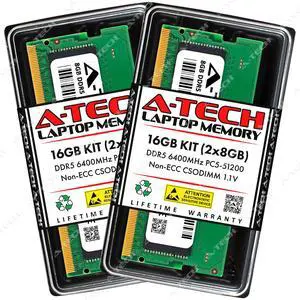
A-Tech 16GB (2x8GB) DDR5 6400MHz CSODIMM PC5-51200 Non-ECC Unbuffered CL52 1.1V 262-Pin SO-DIMM Laptop, Notebook, All-in-One Computer RAM Memory Upgrade Kit
Quick View
A-Tech 16GB (2x8GB) DDR5 6400MHz CSODIMM PC5-51200 Non-ECC Unbuffered CL52 1.1V 262-Pin SO-DIMM Laptop, Notebook, All-in-One Computer RAM Memory Upgrade Kit
  • Brand: A-Tech
  • Series: A-Tech DDR5 Laptop Memory RAM
  • Capacity: 16GB (2 x 8GB)
  • Type: 262-Pin DDR5 CSODIMM
  • Model #: NE-SS-1759
  •  
  • $210.99 –
  • Free Shipping
16GB RAM Replacement for Hynix HMCG78AGBSA, HMCG78AGBSA092N, HMCG78AGBSA095N | DDR5 5600MHz PC5-44800 SODIMM 1Rx8 Laptop Memory
Quick View
16GB RAM Replacement for Hynix HMCG78AGBSA, HMCG78AGBSA092N, HMCG78AGBSA095N | DDR5 5600MHz PC5-44800 SODIMM 1Rx8 Laptop Memory
  • CAS Latency: CL40
  • Voltage: 1.10V
  • Buffered/Registered: Unbuffered
  • Features: HMCG78AGBSA, HMCG78AGBSA092N, HMCG78AGBSA095N
  • Model #: NE-PNR-1875
  •  
  • $268.86 –
Supermicro Certified MEM-DR480L-SL01-SO26 | Samsung M471A1K43CB1-CTD | 8GB PC4-21300 DDR4 2666MHz 1Rx8 Non-ECC SODIMM 260-Pin Laptop Memory RAM
Quick View
Supermicro Certified MEM-DR480L-SL01-SO26 | Samsung M471A1K43CB1-CTD | 8GB PC4-21300 DDR4 2666MHz 1Rx8 Non-ECC SODIMM 260-Pin Laptop Memory RAM
  • CAS Latency: CL19
  • Voltage: 1.20V
  • Buffered/Registered: Unbuffered
  • Features: Supermicro Certified MEM-DR480L-SL01-SO26 (M471A1K43CB1-CTD)
  • Model #: MEM-DR480L-SL01-SO26
  •  
  • $63.21 –
SK Hynix HMA82GS6CJR8N-XN 16GB 2Rx8 PC4-25600 DDR4 3200 MHz PC4-3200AA 260pin 1.2v SODIMM Memory
Quick View
SK Hynix HMA82GS6CJR8N-XN 16GB 2Rx8 PC4-25600 DDR4 3200 MHz PC4-3200AA 260pin 1.2v SODIMM Memory
  • CAS Latency: CL22
  • Voltage: 1.20V
  • Buffered/Registered: Unbuffered
  • Multi-channel Kit: Dual Channel Kit
  • Model #: HMA82GS6CJR8N-XNC*2
SAMSUNG 4GB 204-Pin DDR3 SO-DIMM DDR3 1333 (PC3 10600) Laptop Memory Model M471B5273DH0-CH9
Quick View
SAMSUNG 4GB 204-Pin DDR3 SO-DIMM DDR3 1333 (PC3 10600) Laptop Memory Model M471B5273DH0-CH9
  • CAS Latency: CL9
  • Timing: 09-11-F3
  • Voltage: 1.50V
  • Buffered/Registered: Unbuffered
  • Model #: M471B5273DH0-CH9-

Laptop Memory DDR3 & DDR4 RAM for Laptops | Newegg

Explore a wide selection of DDR3 and DDR4 laptop memory designed to improve gaming, multitasking, and overall performance. This page offers compatible RAM from trusted brands, perfect for your next laptop upgrade during Black November deals and Black Friday deals.

How to Choose Laptop Memory

Key Features and Technologies to Consider for Laptop Memory

  • DDR3 vs. DDR4: DDR4 is newer, faster, and more power-efficient than DDR3, making it the preferred choice for most modern laptops.
  • Capacity: Options range from 8GB to high-capacity modules like 32GB per Module and beyond.
  • Speed: Higher MHz values improve data transfer rates and can enhance multitasking and gaming performance.
  • Latency and Timings: Lower latency means quicker responses from RAM, which contributes modestly but noticeably to overall system snappiness.
  • Form Factor and Compatibility: Laptop memory uses SO-DIMM modules—always check your laptop's specifications to choose compatible memory types and speeds.
  • Dual Channel Support: Using matched pairs maximizes bandwidth and performance in most systems.

Why Memory Capacity is the Most Crucial Factor for Laptop RAM Upgrades

When upgrading laptop memory, the amount of RAM you install directly influences how many applications and processes your system can handle simultaneously without slowing down. While speed and latency have their roles, capacity often delivers the most tangible boost for multitasking, gaming, and creative workflows. For example, moving from 8GB to 16GB or beyond can dramatically improve your laptop’s responsiveness and future-proof it against increasingly demanding software. If you need substantial memory for professional apps or intensive multitasking, explore options like 16GB per Module or larger modules to build the ideal setup. For enthusiasts seeking premium options, combining modules such as 96GB (2 x 48GB) can unlock workstation-level performance on compatible laptops.

Advanced Use Cases: Maximizing Laptop Memory for Development and Professional Work

Power users like developers, content creators, and virtualization experts require not only more memory but also stable and fast modules that support intensive workloads. High-capacity options such as 48GB per Module pave the way for running multiple virtual machines, compiling large codebases, or rendering 3D graphics without bottlenecks. Additionally, consider memory kits optimized for multi-channel configurations to maximize bandwidth. Newegg’s selection caters to these advanced needs with a variety of options supporting the latest DDR4 technologies, ideal for professional laptop upgrade projects seeking reliability and performance.
Performance and Setup Tips

  • Check your laptop’s maximum supported RAM capacity and type before purchasing upgrades.
  • Install matching pairs in dual-channel setups to double your memory bandwidth for smoother multitasking.
  • Update your laptop’s BIOS and chipset drivers to ensure optimal memory compatibility and stability.
  • During Black November deals and Black Friday deals, look for trusted brands like Corsair, Kingston, and Crucial known for reliability.
  • Run a memory diagnostic tool after installation to verify that your new RAM operates correctly without errors.
  • Clean your laptop's interior if accessible, ensuring cooling solutions work properly to prevent thermal throttling of memory modules.
  • Consider balancing capacity and speed based on your workload—more RAM generally outweighs higher speed for most users.

Newegg shopping tip: When choosing laptop memory, make sure to check whether your laptop supports DDR3 or DDR4 RAM, as they aren’t interchangeable. Also, compare the speed (measured in MHz) and capacity to match your usage needs—whether you’re gaming, multitasking, or upgrading. Keep an eye out for Black November deals and Black Friday deals to find compatible options at competitive prices.

Explore Laptop Memory & Related Categories

64GB per Module

Get massive capacity with 64GB modules built on the latest DDR4 or DDR5 tech, perfect for high-end workstations and intensive multitasking setups.

48GB per Module

Unleash the power of 48GB RAM sticks, designed to bridge the gap between capacity and compatibility on select DDR4/DDR5 platforms.

96GB (2 x 48GB)

Dual 48GB sticks combine for 96GB total—optimal for memory-heavy applications like virtualization and large-scale content creation.

Getting Started with Laptop Memory Upgrades

If you're new to upgrading your laptop's memory, start by understanding the basic types you'll encounter: DDR3 and DDR4 RAM. These modules vary in speed and compatibility, with DDR4 being more common in newer laptops due to its enhanced performance and energy efficiency. Upgrading your laptop memory can significantly improve multitasking, loading speeds, and general responsiveness.

Make sure you know what your laptop supports by checking the maximum RAM capacity and memory type required. Whether you’re looking to replace your current modules or add more strips, upgrading during the holiday season is a smart move. Explore the variety of 16GB per Module options available for a balanced upgrade that fits most beginners’ needs, especially with the Black November deals now live.

Optimizing for Gaming and Content Creation

Gamers and creative professionals demand high-performance memory to handle intensive graphics, fast game loading, and smooth multitasking. DDR4 laptop RAM is often preferred for these users due to its higher speed capabilities and reliability under load. You might want to consider memory kits like 32GB per Module or even 64GB (2 x 32GB) for smoother workflows and gaming sessions.

Taking advantage of Black Friday deals on Laptop Memory right now is an excellent opportunity to power up your rig without stretching your budget. A well-optimized RAM setup reduces lag, accelerates game load times, and allows you to keep multiple programs running seamlessly.

Upgrading for Everyday Productivity and Multitasking

If your primary need is to speed up your everyday laptop use—such as web browsing, office work, video calls, and light content editing—then reliable and cost-efficient RAM upgrades can make a big difference. DDR3 and DDR4 laptop memory both serve this purpose well, but DDR4 offers better longevity and efficiency in most modern laptops.

Modules like 16GB per Module are popular choices here, offering a solid performance bump without overwhelming system requirements. Use the Black November deals to upgrade and enjoy faster multitasking and smoother overall system responsiveness as you tackle your daily workflow.

Before You Buy

  • Check your laptop’s maximum supported RAM capacity and the number of available memory slots.
  • Verify whether your laptop uses DDR3 or DDR4 memory to ensure compatibility with new sticks.
  • Consider the speed (measured in MHz) supported by your laptop’s motherboard for optimal performance.
  • Match the RAM voltage and timings to your existing modules if you are adding rather than replacing memory.
  • Think about your use case: games and creative software benefit from larger, faster modules like 32GB per Module, while everyday tasks can run smoothly with more modest options.
  • Confirm if your laptop’s warranty has any restrictions regarding memory upgrades.
  • Take advantage of Black Friday deals on Laptop Memory to get premium hardware within your budget during the holiday shopping season.

Need Expert Guidance Choosing Your Perfect Laptop Memory? We're Here to Help

  • While the video "Gaming on One Stick of RAM?!" from Newegg Studios covers this topic, you can watch it below:

Research more: Considering a laptop RAM upgrade? Check out the Newegg Insider buying guides for detailed advice on choosing between DDR3 and DDR4 memory, compatibility tips, and performance insights—perfect for making the most of Black November deals and Black Friday deals this holiday season.

Last Updated: November 2026 | Newegg Laptop Memory Buying Guide


Laptop Memory FAQs:

How does DDR4 compare to DDR5 laptop memory in everyday use?

DDR5 offers faster speeds and better efficiency than DDR4, but for most daily tasks, the difference is subtle. If you’re into heavy multitasking or gaming, DDR5 gives a smoother experience, otherwise DDR4 is still solid and often cheaper.

Is it better to buy memory from brands like Corsair or Crucial, or can off-brand modules work just as well?

Trusted brands like Corsair and Crucial tend to have more reliable performance and better warranty support, which matters for laptop memory. Off-brand modules might save you a few bucks, but they come with higher risk of compatibility issues or failures down the line.

How do I know if my laptop supports DDR4 or DDR5 memory?

Check your laptop’s specifications or user manual to see which RAM type is compatible. You can also look up your exact model online to find out whether it uses DDR4 or DDR5 modules.

Can I mix different sizes or speeds of RAM sticks in my laptop?

It’s usually best to use matching RAM sticks for optimal performance, but some laptops can run with mixed sizes or speeds, though it may cause instability or slower speeds. Stick to what your laptop manufacturer recommends.

How much RAM do I actually need for everyday laptop use without slowing down?

Most users will be fine with 8GB of RAM for web browsing, office work, and streaming. If you multitask heavily or use demanding apps, consider 16GB or more to keep things running smoothly.

My laptop supports DDR4 and DDR5 memory, but the price for DDR5 is much higher. Is it worth the upgrade?

DDR5 offers faster speeds and improved efficiency, but the real-world difference is small for typical tasks. If budget is tight, DDR4 is still a solid choice and more affordable for most users.

How often do laptop memory modules fail, and what signs should I watch for before buying?

Laptop memory doesn’t usually fail quickly, but it can happen due to manufacturing defects or damage during shipping. Check reviews for notes on reliability and test results, and watch for reports of frequent errors or compatibility issues.

Can reading too many memory reviews be misleading when it comes to reliability?

Sometimes yes; a few bad experiences can disproportionately affect ratings since memory failures are rare but memorable. Look for patterns across many reviews instead of focusing on single complaints to get a clearer picture.

How do I install new memory in my laptop without damaging it?

First, power down and unplug your laptop, then open the memory compartment carefully, usually on the bottom. Line up the new RAM stick with the slot at an angle and press it in firmly until it clicks into place.

What steps should I take after installing laptop RAM to make sure it's recognized?

Once you power your laptop back on, enter the system BIOS or check your operating system’s settings to confirm the new memory shows up. If it doesn’t appear, reseat the RAM or check compatibility.

Bestselling Laptop Memory Reviews:

Adam S.
9/29/2026 7:33:09 AM
Plugged It In and It Just Worked!

“ I bought this G.SKILL Ripjaws 32GB kit to give my laptop a little more breathing room, and Im very happy with it. ”

G.SKILL Ripjaws SO-DIMM 32GB (2 x 16GB) 262-Pin DDR5 SO-DIMM DDR5 5600 (PC5 44800) Laptop Memory Model F5-5600S4645A16GX2-RS
Jonathan B.
7/16/2026 3:46:51 PM
Excellent ram for the price

“ Overall, great ram and a great price. I would highly recommend this ram to anyone looking to upgrade their laptop ”

CORSAIR Vengeance 16GB (2 x 8GB) 260-Pin DDR4 SO-DIMM DDR4 2666 (PC4 21300) Laptop Memory Model CMSX16GX4M2A2666C18
William
3/12/2026 7:17:31 AM
Exactly what I needed!

“ If you have an older DDR4 Laptop I highly recommend this RAM. ”

Kingston FURY Impact 32GB (2 x 16GB) 260-pin SO-DIMM DDR4 3200 MHz CL20 Black Memory (KF432S20IBK2/32)
Anonymous
12/22/2025 1:52:58 PM
Works are stated just overpriced

“ works as stated for my laptop ”

Kingston FURY Impact 32GB (1 x 32GB) 260-pin SO-DIMM DDR4 3200 MHz CL20 Black Memory (KF432S20IB/32)
Travelingaggie
12/9/2025 6:46:02 AM
Works great and arrived on-time

“ I bought this to replace RAM in my laptop that was failing. ”

Crucial 64GB Kit (32GBx2) DDR4 3200 MT/s CL22 SODIMM 260-Pin Memory - CT2K32G4SFD832A
Joshua C.
11/4/2025 7:27:11 AM
Memory.

“ I would recommend this product to anyone upgrading their laptop. ”

G.SKILL Ripjaws Series 32GB (2 x 16GB) 260-Pin DDR4 SO-DIMM DDR4 3200 (PC4 25600) Laptop Memory Model F4-3200C22D-32GRS
Dean H.
8/27/2025 9:42:51 AM
Better Than Expected

“ Purchased ram for laptop motherboard Acer Nitro 5 AN515-45. ”

Kingston Impact 64GB (2 x 32GB) 260-Pin DDR4 SO-DIMM DDR4 3200 (PC4 25600) Memory (Notebook Memory) Model KF432S20IBK2/64
Jean-Francois G.
8/17/2025 5:44:41 PM
Delivery was faster than expected and so far, easy to install and worked without any issues.

“ - Installed this kit (CT2KIT102464BF160B) in my old Sony VAIO laptop to upgrade from 8GB to 16GB. ”

Crucial 16GB (2 x 8GB) 204-Pin DDR3 SO-DIMM DDR3L 1600 (PC3L 12800) Laptop Memory Model CT2KIT102464BF160B