

Your Browsing History


Featured Brands





SHOP BY Processor Name
Quick View
#1 Best Seller
Free game w/ purchase, limited offer
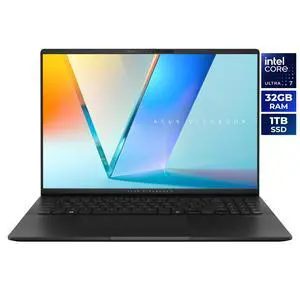
- Processor Name: Intel Core Ultra 7 255H
- Memory: 32GB LPDDR5X 7500
- SSD: 1TB PCIe
- Neural Processing Unit (NPU): Up to 13, Intel AI Boost NPU up to 13TOPS
- Model #: S5606CA-NS79
- $1,599.99
- $1,349.99 –
- Save: 15%
- Free Shipping
Quick View
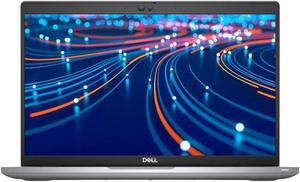
Refurbished Dell Latitude 5420 Laptop Intel Core i5-1145G7 16GB Memory 256GB SSD 14.0" FHD Windows 11 Pro
- Processor Name: Intel Core i5-1145G7
- Memory: 16GB
- SSD: 256GB
- GPU/VPU: Intel Iris Xe Graphics
- Model #: LT-DE5420/i5-G11-16-256-A
- $430.00 –
- More options from $259.99 - $431.46
- Free Shipping
Quick View
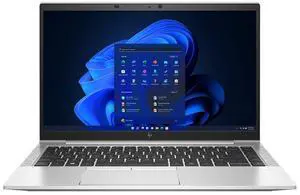
Refurbished HP EliteBook 845 G8 Laptop AMD Ryzen 5 PRO 5650U 16GB Memory 256 GB SSD 14.0" FHD Windows 11 Pro
Free Norton VPN Standard Product Key w/ purchase, limited offer
- Processor Name: AMD Ryzen 5 PRO 5650U
- Memory: 16GB
- Type: Everyday Value
- Resolution: 1920 x 1080
- Model #: 632556093726
- $349.99
- $299.99 –
- Save: 14%
- More options from $238.99 - $494.99
- Free Shipping

Quick View
HP 14-em0085cl 14" HD Laptop AMD Ryzen 7 7730U 32GB Memory 1 TB NVMe SSD Windows 11 Home AMD Radeon Graphics
- Processor Name: AMD Ryzen 7 7730U
- Memory: 32GB
- SSD: 1TB NVMe
- GPU/VPU: AMD Radeon Graphics
- Model #: B43BVUA#ABA
- $899.99
- $664.99 –
- Save: 26%
- Free Shipping
Quick View
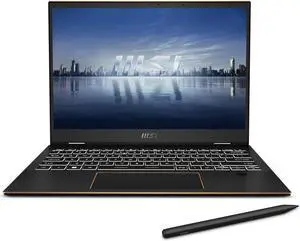
Refurbished MSI Summit E13 Flip Evo Laptop Intel Core i7-1360P 16GB Memory 1 TB PCIe SSD Intel Iris Xe Graphics 13.4" Touchscreen Windows 11 Home A13MT-243US
Free Norton VPN Standard Product Key w/ purchase, limited offer
- Processor Name: Intel Core i7-1360P
- Memory: 16GB
- SSD: 1TB PCIe
- GPU/VPU: Intel Iris Xe Graphics
- Model #: Summit E13FlipEvo A13MT-243US
- $999.99
- $599.99 –
- Save: 40%
- Free Shipping
Quick View
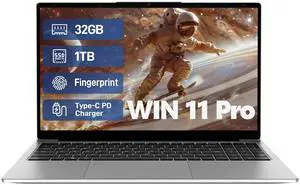
Auusda EXSURF 15.6" Laptop Computer, AMD 3050E CPU, 32GB RAM 1TB SSD, Fingerprint, Backlit Keyboard, Windows 11 Pro Home Notebook, Silver

- Processor Name: AMD Athlon Silver 3050e
- Memory: 32GB
- SSD: 1TB
- GPU/VPU: AMD Radeon RX Vega 3
- Model #: F13260512
- $479.99
- $379.99 –
- Save: 20%
- Free Shipping

Quick View
in 30 days
- Processor Name: Intel Core i5-1334U
- Memory: 16GB
- SSD: 512GB
- GPU/VPU: Intel Iris Xe Graphics
- Model #: Modern 15 B13M-1097US
- $749.00
- $576.99 –
- Save: 22%
- More options from $576.99 - $846.41
- Free Shipping
Quick View
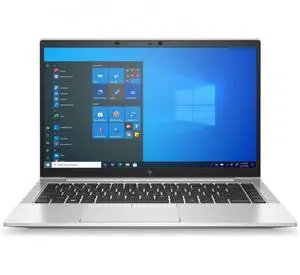
Refurbished HP EliteBook 840 G8 Laptop Intel Core i5-1145G7 16GB Memory 256 GB SSD 14.0" FHD Touchscreen Windows 11 Pro
Free Norton VPN Standard Product Key w/ purchase, limited offer
- Processor Name: Intel Core i5-1145G7
- Memory: 16GB
- SSD: 256GB
- Brand: HP
- Model #: NBR-HP-840G8_i51145G7_TO
- $379.99
- $299.99 –
- Save: 21%
- More options from $299.99 - $573.70
- Free Shipping
Quick View
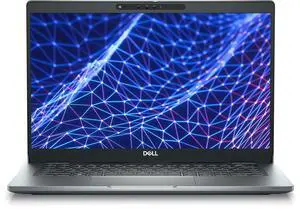
Refurbished Dell Latitude 5330 2in1 Laptop Intel Core i7-1265U 32GB RAM 512GB SSD 13.3" FHD Touchscreen Windows 11 Pro
Free Norton VPN Standard Product Key w/ purchase, limited offer
- Memory: 32GB
- Type: Everyday Value
- SSD: 512 GB
- Brand: DELL
- Model #: LT-DE5330/i7-G12-32-512-2n1
- $579.99
- $419.99 –
- Save: 27%
- More options from $418.99 - $479.99
- Free Shipping
Quick View

Free Norton VPN Standard Product Key w/ purchase, limited offer
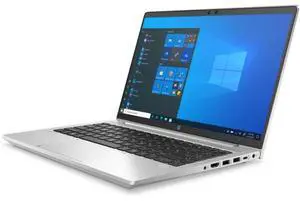
- Memory: 16GB
- SSD: 256 GB
- GPU/VPU: AMD Radeon Graphics
- Brand: HP
- Model #: 46T39UC-I042-R
- $399.99
- $279.99 –
- Save: 30%
- Free Shipping
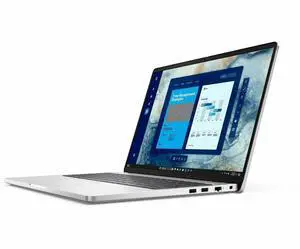
Quick View
in 30 days

- Processor Name: Intel Core 5 120U
- Memory: 16GB
- SSD: 512GB
- GPU/VPU: Intel Graphics
- Model #: DYFPN
- $1,199.99
- $969.99 –
- Save: 19%
- More options from $969.99 - $2,137.84
- Free Shipping
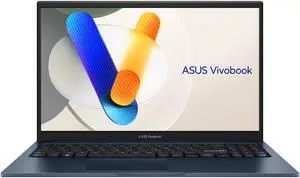
Quick View
ASUS Vivobook 15.6" TouchScreen Intel Core i5-1334U - 16GB RAM - 512 GB SSD Windows 11 Home (F1504VA-BS51T)
- Processor Name: Intel Core i5-1334U
- Memory: 16GB DDR4
- SSD: 512GB
- GPU/VPU: Intel Iris Xe Graphics
- Model #: F1504VA-BS51T
- $799.99
- $699.99 –
- Save: 12%
- Free Shipping
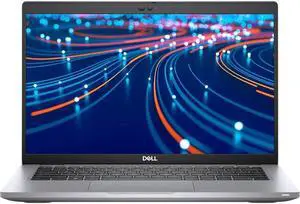
Quick View
Free Norton VPN Standard Product Key w/ purchase, limited offer
- Processor Name: Intel Core i5-1145G7
- Memory: 16GB
- Type: Everyday Value
- Resolution: 1920 x 1080
- Model #: LT-DE5420/i5-G11-16-512
- $399.99
- $279.99 –
- Save: 30%
- More options from $279.99 - $473.12
- Free Shipping
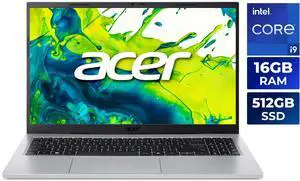
Quick View
- Processor Name: Intel Core i9-13900H
- Memory: 16GB
- SSD: 512GB PCIe
- GPU/VPU: Intel Iris Xe Graphics
- Model #: NX.JSDAA.001
- $899.99
- $849.99 –
- Save: 5%
- More options from $849.99 - $1,282.99
- Free Shipping
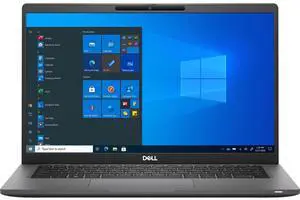
Quick View
- Processor Name: Intel Core i7-1185G7
- Memory: 16GB
- SSD: 512GB
- GPU/VPU: Intel Iris Xe Graphics
- Model #: NBR-DE-7420i71185g716512
- $319.00 –
- More options from $319.00 - $789.99
- Free Shipping
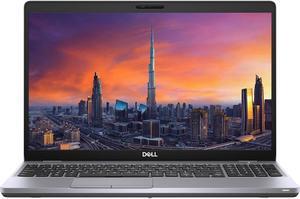
Quick View
Refurbished Dell Precision 3561 Workstation Laptop Intel Core i7-11800H 32GB Memory 512GB SSD NVIDIA Quadro T1200 15.6" FHD Windows 11 Pro
- Processor Name: Intel Core i7-11850H
- Memory: 32GB
- Type: Everyday Value
- Resolution: 1920 x 1080
- Model #: LT-DEM3561/i7-G11-32-512A
- $599.99
- $529.99 –
- Save: 11%
- Free Shipping
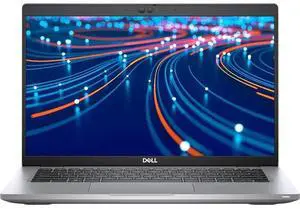
Quick View
Refurbished Dell Latitude 5420 Laptop Intel Core i5-1145G7 16GB RAM 256GB SSD 14.0" FHD Touchscreen Windows 11 Pro
- Processor Name: Intel Core i5-1145G7
- Memory: 16GB
- SSD: 256 GB
- GPU/VPU: Intel Iris Xe Graphics
- Model #: LT-DE5420/i5-G11-16-256A1
- $278.97 –
- More options from $278.97 - $279.99
- Free Shipping
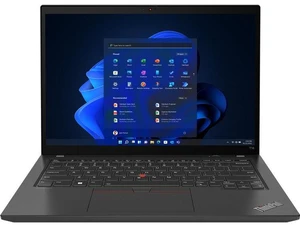
Quick View

Free Norton VPN Standard Product Key w/ purchase, limited offer
- Processor Name: Intel Core i5-1245U
- Memory: 16GB DDR4
- SSD: 256GB
- GPU/VPU: Intel Iris Xe Graphics
- Model #: NBR-LE-T14G3TO_i5-1245U_16256
- $379.99 –
- Free Shipping
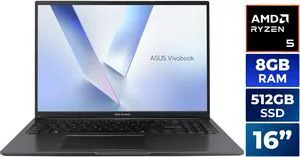
Quick View
- Processor Name: AMD Ryzen 5 150
- Memory: 8GB DDR5
- SSD: 512GB NVMe
- GPU/VPU: AMD Radeon Graphics
- Model #: M1605NAQ-ES51
- $587.99 –
- $11.62 Shipping
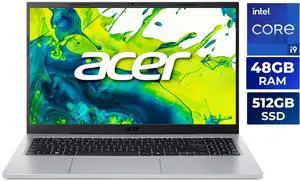
Quick View
- Processor Name: Intel Core i9-13900H
- Memory: 48GB
- SSD: 512GB PCIe
- GPU/VPU: Intel Iris Xe Graphics
- Model #: NX.JSDAA.001 Lexar 32GB
- $1,099.99
- $939.99 –
- Save: 14%
- Free Shipping
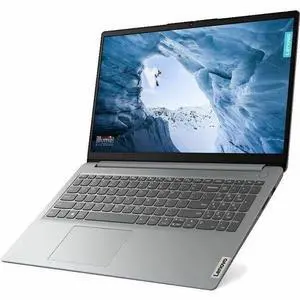
Quick View
in 30 days
- Processor Name: Intel Pentium Silver N6000
- Memory: 4GB
- SSD: 128GB eMMC 5.1
- GPU/VPU: Intel UHD Graphics
- Model #: 82LX00G1US
- $349.99
- $294.99 –
- Save: 15%
- Free Shipping
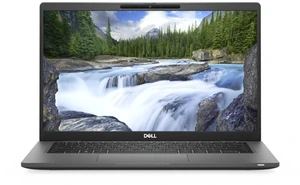
Quick View
Free Norton VPN Standard Product Key w/ purchase, limited offer
- Memory: 32GB
- Type: Everyday Value
- SSD: 512 GB
- Brand: DELL
- Model #: LT-DE7420/i7-G11-32-512
- $549.99
- $419.99 –
- Save: 23%
- Free Shipping
Quick View
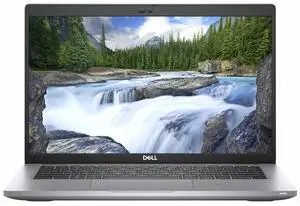
Refurbished DELL Latitude 5420 Laptop Intel Core i7-1185G7 16GB RAM 256 GB SSD 14.0" FHD Windows 11 Pro
- Processor Name: Intel Core i7-1185G7
- Memory: 16GB
- SSD: 256GB
- Brand: DELL
- Model #: LT-DE5420/i7-G11-16-256
- $501.98 –
- More options from $329.99 - $501.98
- Free Shipping
Quick View
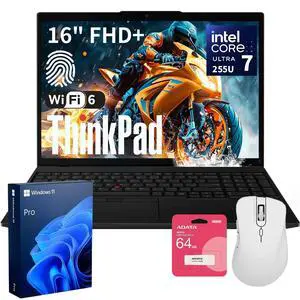
- Processor Name: Intel Core Ultra 7 255U
- Memory: 32GB DDR5
- SSD: 1TB PCIe
- GPU/VPU: Intel Graphics
- Model #: THINKPAD1790-B_CTO_NBU3
- $1,509.00 –
- Free Shipping
Quick View
in 30 days
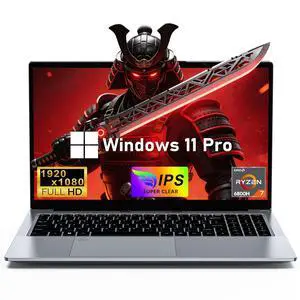
Chheart 2026 Gaming Laptop, 15.6 Inch Laptop Computer Window 11 Pro, 24GB RAM 1TB SSD, AMD Ryzen 7 6800H(up to 4.7GHz), 2-Year Warranty, FHD 1920 * 1080, Backlit Keyboard for Gaming, Video Editing- Processor Name: 6800H
- Memory: 24GB
- SSD: 1TB
- Brand: Chheart
- Model #: 6056-24-1T-US
- $799.99
- $719.99 –
- Save: 10%
- Free Shipping
Quick View
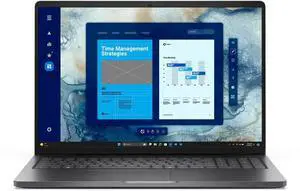
- Processor Name: 120U (1.40GHz)
- Memory: 16GB
- SSD: 512GB SSD
- GPU/VPU: Intel Graphics
- Model #: DELLPRO16C516512SDBLK
- $979.99 –
- Free Shipping
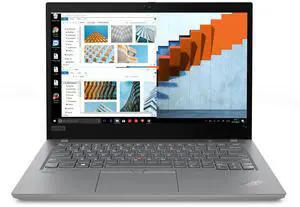
Quick View
Refurbished Lenovo ThinkPad T14 Gen 2 Laptop Intel Core i5-1145G7 16 GB Memory 256 GB SSD 14.0" FHD Windows 11 Pro
Free Norton VPN Standard Product Key w/ purchase, limited offer
- Processor Name: Intel Core i5-1145G7
- Memory: 16GB DDR4
- SSD: 256GB
- GPU/VPU: Intel Iris Xe Graphics
- Model #: NBR-LE-T14G2I51145G7/A
- $399.99
- $299.99 –
- Save: 25%
- Free Shipping
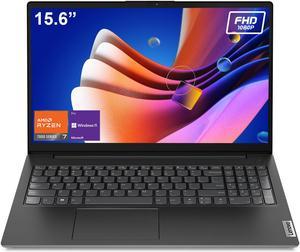
Quick View
Lenovo V-Series V15 Business Laptop, 15.6" FHD Display, AMD Ryzen 7 7730U, 16GB RAM, 1TB SSD, Numeric Keypad, HDMI, RJ45, Webcam, Wi-Fi, Windows 11 Pro, Black
- Processor Name: 4.50GHz
- Memory: 16GB
- SSD: 1TB PCIe
- Brand: Lenovo
- Model #: V-SERIES3991_CTO_N1-B
- $899.99 –
- Free Shipping
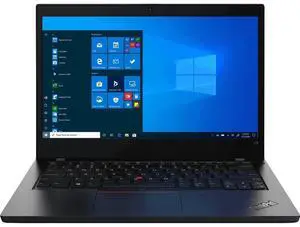
Quick View
Refurbished Lenovo ThinkPad L14 Gen 2 Laptop Intel Core i7-1165G7 16GB Memory 512GB PCIe SSD 14.0" FHD Windows 11 Pro
- Processor Name: Intel Core i7-1165G7
- Memory: 16GB DDR4
- SSD: 512GB PCIe
- GPU/VPU: Intel Iris Xe Graphics
- Model #: NBR-LE-L14G2_I71165G7_16_512
- $499.99 –
- More options from $319.99 - $608.50
- Free Shipping
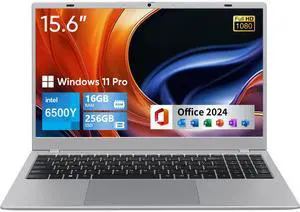
Quick View
BiTECOOL 15.6-inch FHD IPS Laptop, 16GB LPDDR3 RAM 256GB SATA3 SSD, Intel Pentium Gold 6500Y (up to 3.4GHz), 4 Speakers, 2.4/5G WiFi Bluetooth 5.0, Windows 11 Lightweight Portable Notebook
- Processor Name: Intel Pentium Gold 6500Y
- Memory: 16GB LPDDR3
- SSD: 256GB SATA3
- CPU Type: Dual-core, 4-thread
- Model #: NCS2154Y-16-256-BTC519
- $459.00
- $269.00 –
- Save: 41%
- Free Shipping
Quick View
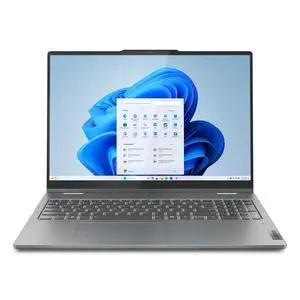
- Processor Name: AMD Ryzen 7 8845HS
- Memory: 16GB
- Resolution: 1920 x 1200
- SSD: 1TB
- Model #: (83DS0056US)
- $839.99
- $829.99 –
- Free Shipping
Quick View
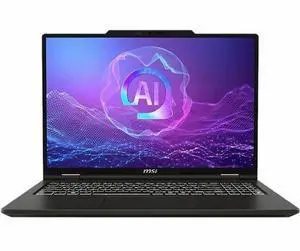
- Processor Name: AMD Ryzen 9 270
- Memory: 32GB
- SSD: 2TB
- GPU/VPU: AMD Radeon Graphics
- Model #: VENA16A2043
- $1,135.94 –
- More options from $1,099.00 - $1,608.00
Quick View
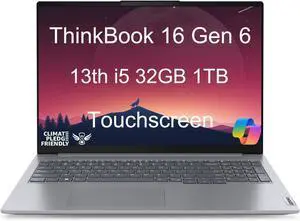
- Processor Name: Intel Core i5-13420H
- Memory: 32GB
- Resolution: 1920 x 1200
- SSD: 1TB NVMe
- Model #: Lenovo ThinkBook 16 Gen 6 i5 32GB 1TB
- $1,299.99 –
- Free Shipping
Quick View
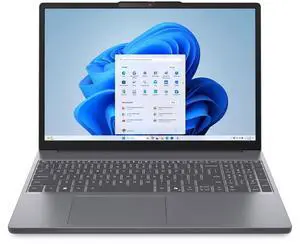
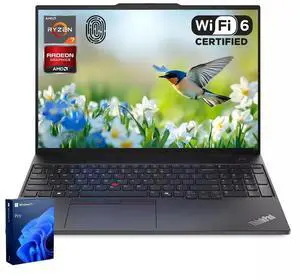
- Processor Name: AMD Ryzen 7 8840HS
- Memory: 16GB
- Type: Everyday Value
- Resolution: 1920 x 1200
- Model #: {83KA000QUS)
- $719.99 –
- Free Shipping
Quick View
in 30 days
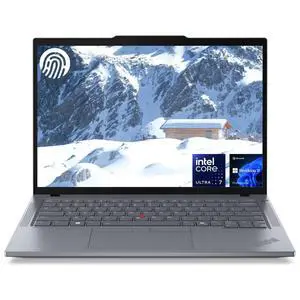
- Processor Name: AMD Ryzen 7 7735HS
- Memory: 32GB DDR5
- SSD: 1TB
- GPU/VPU: AMD Radeon Graphics
- Model #: ThinkPad2109-C_CTO_N1
- $1,949.00
- $1,289.00 –
- Save: 33%
- Free Shipping
Quick View
- Processor Name: Intel Core Ultra 7 155U
- Memory: 32GB DDR5
- SSD: 1TB PCIe
- GPU/VPU: Intel Graphics
- Model #: THINKPAD7760-D_CTO_N1
- $1,439.00 –
- Free Shipping
| Learn About Laptops & Notebooks | |
|---|---|
Laptops and NotebooksLooking for the best place to buy laptops online? You've come to the right place. Find informative product comparisons and trusted user reviews to help you find the perfect laptop that meets your needs. Whether you want a powerful mobile workstation with an Intel Core i7 or a lightweight notebook computer for basic office tasks, we've got you covered. Find amazing deals when you shop for laptops on Newegg. Our selection emphasizes no-nonsense business laptops designed for easy IT management. These notebook computers are easy to unscrew, upgrade, and fix; they have standard security features suited for regulatory compliance. Opt for OEM that offer impressive performance without straining your budget—an ideal choice for companies outfitting a mobile workforce. Explore our ultraslim and 2-in-1 laptops if you’re looking for fancy tablets with detachable keyboards and boutique consumer features. If you’re a gamer looking for high-resolution displays and dazzling frame rates, many business machines can cut it. Still, you may want to opt for a gaming laptop that is optimized for high-resolution displays and impressive frame rates, delivering an immersive gaming experience. If efficiency and affordability are your priorities, this PC laptops page is the perfect destination. MacBook Pro and MacBook Air are available if you prefer OSX computers. Shop laptops now on Newegg to find the ideal match for your specific needs and performance requirements. Value LaptopsNo frills or fancy builds, just the power to get the job done. Searching for where to buy laptops that fit your budget and needs? Explore our range of laptops catering to different price points and functionalities. You'll find options ideal for basic office tasks in the entry-level tier for laptops, priced around $300. Brands like Acer Aspire and HP offer great value within this range. These laptops typically feature processors like Intel Celeron or AMD Athlon Silver, modest RAM of around 4GB, and often come with eMMC storage or a smaller SSD for fast boot times. These laptops serve well for everyday office use, web browsing, and media consumption. Want additional features like a 180-degree hinge, touchscreen, or a larger SSD? Consider options from the ASUS Vivobook Go or Lenovo IdeaPad series. Are you looking for more lightweight and portable laptops in this range? Compare Chromebooks for similar pricing and power specifications. Stepping into the under $750 category, you'll encounter laptops equipped with more robust specifications. Here, expect devices with mid-tier processors like the Intel Core i5 or AMD Ryzen 5 to offer better performance, typically with 8GB or even 16GB of RAM and ample SSD storage, often starting at 512GB. These laptops balance efficiency and affordability and are suitable for various tasks, including moderate productivity, multitasking, and entertainment needs. Mid-range options from brands like Lenovo (ThinkPad and IdeaPad), Dell Inspiron, and ASUS Zenbook are ideal machines for students, programmers, and spreadsheet specialists working away from their desktop machines. No matter your requirements, you can explore Newegg’s cost-conscious Windows laptops and find a match that meets your needs and budget. | Business LaptopsThe balance of power and portability is essential for business users looking to buy laptops with Windows 11 Professional licensing. Starting around the $750 mark, base models have an HD display, 8 GB memory, and an Intel Core i5 CPU. Many also come with a small 128–256 GB solid-state drive and a larger HDD. 15-inch laptops work hardNeed something that can stand up to atypical work environments and serious road work? The sturdy carbon fiber build of the Dell Latitude series offers withstand dings and drops and handle outdoor elements with a high tolerance for hot and cold. For something similar in power and even lighter, try the HP ZBook 15u G3 / G4 series, which is slightly over 4 lbs. and comes with a spill-resistant keyboard deck. Lenovo's ThinkPad T490/T590 features a famously comfortable "deep" keyboard and standard extra security features like a fingerprint reader and single-touch sensor. Laptops with long battery lifeIf battery life is critical, a 12-inch MacBook sets the bar with eight hours of Retina display on a full charge. What’s more, the 8-cell Li-Polymer battery in the Lenovo X1 Carbon Gen 9 or Gen 10 boasts up to 17 hours of battery life at HD resolution. Explore Newegg’s selection of business laptop notebooks designed for business users, balancing power, portability, and specific features that meet your professional needs. Shop laptops now and find the perfect fit! Laptops for Creative ProfessionalsProfessional software for the creative professions—graphic design, music & film production, architecture, engineering, 3D modeling—a high-performing laptop is non-negotiable. A laptop notebook with discrete graphics hardware and a multi-threaded CPU, such as an Intel Core i7, is purpose-built for creative suite applications that efficiently utilize multiple cores simultaneously. Engineers and architects using a laptop for Autodesk, Solidworks, and other CAD programs want a CUDA core-heavy NVIDIA Quadro graphics card. Certain models, like the Dell Precision 15 and HP Laptop ZBook G3, come equipped with this GPU. Graphic designers and video editors regularly scout for places to buy laptops tailored for work. Apple's MacOS historically excels in running professional design tools. The MacBook Retina delivers impeccable contrast ratios, crucial for color accuracy, with its brilliant 2800 x 1800 resolution and near-180-degree viewing angles. Both MacBook Air and MacBook Pro models feature Retina displays. For compute-intensive tasks in production software, the MacBook Pro is equipped with a dual-core Intel Core i5 processor clocking at 2.9 GHz and Intel Iris integrated graphics—ideal specs for applications like Aperture and Final Cut. Explore Newegg’s collection of creator laptops for notebook computers that can meet the demands of creative professionals on a budget. Shop laptops now to find the perfect fit for your creative pursuits! |
Last Updated: May 2026 | Newegg Content Team: Newegg Laptops Buying Guide
Laptop Frequently Asked Questions:
Is the MacBook Pro M3 better than the ASUS Zenbook for video editing?
It depends on your workflow. A MacBook Pro shines in Final Cut + Apple ecosystem, while a high-spec Zenbook can be the better pick for Adobe / Resolve on Windows—plus more ports and flexibility.
How do Ryzen AI laptops compare to Intel 14th-gen models?
Ryzen AI usually leans efficient with strong multi-core + on-device AI, while Intel 14th Gen often leads in bursty single-core performance. Choose based on battery + AI vs peak speed.
How does this model compare to the latest HP Envy for productivity?
The HP Envy is all about sleek, quiet daily productivity. Models with better cooling/headroom, more ports, or higher-watt CPU/GPU can feel faster for heavy multitasking—check CPU tier, RAM (16–32GB), and SSD size.
Which laptop has better battery efficiency for travel?
Look for efficient U-series platforms or modern AI NPUs with a 60–75Wh battery and a non-4K panel. If real-world reviews show ~8–12 hours web/video, that’s a travel win.
Does this device outperform Apple M3 laptops in editing tasks?
In Adobe/Resolve, a higher-wattage laptop with a strong NVIDIA RTX or Radeon GPU can match or beat M3 in GPU-accelerated effects. For ProRes + battery efficiency, M3 is still tough to beat—always compare the exact config.
What is the battery life of this AI Copilot+ laptop under heavy use?
Under heavy workloads, many Copilot+ laptops land around ~5–8 hours depending on brightness and power limits. Light use in balanced mode can go notably longer.
Does this model’s OLED screen support 100% DCI-P3 color?
Many OLED laptops are near 100% DCI-P3, but confirm the product specs. If it lists full DCI-P3 or factory calibration, it’s creator-ready (and calibration can take it further).
Does this laptop include advanced cooling for AI workloads?
Higher-end AI-ready laptops often use dual fans / vapor chambers and higher sustained wattage modes. If it advertises higher sustained CPU/GPU power, it’s built for longer AI sessions.
What color accuracy does the display achieve for creative work?
For creator work, aim for 100% sRGB and 95–100% DCI-P3 (Delta E < 2 after calibration). If it’s not listed, check reviews or calibrate with a colorimeter.
Does this laptop support high-speed external GPUs?
If it has Thunderbolt 4 or USB4 (40Gbps), eGPU can be an option. Confirm eGPU support in the manufacturer docs before buying an enclosure.
Should I buy a thin-and-light or a creator laptop?
Thin-and-light = travel, quiet, battery. Creator laptop = stronger GPU, more ports, higher sustained performance. Pick based on how demanding your apps are.
What are the best all-around laptops under $1,200?
Solid picks typically include a modern i5/Ryzen 5, 16GB RAM, and 512GB–1TB SSD. Shop laptops under $1,200 and prioritize display + build quality.
Is a dedicated GPU necessary for engineering software?
For 3D CAD, simulation, and GPU-accelerated work, a dedicated GPU is highly recommended. For lighter CAD/2D work, integrated graphics can be enough.
Should I choose OLED or IPS for long working hours?
OLED = richer contrast/colors; IPS = steady for long sessions. If you work on static content for hours, IPS is the safe play; OLED is awesome with sensible brightness + dark mode.
Is this laptop reliable for university students?
For campus life, target modern CPU, 16GB RAM, SSD, solid Wi-Fi, and good reviews on battery + durability—then you’re set for classes and projects.
Do OLED laptops run the risk of screen burn-in?
Burn-in is rare with normal use thanks to built-in protections, but avoid leaving static UI at max brightness for long stretches—dark mode helps.
Are there noise issues reported with fans under gaming loads?
Gaming laptops get audible under load. Check reviews for “high-pitched” noise; performance modes, a cooling pad, or a headset can help.
Do users report screen wobble or hinge issues?
If hinge wobble is real, reviews will mention it fast. Look for consistent feedback on hinge firmness and lid stability.
Are there complaints about keyboard durability?
Scan recent reviews/Q&A for key failures or loose keycaps. Premium and business-class models tend to have sturdier keyboards.
Has the battery shown premature wear in user reviews?
Check owner feedback after a few months. If many report big capacity drops early, that’s a flag; otherwise it’s typically normal wear.
How do I switch between integrated and discrete GPU?
Use vendor control software (Hybrid/Optimus/Discrete). If the laptop has a MUX switch, you can route display directly to the GPU for higher performance (usually at the cost of battery).
Should I reinstall Windows on a new laptop?
Not required—most users just uninstall unwanted apps and update drivers. Power users may prefer a clean install (backup first).
How do I extend battery health for long-term use?
Avoid excessive heat, don’t deep-discharge often, and use battery care modes that cap charge around ~80% if you stay plugged in.
What settings optimize performance for AI tasks?
Use Performance mode, plug in AC power, keep GPU/CPU/NPU drivers updated (including CPU / NPU ), and close background apps. That’s the quickest “more compute, less drama” setup.
How do I calibrate the display for accurate color work?
Best: use a colorimeter + ICC profile. Quick start: Windows calibration + creator/sRGB/DCI-P3 modes if your laptop includes them.
Bestselling All Laptop Reviews:
Anonymous
9/22/2026 7:51:12 AM
Great laptop
“ I would definitely recommend this laptop ”
ASUS Vivobook S 16" 3K OLED Intel Core Ultra 7 255H - 32GB RAM - 1TB SSD Windows 11 Home (S5606CA-NS79)L Leroy
9/16/2026 5:35:03 AM
Great product. Beautiful sharp screen
“ So far, I would definitely recommend this laptop. ”
Laptop, Window 11 Pro Laptop Computer 2026, 15.6 Inch Lap Top, 16GB RAM 512GB SSD PC, M3-6Y30 Processor, FHD Display, WIFI5, BT4.2, Webcam, for Business, School, Work, Student, Kids, GrayLAUREN L.
7/22/2026 8:44:09 AM
Great for a student who also wants to do light gaming
“ If you just want a light gaming laptop (can't play on crazy high graphics), this is a good bang for the buck and allows you to have portability in laptop form. ”
KurieTim Gaming Laptop AMD Ryzen 7 5825U(2.0-4.5GHz), 15.6" FHD Display, 32GB DDR4 RAM 1TB NVMe SSD Laptop Computer with Backlit KB, Fingerprint Unlock, Webcam SwitchAnonymous
7/22/2026 7:57:06 AM
Extremely pleased with this product
“ I still compare it to other laptops that I could have considered and all in all, this one is much preferred. ”
ASUS Vivobook S 16" 3K OLED Intel Core Ultra 7 255H - 32GB RAM - 1TB SSD Windows 11 Home (S5606CA-NS79)Michael S.
7/22/2026 7:22:32 AM
FOR ME: BEST LAPTOP FOR THE MONEY BY FAR!
“ I'M TOTALLY SOLD ON THIS LAPTOP AND ASUS. ”
ASUS Vivobook S 16" 3K OLED Intel Core Ultra 7 255H - 32GB RAM - 1TB SSD Windows 11 Home (S5606CA-NS79)Jsinn860
5/22/2026 4:57:14 AM
Great Laptop
“ Get this laptop if you looking for something clean and fast. ”
KurieTim Gaming Laptop AMD Ryzen 7 5825U(2.0-4.5GHz), 15.6" FHD Display, 32GB DDR4 RAM 1TB NVMe SSD Laptop Computer with Backlit KB, Fingerprint Unlock, Webcam SwitchJEFFREY C.
5/21/2026 10:05:41 PM
Exceptional for the price
“ this laptop has performed flawlessly with daily use since I got it over a year ago. ”
KurieTim Gaming Laptop AMD Ryzen 7 5825U(2.0-4.5GHz), 15.6" FHD Display, 32GB DDR4 RAM 1TB NVMe SSD Laptop Computer with Backlit KB, Fingerprint Unlock, Webcam SwitchGamelover
3/20/2026 11:37:18 AM
Very light, nice screen, great value
“ Overall this laptop is a good value. ”
ASUS Vivobook S 16" 3K OLED Intel Core Ultra 7 255H - 32GB RAM - 1TB SSD Windows 11 Home (S5606CA-NS79)