• In Stock
  • Sold by Newegg
  • Make an Offer
  • New
Brands
Show More
Price
Show More
WiFi Generation
Wireless Data Rates
Antenna
Show More
Interface
All Top Brands
Availability
Condition
Current Promotion
Discount
Sold by
Useful Links
Customer Ratings
  • NETGEAR
  • WI-FI 7 Access Points
  • One Plan. Total Coverage.
  • Featured Brands

    See Deals from HPE Networking Instant OnSee Deals from Netgear Inc.See Deals from TP-Link
Sort By:
View:
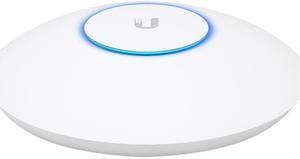
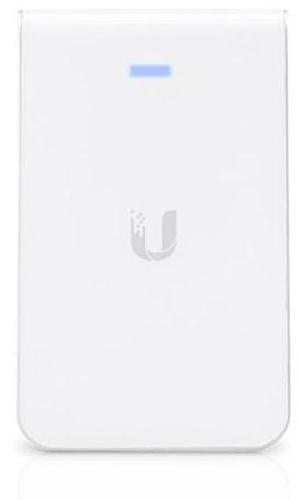
Ubiquiti UniFi Access Point WiFi 6 In-Wall - U6-IW-US
Quick View
ZyXEL WiFi 6E AXE5400 2.5G Multi-Gigabit Business Access Point, 1 GbE Passthru, Mesh, Seamless Roaming, Captive Portal, Hybrid Cloud, POE+ Support, NWA220A
Quick View
ZyXEL WiFi 6E AXE5400 2.5G Multi-Gigabit Business Access Point, 1 GbE Passthru, Mesh, Seamless Roaming, Captive Portal, Hybrid Cloud, POE+ Support, NWA220A
  • Wireless Data Rates: AXE5400 / Up to 5.4Gbps
  • Frequency Band: Frequency Band: 2.40 GHz 5 GHz 6 GHz
  • Interface: Ethernet Technology: 2.5 Gigabit Ethernet Gigabit Ethernet Number of Network (RJ-45) Ports: 2 PoE PD Port: Yes
  • Brand: ZyXEL
  • Model #: NWA220AX6E
TP-LINK - EAP245 V3 - TP-Link Omada EAP245 V3 IEEE 802.11ac 1.71 Gbit/s Wireless Access Point - 5 GHz, 2.40 GHz - MIMO
Quick View
TP-LINK - EAP245 V3 - TP-Link Omada EAP245 V3 IEEE 802.11ac 1.71 Gbit/s Wireless Access Point - 5 GHz, 2.40 GHz - MIMO
  • Wireless Data Rates: Up to 1.75Gbps
  • Frequency Band: 2.4 GHz / 5 GHz
  • Interface: 2 x Gigabit Ethernet (RJ-45) (Support IEEE 802.3af PoE and Passive PoE )
  • Standards: IEEE 802.11ac, IEEE 802.11a/b/g/n
  • Model #: EAP245 V3
Ubiquiti NanoBeam ac Gen2 High-Performance airMAX ac Bridge (NBE-5AC-Gen2-US)
Quick View
  •  
  • $189.99 
  • Free Shipping
Ubiquiti UniFi 6 Lite Access Point | US Model | PoE Adapter not Included (U6-Lite-US)
Quick View
Mimosa Networks - A5C - Mimosa 30dBm Super Sector GPS MU-MiMO 4x4:4 N-Female
Quick View
  •  
  • $897.04 
  • Free Shipping
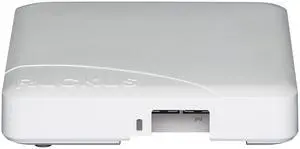
Ubiquiti NanoStation AC 5GHz airMAX ac CPE with Dedicated Wi-Fi Management (NS-5AC-US)
Quick View
  •  
  • $219.99 
  • Free Shipping
Cisco Business 240AC IEEE 802.11ac 1.69 Gbit/s Wireless Access Point | CBW240AC-B
Quick View
Cisco Business 240AC IEEE 802.11ac 1.69 Gbit/s Wireless Access Point | CBW240AC-B
  • Wireless Data Rates: 802.11b: 1, 2, 5.5, and 11 Mbps 802.11a/g: 6, 9, 12, 18, 24, 36, 48, and 54 Mbps 802.11n data rates on 2.4 GHz and 5GHz: 6.5 to 600Mbps (only 20 MHz and MCS 0 to MCS 15) 802.11ac data rates (5 GHz): 6.5 to 1733Mbps (MCS0-MCS9)
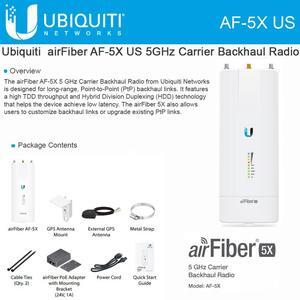
  • Interface: 2 x Gigabit (10/100/1000BASE-T autosensing), Power over Ethernet (PoE) RJ-45 console port (not functional) USB 2.0 (not functional)
  • Brand: Cisco Systems, Inc.
  • Series: 200
  • Model #: CBW240ACB
Ubiquiti Networks PBE-2AC-400-US airMAX PowerBeam 2.4GHz 802.11ac High Gain Dish CPE 400mm
Quick View
Ubiquiti Networks Unifi Cloud Key Gen2 Plus Wireless Access Point UCK-G2-PLUS
Quick View
  •  
  • $439.99 
  • Free Shipping
Ubiquiti Networks PowerBeam AC ISO Gen2 PBE-5AC-ISO-Gen2-US 5GHz airMAX ac Bridge with RF Isolated Reflector 450 Mbps
Quick View
Ubiquiti Networks PowerBeam AC ISO Gen2 PBE-5AC-ISO-Gen2-US 5GHz airMAX ac Bridge with RF Isolated Reflector 450 Mbps
  • Brand: Ubiquiti Networks
  • Device Management: Web-Based
  • Antenna: Yes
  • Model #: PBE-5AC-ISO-Gen2-US
  •  
  • $625.95 
  • Free Shipping
Ubiquiti LiteBeam AC Gen2 LBE-5AC-Gen2 IEEE 802.11ac 450 Mbit/s Wireless Bridge
Quick View
Ubiquiti LiteBeam AC Gen2 LBE-5AC-Gen2 IEEE 802.11ac 450 Mbit/s Wireless Bridge
  • Wireless Data Rates: Up to 450Mbps
  • Frequency Band: 5.0 GHz
  • Brand: Ubiquiti Networks
  • Series: LiteBeam AC Gen2
  • Model #: LBE-5AC-GEN2
U6 Enterprise In-Wall
Quick View
U6 Enterprise In-Wall
  • Brand: Ubiquiti Networks
  • Model #: U6-ENTERPRISE-IW
Hewlett Packard JW055A Aruba Ap-270-mnt-h2 270 Series Mount Kit
Quick View
  •  
  • $56.99 
  • Free Shipping
Ubiquiti UAP-AC-M-PRO-US Unifi Access Point,White
Quick View
  •  
  • $399.99 
  • Free Shipping
Ubiquiti Networks airFiber 60 XG (AF60-XG)
Quick View
Ubiquiti Networks airFiber 60 XG (AF60-XG)
  • Frequency Band: RF Operating frequency* 57–66 GHz * Depends on regulatory region. Channel bandwidth 2160 MHz/4320 MHz (With channel bonding enabled) Operating channels 58320, 59400, 60480, 61560, 62640, 63720, 64800 MHz* *Depends on the channel bandwidth. Polarization Vertically linear Beamwidth Azimuth: 3 dB 1.6° Elevation: 3 dB 1.6° Back-Up RF Operating frequency* US/CA U-NII-1 5150 - 5250 MHz U-NII-3 5725 - 5850 MHz Worldwide 5150–5875 MHz *Depends on regulatory region. Channel bandwidth 20/40/80 MHz Polarization Dual-linear Beamwidth Azimuth: 3 dB 5° Elevation: 3 dB 5°
  • LEDs: Power Flashing white: bootup in progress White: not connected to UISP™ console Blue: connected to UISP console Ethernet Flashing blue: ethernet activity GPS Blue: receiving at least (4) GPS satellite signals 60G Blue: active connection 5G Blue: active connecti...
  • Model #: AF60-XG-US
HPE Instant On AP11 IEEE 802.11ac 1.14 Gbit/s Wireless Access Point R6K61A
Quick View
  •  
  • $184.99 
  • Free Shipping
Ubiquiti NanoStation locoM LOCOM5 Indoor / Outdoor airMAX CPE
Quick View
Ubiquiti NanoStation locoM LOCOM5 Indoor / Outdoor airMAX CPE
  • Frequency Band: 5.0 GHz
  • WAN Ports: 1 x 10/100 Ethernet Port
  • Interface: RJ-45
  • Brand: Ubiquiti Networks
  • Model #: LOCOM5

Learn about Wireless Access Points (APs)

Reliable Wi-Fi Coverage for Homes, Offices & Campuses

Wireless Access Points extend fast, secure Wi-Fi where routers can’t reach. Browse Newegg’s Wireless AP catalog for indoor ceiling-mount models, outdoor weatherproof units, mesh nodes, and controller-managed enterprise APs. Pair with PoE switches or PoE injectors for clean single-cable installs.

Popular Types of Access Points

Indoor APs: Low-profile, ceiling/wall mount units optimized for density and roaming in offices, classrooms and hospitality.

Outdoor APs: Rugged, weather-sealed models for campuses, warehouses and venues—see outdoor access points.

Mesh Systems: Easy, scalable whole-home/whole-office coverage with seamless roaming—explore mesh Wi-Fi.

Controller-Managed APs: Centralized configuration, RF tuning, guest portals, and monitoring—shop wireless LAN controllers.

Speed & Standards

Upgrade to modern standards for capacity and latency: Wi-Fi 6 (802.11ax) boosts efficiency with OFDMA and MU-MIMO, Wi-Fi 6E adds the clean 6 GHz band for lower interference, and emerging Wi-Fi 7 targets multi-gigabit throughput and ultra-low jitter.

Installation & Power

For tidy installs, ceiling-mount APs with mounting brackets and keystone jacks keep cabling discrete. Power APs via PoE from a PoE switch or adapter, and use quality Ethernet cables for best performance.

Performance tip: For multi-gig backhaul to an AP, use 2.5 GbE/5 GbE switches and Cat6/Cat6a cabling; enable band steering, WPA3 and airtime fairness to improve client experience.

How to Choose the Right Access Point

Size your APs by client count and application mix. High-density offices benefit from Wi-Fi 6/6E with OFDMA, while outdoor venues need weatherproof enclosures and directional antennas. For multi-site IT, choose controller-managed APs with centralized updates, guest captive portal and role-based policies.

Quick Comparison

Ceiling-Mount AP
Best roaming, discreet look, PoE power.
Outdoor AP
Weatherproof, long-range, directional options.
Mesh Node
Simple expansion, wireless backhaul.
Enterprise AP
Controller-managed, VLANs, WPA3, QoS.

Helpful Links

Shop Wireless Access Points – Explore APs for home, office, and outdoor coverage.

Wireless Routers – Choose routers for fast and secure Wi-Fi networks.

Mesh Wi-Fi Systems – Get whole-home coverage without dead zones.

LAN Switches – Expand your wired network connections.

Frequently Asked Questions

Do I need Wi-Fi 6E or is Wi-Fi 6 enough?

Wi-Fi 6 fits most offices and homes. Choose 6E if you want the 6 GHz band for lower interference and more channels for high-density or latency-sensitive work.

How many APs do I need for whole-home coverage?

Start with one per floor and add more for concrete walls or large areas. Mesh systems make expansion simple without running new cables.

Is PoE required for ceiling-mount APs?

Not required, but recommended—PoE powers the AP over Ethernet for cleaner installs and easier placement away from outlets.

Bestselling Wireless AP Reviews:

K P.
12/22/2025 8:39:59 AM
Covers most of my home

“ This works great. I now have wifi 6 for my newer devices and still run my older devices. ”

Ubiquiti U7 Pro, Ceiling-Mounted WiFi 7 Access Point (U7-Pro)
Anonymous
9/12/2025 2:05:20 PM
Excellent access point; stands alone, or mounts to wall

“ A very good Wifi 6 AP for the Omada ecosystem ”

TP-Link Omada EAP650-Desktop AX3000 Desktop Wi-Fi 6 Access Point
THOMAS W.
6/17/2025 8:22:12 AM
Easy to use for access point

“ Allowed wifi inside metal building. ”

TP-Link WiFi Access Point TL-WA801N, 2.4Ghz 300Mbps, Supports Multi-SSID/Client/Bridge/Range Extender, 2 Fixed Antennas, Passive PoE Injector Included
Anonymous
6/1/2024 1:14:27 PM
Strong fast wifi, simple setup

“ Excellent wifi for home or office. ”

EnGenius Fit EWS356-FIT Dual Band WiFi6 1.73 Gbit/s Wireless Access Point Indoor
Nicolas R.
8/1/2023 10:06:23 AM
Great product, bundled injector looks good quality

“ Easy to set inform with a previsously well configured omada controller. ”

TP-LINK - EAP245 V3 - TP-Link Omada EAP245 V3 IEEE 802.11ac 1.71 Gbit/s Wireless Access Point - 5 GHz, 2.40 GHz - MIMO
Anonymous
12/14/2022 11:31:03 AM
Great SMB or home use AP

“ Plugged into network, TP link controller adopted it in less that 2min. ”

TP-Link EAP610 V2 | Omada WiFi 6 AX1800 Wireless Gigabit Ceiling Mount Access Point| Support Mesh, OFDMA, Seamless Roaming & MU-MIMO | SDN Integrated | Cloud Access & Omada App | PoE+ Powered | White