

Your Browsing History
BEST SELLERS


BEST SELLERS
In Gaming Laptop
Our most popular products, based on sales and updated frequently.Shop Department
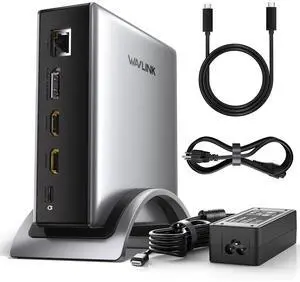
WAVLINK PD3.1 Triple Display USB C Docking Station with 140W Power, 8K HDMI x 2 + 8K Displayport Triple Display Dock, RJ45, 10G USB-C, 2 USB-A 3.0,3.5mm Audio/Mic, for M1/M2/M3&Win
- Brand: Wavlink
- Color: Gray
- Compatibility: Windows 11/10/8.1/8/7, macOS 11 or later(Can extend a different display ONLY), Chrome OS, Linux, iPadOS, Harmony OS, Android, iOS Works with your USB-C desktop PCs, laptops, tablets, and mobile phones (OTG function required). Computer at least has one full-functional USB-C port
- Ports Spec: with 2 HDMI and 1 DP port, supporting up to 8K@30Hz or 4K@144Hz on a single display. Charge your laptop at 125W via the PD 3.1 port, transfer data quickly with 2 USB-A (5Gbps) and 1 USB-C (10Gbps) ports, and connect to wired networks with the Gigabit Ethernet port. A 3.5mm audio/mic port ensures crystal-clear sound.
- Model #: WL-UMD27 Pro
- Item #: 9SIC7HHM006545
- Return Policy: View Return Policy
$95.99
$159.99
Free Shipping
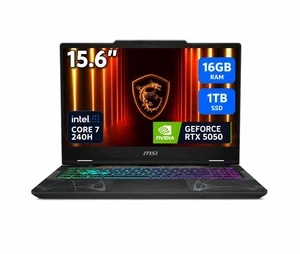
MSI Cyborg 15 - 15.6" FHD 144 Hz - Intel Core 7 240H - GeForce RTX 5050 - 16GB DDR5 5600 RAM - 1TB NVMe SSD - Windows 11 Home (Cyborg 15 B2RWEKG-292US)
- GPU/VPU: GeForce RTX 5050 Laptop GPU
- Processor Name: Intel Core 7 240H
- Memory: 16GB
- SSD: 1TB NVMe SSD Gen4x4
- Model #: Cyborg 15 B2RWEKG-292US
- Item #: N82E16834156927
- Return Policy: 15-Day Return Policy
$1,173.99
$1,249.00
Free Shipping
Able to play most games at max or high settings
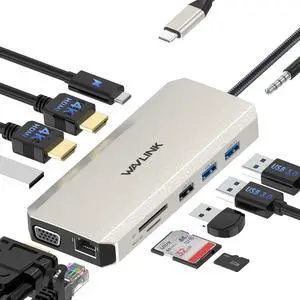
WAVLINK USB C Docking Station Triple Display With 2 HDMI, VGA, Ethernet,100W PD Charging, 5 USB, Gigabit Ethernet, SD/TF Card Reader,Audio Dell HP Surface Lenovo MacBook Laptop
- Part Number: 1x USB-C(PD IN,100W), 1x HDMI1 (4K@30Hz), 1x HDMI2 (4K@60Hz), 1x VGA(1080P), 1x Gigabit RJ45, 2xUSB3.0-A(5Gbps), 2 x USB2.0-A(480Mbps), 1x SD Card Slot, 1x TF Card Slot, 1 x Audio/Mic Port
- Compatibility: for MacBook, MacBook Pro 2016/2017/2018/2019/2020, iMac/ iMac Pro (21. 5 inch, 27 inch), Google Chromebook Pixel, Huawei MateBook, Huawei MateBook Pro, Dell, Surface Book2, HP, Lenovo, and Samsung S9, S9 Plus, S8, S8 Plus, Note 9, Note 8, Huawei New version phones and many other type-c port of full function
- Ports Spec: 2x 4K HDMI, 1x 2K VGA Port, 1000M RJ45 Ethernet Port, Type C PD 3. 0 charging port, 2x USB 3. 0 Ports, 2x USB 2. 0 Ports,3.5mm Audio Jack, and SD & TF card reader
- Weight: 3.0oz
- Model #: WL-UMD301
- Item #: 9SIC7HHM006930
- Return Policy: View Return Policy
$44.99
Free Shipping
I mostly liked that it simplified my gaming space, pulls my laptop off the ground, and it allows for easy switching of devices, since my wife uses it for work sometimes. Very convenient
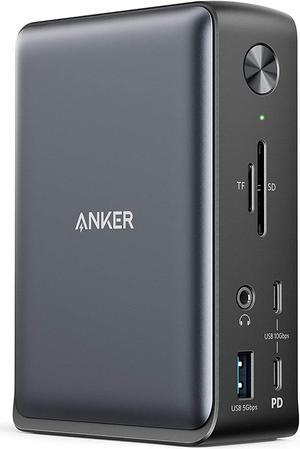
Anker Docking Station, PowerExpand 13-in-1 USB-C Dock for USB-C Laptops, 85W Charging for Laptop, 18W Charging for Phone, 4K HDMI, 1Gbps Ethernet, Audio, USB-A Gen 1, USB-C Gen 2, SD 3.0
- Dimension: 4.95 x 3.49 x 1.64 inches
- Weight: 0.82lb
- Labor: 18 Months
- Model #: A83921A1
- Item #: 9SIACCUC5D8722
- Return Policy: View Return Policy
$199.99
Free Shipping
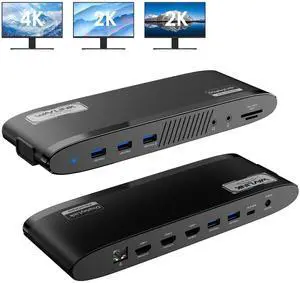
WAVLINK DisplayLink Docking Station 3 Monitors, MacBook Neo Triple Monitor, Dual 2K + 4K with 100W Charging, 3 HDMI, 5 USB Ports, Ethernet, SD/TF, Audio for New MacBook Neo, Mac M1/M2/M3/M4 & Windows
- Part Number: Ports: Side 1: Power LED; 3x USB-A 5Gbps; 1x 3.5mm Earphone; 1x 3.5mm Mic; SD/TF Card Reader(312MB/s) Side 2: 1x RJ45(10/100/1000Mbps); 2x HDMI (2K@60Hz); 1x 4K HDMI(Alt. Mode); 2x USB-A 5Gbps; 1x USB-C Upstream (Host, PD100W); 1x DC IN(20V)
- Compatibility: Works with Windows 10/11, Mac OS 11.x-15.x and later, Chrome OS, Ubuntu, Android, and HarmonyOS. Compatible with popular laptops like M1/M2/M3/M4 MacBooks, Dell, ASUS, etc. *Not compatible with Linux, Unix, iOS, iPadOS. Requires DisplayLink driver installation; not plug-and-play.
- Features: - Three HDMI ports support video output simultaneously: one HDMI port can support the resolution up to 4K@60Hz and the other two support up to 2K@60Hz. - Extend/Mirror video modes are available for multiple tasks. - 130W Power Supply delivers maximum 100W power upstream to charge your laptop. - A...
- Model #: WL-UG39PD11
- Item #: 9SIC7HHM006549
- Return Policy: View Return Policy
$109.99
$149.00
Free Shipping
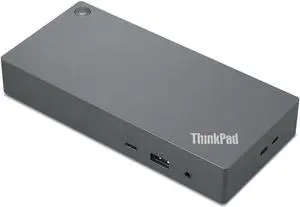
Lenovo ThinkPad Docking Station - 135 W - USB Type C - 3 Displays Supported - 2x USB 2.0 - 3x USB Type-A Ports - USB Type-A - 1x USB Type-C Ports - RJ-45 Ports - HDMI Ports - 2x DisplayPorts
- Brand: Lenovo
- Model: 40AY0135US
- Part Number: 40AY0135US
- Weight: 1.00 lbs
- Model #: 40AY0135US
- Item #: 9SIA6ZPK9W8190
- Return Policy: View Return Policy
$249.99
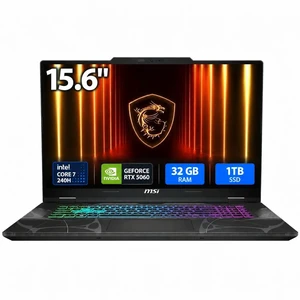
MSI Cyborg 15 B2RW Cyborg 15 B2RWFKG-421US 15.6" Gaming Notebook - Intel Core 7 240H - 32 GB - 1 TB SSD - Windows 11 Home - NVIDIA GeForce RTX 5060 8 GB - Webcam - Wi-Fi 6E
- GPU/VPU: GeForce RTX 5060 Laptop GPU
- Processor Name: Intel Core 7 240H
- Memory: 32GB DDR5
- SSD: 1TB
- Model #: Cyborg 15 B2RWFKG-421US
- Item #: 9SIA1CZKRX4007
- Return Policy: View Return Policy
$1,499.99
Free Shipping
So far very good
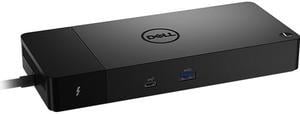
Dell WD22TB4 Thunderbolt 4 Dock – Black
- Ports Spec: 1 x USB-C 3.2 Gen 2 1 x USB-A 3.2 Gen 1 with PowerShare 2 x DisplayPort 1.4 1 x HDMI 2.0 1 x USB-C Multifunction DisplayPort 2 x USB-A 3.2 Gen 1 port 1 x Gigabit Ethernet RJ45 1 x Power In 2 x Thunderbolt 4
- Dimension: 1.10" x 8.10" x 3.50"
- Weight: 0.99 lb.
- Model #: WD22TB4
- Item #: 9SIA4A0KBC8426
- Return Policy: View Return Policy
$177.62
Free Shipping
Combines all my many wires to the laptop in only one that plugs into the computer.
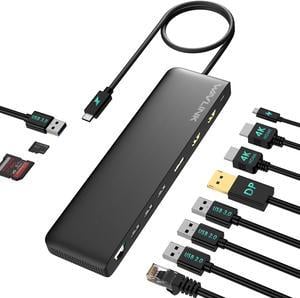
WAVLINK USB C Triple Display Docking Station, USB C Dock 85W Charging for PC, Max 4K@60Hz with DisplayPort, 2 x HDMI, PD, USB 2.0/3.0, Gigabit Ethernet, SD/TF Slot, Audio Jack for Windows&Mac
- Part Number: 2x HDMI: up to 4K@60Hz 1x DisplayPort: up to 4K@60Hz 1x USB C (power input): up to 100W 1x USB C (power output): up to 85W 1x Ethernet: up to 1Gbps 2x USB 3.0: up to 5Gbps 2x USB 2.0: up to 480Mb/s 1x SD Card Reader: max 25MB/s 1x Micro SD Card Reader: max 25MB/ s 1x Audio/Mic(4-Pole)
- Compatibility: -Windows 11/10/8.1/8/7/XP/Vista -Mac OS 10.x or later -Chrome OS -Android -Harmony OS -iPadOS -Linux
- Weight: 245g/8.6oz
- Features: MST triple displays to extend different pages to 3 monitors 4K displays, featuring 2 x HDMI and 1 x DisplayPort PD3.0 passthrough charging, with power in 100W to charge your laptop up to 85W Multiple USB A ports, Gigabit Ethernet port, Audio/Mic jack, card readers to make up for missing functions of computer Driver-free...
- Model #: WL-UMD09
- Item #: 9SIC7HHM007134
- Return Policy: View Return Policy
$58.99
Free Shipping
I had plenty of cables and now they are all connected to this docking station.
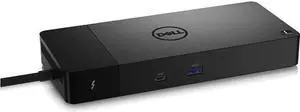
Dell DELL-WD22TB4 Thunderbolt Dock - WD22TB4
- Dimension: 8.07 in. x 3.54 in. x 1.14 in.
- Weight: 650 g (1.43 lb)
- Model #: DELL-WD22TB4,,.
- Item #: 9SIA4A0M0T5200
- Return Policy: View Return Policy
$179.99
Free Shipping
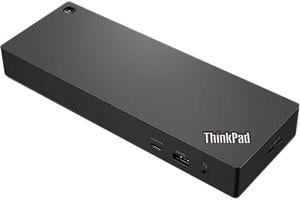
Lenovo ThinkPad Thunderbolt 4 Workstation Dock - US
- Brand: Lenovo
- Color: Black
- Thunderbolt: Thunderbolt 4, 1* Thunderbolt Port - for Host connect 1* Thunderbolt Port - for Device connect
- Ports Spec: 1 x 3.5mm Audio combo Jack 4 x USB-A 1 x USB-C 1 x HDMI 2.1 2 x Displayport 1.4 1 x RJ45 1 x Thunderbolt (for Host connect) 1 x Thunderbolt (for Device connect)
- Model #: 40B00300US
- Item #: 9SIA4A0KEM6990
- Return Policy: View Return Policy
$255.00
Free Shipping
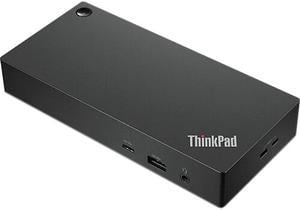
Lenovo ThinkPad Universal USB-C Dock
- Part Number: 40AY0090US
- Weight: 0.74 lbs
- Function: Internet Tablet
- Model #: 40AY0090US
- Item #: 9SIC8JAM554845
- Return Policy: View Return Policy
$139.74
$239.99
Free Shipping
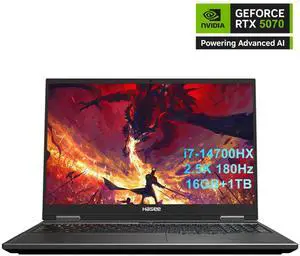
Hasee T8 Pro-16'' GeForce RTX 5070 Laptop GPU, Intel i7-14700HX-5.5GHz, AI Ready Gaming Laptop, 16GB DDR5 RAM, 1TB SSD, 16'' 180Hz QHD 100%sRGB IPS, RGB KB, WiFi7,BT5.4,Win11 Home
- GPU/VPU: GeForce RTX 5070 Laptop GPU
- Processor Name: Intel Core i7-14700HX
- Memory: 16GB
- SSD: 1TB
- Model #: T8Pro-T9 74618QX
- Item #: 9SIC11UKGE3529
- Return Policy: View Return Policy
$1,459.99
$1,999.99
Free Shipping
Super fast with a 5070! Best deal around. Gaming for hours not loud or hot. It is a thick laptop with a real cooling system. Easy to add a second SSD or more RAM. Came in a clean box with no bloatware or funny things.
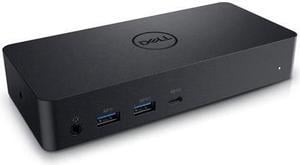
Dell Docking Station Universal Dock D6000 (FNVXM / 452-BCYT)
- Brand: Dell
- Color: Black
- Parts: 3 Years
- Labor: 3 Years
- Model #: DELL D6000
- Item #: 9SIC78JM3E3925
- Return Policy: View Return Policy
$94.99
Free Shipping
Easy set up Compact size Works like a charm A plethora of ports. Arrived in a timely manner.
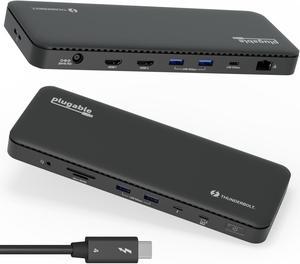
Plugable Thunderbolt 4 Dock with 100W Charging, Thunderbolt Certified, Laptop Docking Station Dual Monitor Single 8K or Dual 4K HDMI for Windows and Mac, 4X USB, Gigabit Ethernet (TBT4-UD5)
- Brand: Plugable Technologies
- Part Number: TBT4-UD5
- Thunderbolt: Yes
- Model #: TBT4-UD5
- Item #: 9SIA2XBK489327
- Return Policy: View Return Policy
$199.95
Free Shipping
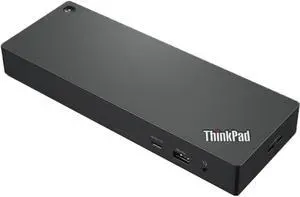
Lenovo ThinkPad Universal Thunderbolt 4 Dock
- Brand: Lenovo
- Part Number: 40B00135US
- Color: Black
- Compatibility: MacBook Pro
- Model #: 40B00135US
- Item #: 9SIA3ERFY26220
- Return Policy: View Return Policy
$224.89
$9.99 Shipping
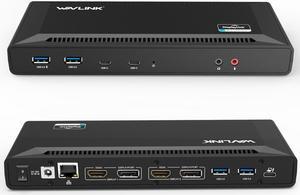
Wavlink USB C Laptop Docking Station Dual Monitor 5K/4K@60Hz with 65W Charging for New MacBook Neo, Thunderbolt 4/3, USB-C Windows, Mac, Chrome,Ubuntu 20.04,22.04(2HDMI, 2DP, 6 USB 3.0, 1Gbps Ethernet
- Compatibility: System Support: Windows11, 10, 8.1, 8, 7; macOS Ventura 13, Monterey 12, Big Sur 11, Catalina 10.15, Mojave 10.14; ChromeOS build R51 or later; Android 5 (Lollipop) onwards with USB OTG mode; Ubuntu 20.04, 22.04
- Ports Spec: 1x USB-C (USB3.1 Gen1) for host connection, supporting 65W Power Delivery to charging PC system 2x USB-C (USB3.1 Gen1) supporting 5V/0.9A with data transfer 5Gbps 1xUSB3.0 (Back) supporting BC1.2 fast-charging with data transfer 5Gbps 3x USB3.0 supporting 5V/0.9A with data transfer 5Gbps Separate 3.5 mm audio input and output jacks 1x RJ45 10/100/1000Mbps Ethernet...
- Model #: WL-UG69PD2-US
- Item #: 9SIC7HHM007472
- Return Policy: View Return Policy
$124.99
$168.99
Free Shipping
had access to everything i plugged in. no heat problems, no hiccups!
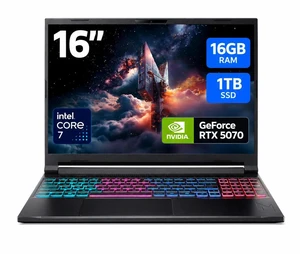
Acer Nitro V 16S ANV16S-71-72KE, 16.0" WQXGA IPS 180Hz Display, Intel Core 7 processor 240H, NVIDIA GeForce RTX 5070 Laptop GPU, 16GB DDR5, 1TB PCIe Gen 4 SSD, Wi-Fi 6, Backlit Keyboard, Win 11 Home
- GPU/VPU: GeForce RTX 5070 Laptop GPU
- Processor Name: Intel Core 7 240H
- Memory: 16GB DDR5
- SSD: 1TB PCIe
- Model #: NH.U23AA.002
- Item #: 1TS-000X-064P0
- Return Policy: 15-Day Return Policy
$1,619.99
$1,799.99
Free Shipping
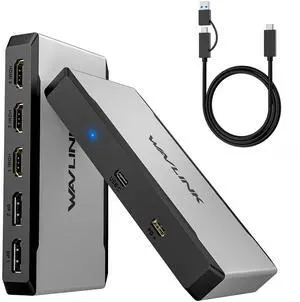
WAVLINK Triple 4K@60Hz Universal Display Dock, USB-C/A to HDMI/DisplayPort Adapter with 100W PD IN, 3*HDMI+2*DP, For New MacBook Neo, Thunderbolt 5/4/3 Laptops, Intel/M1/M2/M3/M4 MacBook
- Brand: Wavlink
- Color: Gray
- Compatibility: Compatible with a wide range of operating systems, including Windows 11/10, Mac OS 13.x and later, Android, Chrome OS, Harmony OS and Ubuntu, while not supporting other Linux, iPad OS, iOS or Steam Deck. Does NOT support plug & play, please install the latest driver from our website (www.wavlink.com) to ensure full functionality of the dock.
- Features: - 5*Video ports(3*HDMI+2*DP) support max. triple 4K@60Hz display in your required combination. - 1*USB-C upstream is compatible with Thunderbolt 4/3 and full-functional USB4/3.2/3.1/3.0/2.0 Type-C/Type-A hosts, and provides up to 10Gbps data transfer and upstream 95W power delivery for the USB-C hosts. - 1*USB-C PD IN 3.0 passthrough provides 100W power supply for the adapter.
- Model #: WL-UG7701
- Item #: 9SIC7HHM006578
- Return Policy: View Return Policy
$69.99
$109.99
Free Shipping
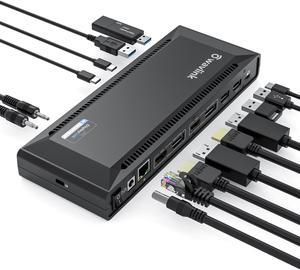
WAVLINK DisplayLink Laptop Docking Station with 100W Charging, Single 5K/Dual 4K@60Hz Display for Windows/New MacBook Neo/MacOS/ChromeOS/Ubuntu ( 2xDP 1.2, 2xHDMI, LAN, 6 USB Ports, Audio/Mic)
- Brand: Wavlink
- Model: WL-UG69PD2 Pro
- Color: Black
- Compatibility: System Compatible This item has DL-6950 chipset which made by Displaylink. Supported Operating Systems Attention: It's worth noting that displaylink driver installation is required For Windows: Windows 11, Windows 10, Windows 7, Windows 8.1, Windows 8 For macOS: Ventura 13, Monterey 12, Big Sur 11, Catalina 10.15, Mojave 10.14 For
- Model #: WL-UG69PD2 Pro
- Item #: 9SIC7HHM007223
- Return Policy: View Return Policy
$124.99
$175.99
Free Shipping
Clear instructions for setup