
Your Browsing History
BEST SELLERS


BEST SELLERS
In Laptop Accessories
Our most popular products, based on sales and updated frequently.Shop Department
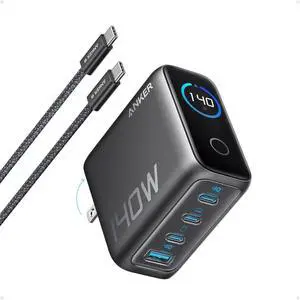
Anker Laptop Charger, 140W MAX USB C Charger, 4-Port Multi-Device Fast Charging, Advanced GaN Power Adapter, Intuitive Touch Controls, for MacBook, iPhone 16 Series, Samsung Galaxy, Pixel, and More
- Brand: Anker
- Part Number: B2697
- Model #: B26971Z1
- Item #: 9SIACCUKM15259
- Return Policy: View Return Policy
$89.99
$99.99
Free Shipping
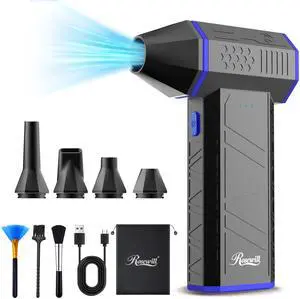
Rosewill Cordless Air Duster - 110,000 RPM Super Power Cordless Compressed Air Duster, 3-Gear Adjustable Mini Blower with Fast Charging, Dust Blower for Computer, Keyboard, Pet, House, Outdoor and Car
- Brand: Rosewill
- Color: Black
- Bagless: Yes
- Motor Volts: 7.4 V
- Model #: RHAD-25001
- Item #: N82E16896268207
- Return Policy: Manufacturer Only Return Policy
$34.99
$39.99
Free Shipping
- Powerful. - Nice inclusion of accessories. - Instructions are clear and well documented.
SK Hynix 1TB PC801 M.2 NVMe PCIe Gen4x4 2280 SSD HFS001TEJ9X101N Dell KP2TG - OEM
- Model #: HFS512GEJ9X101Njb
- Item #: 9SIAFXNKSA2162
- Return Policy: View Return Policy
$130.00
M425R1GB4BB0 Samsung 8GB DDR5 Sodimm PC5-44800 5600MHZ 262-PIN CL46 Memory M425R1GB4BB0-CWMOD Laptop Memory - OEM
- Model #: M425R1GB4BB0-CWMOD
- Item #: 9SIAFXNKS80902
- Return Policy: View Return Policy
$75.00
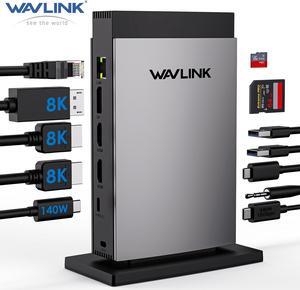
WAVLINK USB C Docking Station PD3.1 Triple Monitor with 140W Power, 8K HDMI*2 + 8K Displayport, RJ45, 10G USB-C, 125W Charging for Laptop, 2 USB 3.0, SD/TF Slot, Audio/Mic for M1/M2/M3 Mac&Windows
- Part Number: 1x TF Card Slot, 1x SD Card Slot, 2 x USB-A 5Gbps, 1 x USB-C 10Gbps, 1 x 4-Pole Phone Jack, 1x USB-C (Host, PD125W); Rear: 1x RJ45(10/100/1000Mbps), 1 x 8K DisplayPort, 2 x 8K HDMI(Alt. Mode), 1x USB-C IN(PD140W MAX), 1 x Kensington Lock
- Compatibility: Simply Plug & Play, no external drivers required. 🍎MacOS-based computers do not support MST, only extend to one different screen (ABBB). 💻Some Windows laptops may only support 3 monitors(including the host screen) due to their graphic card limitations. 📱Your USB-C phones/tablets should support the OTG function. 📹The type-C port of
- Ports Spec: 1x TF Card Slot, 1x SD Card Slot, 2 x USB-A 5Gbps, 1 x USB-C 10Gbps, 1 x 4-Pole Phone Jack, 1x USB-C (Host, PD125W); Rear: 1x RJ45(10/100/1000Mbps), 1 x 8K DisplayPort, 2 x 8K HDMI(Alt. Mode), 1x USB-C IN(PD140W MAX), 1 x Kensington Lock...
- Model #: WL-UMD26
- Item #: 9SIA6PFKEA0288
- Return Policy: View Return Policy
$74.99
Free Shipping
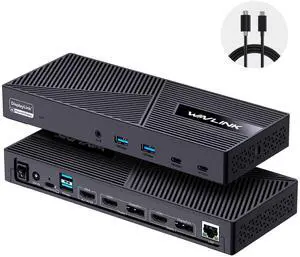
Wavlink USB C Triple Monitor Docking station With 100W Laptop Charging, 3X HDMI, 2X DisplayPort, 6X 10Gbps USB Ports, Gigabit Ethernet, Audio&Mic for MacBook M1/M2/M3/M4, USB4, Windows& More
- Part Number: with only one USB-C port: DC IN(130W input), USB-C(Host, 100W output), HDMI Alt Mode(4K@60Hz), Display 1/2(HDMI1/2 or DP1/2), 4xUSB-A 3.1(10Gbps), 2xUSB-C 3.1(10Gbps), RJ45 Ethernet, Audio/Mic. Note: This dock must connect the power adapter, otherwise it will not work.
- Compatibility: Universal Compatibility: Universal docking station support Windows 11/10, Mac OS 11.x or later, ChromeOS 100.x or later, Ubuntu 20.04, 22.04 systems with full-featured type c port or thunderbolt 3/4 port or USB4 port. Ideal home & office partner for USB-c devices like Intel/M1/M2/M3-based Mac, Dell, Asus, Lenovo, Surface, Samsung, Huawei and...
- Model #: WL-UG63PD25-A
- Item #: 9SIA6PFJMU3966
- Return Policy: View Return Policy
$119.99
$159.99
Free Shipping
The docking station does exactly what I need it to. Product was very easy to install from CD enclosed with package. It works very good with my HP Laptop to 27" monitor and all the other extra ports that I can use.
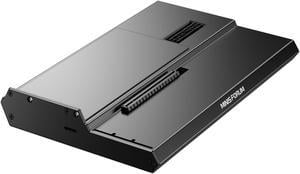
MINISFORUM DEG1 External GPU Docking Station, Mini eGPU Enclosure for RTX 4090, AMD RX 7900 XTX, Support ATX/SFX Standard Power Supplies, PCIe4.0x4 Expansion Interface Oculink Graphics Docking Station
- Model #: DEG1
- Item #: 9SIBJ6VKE78754
- Return Policy: View Return Policy
$109.00
$199.00
Free Shipping
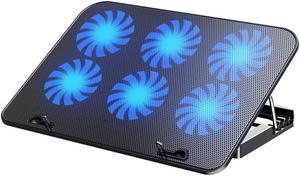
Updated Laptop Cooling Pad, Laptop Cooler with 6 Quiet Fans with Blue Lights for 12-18 Inch Notebook Gaming Fan Stable Stand, 5 Height & Wind Speed Adjustable, 2 USB Port,Black
- Accessory Type: Cooler
- Color: Black
- Maximum support size: Support up to 17-in. Laptop
- Fan Numbers: 6
- Model #: BL-FS14-BL
- Item #: 9SIB3WAK7R6682
- Return Policy: View Return Policy
$34.99
$39.99
Free Shipping
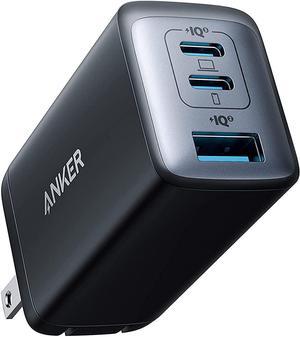
Anker USB C Charger, 735 Charger (Nano II 65W), PPS 3-Port Fast Compact Foldable Wall Charger for MacBook Pro/Air, iPad Pro, Galaxy S20/S10, Dell XPS 13, Note 20/10+, iPhone 13/Pro, Pixel, and More
- Type: Wall Charger
- Compatible Phone Manufacturer: Apple
- Adapter: USB Type-C
- Standard USB Port: 3
- Model #: A2667111
- Item #: 9SIACCUHS42311
- Return Policy: View Return Policy
$29.99
$39.99
Free Shipping
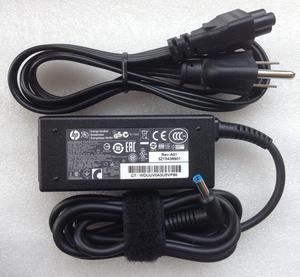
Genuine HP Laptop Charger AC Power Adapter 740015-002 741727-001 19.5V 2.31A 45W
- Battery Type: Lithium-Ion
- Model #: 741727-001 -
- Item #: 9SIA4A0KF61854
- Return Policy: View Return Policy
$23.49
Free Shipping
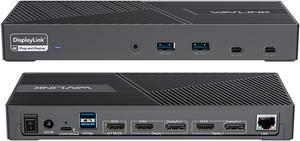
Wavlink DisplayLink Laptop Docking Station Triple Monitor 4K@60Hz For 3 Monitors, 100W Charging For Thunderbolt 3/4, USB-C/A, M1 M2 Mac/Windows/Chrome, 3 HDMI, 2 DP, 6 USB Ports, 160W Power, LAN,Audio
- Compatibility: Perfect for laptops with USB 3.1 full-function type c port or thunderbolt 3/4 port. Support Windows 11/10/8.1/8/7; Mac OS 10.14-13.x and latest, Chrome OS, Ubuntu 20.04, 22.04, Android and Harmony OS. Unsupported with Unix systems, Linux and iPad OS. (Follow the instructions to download the latest DisplayLink drivers before use.)
- Ports Spec: 3 x HDMI (HDMI2.0) + 2 x DP (DP1.2), supports up to triple 4K@60Hz resolution display Supports USB Power delivery(PD3.0) up to 100W upstream Charging to a connected laptop Four USB3.1 Type-A (10G) and Two USB-C Gen2 (10G) ports to extend more connectivity to USB devices LAN port supports up to 1Gbps (10/100/1000Mbps),providing
- Dimension: Unit Size: 22.3x9.1x2.9cm/8.7x3.6x1.1in( L x W x H ) USB-C to C Cable Length: 100cm/39.4in...
- Model #: WL-UG69PD25 Pro
- Item #: 9SIA6PFJGA0391
- Return Policy: View Return Policy
$165.99
$175.99
Free Shipping
I am a Windows user but recently had to take up support for Apple MacBook's. I use three monitors to do my work\support and my new MacBook would not let me use the three monitors, just the MacBook screen and one external monitor. I tried just about everything and nothing worked. Someone told me about this Wavlink docking station, so I tried it and WOW, I was able to use all three monitors with little effort to get the dock to work with my MacBook and it also works with my Window's laptop, so now all I do is unplug one machine and plug in the other and I just get to work!! What a great dock, highly recommend!!
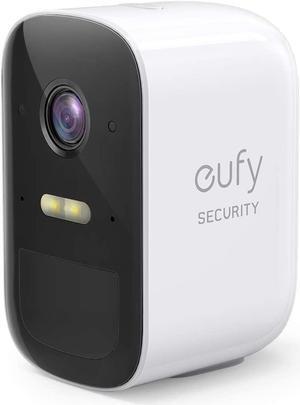
eufy Security eufyCam 2C Wireless Home Security Add-on Camera, Requires HomeBase 2, 180-Day Battery Life, HomeKit Compatibility, 1080p HD, No Monthly Fee
- Model #: T81131D2
- Item #: 9SIAXSYJZM5908
- Return Policy: View Return Policy
$119.99
Free Shipping
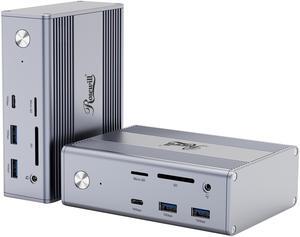
Rosewill 14-in-1 USB C Laptop Docking Station with 100W PD Charging, 4K@60Hz Display, Triple 4K Display,10Gbps Data Transfer & Kensington Lock, Windows, Mac, Android - RHUB-M14
- Brand: Rosewill
- Ports Spec: 1 x DisplayPort (4K@60Hz) 2 x HDMI (4K@30Hz) 1 x USB 3.2 GEN 2 Type C (10Gbps) 1 x USB 3.1 Type C (5Gbps) 2 x USB 3.2 GEN 2 Type A (10Gbps) 1 x USB 3.1 Type A (5Gbps) 1 x 2-in-1 Audio 1 x 1000M RJ45 1 x 100W PD SD / TF Card Reader
- Weight: 1.1kg
- Features: Versatile Connectivity: With a range of ports, including DisplayPort, HDMI, USB-C, USB-A, audio, Ethernet, and SD/TF card reader, connect to various devices. High-Resolution Display: Experience stunning visuals on a 4K display at 144Hz for smooth and immersive viewing. Fast Data Transfer: Benefit from high-speed data transfer with USB 3.2 Gen 2 Type-C and Type-A ports. Powerful Charging: Power your laptop and other devices with the 100W PD charging capability.
- Model #: RHUB-M14
- Item #: N82E16834965286
- Return Policy: Manufacturer Only Return Policy
$79.99
$159.99
Free Shipping
Worked with Rog Strix G16. Charges laptop and displayed on dual monitor set-up. Uses USB-C to connect to laptop making barrel port unnecessary. Small metal box construction is nice.
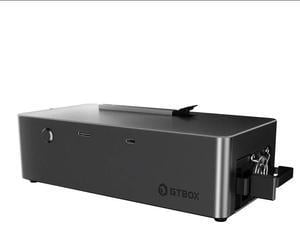
GTBOX G-Dock EGPU Dock with Oculink Port 800W Power Supply
- Compatibility: iPod Touch 7
- Ports Spec: 1, 0, 0, ,
- Parts: 1 Year
- Labor: 1 Year
- Model #: M202503261822
- Item #: 9SIBZDBKEM3441
- Return Policy: View Return Policy
$219.99
$259.99
Free Shipping
Greatly boosts the performance of my handheld using it's thunderbolt 4 connection with the dock.
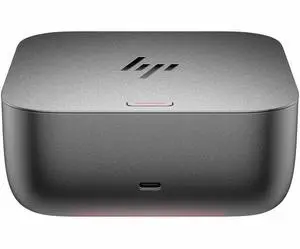
HP Thunderbolt 4 Ultra 180W TAA G6 Dock - 4 Displays Supported - 7x USB Ports - 5x USB Type-A Ports - USB Type-A - 2x USB Type-C Ports - USB Type-C - 1x RJ-45 Ports - 1x HDMI (9X4A1AA#ABA)
- Brand: HP
- Part Number: 9X4A1AA#ABA
- Thunderbolt 3: Thunderbolt 4
- Model #: 9X4A1AA#ABA
- Item #: 9SIA6ZPKMZ8877
- Return Policy: View Return Policy
$330.23

Rosewill Cordless Air Duster - 130,000 RPM Super Power Cordless Compressed with Turbo Mode, 4-Gear Adjustable Mini Blower with Fast Charging, Inflation and Suction, Dust Blower for Computer, Keyboard
- Brand: Rosewill
- Color: Iris
- Bagless: Yes
- Motor Volts: 7.4 V
- Model #: RHAD-25003
- Item #: N82E16896268209
- Return Policy: Manufacturer Only Return Policy
$59.99
$69.99
Free Shipping
Very strong air flow on just 3rd gear. Haven't really needed the turbo setting. Cleans my keyboards better than canned air. Over time, not having to buy canned air will more than pay for this duster. Especially since canned air costs have soared to as much as $8/can at some retailers.
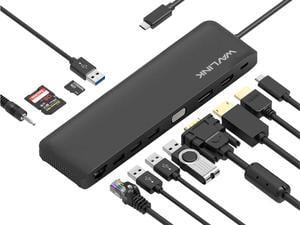
Wavlink Triple Display USB C Docking Station With DP & HDMI &VGA, 85W PC Charging, USB 3.0 & 2.0 Ports, SD TF Card Reader, Gigabit Ethernet, Audio For Dell XPS 13/15,Lenovo Yoga,MacBook Pro, etc
- Compatibility: Plug and Play installation on any Chromebook/Windows/Mac/Linux hosts which support DisplayPort Alternate Mode (Alt Mode) video output functionality. USB C Dock has been fully tested for functionality on the 2018+ iPad Pro (mirroring only)/MacBook Air/iMac and iMac Pro/MacBook and MacBook Pro/Google Pixelbook/Dell XPS 13 & XPS 15/Lenovo Thinkpad/HP Spectre x360/Samsung DeX capable devices/Surface Laptop 3 and Surface Go/and many other systems which support USB-C DP Alt Mode.
- Ports Spec: USB-C: PD Power Adapter I/P Single DisplayPort: 4K/30Hz max. Single HDMI: 4K/30Hz max. Single VGA: 2K/60Hz max. 2 x USB-A Port: 5Gbps 2 x USB-A Port: 480Mbps RJ45: Gigabit Ethernet Card Reader: SD / TF Phone Jack: Stereo 4pole TRRS Stereo
- Model #: WL-UMD04
- Item #: 9SIA6PFCV27974
- Return Policy: View Return Policy
$39.99
Free Shipping
I had plenty of cables and now they are all connected to this docking station.
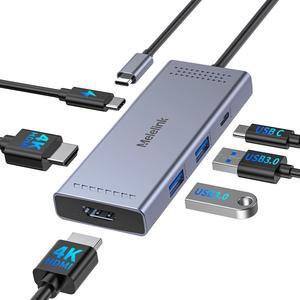
Melelink USB C Docking Station Dual Monitor HDMI Adapter, USB C Hub, Laptop Docking Station with 2 HDMI Ports 4K 60Hz,100W PD Charging,USB-C & 2 USB-A 3.0 Ports, USB C Dock for MacBook/Dell/HP/Lenovo
- Brand: Melelink
- Compatibility: Work with the Laptop has thunderbolt 3/4 /USB-C 3.1 Gen1/Gen2(with DP)/ USB-C 3.2 Gen 1/Gen2(with DP);Dell XPS 12 2-IN-1 9250/XPS 13 Laptop 9315 9340 9315 9350 9360 9370 9380 9320/XPS/Dell Latitude 3540 Laptop Model/Latitude 3440/3340 or 2-in-1/3450/3550/3110/3140/3420/3445/ 3510/3500/3520/3540/3571/Alienwarex14/x15/x16/x17 R2 Gaming Laptop/Dell Alienware x15 R7 Gaming Laptop/Alienware m16/m18 Gaming Laptop/HP Spectre Laptop 13-af001TU/Spectre x360 13t/Spectre folio (13t-ak000cto)/HP Spectre x2/HP Spectre x360/HP Elite×2 1012/HP Elitebook Folio G1/HP ZBook 15 G3/HP Laptop 13-af001TU/HP Laptop 13-af001TU/HP Envy Laptop 16-h1047nr/HP Envy x360 13-bd0080ng/HP Envy 360 convertible 15/HP EliteBook 855 G8/HP EliteBook G7/HP EliteBook 860 G10 16 inch/HP EliteBook 860 G9 16inch,etc
- Ports Spec: 6, 3, 2, usb3.0, usb_c
- ...
- Model #: US-1301
- Item #: 9SIBZBEKEK0626
- Return Policy: View Return Policy
$24.99
$28.99
Free Shipping
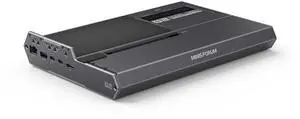
MINISFORUM DEG2 External GPU Docking Station Compatible with Oculink and Thunderbolt 5, eGPU Enclosure Graphics Card Extension Support ATX/SFX Power, with 2.5G Lan Port, M.2 Slot, USB3.2 Port
- Color: Black
- Model #: DEG2
- Item #: 9SIBJ6VKRJ5229
- Return Policy: View Return Policy
SOLD OUT
Sold Price: $239.00
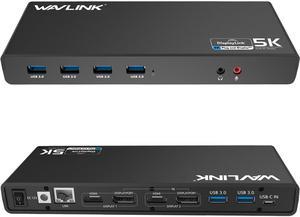
Wavlink Dual 4K Display Laptop Docking Station Single 5K/Dual 4K @60Hz USB 3.0 and USB-C Dual Monitor Docking Station With 2 x HDMI, 2 DP, Gigabit Ethernet, 6 x USB 3.0, Audio, Mic, For Windows/Mac
- Part Number: - 6 x SuperSpeed USB 3.0 ports - 2 x 4K DisplayPorts - 1 x Audio out - 1 x USB-C in - 2 x 4K HDMI - 1 x Mic in - 1 x Gigabit Ethernet - 1 x 5k (DisplayPort + DisplayPort)
- Compatibility: This laptop docking stations compatibility with Apple M1/M2 and Intel Macs (with macOS 10.14 or later) .Support Windows 11, 10, 8.x, and 7 with driver installation.Surface RT, Linux/Unix are not supported. (see Display Link website for more details).Docking station is suggested for use with web and productivity software; not recommended...
- Model #: WS-UG69DK1
- Item #: 9SIA6PF5SY3895
- Return Policy: View Return Policy
$109.99
Free Shipping
Effortless setup on Windows, for Mac only need to download latest DisplayLink. Price is quite good for resolution/refresh delivered. Nicely de-cluttered my desktop as hoped.