

Your Browsing History
BEST SELLERS


BEST SELLERS
In Water / Liquid Cooling
Our most popular products, based on sales and updated frequently.Shop Department
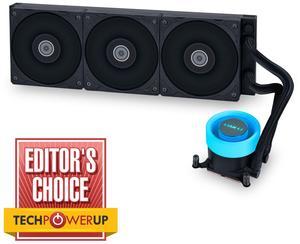
Lian Li GA II LITE 360mm AIO Liquid CPU Cooler | 3 x 120mm Performance FDB Fans, Daisy-Chain, Low Noise, All-in-One Water Cooling for Intel LGA1851/1700,AMD AM5/AM4 (GA2L36PB)
- Color: Black
- Model #: GA2L36PB
- Item #: 9SIAFSTKCV3429
- Return Policy: View Return Policy
$104.99
Free Shipping
- Performance and noise levels - Installation is easy - Looks cool
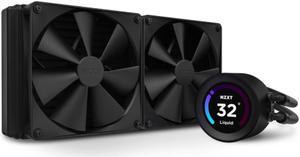
NZXT Kraken Elite 280mm - RL-KN28E-B1 – AIO CPU Liquid Cooler - Customizable LCD Display - 2 x F140P Static Pressure Fan Radiator Fans LGA 1700 / AM5 Compatible
- Brand: NZXT
- Series: Kraken Elite
- Model: Kraken Elite 280
- Part Number: RL-KN28E-B1
- Model #: RL-KN28E-B1
- Item #: 9SIAG1PK3G5722
- Return Policy: View Return Policy
$159.99
- Looks so good - Display is amazing - Customizable - Keeps my Ryzen 7800x3d super cool - Then single display power cable coming off the top is so much nicer, I dint like the last gen you had to plug in two cables off the side.
GAMDIAS CHIONE E4 360mm V2 AIO CPU Cooler & ARGB Liquid Cooler with Digital Display, 2600 RPM Pump, Clean Cable Design, 3X 120mm PWM Fan with MOBO Sync, Intel LGA 1700/1200, AMD AM5/AM4 - White
- Brand: GAMDIAS
- Part Number: GD-CHIONE E4-360V2WH
- Type: Liquid Cooling System
- Block Compatibility: AMD Socket AM4 / AMD Socket AM5 / Intel LGA 1150 / Intel LGA 1151 / Intel LGA 1155 / Intel LGA 1156 / Intel LGA 1200 / Intel LGA 1700 / Intel LGA 1851
- Model #: GD-CHIONE E4-360V2WH
- Item #: N82E16835099045
- Return Policy: 30-Day Return Policy
$69.99
$79.99
Free Shipping
Had to take it apart and separate the fans from the radiator but everything mounted up and worked.
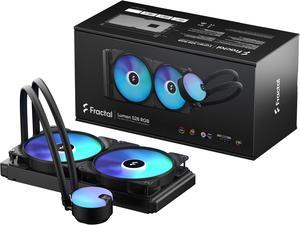
Fractal Design Lumen S28 v2 RGB Aspect 14 RGB x2 AIO CPU Liquid/Water Cooler
- Brand: Fractal Design
- Series: Lumen
- Part Number: FD-W-L1-S2812
- Type: Liquid Cooling System
- Model #: FD-W-L1-S2812
- Item #: N82E16835352105
- Return Policy: 30-Day Return Policy
$119.99
Free Shipping
- A wealth of options for different types of builds 1. You could have a completely wireless CPU block if you don't want RGB 2. Can be used 100% softwareless (again, if you don't care for RGB) - Cools exceptionally well - Simple and elegant design - Pump is on the radiator, not on the CPU block
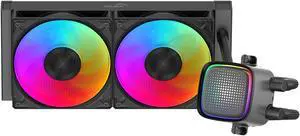
SAMA L50 240mm Liquid CPU Cooler AIO Cooler with ARGB Infinity Mirror Effect 2x120mm ARGB Light Sync with Motherboard PWM 28mm Fans Low-Noise for AMD:AM4 AM5/Intel LGA 1700/1150/1151/1200/1851
- Brand: SAMA
- Type: Liquid Cooling System
- Block Compatibility: AMD Socket AM4 / AMD Socket AM5 / Intel LGA 1150 / Intel LGA 1151 / Intel LGA 1155 / Intel LGA 1156 / Intel LGA 1200 / Intel LGA 1700 / Intel LGA 1851
- Pump Speed: 2000~3000RPM+/-10% PWM
- Model #: L50 Black (240 mm)
- Item #: N82E16835607005
- Return Policy: 30-Day Return Policy
$39.99
$46.49
Free Shipping
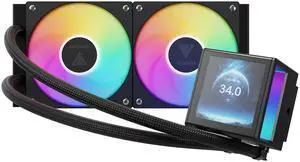
GAMDIAS CHIONE P5-240 Liquid CPU Cooler, 240mm AIO w/Customizable 3.4'' IPS LCD, Rotatable Magnetic Pump, Hidden Cable Fan (Daisy-Chained), Support PWM & ARGB MB Sync, Intel LGA 1851, AMD AM5, Black
- Brand: GAMDIAS
- Type: Liquid Cooling System
- Block Compatibility: AMD Socket AM2 / AMD Socket AM2+ / AMD Socket AM3 / AMD Socket AM3+ / AMD Socket AM4 / AMD Socket AM5 / AMD Socket FM1 / AMD Socket FM2 / AMD Socket FM2+ / Intel LGA 1150 / Intel LGA 1151 / Intel LGA 1155 / Intel LGA 1156 / Intel LGA 1200 / Intel LGA 1700 / Intel LGA 1851 / Intel LGA 2011 / Intel LGA 2011-v3 / Intel LGA 2066
- Pump Speed: 2700 RPM+/-10%
- Model #: GD-CHIONE P5-240
- Item #: N82E16835099037
- Return Policy: 30-Day Return Policy
$79.99
Free Shipping
Feels well made. Easy to install. LEDs look great. Super quiet, even when set to performance mode cooling in BIOS. Temps are nice and cool.
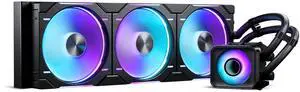
Phanteks Glacier One 420D30 X2 AIO Liquid CPU Cooler, Evolv X2 Aluminum Cap Design, 3x Performance D30-140 D-RGB Fans, for Intel LGA 1851, 1700, 1200, 115x and AMD AM4/AM5 sockets, Black
- Brand: Phanteks
- Type: AIO
- Block Compatibility: Intel Socket LGA 115x, 1200, 1700, 1851 AMD Socket AM4, AM5
- Pump Speed: 3100 ± 10% RPM with 100% duty cycle
- Model #: PH-GO420D30_DBK02
- Item #: N82E16835709307
- Return Policy: 30-Day Return Policy
$144.99
$149.99
$134.99 after $10.00 rebate
Free Shipping
Replaces my old Corsair 360mm. Running a 10900k @ 5.2GHz. old temp idle..42c With is baby..33c. Outstanding! Not easy to install by yourself so take your time if you do. I found the wiring a bit confusing at first but once I understood it's layout it went fairly easy. My old temps in game were 70/75c. Now it never goes above 65c. Mostly 60c. I think it hits 65c when turbo (5.3 GHz) kicks in because it's very brief. I've seen it as low as 55c too. Highly recommend this cooler if you're running a "Hot" chip like myself. Put it on a excellent fan curve so the fans don't run loud at all. No need to run fans above 75%. Never gets that hot ( chip) for it to do that.
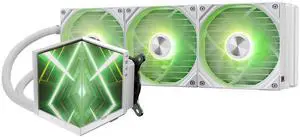
TRYX Stage 360 ARGB White 360mm AIO Dual 4.0'' Screen 720x720 Resolution AIO Cooler 360mm Three Display Modes Customizable Asetek 7th Gen V2 280w TDP ROTA SL ARGB Fans Intel LGA 1851/1700 AMD AM5/AM4
- Brand: TRYX
- Series: STAGE
- Model: L-S360A-DM3M-G0W
- Part Number: L-S360A-DM3M-G0W
- Model #: L-S360A-DM3M-G0W
- Item #: 2YM-00BE-00025
- Return Policy: 30-Day Return Policy
$199.99
Free Shipping
Amazing options for customization.
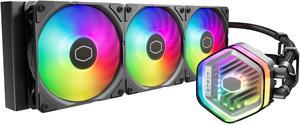
Cooler Master MasterLiquid 360 Atmos ARGB Close-Loop AIO Liquid Cooler, Customize Pump, Sickleflow Edge PWM Fans, 360mm Radiator, CryoFuze, AMD AM5/AM4, Intel LGA 1851/1700/1200 (MLX-D36M-A25PZ-R1)
- Brand: COOLER MASTER
- Part Number: MLX-D36M-A25PZ-R1
- Type: Liquid Cooling System
- Block Compatibility: Intel LGA 1851 / 1700 / 1200 / 1151 / 1150 / 1155 / 1156 socket AMD AM5 / AM4 socket
- Model #: MLX-D36M-A25PZ-R1
- Item #: 9SIA2W0K2X0146
- Return Policy: View Return Policy
$119.99
Free Shipping
The cooler looks great, performs well and was easy to install with simple to follow instructions. My 9800x3d when gaming stays nice and cool with the AIO barely even spinning up the fans
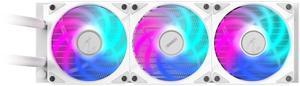
AORUS WATERFORCE II 360 ICE Liquid CPU Cooler, 360mm Radiator with 3x120mm low noise ARGB Fans, compatible with Intel LGA1700, 1851 and AMD AM5 (GP-AORUS WATERFORCE II 360 ICE G2)
- Brand: GIGABYTE
- Type: Liquid Cooling System
- Block Compatibility: AMD Socket AM4 / AMD Socket AM5 / Intel LGA 1150 / Intel LGA 1151 / Intel LGA 1155 / Intel LGA 1156 / Intel LGA 1200 / Intel LGA 1700
- Block Material: Copper
- Model #: GP-AORUS WATERFORCE II 360I G2
- Item #: N82E16835128042
- Return Policy: 30-Day Return Policy
$119.99
$129.99
Free Shipping
So far this cooler do the job well cooling my 9700X
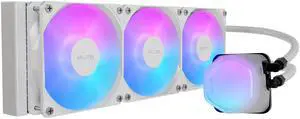
Cooler Master Elite Liquid 360 CPU AIO Cooler - 360mm Radiator, 3x ARGB PWM Fans, Dual-Chamber Pump Design, Ultra-Quiet High-Performance Cooling, AMD AM5/AM4 & Intel LGA 1851/1700, White
- Brand: COOLER MASTER
- Type: AIO
- Block Compatibility: Intel® LGA 1851/1700 / 1200 / 1151 / 1150 / 1155 / 1156 AMD® AM5 / AM4
- Pump Speed: 3200±10% RPM
- Model #: ELW-D36M-A21DA-RW
- Item #: 9SIAD6HGPV0584
- Return Policy: View Return Policy
$109.11
Free Shipping
This is most likely the best 360mm radiator I have owned yet. It runs super quiet with very good cooling, also interesting pump head design with color. The fans are MF120's with a small three pin connector (not normal 3pin 5v connector). A special splitter cable (which is included) daisy chains them all three together down to one normal 3pin 5v connector. A controller is included if you want to use it. It is easy to install on any AM3 or AM4 motherboard without removal of anything. You will want to have the original mounting brackets for AM3 or AM4 if you wish to use this cooler on these chipsets.
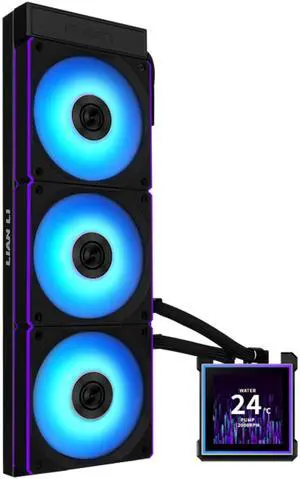
Lian Li Hydroshift II-S 360 CL ARGB Liquid CPU Cooler - 360mm AIO - 3.4" IPS LCD Square Screen - Daisy-Chain - Low-Noise - Intel LGA 1851/1700, AMD AM5/AM4 - 3X CL120 ARGB Fans - Black (HS2LCDS36CB)
- Brand: LIAN LI
- Series: Hydroshift II-LCD-S
- Type: Liquid Cooling System
- Block Compatibility - AMD: AM4, AM5
- Model #: HS2LCDS36CB
- Item #: 9SIAFSTKK73804
- Return Policy: View Return Policy
$179.99
Free Shipping
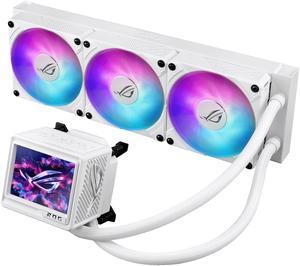
ASUS ROG RYUYJIN III 360 ARGB EXTREME White Edition all-in-one AIO CPU liquid cooler, AMD Ryzen 9000 & Intel® Core™ Ultra Ready, Asetek Gen8 V2 pump; high airflow & static pressure magnetic fans;
- Part Number: 90RC0132-M0AAY0
- Type: AIO
- Block Compatibility: AMD Socket AM4 / AMD Socket AM5 / Intel LGA 1200 / Intel LGA 1700 / Intel LGA 1851
- Block Dim.: 92X89X108 MM
- Model #: RYUJIN III 360 ARGB EXTREME WHT
- Item #: 9SIC7PVM6D1400
- Return Policy: View Return Policy
$361.37
$399.99
Free Shipping
aesthetically pleasing and great performance
MSI MPG CORELIQUID P13 360 Black - AIO ARGB CPU Liquid Cooler - 360mm Radiator - IPS 2.1" LCD Screen - Triple 120mm ARGB PWM Fans - Uni Bracket - LGA 1851 / AM5 Ready
- Brand: MSI
- Series: CORELIQUID P13 SERIES
- Type: AIO
- Block Compatibility: LGA 1700 / 1851 AM5, AM4
- Model #: MPG CORELIQUID P13 360
- Item #: N82E16835846073
- Return Policy: 30-Day Return Policy
$167.99
$157.99 after $10.00 rebate card
Free Shipping
Product was delivered in good condition and on time no complaints here..
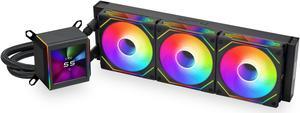
LIAN LI Galahad II LCD SL-INF 360 Black Liquid Cooler, Intel LGA 1851, 1700, 1200 & AMD AM5, AM4 Comatible - GA2ALCD36INB
- Brand: LIAN LI
- Part Number: GA2ALCD36INB
- Type: Liquid Cooling System
- Block Compatibility: AMD Socket AM4 / AMD Socket AM5 / Intel LGA 1150 / Intel LGA 1151 / Intel LGA 1155 / Intel LGA 1156 / Intel LGA 1200 / Intel LGA 1700 / Intel LGA 1851
- Model #: GA2ALCD36INB
- Item #: 9SIA0ZXK2T0287
- Return Policy: View Return Policy
$229.41
Free Shipping
Lowered my temps 10° coming from a 240mm
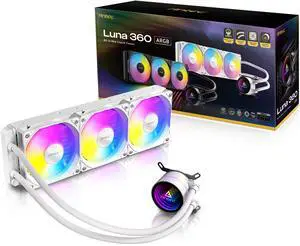
Antec Luna 360 ARGB White AIO Liquid CPU Cooler, 3x120mm PWM ARGB Fans, Infinity Mirror Pump Head Design, High-Performance Cooling, Intel LGA 1700/1851 & AMD AM4/AM5
- Model #: Luna 360 ARGB White
- Item #: N82E16835209124
- Return Policy: 30-Day Return Policy
$47.99
Free Shipping
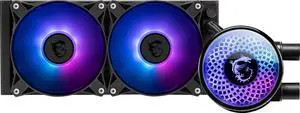
MSI MAG Coreliquid A12 240 - AIO ARGB CPU Liquid Cooler - 240mm Radiator - LGA 1700 Ready - Double Ball Bearing 120mm ARGB PWM Fans x2, Rotatable Blockhead, LGA 1700/1851, AM5 / AM4, Black
- Brand: MSI
- Pump Speed: 3100 RPM ± 10%
- Pump Noise: 15 dBA (avg.)
- Radiator Size: 277 mm
- Model #: MAG Coreliquid A12 240
- Item #: N82E16835846077
- Return Policy: 30-Day Return Policy
$66.99
Free Shipping
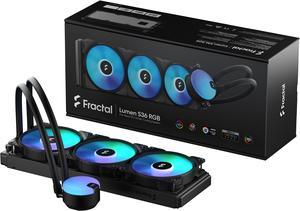
Fractal Design Lumen S36 v2 RGB Aspect 12 RGB x3 AIO CPU Liquid/Water Cooler, Intel LGA 1851/1700/1200 & AMD AM5/AM4/AM3+/AM3 Compatible
- Brand: Fractal Design
- Series: Lumen
- Part Number: FD-W-L1-S3612
- Type: Liquid Cooling System
- Model #: FD-W-L1-S3612
- Item #: N82E16835352106
- Return Policy: 30-Day Return Policy
$121.99
$129.99
$4.99 Shipping
- Looks cool - INCREDIBLY easy setup (at least AM5) - The three fans included seem to move a lot of air and stay decently quiet - Fans are also able to be daisy-chained, which is nice considering I have seen fans in the past that have a singular PWM /RGB header.
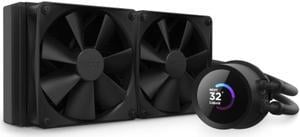
NZXT Kraken 240mm - RL-KN240-B1 – AIO CPU Liquid Cooler - LCD Display - 2 x F120P Static Pressure Fan Radiator Fans LGA 1851/1700 / AM5 Compatible
- Brand: NZXT
- Model: Kraken 240
- Part Number: RL-KN240-B1
- Type: Liquid Cooling System
- Model #: RL-KN240-B1
- Item #: 9SIAG1PJSX6916
- Return Policy: View Return Policy
$139.99
$9.99 Shipping
Easy to attach the radiator/fan assembly to the chassis.
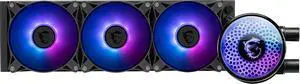
MSI MAG Coreliquid A12 360 - AIO ARGB CPU Liquid Cooler - 360mm Radiator - LGA 1700 Ready - Double Ball Bearing 120mm ARGB PWM Fans x3, Rotatable Blockhead, LGA 1700/1851, AM5 / AM4, Black
- Brand: MSI
- Type: AIO
- Block Compatibility: LGA1150/1151/1155/1156/1200/1700/ 1851 AM5, AM4
- Pump Speed: 3100 RPM ± 10%
- Model #: MAG Coreliquid A12 360
- Item #: N82E16835846078
- Return Policy: 30-Day Return Policy
$99.99
Free Shipping