




 here!
here!
I’m your shopping assistant for PC builds, upgrades, and everything tech.
Got questions? Ask away!
Start a conversation
here!
I’m your shopping assistant for PC builds, upgrades, and everything tech.
Got questions? Ask away!
Start a conversation

Joined on 08/03/04
Decent for the price but annoying
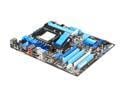
Pros: Great features for the price. For an HTPC builder, or anyone on a budget, you can't go wrong with this board.
Cons: This board has an extremely annoying habit of changing the boot drive priorities whenever rebooted with new/different drives connected. This is especially obnoxious due to the USB drive boot support. Every time I've rebooted with a new or different USB key plugged in, it's been moved to the top of the list, resulting in a OS not found type of boot error.
Overall Review: I boot from a PCI SCSI card and it invariably will either remove this device from the default list entirely, or move it to the bottom. Would be great if a BIOS updated added two settings: 1. Disabling USB boot features entirely. This is a security risk! 2. Making the current boot priorities "immutable" / disabling auto-detection-and-modification of boot prorities entirely once they are set manually.
Only one flaw
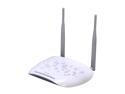
Pros: Great feature list, nice footprint, easy to setup. The administration interface is pretty advanced for a consumer device and provides a lot of information and troubleshooting.
Cons: Randomly dies and reboots. The faster you shovel traffic over it, the more likely it is to simply die for anywhere from 20 seconds to 5 minutes. This fatal flaw makes it useless despite all the other good things about it. This happens well before reaching the advertised rate of 300mbit/sec; the device will not reliably handle 50mbit/sec. Were that not the case, my only complaint would be that in wireless bridge mode, there is no security or encryption.
Overall Review: I have two of these. One is setup as an AP for the house and is plugged into a wired network on the first floor with the cablemodem, router, and some other devices. The other is setup as a client on the second floor, also plugged into a wired network, to provide wired networking to the second floor. Despite great signal strength and very few other wireless networks in the neighborhood, whichever one is setup to act as the AP will randomly drop out. It eventually recovers but not before all of your connections are lost. Not bad if all you want to do is browse the web and screw around, anything else kills it.
Not a bad little board
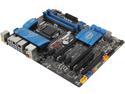
Pros: It works. Layout is pretty decent without things getting in the way of one another. For example, SATA connections face to the "front" rather than "up", and are located on the edge of the board.
Cons: Minus half an egg for not liking my Lenovo USB keyboard. Has worked fine for getting into the BIOS on every other computer, but not this one. Minus another half an egg for the BIOS having form dictate function. It's a real mess to navigate and nothing is where you expect it to be. Looks pretty though.
Overall Review: I'm disappointed this is supposedly to be intel's last retail desktop motherboard. I bought it over better performers specifically as a protest against the childish naming conventions on hardware these days. I guess I'll have no choice the next time I upgrade but to buy an OVERCLOCK XTREME AWESOME FACEMELTER 5000 WITH ULTIMATE SUPER BLAH WHATEVER, ENDORSED BY SOME GAMER.
As advertised
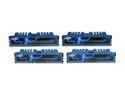
Pros: Works as advertised in my z87 board. No complaints.
Cons: None
Just over two years, then poof
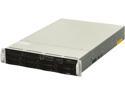
Pros: Small footprint, quiet operation.
Cons: Raid is intel ICH10R software raid, so no good for vmware. After a bit over two years of operation, the system has failed. Both power supplies sit there clicking. Occasionally the fans come on and it looks like it's booting, then just shuts down again. No telling if it's the power supplies, motherboard or what. It's out of warranty, so it's getting taken out back and shot. Will not buy supermicro again.
So far, so bad
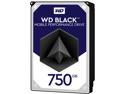
Pros: None are coming to mind right now.
Cons: For the past few years I've been running 4x 500G Seagate Momentus 7200.4 drives in RAID-10 on my workstation. These drives have been good, but one recently started to develop an odd noise and I decided an upgrade was in order. After looking at different reviews and considering going to SSDs, I decided to go with these WD Black drives instead. They arrived only today. After letting them sit for about 90 minutes inside to warm up, I started the upgrade process. With my RAID10 this process is simple : Eject one of the drive caddies, replace the drive with a new one, insert it, and rebuild the array. Replacing the first drive this way went fine and the rebuild completed with no errors. When I moved on to the second drive, I started getting warnings about bad sectors during the rebuild, which eventually caused it to abort. Thinking it was the 2nd new drive that was bad I put it aside and tried the 3rd, same story. It appears that it's actually the 1st drive that is bad. Now I find myself in a situation where my RAID10 is degraded (acting like a RAID0) and I cannot rebuild it, because of the bad sectors interrupting the read. I do backup with norton ghost fairly frequently; so no data was lost except for data from today, but I am not looking forward to spending all evening rebuilding the array on the old drives and then restoring from backup.
Overall Review: I have not decided yet if I am going to ask for an exchange or a refund. These drives look great on paper, but I am loathe to go through this again if I get another bad one.


