Hello! Many moons ago when my SO upgraded their PC I got handed all the old parts for my own PC. Currently running an AMD fx™-8320 with an unknown motherboard and RAM type (I only know its 8GB). I was recently gifted an RTX 2080 Super that replaced whatever graphics card it did have. I’m not looking to upgrade the GPU (assuming it can run newer games just fine with these other upgrades) but could be a possibility in a year or so. I’m not super well versed in parts and didn’t want to spend money to not notice a performance upgrade.
In terms of case, I have a darkflash MicroATX Mid Tower that I’m also not looking to replace. The PSU is a 550W 80+ Bronze and hard drive is seagate compute 2TB which if needed can be replaced.
When doing research, I think I’ve settled on the Ryzen 7 7800X3D (but open to other suggestions!) and for motherboards I was honestly lost but found the ASRock B650M Pro RS Micro ATX. Not sure if there are better options because I genuinely an unsure what I am looking at in terms of motherboards but wanted something that would pair well with my GPU/CPU and give me the best performance. With those selections or new recommendations, I also was seeking guidance on RAM type/size to optimize my performance without emptying my pockets. Typically playing games like CS2, Tekken 8, Borderlands 4, Apex Legends, etc. Thank you in advance!
Honestly I’d skip the 7800X3D for your build.
It’s a great CPU, but it’s way overkill for a 2080 Super. You’re going to be GPU bottlenecked most of the time, so you won’t really see the benefit of spending that much on the CPU right now.
That chip is more in line with newer high-end GPUs — like 5070/5080 or AMD’s 9070 XT tier — where you can actually take advantage of it. With your current setup, it just won’t stretch its legs.
A much smarter move would be going AM5 with something like a Ryzen 5 7500F or 7600. Those will pair perfectly with your 2080 Super, give you a massive upgrade over your FX chip, and save you a good chunk of money.
The big advantage is you’re on AM5, so when you upgrade your GPU later, you can easily drop in a stronger CPU without replacing your whole platform.
Also, that ASRock B650M Pro RS you picked is a solid board, but if you can stretch a little, I’d look at something like the MSI B650 Tomahawk instead. The cheaper board will work, but it’s more of a “good enough” option. The Tomahawk has stronger power delivery and better cooling, so when you upgrade CPUs later, it’ll actually handle it properly and let the chip boost the way it’s supposed to.
For RAM, 16GB is totally fine for the games you listed — especially stuff like CS2 and Apex. Memory prices are still kinda high right now, so if you’re trying to stay on budget, don’t stress it. If you can afford 32GB, it’s nice for the long term, but it’s not required.
So yeah — go cheaper CPU now, spend a little extra money on a better Board now. keep the platform solid, and it’s basically setting you up for a big upgrade later without having to rebuild everything.
Also, with the money you’re saving by not going with the 7800X3D, it might be a good time to look at your case and power supply too.
If that case is pretty old, it’ll probably work, but newer cases have way better airflow and space for modern GPUs, which makes a big difference long term. Since you’re already thinking about upgrading later, it might be worth getting something more modern now so you don’t run into issues down the line.
Same thing with the power supply — if it’s older, I’d seriously consider replacing it. Newer GPUs can have higher power spikes, and PSUs do age over time. It’s one of those components you don’t want to gamble on, especially if you’re planning a bigger GPU upgrade later.
Basically, instead of dumping all the money into an overkill CPU now, you could spread it out and set yourself up with a better overall foundation for future upgrades
The reason I’m recommending a slightly better motherboard and power supply isn’t because it’ll improve performance right now — it won’t.
It’s about setting you up with a solid foundation for future upgrades. (I myself have been in the same position where you had to slowly add better parts as you went along)
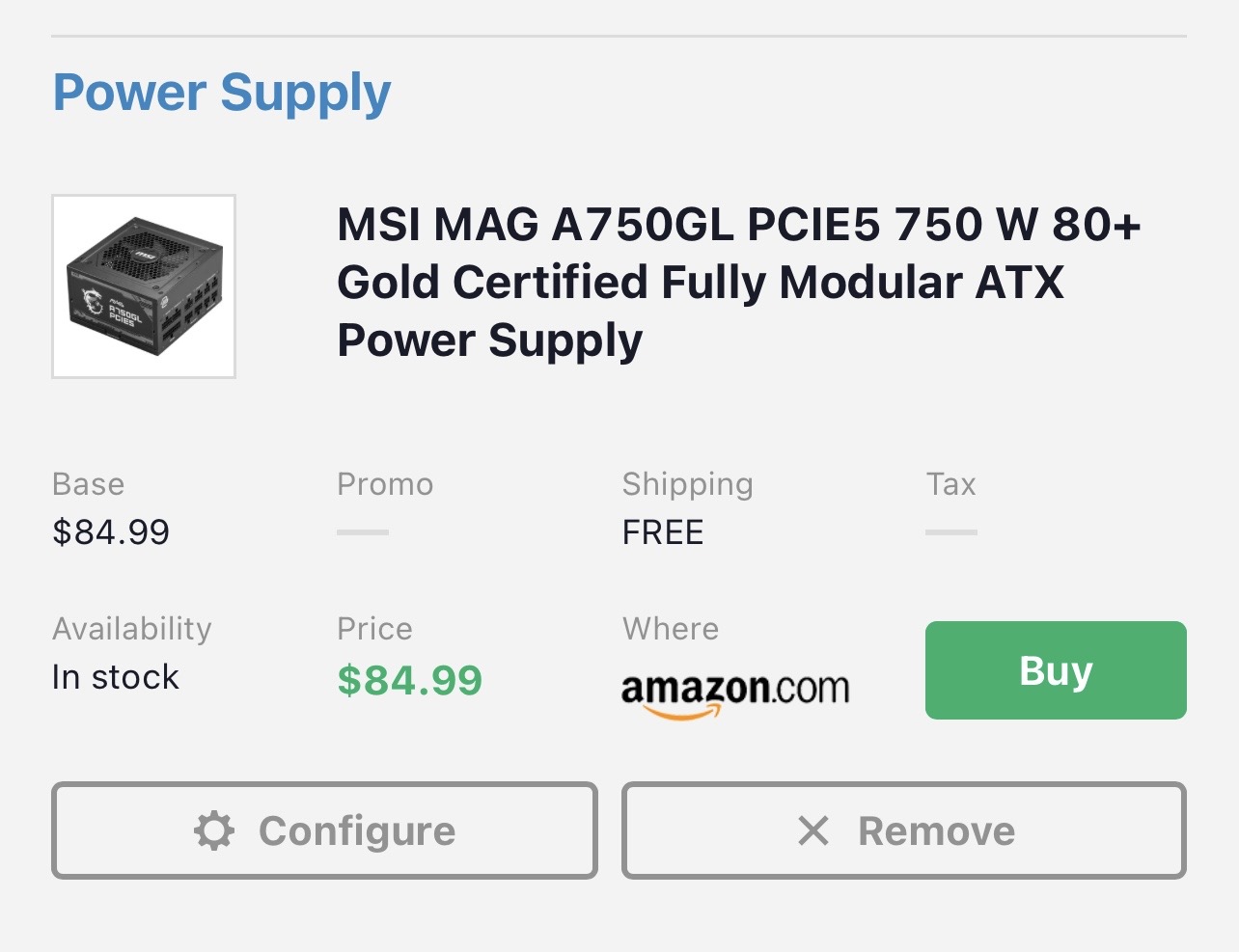
The ASUS TUF board is built better in terms of power delivery and cooling, so when you drop in a stronger CPU later, it’ll handle it properly. Same with the PSU — the MSI unit supports newer GPU power standards, so you won’t have to replace it when you upgrade your GPU. You could go 850W if budget allows, but 750W is still a good spot.
Some of this is a bit overkill for your current setup, but it’ll definitely pay off later.
Shop around when you’re ready to buy — prices move a lot. And if you’ve got a set budget, we can dial this in further. This is just a strong starting point
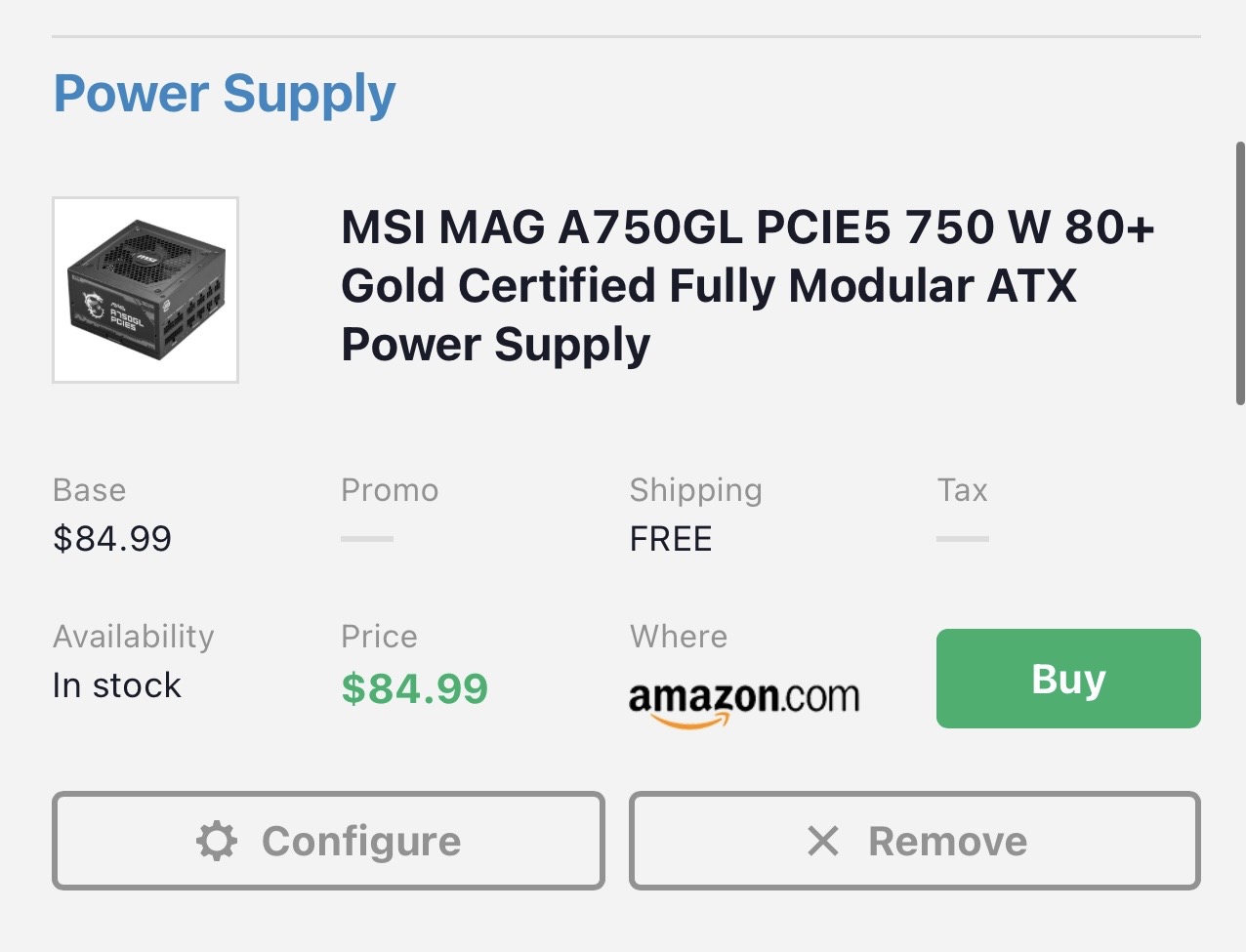
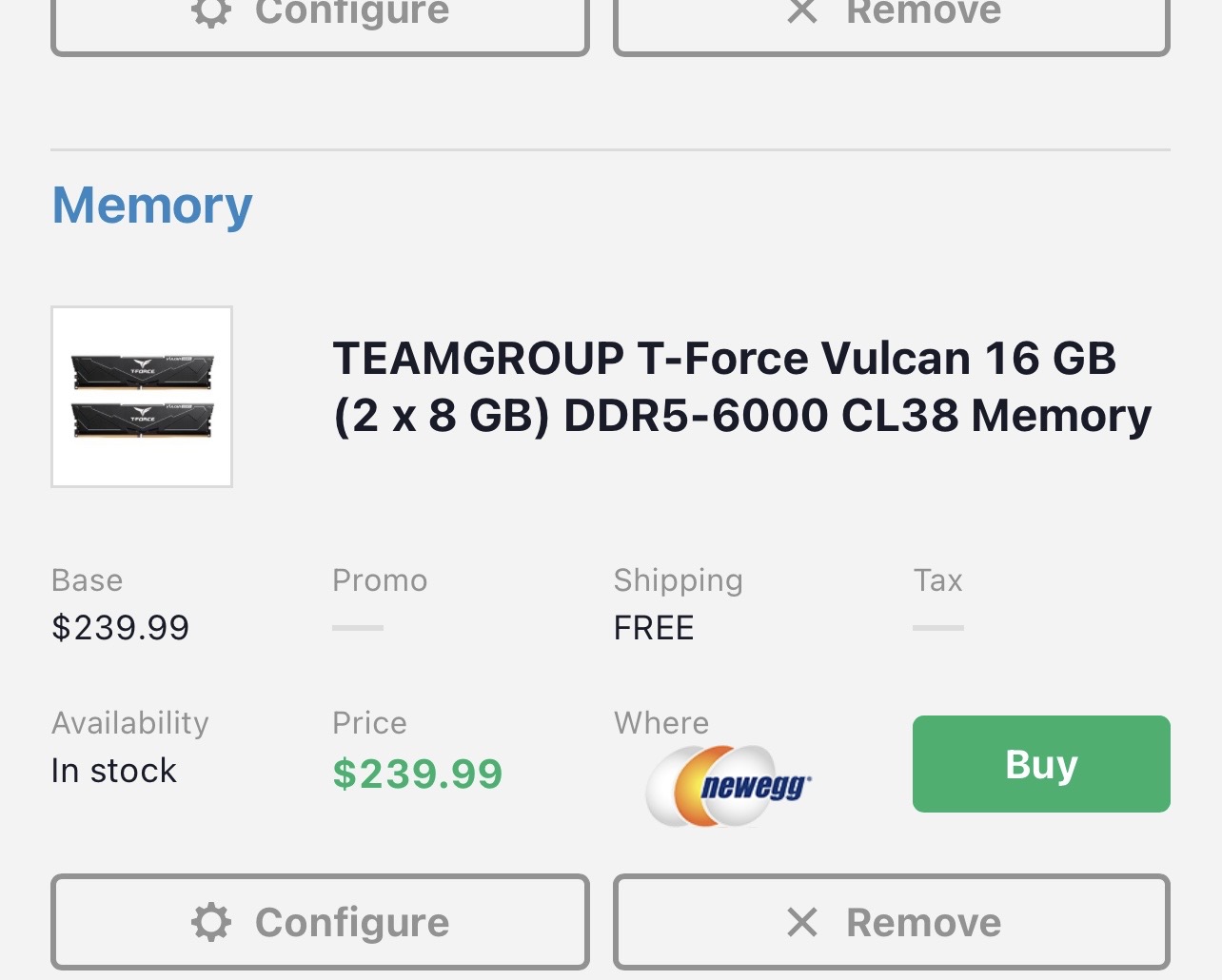
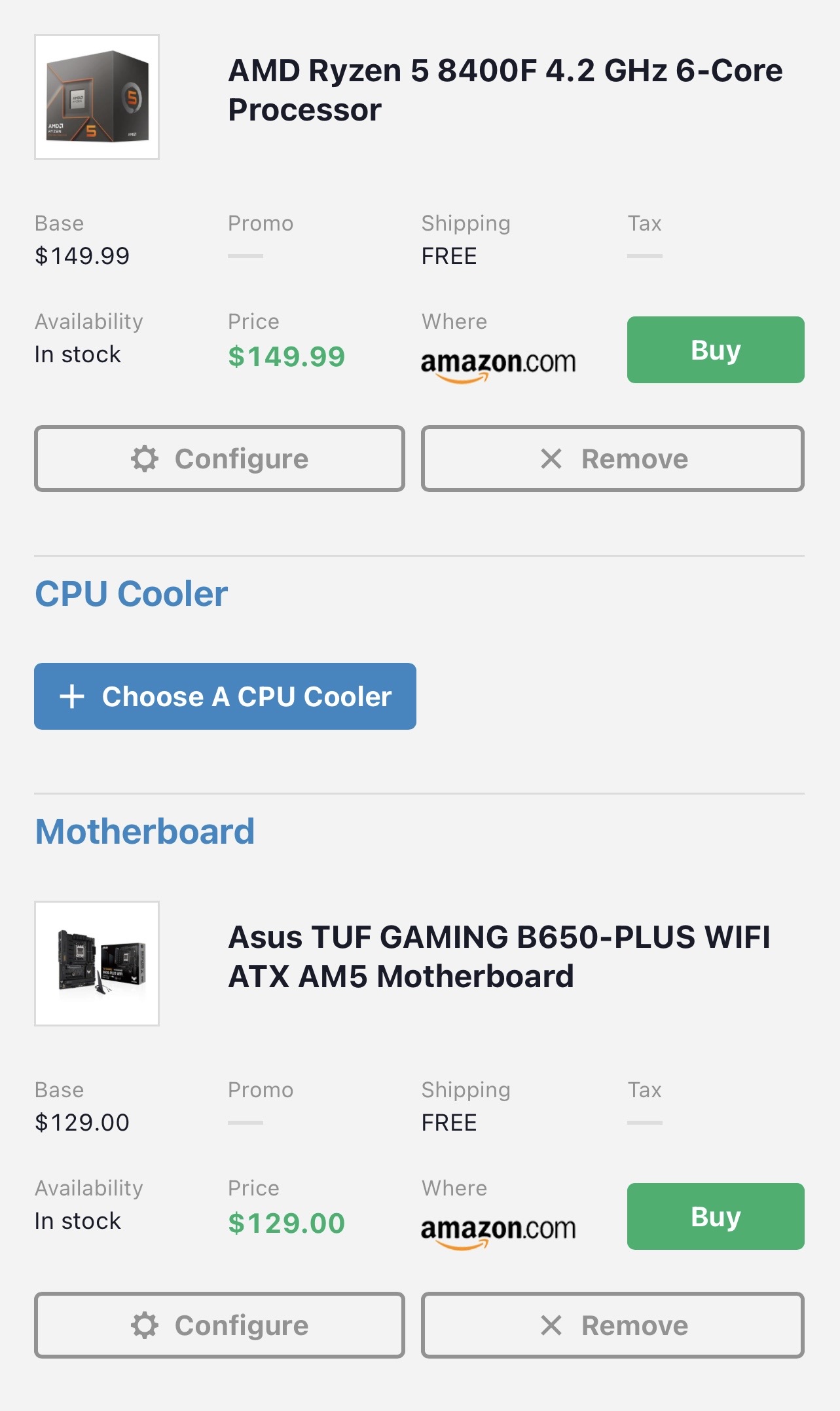
you might also want to plan on a newer case — older ones don’t always fit modern parts or have great airflow.
I know I said a lot here so if you need any clarification or help let me know. I tried to find you the least expensive parts that will get you onto the AM5 platform.
here’s an alternate CPU that’s faster and comes with a liquid cooler through Newegg.
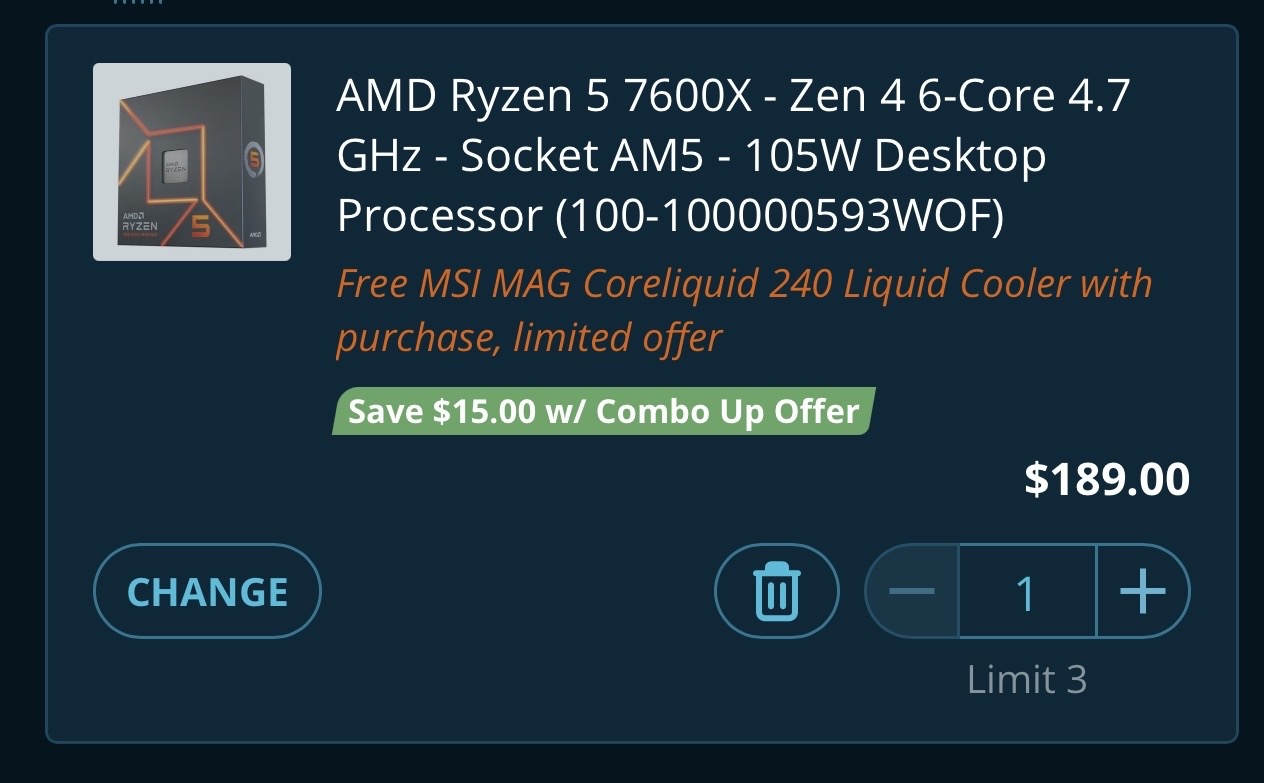
Thank you for all this information! Yes, it is certainly a lot of information to digest but it is all so helpful! I was thinking maybe the CPU I was looking at was a little much for what I have and do but wasn’t sure if going for something lower would come back to bite me later. RAM prices are definitely high right now so I want to go as minimum as I can there without also making it a waste. Motherboards are where I was super lost so I appreciate the help there. I want something that does well but also has longevity. My case is small for sure and honestly the graphics card was a tight fight. The PSU I am open to replacing as well. I bought it back in 2020. In terms of cost, I’d like to keep it somewhere between $400-700. Anything over that would be a stretch right now but I’m sick of playing on something that struggles.
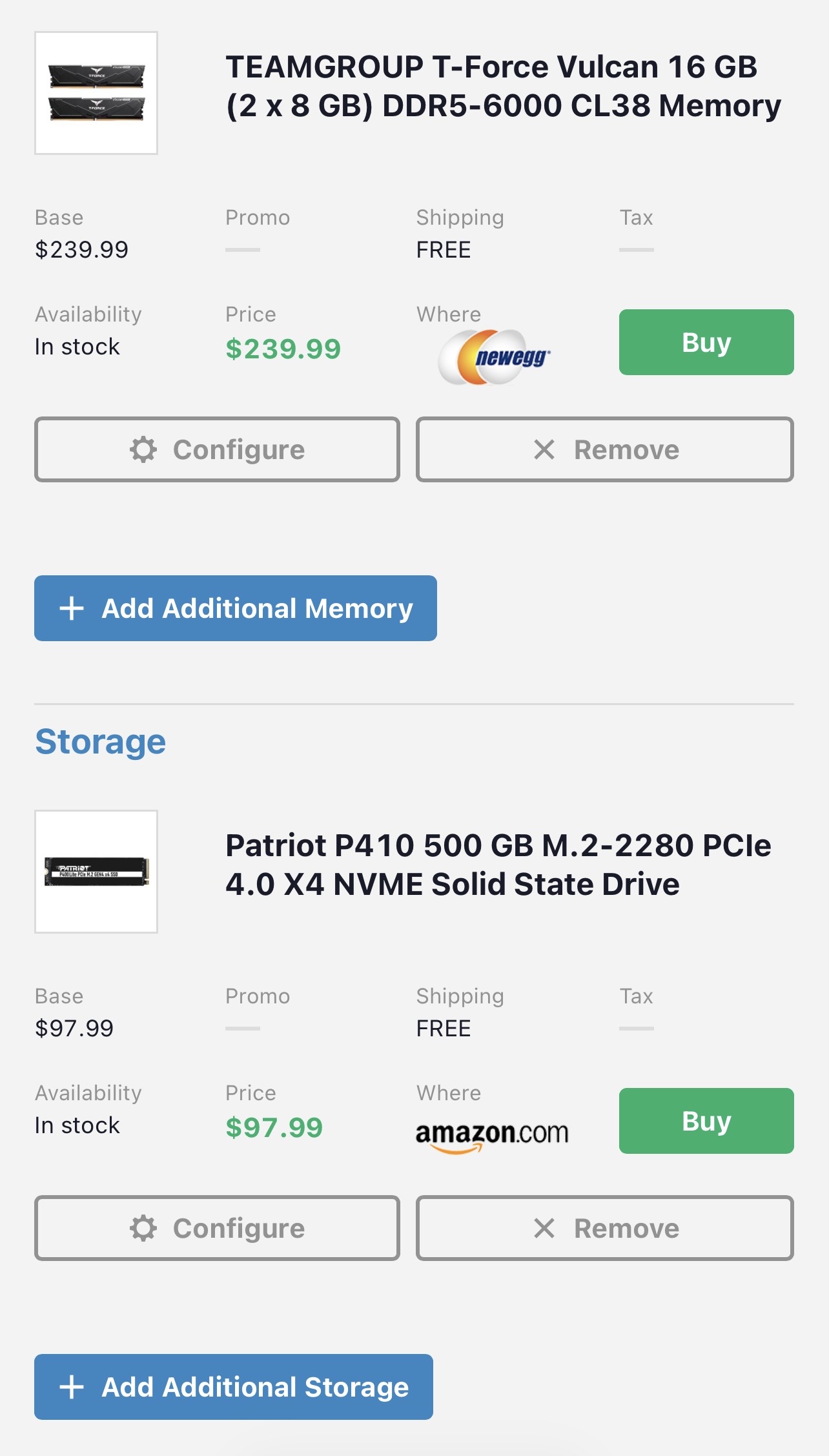
if you move to AM5 (highly recommended) stick with 16 GB for now you want the speed to be 6000 MHz the CL rating of at least 38 the lower the better whatever you think you can afford. Here is a major thing that you need to have also the memory has to be EXPO compatible to reach its full potential. i’ll put something together in that price range That will give you something to go off of
Here’s a little bit of a roadmap for you
This build should run the games you listed just fine with your 2080 Super — you’ll get solid performance now and a noticeable upgrade overall.
The CPU is kind of acting as a placeholder for now. It’s still a solid chip, but the idea is not to overspend there yet. When you upgrade your GPU later, that’s when it makes sense to step up to a higher-end CPU and really take advantage of it.
Also, your current PSU might be okay for now, but I wouldn’t plan on running it much longer — especially if you’re thinking about a future GPU upgrade.
Definitely shop around when you’re ready to buy — prices move a lot, and you might even be able to beat what I listed if you catch some deals.
This is just a solid starting point to get you onto AM5 with a good foundation
if you can swing it I would definitely upgrade to the 7600 CPU
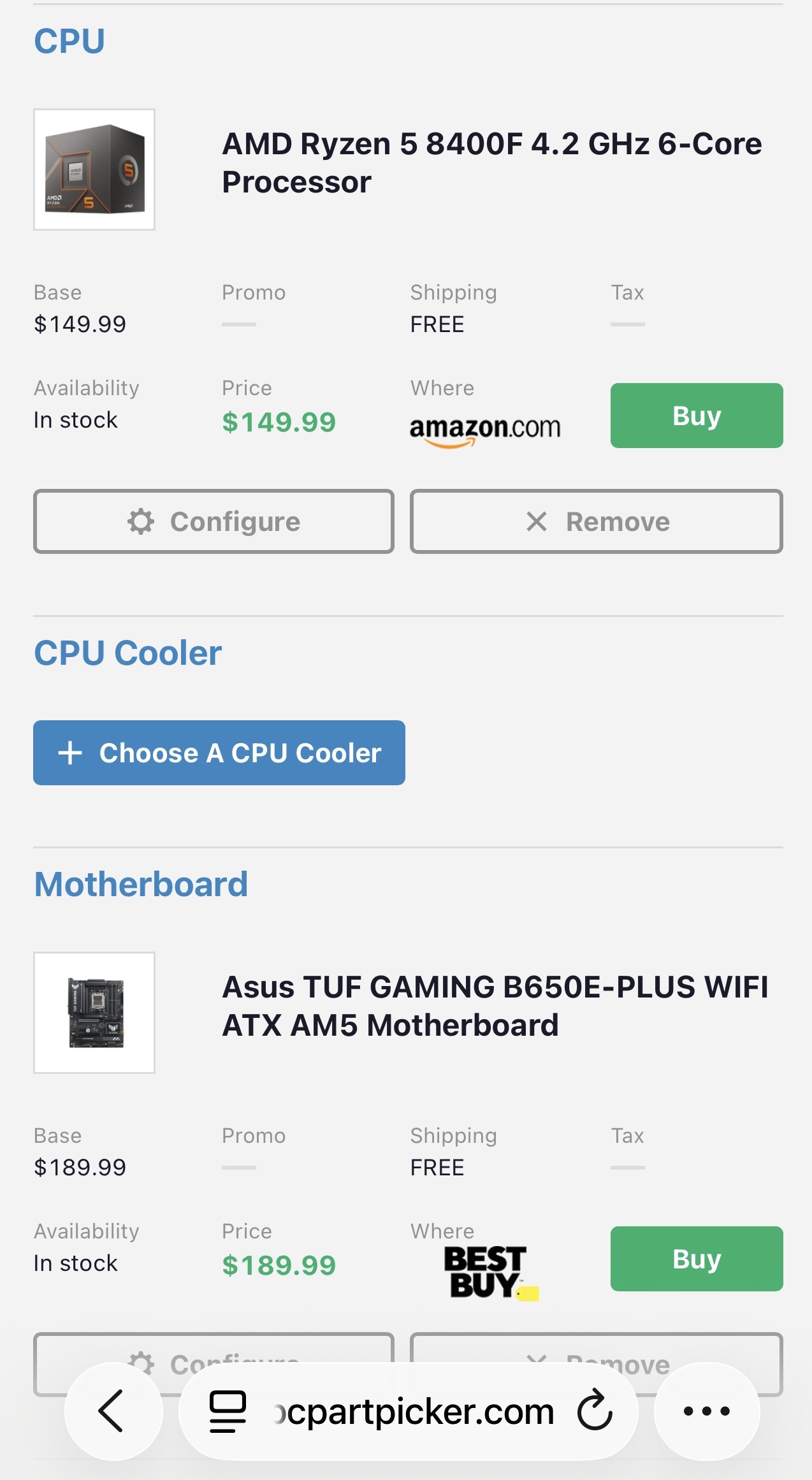
Combos is great way to save money also I made a PC builder list it had R5 9600X MSI 850 motherboard Corsair 16GB DDR5 RAM 1TB Patriot M.2 (SSD is needed for some games) MSI 850 PSU (more then you need but there for future needs) Phanteks ATX case with 4- 140 Fans & cames with a MSI 240 AIO cooler free
Just click on the link to edit anything Went a tad over budget but you can change to R5 7600X 650MB combo to lower cost a bit https://www.newegg.com/Product/ComboDealDetails?ItemList=Combo.4855507
Would that motherboard fit in the case I already own? I didn’t see it listed as a micro anywhere.
No it’s a ATX board I put a ATX case also in the build list. If you want use your old case we switch to a mATX board no problem
Not to be super lame but I am really trying to avoid a case change unless I can find another that perfectly matches the Razer Rose Quartz collection
You good It’s your computer you should have it your way!
MATX 7600X combo https://www.newegg.com/Product/ComboDealDetails?ItemList=Combo.4855503
mATX 9600X combo https://www.newegg.com/Product/ComboDealDetails?ItemList=Combo.4860513
And Both still come with the free MSI 240 AIO
PS have the combo in white also
Just make sure your case has place to mount 240 AIO Also how’s the case fans you change them as well upgrade the airflow & change the color. does the old have ARGB?
The CPU cooler or my regular fans? CPU cooler I have now is just a plain black fan. My regular fans are these ones. I have three of them.
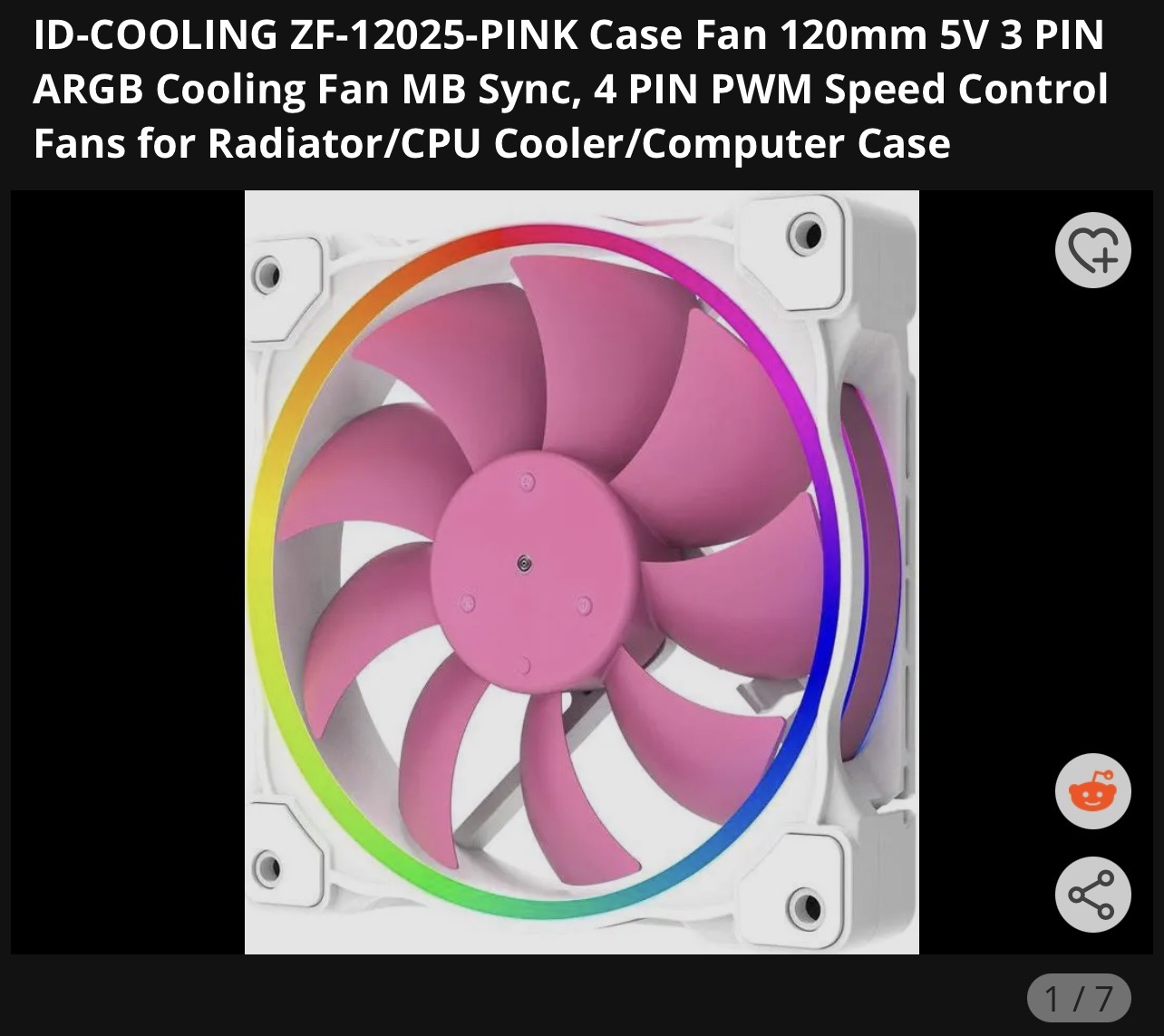
Could I ask you a stupid question? The storage SSD that’s on there is that in addition to stuff I already have or replacing something?
Also when looking at motherboards, what is the difference between something that has a B650 model and a B850 model? I’m out of my element there but I’m assuming there is a difference between the two just unsure on what.
On the Motherboards 850 is bout 2 years newer then the 650 The major differences being PCIe 5.0 vs 4.0 which the newest video cards use 5.0 like the AMD 9000 & NVIDIA 5000 cards PCIe 3.0 like your 2080 super will still work fine in PCIe 4.0/5.0 850 also had newer and faster WiFi and bluetooth and other minor things
Do you already have a SSD drive or is it mechanical? if it’s 3.5 drive it’s mechanical if it’s 2.5 it could be SSD. What I added to list is a M.2 which is a cableless hard drive it’s like RAM it just plugs in the motherboard super fast Read & Write speeds most newer games recommend a SSD or M.2 drive some require it
I wire my PC directly so wifi isn’t necessarily a feature I care about. Thank you for the information! So I should be fine with a 650 then? To the same effect if I don’t care about wifi do I need a mobo with wifi/bt features? I saw the wifi ones had more memory max but again not really sure what that means or if it will matter to me long term. Moreso unsure if it’s worth spending the additional money the boards with wifi cost if I don’t plan on using wifi.
Currently for harddrive I have a seagate compute 2tb 7200rpm that I got back in 2020 (not sure if that matters) but no SSD.
Most of the 850 features fall under the Nice to Have categories but PCIe 5.0 is bit more of future proofing. You can live with out it, But I do strongly recommend the M.2 drive if you can make it work in your budget if not now then soon Newer games may stagger without it
Okay! I can for sure make that work. I’m not trying to empty my pockets for upgrades but I also don’t want to cut corners and it come back to bite me later so I can make that work. Would you also recommend a different mobo if I plan on upgrading my GPU in a year or so? Obviously if needed I can update my CPU too but for now I am set on the Ryzen 5 7600x and want to get a mobo that has the most longevity and productivity even if I wanted more upgrades later. I’m trying to avoid constantly having to replace the entire thing if that makes sense.
This is a more accurate showing of what I have currently in terms of full setup minus the CPU of course I added the one I plan on purchasing.