
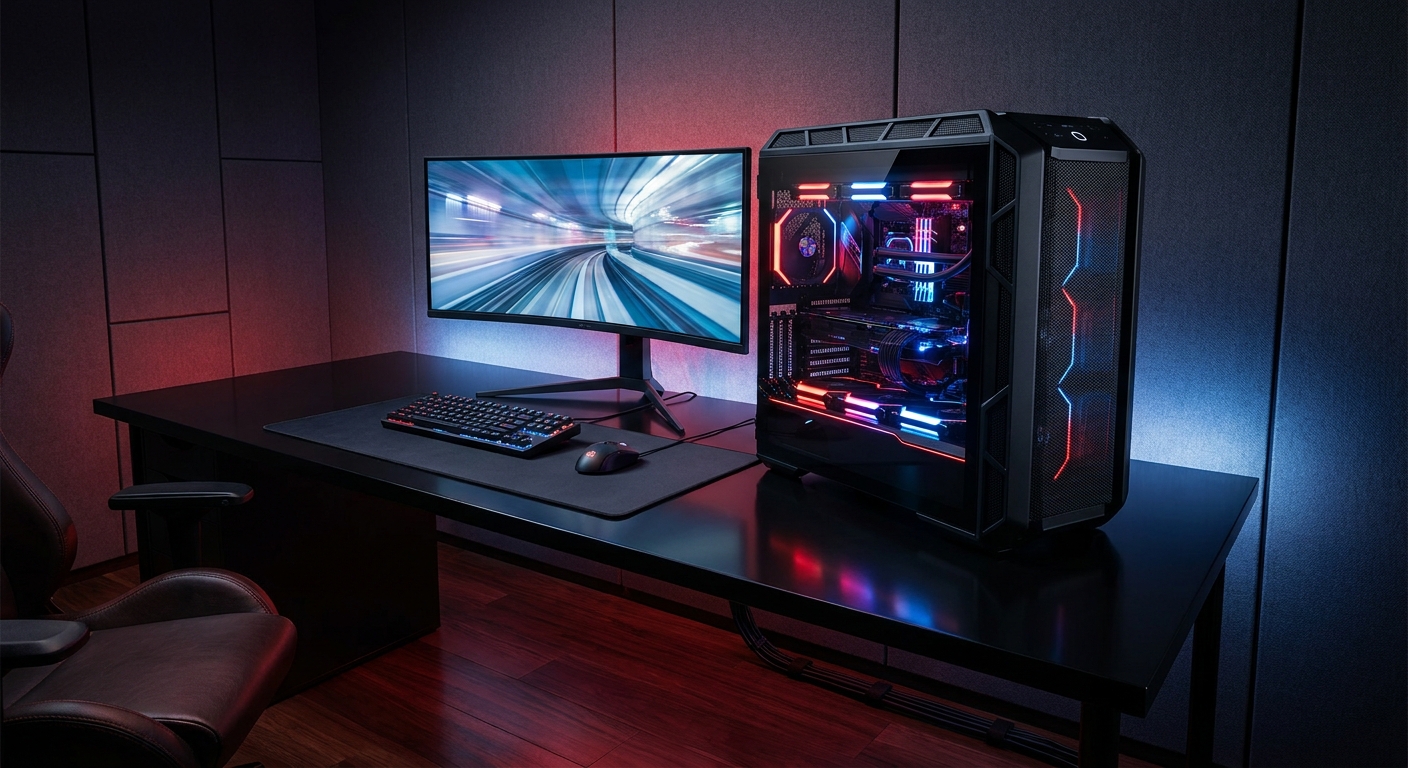
A great gaming setup starts with the right PC, but the best battlestations bring performance and personality together. Whether you want a bold RGB centerpiece, a sleek black build, or a compact system for 1080p gaming, these prebuilt desktops offer strong foundations for an ROG-inspired space. We compared their performance, component balance, upgrade potential, and the type of setup each one can support.
How We Picked the Best Gaming Setup PCs
We focused on the hardware inside each system—not just the way it looks on a desk. Graphics hardware received the most attention because it has the biggest effect on modern gaming performance. Processor class, memory, storage, cooling, and the power supply also help determine whether a PC is ready for demanding games, streaming, and creative work.
- High-end systems are judged by their GeForce RTX 5090 platform, cooling, and power delivery.
- Mainstream systems are evaluated for practical 1080p gaming value.
- At least 16GB of memory and an NVMe SSD are preferred for responsive everyday use.
- Case design, wireless connectivity, and included accessories matter for a complete battlestation.
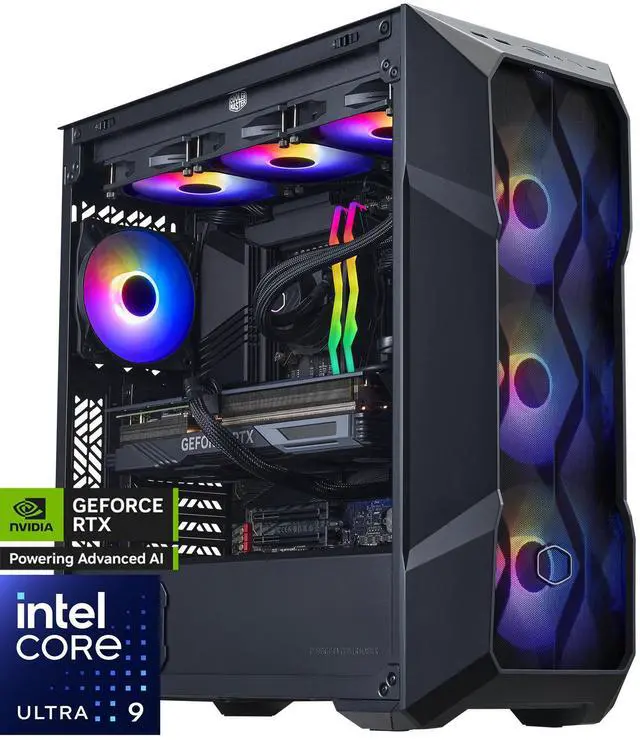
#1 Best Overall: Cooler Master TD5 Pro
If you want one prebuilt to anchor a premium gaming room, the Cooler Master TD5 Pro is the standout choice. Its Intel Core Ultra 9 285K features 24 cores, including 8 performance cores and 16 efficiency cores. The system also pairs that processor with a GeForce RTX 5090, 32GB of DDR5-6000 memory, and a 2TB PCIe Gen4 M.2 SSD.
This black TD500 Mesh system has the cooling and power hardware to match its enthusiast-class components, including a 360mm Cooler Master MasterLiquid 360L Core ARGB cooler, a Z890 motherboard, and a Cooler Master 1000W Gold power supply. Wi-Fi, Bluetooth, Windows 11 Home, and VR readiness make it an easy centerpiece for a complete gaming setup.
Best for Competitive Gaming: ABS Kaze Ruby
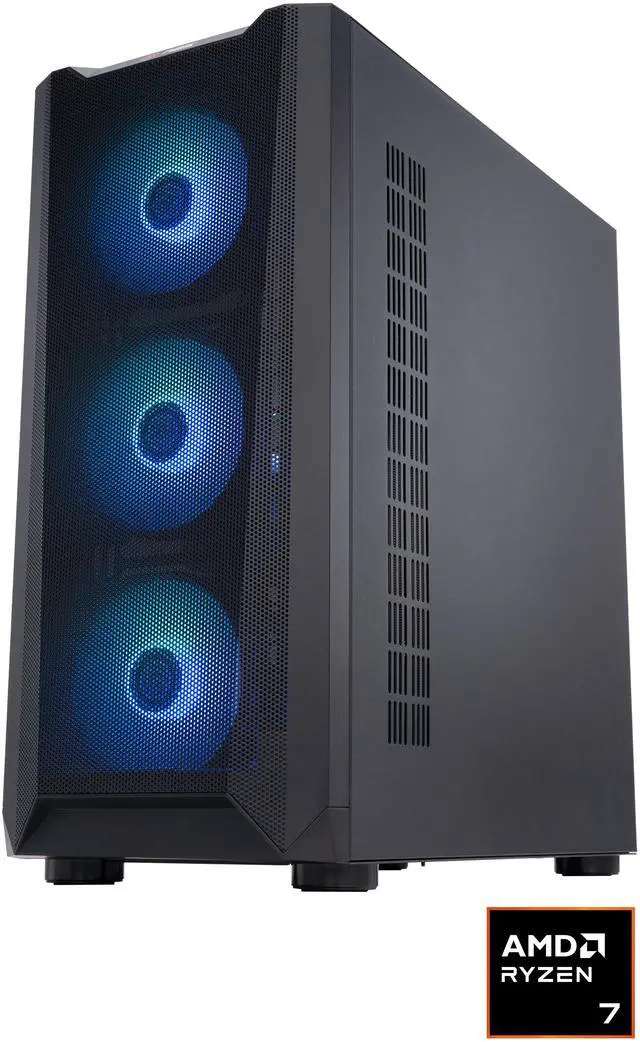
For a battlestation built around fast-paced gaming and high-refresh displays, consider the ABS Kaze Ruby. It combines an AMD Ryzen 7 9800X3D with a GeForce RTX 5090 featuring 32GB of GDDR7 memory. Its 32GB of DDR5-6000 RAM, 2TB PCIe 4.0 x4 NVMe SSD, and 360mm GAMDIAS liquid cooler round out a focused high-performance configuration.
Wi-Fi 6E, Bluetooth 5.3, and a 1200W 80+ Gold ATX 3.0 power supply add flexibility for a modern setup. Choose this black mid-tower when gaming speed and a strong visual presence matter more to you than workstation capacity.
Best for Streaming and Creation: GIGABYTE AORUS SUPREME 5
The used GIGABYTE AORUS SUPREME 5 is especially well suited to streamers and creators who can benefit from additional memory and fast storage. It includes 64GB of DDR5 memory and a 2TB AORUS Gen5 14000 NVMe SSD, along with a Ryzen 7 9800X3D, an AORUS GeForce RTX 5090, a 360mm AIO cooler, and a 1000W 80+ Platinum power supply.
The X870E platform, 2.5Gb Ethernet, Wi-Fi 7 listing, RGB Fusion 2.0 support, and tempered-glass mid-tower design give this system plenty of appeal for a feature-rich battlestation. Since it is listed as used, review the condition details carefully before purchasing.
Best Mainstream Value Picks
For a compact setup with a practical feature set, the STORMCRAFT SIRIUS is a smart starting point. It uses an Intel Core i5-14400F, a GeForce RTX 5060 with 8GB of GDDR7, 16GB of DDR4-3200 memory, and a 1TB SSD. Six ARGB fans, a 650W 80+ Gold power supply, Wi-Fi, and an included keyboard and mouse make it easier to complete a starter gaming station.
If you are shopping for entry-level 1080p gaming, the HZG M500 keeps the essentials in place. Its six-core, 12-thread Ryzen 5 5600 works with a Radeon RX 6600-class graphics card with 8GB of GDDR6 memory, 16GB of DDR4-3200, and a 1TB NVMe SSD. Wi-Fi 6, Bluetooth 5.2, and a 550W 80 Plus Bronze power supply add practical connectivity and power support.
Quick Comparison and Final Recommendation
- Best overall: Cooler Master TD5 Pro for its Core Ultra 9, RTX 5090, 360mm cooling, and balanced platform.
- Best competitive gaming: ABS Kaze Ruby for its Ryzen 7 9800X3D and RTX 5090 combination.
- Best streaming: GIGABYTE AORUS SUPREME 5 for 64GB RAM and Gen5 storage.
- Best value: STORMCRAFT SIRIUS for a complete RTX 5060 starter package.
- Best entry-level: HZG M500 for accessible 1080p gaming hardware.
For the most impressive ROG-inspired battlestation, the Cooler Master TD5 Pro is our top recommendation. Its black mesh case, ARGB liquid cooling, and RTX 5090 graphics platform give you a powerful foundation to build around. Pair it with a high-refresh monitor, coordinated lighting, thoughtful cable management, and a sturdy desk for a setup that looks as cohesive as it plays.
Note: Component availability, pricing, and product condition can change. Review the current listing before ordering.
Frequently Asked Questions
Which PC is best for a high-end gaming battlestation?
The Cooler Master TD5 Pro is the strongest overall choice because it combines a Core Ultra 9 285K processor, GeForce RTX 5090 graphics, 32GB of DDR5 memory, and a 2TB NVMe SSD. Its 360mm liquid cooler, Cooler Master 1000W Gold power supply, Wi-Fi, and black mesh design also make it a practical centerpiece for a premium setup.
Which gaming PC is best for competitive games and high-refresh monitors?
The ABS Kaze Ruby is the most focused option for competitive gaming because it pairs a Ryzen 7 9800X3D processor with a GeForce RTX 5090. Its 32GB of DDR5-6000 memory and 360mm liquid cooler provide a strong foundation for high frame rates, although the best experience also depends on your monitor and game settings.
Are these gaming PCs suitable for streaming and content creation?
The GIGABYTE AORUS SUPREME 5 is the best fit for streaming and creative workloads because it includes 64GB of memory, a 2TB Gen5 NVMe SSD, a Ryzen 7 9800X3D, and RTX 5090 graphics. It is listed as used, so check the seller’s condition details, included accessories, return policy, and warranty coverage before purchasing.
Which PC offers the best value for 1080p gaming?
The STORMCRAFT SIRIUS is the best mainstream value pick, with an Intel Core i5-14400F, RTX 5060 graphics, 16GB of RAM, and a 1TB SSD. The HZG M500 is a more affordable entry-level alternative for 1080p gaming, but its Ryzen 5 5600 and Radeon RX 6600-class graphics leave less room for demanding future games.
What should I check before ordering one of these prebuilts?
Confirm the current price, stock status, product condition, warranty, return policy, exact graphics card model, power supply rating, and included accessories on the live listing. Component availability and seller information can change, especially for used systems, so verify these details immediately before checkout.
Read More
- AMD Ryzen 7 9800X3D Desktop Processor — Review AMD’s official specifications and features for the Ryzen 7 9800X3D gaming processor.
- NVIDIA GeForce RTX 5090 and RTX 5080 Launch Overview — Learn about the RTX 5090 platform, DLSS 4, neural rendering, and available prebuilt systems from NVIDIA.
- Intel Core Ultra 9 Processor 285K Specifications — Check Intel’s official core count, frequency, memory support, power specifications, and platform details.
- ROG Desktop PC Configurator — Use ROG’s desktop configurator guidance to explore gaming PC options based on games, budgets, and setup goals.
- GeForce RTX 5090 Founders Edition — Visit NVIDIA’s official product page for the RTX 5090 Founders Edition and its core graphics platform information.
Related Posts
- How to Choose the Right ABS Gaming PC by GPU
- AI Workstation vs Gaming PC: Which Do You Actually Need?
- Best Gaming Benchmark PCs for Everyday Play: What to Look For
- How to Use Newegg’s Custom PC Builder: From Blank Page to Complete Build
- Exploring Newegg Shopping Tools: Optimizing Your Tech Purchases