
My street loses power for about four seconds roughly once a month. Not a real outage — a flicker, the kind where the microwave clock resets and everyone in the house says “oh” at the same time. For years that was a mild annoyance. Then it happened while I was thirty minutes into exporting a video, and I bought a UPS the following week.
Battery backups are one of the least interesting things you can put under a desk and one of the few that actually saves you something. The trick is that most people either buy far more than they need or buy something so small it shuts off before Windows finishes closing. So rather than ranking eight boxes from best to worst, I have sorted them by what you are protecting.
The Two Numbers, and Why the Second One Is the Real One
Every UPS lists a VA rating and a watt rating. VA is the headline number and watts is the one that decides whether your machine stays on. A unit rated 1500VA and 900W will carry 900W, full stop. Size against your actual draw, not your power supply’s label — a 850W PSU in a gaming PC very rarely pulls 850W.
The other thing to check is the waveform. Cheaper units output a stepped approximation of a sine wave when they switch to battery, and most modern power supplies with active power factor correction dislike that enough to shut down, which is a spectacular way to fail at the one job the device has. If the PC on the other end is anything serious, buy pure sine wave.
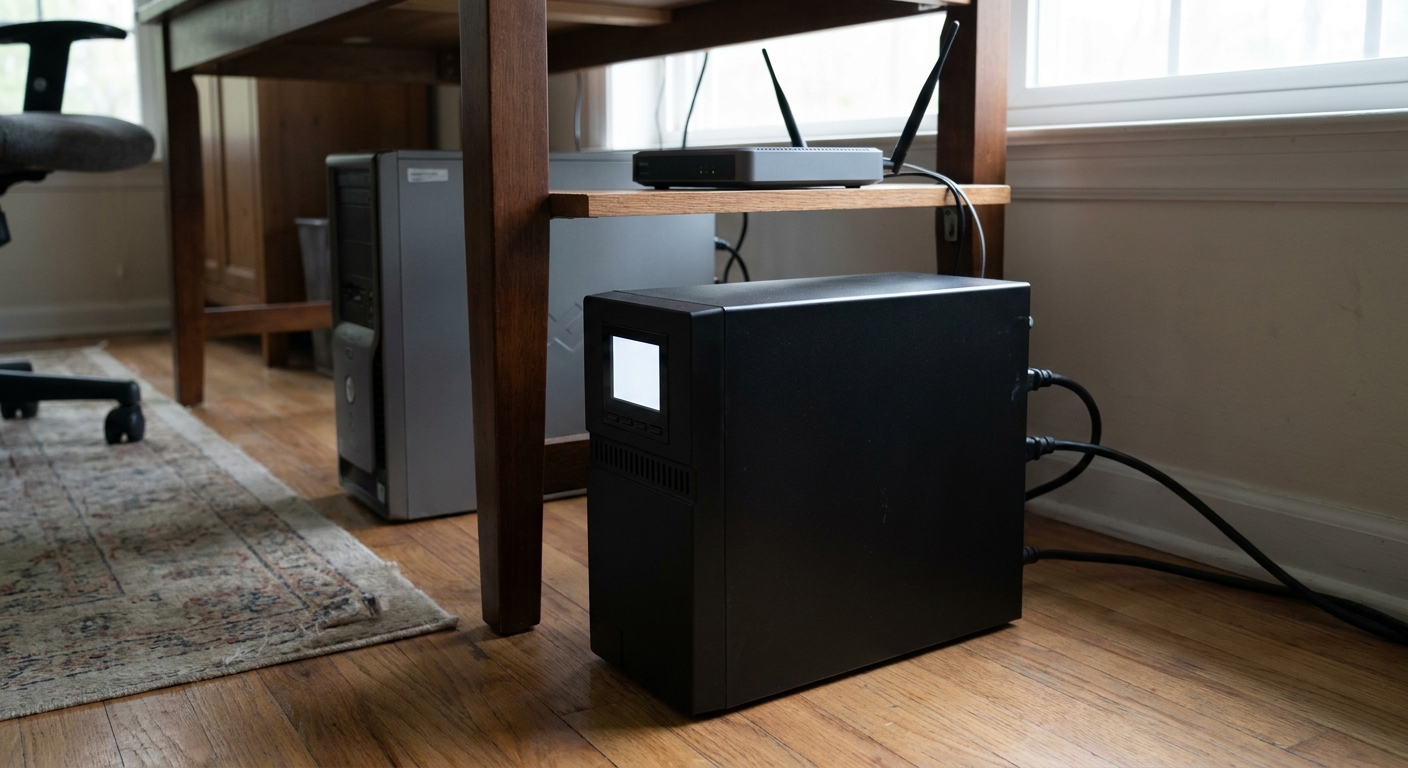
Scenario One: A Gaming PC and a Monitor
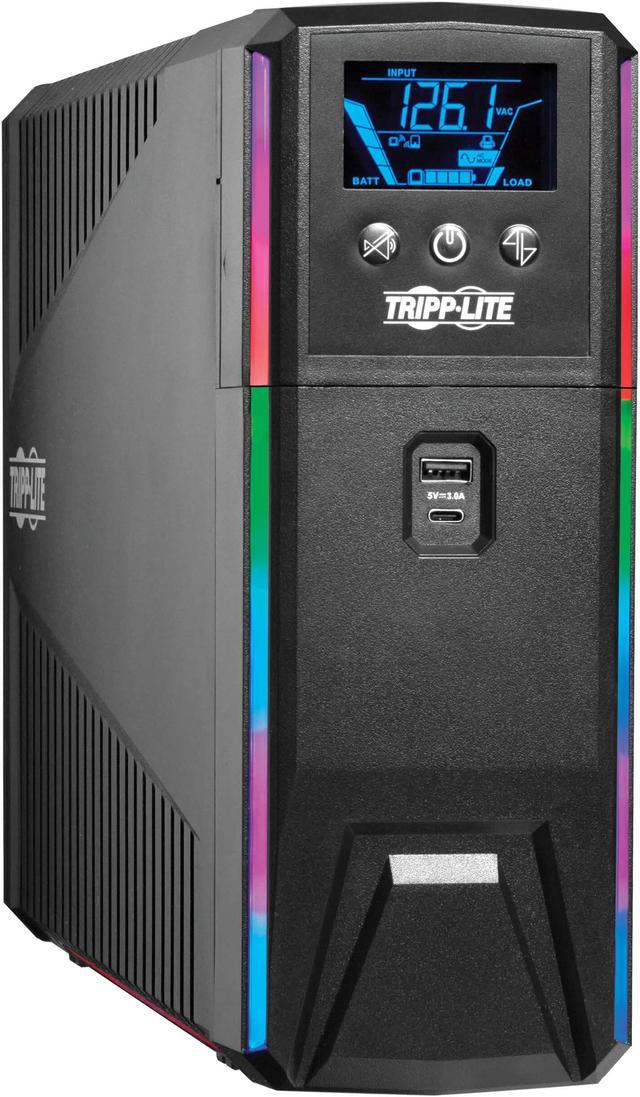
The Eaton Tripp Lite SMART1500PSGLCD is the one I would put behind a desktop. It is 1500VA and 900W of pure sine wave output with automatic voltage regulation, ten NEMA 5-15R outlets, an LCD, USB charging ports and a 316-joule surge rating. It also has programmable RGB LED banks on the front, which is either the correct decision or an absurd one depending on your desk. Recharge from ten to ninety percent takes about seven hours, and the unit weighs a shade over 29 pounds — these things are heavy because they are mostly battery.
The runtime here is not the point. You are buying enough time to save, quit and shut down properly, plus immunity to those four-second flickers.
Scenario Two: A Whole Desk, Without the RGB
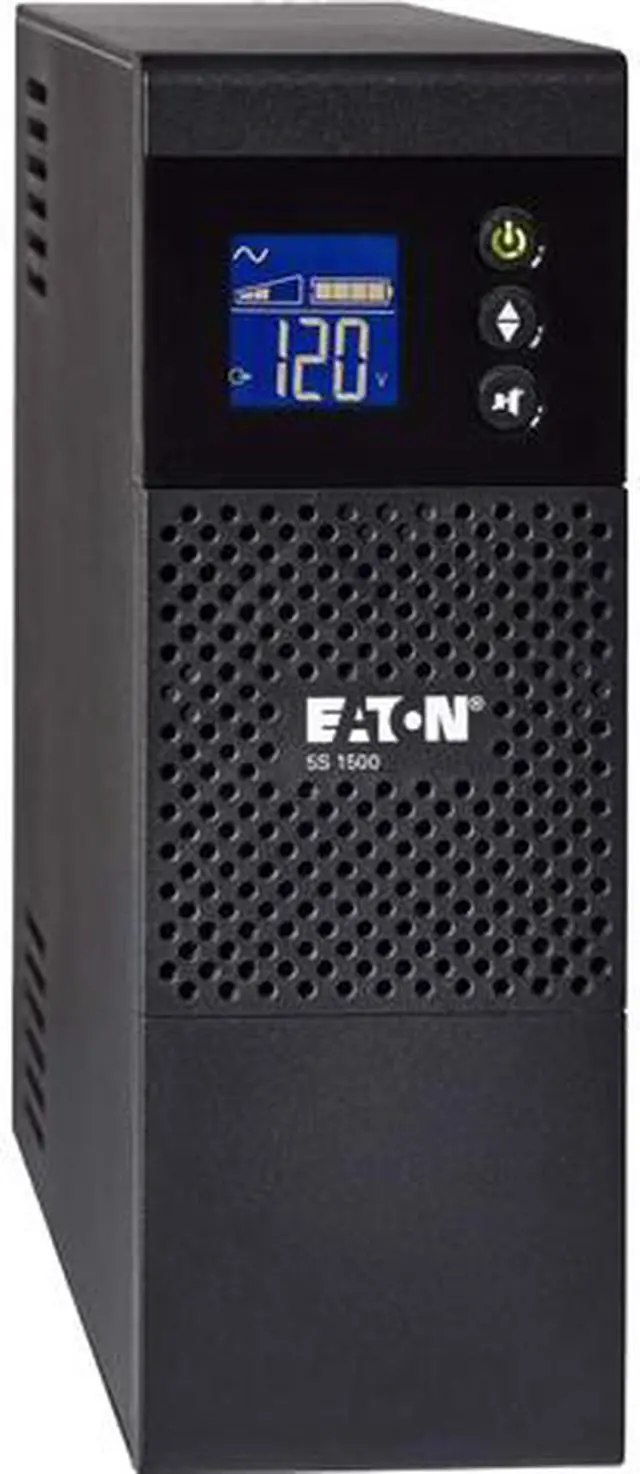
The Eaton 5S1500LCD is the plain version of the same idea: 1500VA and 900W, line-interactive, ten outlets, USB monitoring and an LCD. Eaton quotes twelve minutes of runtime at half load and two at full load, which is the honest arithmetic of every UPS in this class and worth internalising before you buy. If you want the machine to keep running through an actual outage rather than shut down gracefully, you need a much bigger unit than you think.
If your load is lighter, the Eaton 5S1000LCD is the same chassis at 1000VA and 600W, still with ten outlets, rated for fourteen minutes at half load and three at full. Same footprint, several pounds lighter.
Scenario Three: You Need Real Watts
The Eaton 5SC1500 is the odd one out and the one I would pick for a workstation. It is rated 1440VA but 1080 watts, which is a much better ratio than the 1500VA/900W units above — a UPS is only as useful as its watt figure, and this one gives you the most of any tower here. Eight outlets rather than ten, RS-232 alongside USB, and thirteen minutes at half load. It is also the heaviest thing on this list at 34 pounds. Lift with your knees.
Scenario Four: Just the Router and the Modem
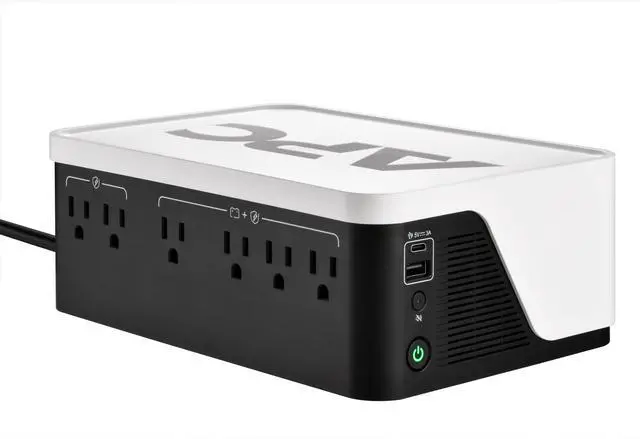
This is the purchase almost nobody makes and almost everybody should. Your router and modem draw very little, which means a small UPS runs them for a genuinely long time — APC quotes over 100 minutes of runtime for network gear on the APC BE500G3 Back-UPS. It is a 500VA unit with four outlets and two USB charging ports, one Type-A and one Type-C, and it is small enough to sit under the shelf the router lives on.
Keeping the internet up during a neighbourhood outage means your phone still works, your cameras still record and you can look up when the power is coming back. For the size of the box that is a lot of value.
Scenario Five: The Sensible Middle, and the Long-Life Option
The APC Back-UPS Pro BR1000MS is 1000VA and 600W of sinewave output with AVR and an LCD, split across ten outlets — six with battery backup and surge protection, four with surge only. That split is more useful than it sounds, because a monitor and a desk lamp do not need battery and they do eat runtime.
Two Vertiv units round things out. The Liebert PST6-1100LVMT is 1100VA and 670W standby with eight outlets, USB-A and USB-C charging, user-replaceable batteries and a three-year warranty. And the Liebert PUL-350LVT is the interesting one: 350VA and 210W with a lithium-ion battery rather than lead-acid, four outlets, wall mountable, Energy Star certified, rated to operate up to 104 degrees Fahrenheit and covered for five years. Vertiv claims roughly three times the life expectancy of lead-acid, which matters because the failure mode of every UPS on this list is the same — the battery dies in three to five years and you either replace it or you own a heavy surge protector.
What I Would Actually Buy
One small unit for the router, always. Then one properly sized pure sine wave tower for whatever machine you would be annoyed to lose. Do not chase runtime; chase clean output and enough watts. And put a calendar reminder three years out to check the battery, because nobody ever does and that is how people find out theirs is dead at the exact moment it was supposed to work. The current range is in Newegg’s UPS battery backup listings.
Frequently Asked Questions
How long will a UPS actually run my PC? Minutes, not hours, and that is by design. The Eaton 5S1500LCD is rated for twelve minutes at half load and two at full load, and that pattern holds across the category. A consumer UPS exists to ride out flickers and to give you time for a clean shutdown. If you need a machine to keep working through a long outage you are looking at a much larger unit with external battery packs.
Do I really need pure sine wave output? If a desktop PC is plugged into it, yes. Power supplies with active power factor correction can misread a stepped-approximation waveform and shut down or run rough when the UPS switches to battery. For a router, a modem or a phone charger a simulated waveform is perfectly fine.
What size UPS should I buy for a gaming PC? Work from real draw rather than your power supply’s rating. A typical mid-range gaming desktop plus one monitor sits well under 500W in use, so a unit rated around 900W of output leaves comfortable headroom. Oversizing does not hurt anything except your wallet and your back.
How often do UPS batteries need replacing? Sealed lead-acid batteries generally last three to five years, sooner in a warm room. Most units will warn you with an audible alarm or a display code, and on models with user-replaceable batteries the swap is straightforward. Lithium-ion models such as the Vertiv PUL-350LVT are rated for considerably longer service life.
Read More
- Tom’s Hardware: Four-Way 900W UPS Roundup — Bench testing of switchover behaviour, waveform quality and measured runtime on comparable units.
- PCGuide: Best Uninterruptible Power Supplies — A current buying guide covering sizing, waveform and the trade-offs between standby and line-interactive designs.
- ENERGY STAR: Uninterruptible Power Supplies — The efficiency criteria behind the certification, and why a UPS draws power even when nothing is happening.
- Wikipedia: Uninterruptible Power Supply — A clear technical explanation of standby, line-interactive and online double-conversion topologies.
- Newegg: UPS Battery Backups — Filter current units by VA rating, watt output, outlet count and waveform.