
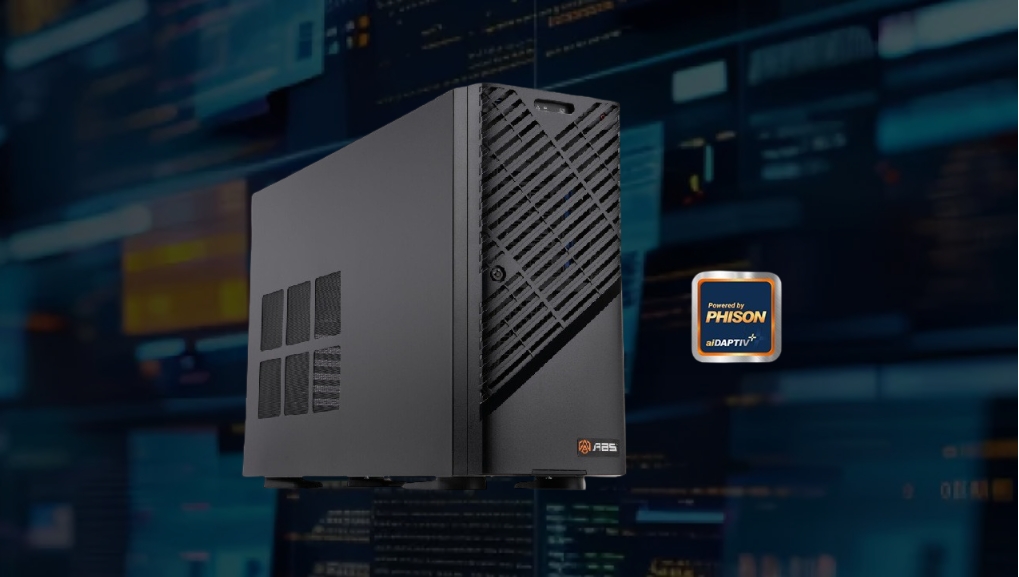
If you need a high-performance AI workstation that arrives configured, validated, and ready to train on day one — without building it yourself — ABS Workstations is the answer worth your attention. Sold exclusively through Newegg, the ABS Zaurion series delivers custom-configured systems built around professional NVIDIA RTX GPUs, workstation-class CPUs, and enterprise-grade storage, all bench-tested before they leave the facility. Lead time runs 1–2 weeks from order to delivery, and the optional pre-installed AI software stack means you can load your first model the same afternoon the box arrives.
This guide covers everything you need to evaluate ABS as your next AI workstation platform: what the Zaurion line includes, how to match a configuration to your workload, what bench-testing actually means for your production uptime, and where ABS stands against the DIY alternative and other pre-built vendors.
Why Choose a Pre-Built AI Workstation?
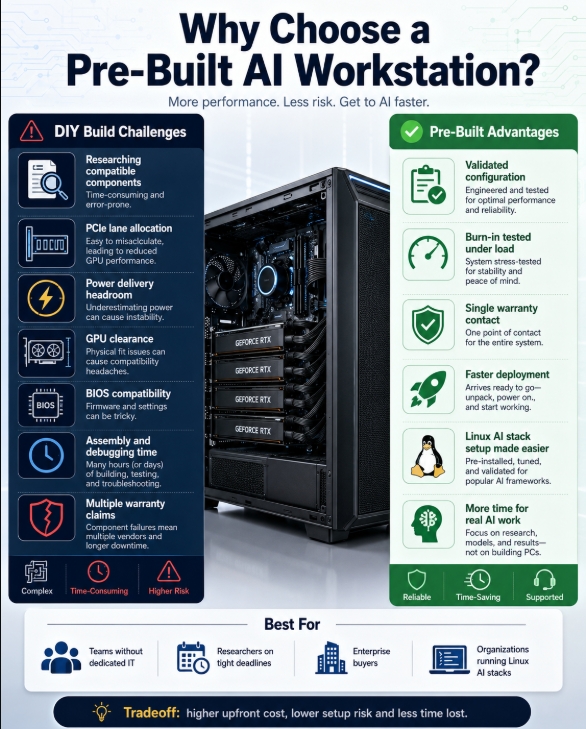
The case for building your own AI workstation is real: component selection control, maximum price-per-FLOP transparency, and the satisfaction of knowing exactly what is inside. But that calculation changes the moment you factor in the full cost of a DIY build for professional use.
Sourcing compatible components for a multi-GPU workstation takes time — days or weeks of researching PCIe lane allocation, power delivery headroom, GPU physical clearance, and BIOS compatibility across platform generations. Assembling and debugging adds more time. If something fails under load six months later, you own the diagnosis and the warranty claim negotiation with three separate vendors. And if the system is for a team — a research group, a studio, a startup without dedicated IT staff — every hour spent on the build is an hour not spent on the project it is supposed to accelerate.
Pre-built AI workstations shift that burden. You specify the configuration that matches your workload, the vendor verifies it works, and you receive a system that has already run at sustained load. The value proposition is most compelling for:
- Teams without a dedicated IT department who need the system to work on arrival
- Researchers under a grant deadline who cannot afford three weeks of hardware debug
- Enterprise buyers who need a single warranty contact and accountable support line
- Organizations running Linux AI stacks where validated driver and framework installation saves substantial setup time
The tradeoff is a markup over bare components. Whether that markup is worth it depends entirely on how you value the time you would otherwise spend — and how much risk tolerance you have for compatibility issues under production load.
What ABS Workstations Offer (Newegg Exclusive)
ABS is a Newegg-exclusive brand. You will not find the Zaurion line at other retailers. That exclusivity matters because it means Newegg’s procurement, configuration, and support infrastructure is directly behind every unit — component availability is coordinated, and the support chain runs through a single relationship rather than a patchwork of third-party resellers.
The flagship line is the Zaurion series, offered in six configurations spanning single-GPU mid-towers to four-GPU enterprise towers. Every Zaurion is built around NVIDIA professional RTX GPUs — currently the RTX Pro 6000 Blackwell (96 GB GDDR7) across most configurations, with the Zaurion Pro carrying four RTX 6000 Ada Generation cards for maximum enterprise throughput.
Zaurion Line Overview
| Model | GPU (installed) | Max GPUs | CPU Platform | Max RAM | Best For |
|---|---|---|---|---|---|
| Zaurion Aqua | 1× RTX Pro 6000 Blackwell (96 GB) | 4× | Intel Xeon W5/W7/W9 | 1 TB DDR5 | AI inference, rendering, simulation |
| Zaurion Duo Aqua | 2× RTX Pro 6000 Blackwell MaxQ | 4× | Intel Xeon W5/W7/W9 | 1 TB DDR5 | AI training, VFX production |
| Zaurion Ruby | 1× RTX Pro 6000 Blackwell (96 GB) | 4× | AMD Threadripper Pro 7975WX | 1 TB DDR5 | HPC, AI, high-core-count rendering |
| Zaurion Duo Ruby | 2× RTX Pro 6000 Blackwell MaxQ | 4× | AMD Threadripper Pro 7975WX–7995WX | 1 TB DDR5 | Dual-GPU deep learning, production |
| Zaurion Ruby Mid-tower | RTX Pro 4500 / 5000 / 6000 Blackwell (tiered) | 1× | AMD EPYC 4565P (16-core) | 256 GB DDR5 ECC | Entry AI dev, 70B-class LLM inference |
| Zaurion Pro | 4× RTX 6000 Ada Generation | 4× | Intel Xeon W5-3535X (20-core) | 2 TB DDR5 ECC | Enterprise LLM training, generative AI |
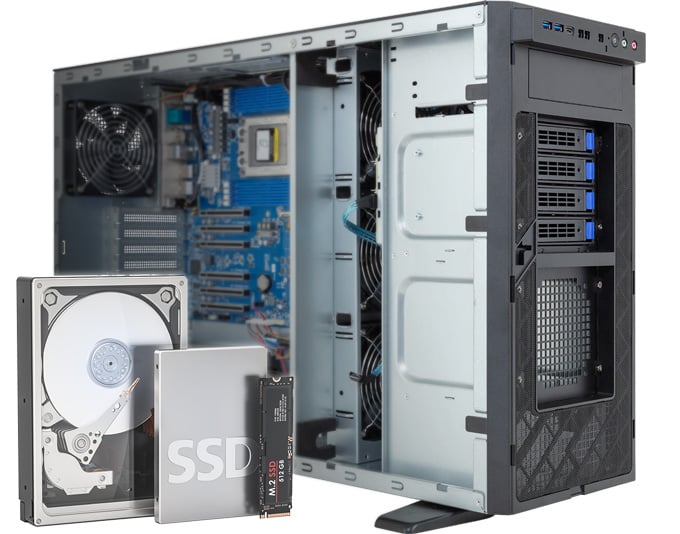
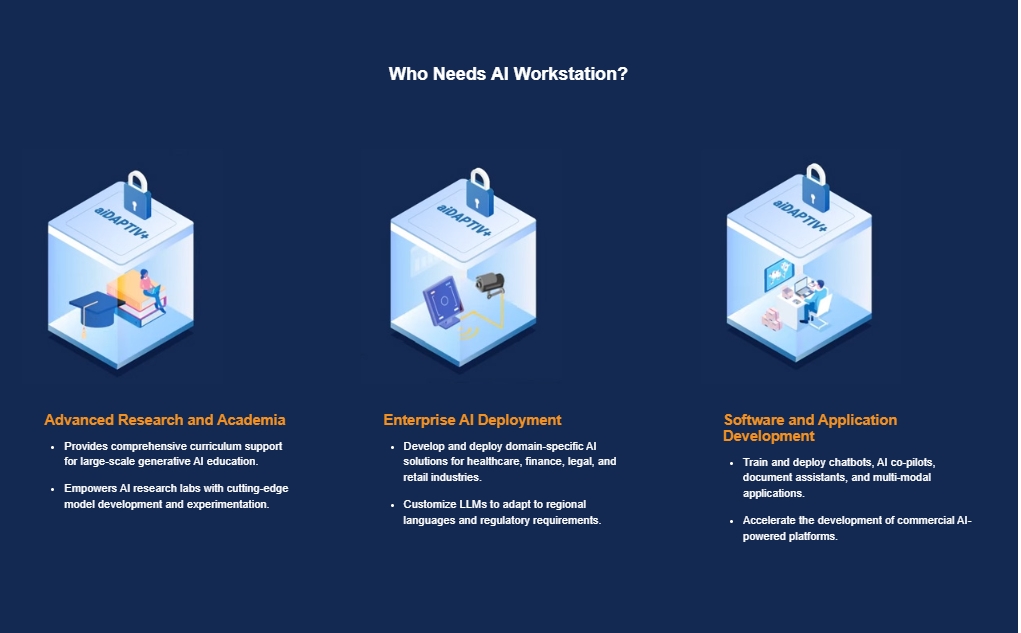
Every configuration ships with NVMe SSD primary storage (2 TB on most models) plus additional SSD capacity for datasets. The Zaurion Pro includes Pascari aiDAPTIV™, which extends working AI memory across GPU memory, system memory, and a dedicated flash memory tier. This enables larger models and more demanding AI workloads.
On the software side, ABS offers an optional pre-installed AI stack: Ubuntu/Debian with an optimized kernel, CUDA drivers and toolkit, PyTorch, TensorFlow, JAX, Hugging Face Transformers, Docker Compose, and workstation-tuned configurations — all validated against the specific hardware configuration in your system. That stack is meaningfully different from a generic OS install, because the BIOS settings, driver versions, and power management parameters are pre-tuned for sustained GPU compute rather than desktop defaults.
Trusted customers listed on the ABS site include Apple, Meta, SpaceX, NASA, Lockheed Martin, Hugging Face, and Carnegie Mellon — industrial and research deployments that validate the platform’s credibility at scale.
How to Configure Your ABS AI Workstation
The right Zaurion configuration depends on three variables: your primary workload type, your VRAM requirement, and whether you need CPU-bound parallel compute alongside GPU inference or training.
GPU Tier Selection
The RTX Pro 6000 Blackwell’s 96 GB of GDDR7 VRAM is the headline spec. To put that in context: running a 70B parameter model at FP16 precision requires approximately 140 GB of VRAM — beyond a single card. At FP8 precision (roughly half the memory footprint), a 70B model fits comfortably in 96 GB with headroom to spare. For models up to 30B parameters at FP16, the RTX Pro 6000 Blackwell handles them fully loaded with capacity remaining. For Stable Diffusion, ComfyUI, or similar image generation workflows, 96 GB eliminates virtually every VRAM constraint you will encounter in practice.
The tiered Zaurion Ruby Mid-tower is worth considering for teams that do not yet need 96 GB but want a path to grow. The RTX Pro 4500 Blackwell (32 GB) handles 7B–13B models efficiently. The RTX Pro 5000 (48 GB) covers most 30B inference use cases. Upgrading GPU tier within that mid-tower chassis preserves the rest of the investment.
For training workflows specifically — fine-tuning large models, running LoRA on 70B+ base models, or any workload where gradient accumulation consumes VRAM — the Duo configurations provide 192 GB of combined GDDR7 across two cards, which materially changes what fits without quantization.
CPU Platform: Intel Xeon vs. AMD Threadripper Pro vs. AMD EPYC
- Intel Xeon W-Series (Aqua line): Reliable multi-GPU platform with ECC support. W5-2455X has 12 cores; W9-3475X scales up for heavier parallel preprocessing. Best when your software stack is primarily GPU-bound and the CPU handles data loading and orchestration.
- AMD Threadripper Pro 7975WX / 7995WX (Ruby line): High core-count platform — the 7975WX has 32 cores, the 7995WX reaches 96. Six PCIe Gen5 x16 slots on the Threadripper Pro platform make it the right choice for multi-GPU configurations where full-bandwidth PCIe connectivity to each card matters for training throughput. The AMD Threadripper Pro also excels when your workload combines AI with parallel simulation (CFD, FEA, molecular dynamics).
- AMD EPYC 4565P (Ruby Mid-tower): 16-core EPYC processor with liquid cooling in a more compact chassis. Paired with DDR5 ECC memory up to 256 GB, this configuration targets the ML engineer running large-model inference and RAG workloads who wants workstation-grade reliability without the full tower footprint.
RAM Configuration
For inference-only workloads, 64–128 GB of DDR5 system memory is sufficient for most configurations. Training workloads benefit from more headroom — data loading pipelines, multi-worker DataLoader processes, and model checkpointing all compete for system RAM when GPU VRAM is saturated.
For the Zaurion Pro or any configuration targeting enterprise LLM pipelines, high-capacity memory configurations at 512 GB or beyond are worth specifying, particularly if you are running multiple models simultaneously or orchestrating a multi-agent framework where each agent loads a separate model for fast swap.
ECC memory — error-correcting code — is standard on the EPYC and Xeon W platforms. For production AI infrastructure where silent data corruption in a training run could invalidate weeks of compute, ECC is not optional; it is table stakes.
Storage Configuration
The base NVMe SSD storage on Zaurion systems (2 TB primary) handles OS, framework installation, and working datasets. For serious training workflows, the additional SSD capacity included in most configurations (4 TB on the Aqua and Ruby towers) provides dataset staging space. NVMe throughput matters because GPU utilization during training often suffers when storage cannot keep the data pipeline fed — particularly with large-batch image datasets or multi-modal training sets.
The Zaurion Pro’s aiDAPTIV (2 TB dedicated flash memory tier) extends effective AI memory across GPU memory, DRAM, and flash — supporting larger models, longer context, and memory-intensive local AI workflows. Designed to work with supported AI runtimes with minimal workflow changes. If you are dealing with 4 TB NVMe dataset requirements, the Zaurion Pro configuration is the model to spec.
Bench-Tested: What That Means for You
“Bench-tested before delivery” is a phrase that appears often in pre-built marketing. For ABS, the technology page makes the specifics clear: all systems undergo benchmark validation, BIOS pre-tuning for AI performance, thermal management verification, and power delivery validation before shipping.
What does that translate to in practice?
Compatibility verification: In a multi-GPU tower, component interactions are non-trivial. PCIe lane allocation, power delivery across multiple 300W+ GPUs, memory slot population rules, and thermal headroom under full synthetic load all need validation. A system that passes a short boot test can still fail two hours into a training run when sustained power draw causes a voltage droop or sustained heat causes a thermal throttle. Bench testing under load catches these before delivery.
BIOS tuning: Default BIOS configurations from motherboard manufacturers optimize for general compatibility, not AI workloads. ABS pre-configures BIOS settings — power limits, PCIe negotiation, memory training parameters — for the specific components installed. A freshly assembled system from loose parts typically requires this tuning by the buyer; ABS absorbs it into the build process.
Driver and framework validation: For systems with the optional AI stack, the CUDA version, PyTorch build, and Docker configuration have been validated against the GPU and kernel in the specific unit. Mismatched CUDA/driver combinations are one of the most common time sinks when setting up a new ML environment from scratch — a validated stack eliminates this failure mode.
Reduced early-failure risk: Component failure rates follow a bathtub curve — early failures are more common than mid-life failures. A burn-in test that stresses components under load before shipping catches early failures before they become your problem on day one of a project.
ABS claims 2–5x faster training performance versus comparable cloud instances (based on internal testing), and under 2-second model inference latency on validated configurations. These numbers will vary by workload, but they benchmark the expectation level — these are workstation-class systems tuned for sustained compute, not desktops with enthusiast GPUs dropped in.
Best AI Workloads for ABS Systems
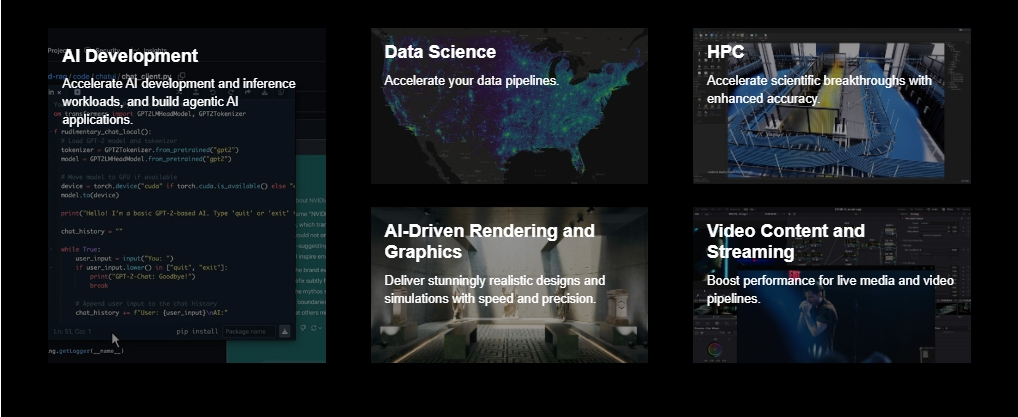
Local LLM Inference
The RTX Pro 6000 Blackwell’s 96 GB GDDR7 makes it one of the highest-VRAM single-GPU options available for local inference. Running models through Ollama, LM Studio, or Jan against a 34B or 70B (quantized) model is straightforward on this hardware — no offloading to system RAM, no CPU bottleneck during token generation. The GDDR7 memory interface contributes materially here: bandwidth determines tokens-per-second on attention-heavy transformer architectures as much as raw VRAM size does.
Model Fine-Tuning and LoRA Training
For fine-tuning a 7B–30B model with LoRA adapters, a single RTX Pro 6000 Blackwell is sufficient at FP16 with batch sizes up to 8–16 depending on sequence length. Full fine-tuning of 70B models — or supervised fine-tuning with larger batch sizes — benefits from the Duo configurations’ 192 GB combined GDDR7. The Threadripper Pro CPU platform in the Ruby and Duo Ruby handles parallel data preprocessing at high core counts without competing with GPU bandwidth.
Stable Diffusion and Creative AI
For Stable Diffusion XL, Flux, or similar diffusion models running through ComfyUI or Automatic1111, the 96 GB GDDR7 eliminates every practical bottleneck. You can run multiple models in parallel, batch large generation queues, and run video diffusion workflows (Wan, CogVideoX, AnimateDiff) that demand VRAM well beyond what consumer graphics cards offer. Even the mid-tier RTX Pro 4500 (32 GB) comfortably handles all major SD pipelines.
Video Production with AI Acceleration
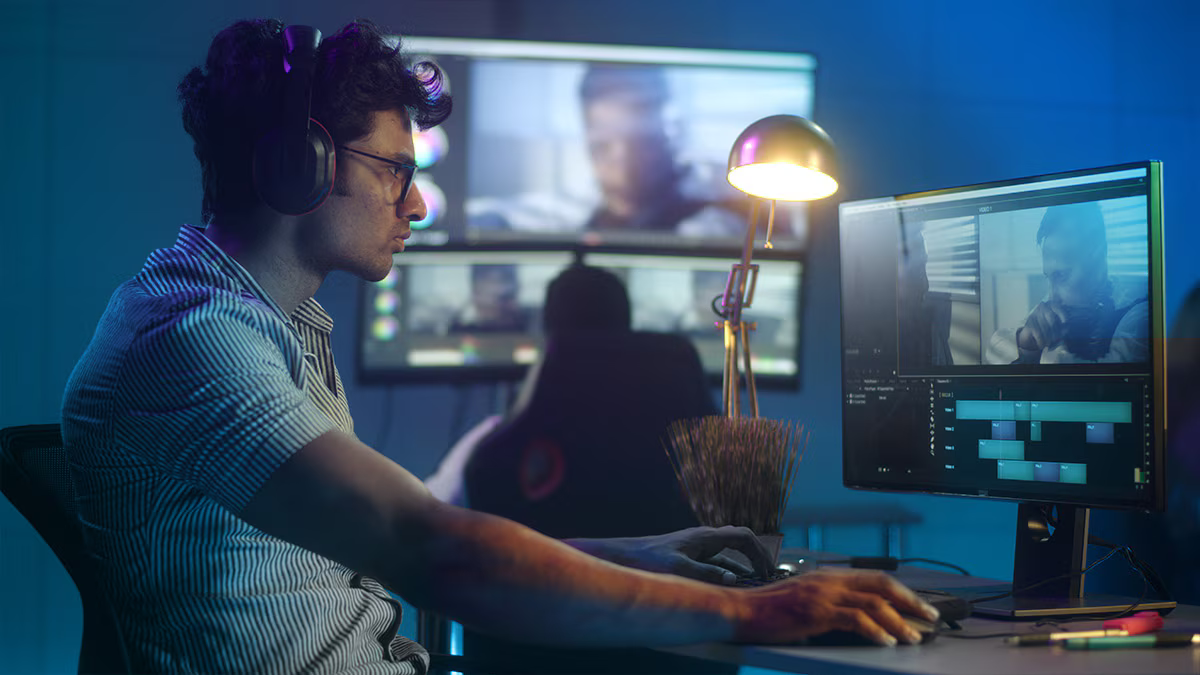
VFX workflows using AI-accelerated tools (Topaz Video AI, DaVinci Resolve neural engine, Nuke AI) benefit from the RTX Pro GPU’s professional driver stack. Unlike consumer NVIDIA GPUs, professional RTX cards have ISV certification for major DCC applications and use studio driver branches that prioritize stability over feature-release velocity. The Duo Aqua’s dual-GPU configuration is particularly suited for GPU rendering plus simultaneous AI processing without resource contention.
ML Research and RAG Systems
The Zaurion Ruby Mid-tower’s EPYC 4565P platform with DDR5 ECC is optimized for exactly this profile: a researcher running RAG pipelines, agent orchestration frameworks, or multi-model evaluation setups who needs system reliability (ECC), sufficient VRAM (up to 96 GB with the RTX Pro 6000 MaxQ option), and a compact footprint that fits in an office rather than a data center rack.
ABS Pre-Built vs DIY: Honest Comparison
| Factor | ABS Pre-Built | DIY Build |
|---|---|---|
| Time to running system | 1–2 weeks from order | 2–6 weeks (sourcing + build + debug) |
| Component selection control | Configuration options within platform | Full freedom |
| Bench validation | Included — load-tested, BIOS-tuned | Your responsibility |
| Warranty coverage | Single vendor, consolidated | Per-component, multiple vendors |
| AI stack setup | Optional pre-install (PyTorch, CUDA, Docker) | Full manual setup |
| Linux compatibility | Pre-validated kernel and drivers | Depends on builder’s experience |
| Initial cost | Higher (includes labor, margin, validation) | Lower (component-only cost) |
| Upgrade flexibility | Standard PCIe/NVMe slots — upgradeable | Full flexibility |
| Support when something fails | Single contact — system-level diagnosis | Diagnose component, RMA separately |
The honest case for DIY: if you have the expertise, the time, and an existing relationship with component vendors, and if you are building a single-GPU system where compatibility is simpler, DIY can deliver better price-per-FLOP. The RTX Pro 6000 Blackwell is available as a standalone professional workstation GPU if you want to source the card separately and handle the build yourself.
The case for ABS: multiple GPUs compound compatibility difficulty significantly. Time pressure changes the calculus completely. And for a team of researchers or engineers without a dedicated IT specialist, a pre-validated, pre-configured platform reduces operational risk at a cost that is far easier to justify than the alternative — losing a week of project time to hardware debugging.
ABS vs Other Pre-Built AI Workstation Brands
| ABS Zaurion | NVIDIA DGX Station | Dell Precision | HP Z8 Fury | |
|---|---|---|---|---|
| Max GPU count | 4× | 4× | 4× | 4× |
| GPU options | RTX Pro 6000 Blackwell / Ada | H200 | RTX / A-series | RTX / A-series |
| CPU options | Intel Xeon / AMD Threadripper Pro / AMD EPYC | Grace Hopper (ARM) | Intel / AMD | Intel |
| Availability | Newegg (in-stock, 1–2 wk) | Enterprise order (months) | Enterprise order | Enterprise order |
| Price tier | Mid-to-high professional | Enterprise (>$150K) | Enterprise | Enterprise |
| Pre-installed AI stack | Optional (PyTorch, CUDA, Docker) | Yes (DGX OS) | Limited | Limited |
| Support region | North America | Global enterprise | Global enterprise | Global enterprise |
The clearest differentiation: DGX Station is a datacenter-in-a-box built for organizations with budget in the six-figure range. Dell Precision and HP Z8 are legitimate alternatives, but procurement lead times through enterprise channels are measured in months rather than weeks, and the configuration process involves sales cycles. For a research team, a startup, or an independent studio that needs a validated multi-GPU system in two weeks without an enterprise procurement relationship, ABS Zaurion fills a gap those platforms do not address.
Decision Matrix — Who Should Buy ABS
| Profile | Recommended Model | Reason |
|---|---|---|
| ML engineer running 70B inference, solo or small team | Zaurion Ruby Mid-tower (96 GB tier) | EPYC + ECC DDR5 + 96 GB VRAM covers 70B inference at FP8 with headroom |
| Research team fine-tuning 30B–70B models | Zaurion Ruby or Duo Ruby | Threadripper Pro PCIe bandwidth supports multi-GPU training; 32–96 cores for data preprocessing |
| VFX studio running AI-accelerated rendering | Zaurion Duo Aqua or Duo Ruby | Dual GPU handles GPU render + AI simultaneously; professional driver stack for DCC apps |
| Creative professional (Stable Diffusion, video AI) | Zaurion Ruby Mid-tower or Zaurion Aqua | 96 GB eliminates all SD/diffusion constraints; compact mid-tower fits smaller studios |
| Enterprise team deploying on-prem LLM infrastructure | Zaurion Pro | 4× RTX 6000 Ada + 2 TB ECC + aiDAPTIV for multi-user LLM serving |
| Team without IT staff that needs plug-and-play | Any Zaurion + AI stack option | Pre-installed stack means day-one productivity without Linux/CUDA setup expertise |
The one profile ABS does not serve: pure consumer gaming. The RTX Pro GPU line is professional hardware priced for professional workloads. If your primary use case is gaming and AI is secondary, a gaming desktop with a consumer RTX card will deliver better price-to-performance for that use case. The ABS value proposition is specifically for workloads where professional driver stability, VRAM headroom, and ECC memory justify the price delta.
Conclusion
ABS AI Workstations address one of the most practical challenges in applied AI work: getting a high-performance workstation running quickly, reliably, and without requiring dedicated hardware expertise. The Zaurion series — available exclusively through Newegg — delivers custom-configured, bench-tested systems built around professional NVIDIA RTX GPUs, with VRAM headroom up to 96 GB per card, ECC memory options on EPYC and Xeon W platforms, and an optional pre-installed AI stack that converts a 1–2 week lead time into a day-one productive environment.
The clearest decision signal: if you are spending more time than expected evaluating component combinations, debugging incompatibilities, or working through an enterprise procurement cycle, a pre-validated ABS system likely saves more than it costs. Browse the full AI workstation lineup on Newegg to compare Zaurion configurations, or visit absworkstation.com to request a custom quote from the ABS team directly.
As local AI models continue growing in capability and parameter count — and as on-premises infrastructure becomes the preferred answer for organizations managing data privacy, cloud cost, and inference latency — having the right VRAM headroom and a validated platform now means your investment stays productive across multiple generations of model development. The Zaurion series, with its upgrade-in-place GPU expansion support, is built for exactly that kind of long-term compute commitment.
Related Posts
- ABS 3× Intel Arc Pro B70 AI Workstation: Run 70B LLMs Locally for a Third of the Cost
- Best NAS Setups for a Home or Small Office in 2026
- Turn a Mini PC into a Local AI Edge Computer
- 2-in-1 vs Traditional Laptop for Students: Which Should You Buy?
- Best USB-C Docks and Hubs for Students in 2026
Frequently Asked Questions
Common questions about ABS AI Workstations