
Competitive players want something almost the opposite of what a single-player enthusiast wants. Nobody in a ranked match is admiring volumetric fog. They turn settings down, run at a resolution their monitor can refresh very quickly, and care about whether the frame rate ever dips — not what the average says.
That changes the shopping list in ways that are easy to get wrong. The instinct is to buy the biggest graphics card available. For esports titles, that is usually the least useful place to put the money.
Who This Is Actually For
If you play mostly Counter-Strike, Valorant, League, Rocket League, Apex or Overwatch, your games are built to run on modest hardware and scale to very high frame rates. The limit in those titles is far more often the processor than the graphics card, because at low settings and 1080p the card finishes a frame almost immediately and then waits.
If you split your time between competitive shooters and heavy single-player releases, you are a different buyer and you should read this as one half of the answer.
What Matters, Ranked
The processor and its cache. This is the single biggest lever for 1% lows in competitive titles. Large L3 cache helps disproportionately in games that walk a lot of small data structures every frame, which describes most multiplayer shooters.
Memory speed, more than memory size. 32GB is plenty. A DDR5-6000 kit will do more for frame consistency in these games than going from 32GB to 64GB, which does nothing at all.
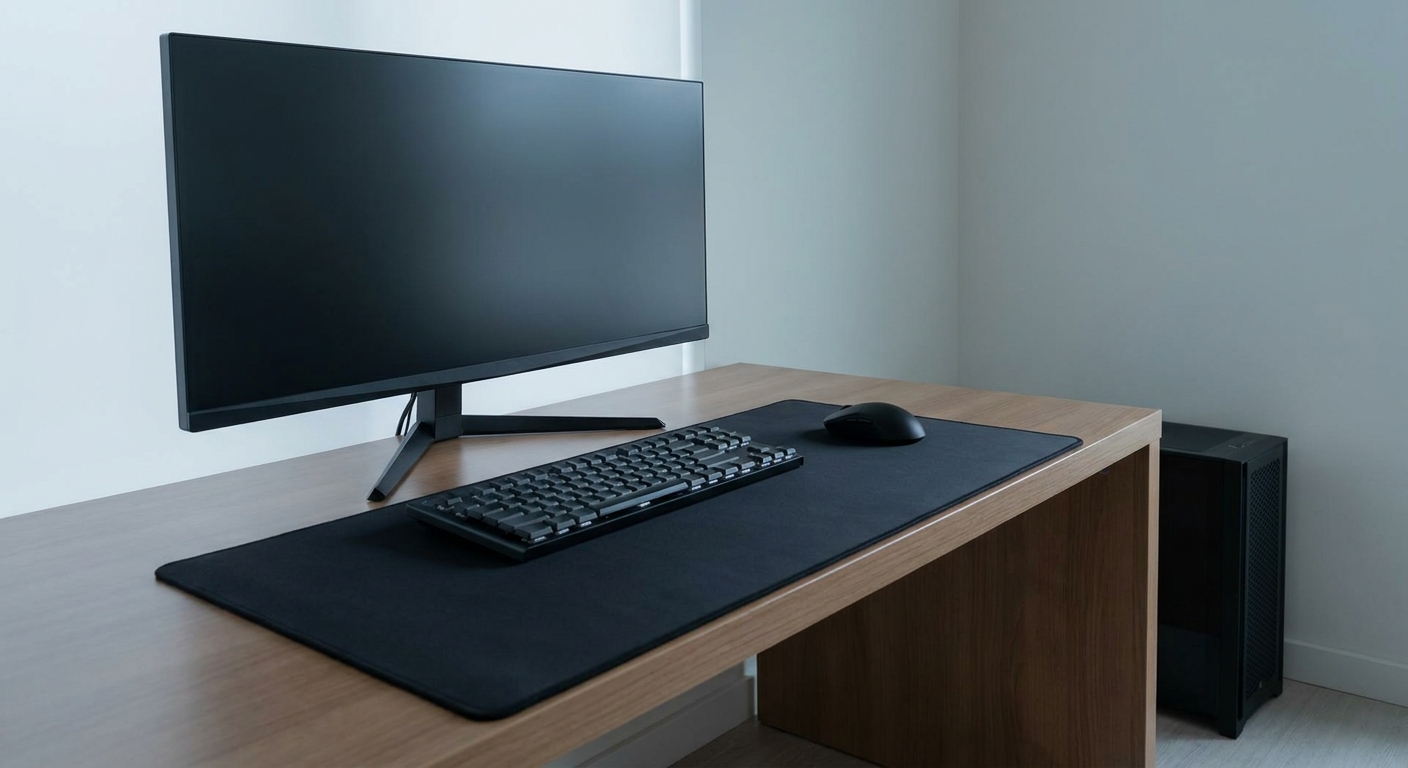
The monitor, honestly. If you are on a 144Hz panel, a machine capable of 400fps is not buying you very much. Latency features like NVIDIA Reflex do something real, but they do not substitute for a display that can show the frames.
The graphics card, last. It matters, but a mid-tier card at 1080p low settings in an esports title is frequently not the constraint.
Scenario One: 1080p, One Game, High Refresh
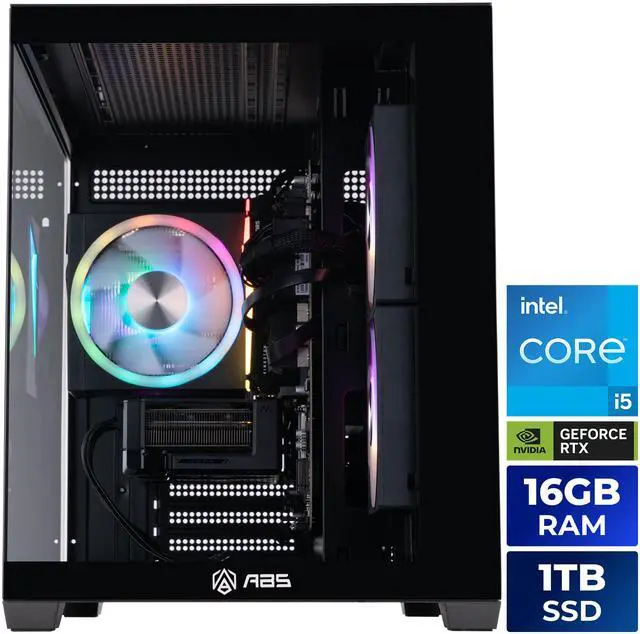
The ABS Flux II Aqua with the Core i5-14400F and RTX 5060 Ti is the machine I would hand someone whose entire library is competitive. Ten cores, sixteen threads, 4.7GHz turbo, 20MB of L3 — that is enough processor to hold a very high frame rate in a well-optimised shooter. The 5060 Ti’s 4,608 CUDA cores are not going to be the limit at 1080p with settings turned down.
It comes with 16GB of DDR4-3200, an ASUS PRIME B760M-A board and a 650W 80+ Gold supply. The memory is the part I would add to before anything else, and on a B760M board that is a ten-minute job.
Scenario Two: You Also Stream, Record or Alt-Tab Constantly
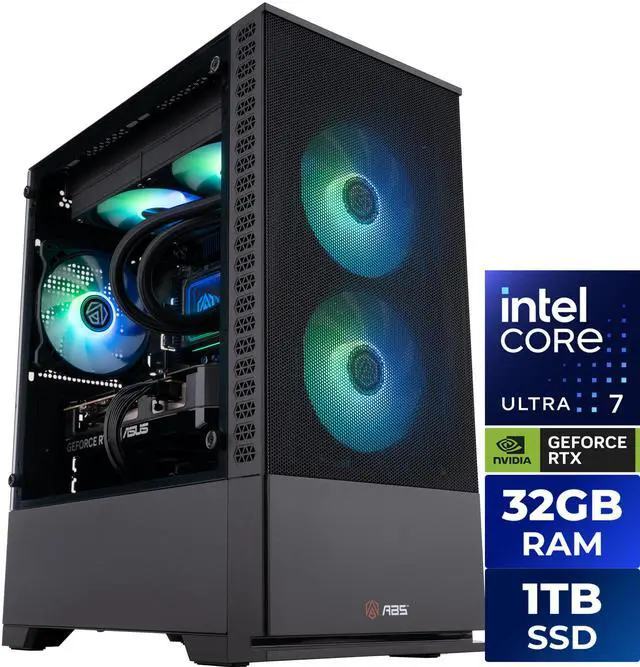
The ABS Cyclone Aqua with the Core Ultra 7 270K Plus and RTX 5060 Ti 16GB handles the version of competitive play where a lot of other things are running. That processor is twenty-four cores with a 5.5GHz max turbo and 36MB of L3 on Socket FCLGA1851, cooled by a 240mm all-in-one rather than a tower cooler, and the build pairs it with 32GB of DDR5 and the 16GB version of the 5060 Ti.
The wide core count is the point. Encoding, chat overlays, a browser full of tabs and a capture tool all want threads, and they want them without stealing from the game.
Scenario Three: Competitive Now, Everything Else Too
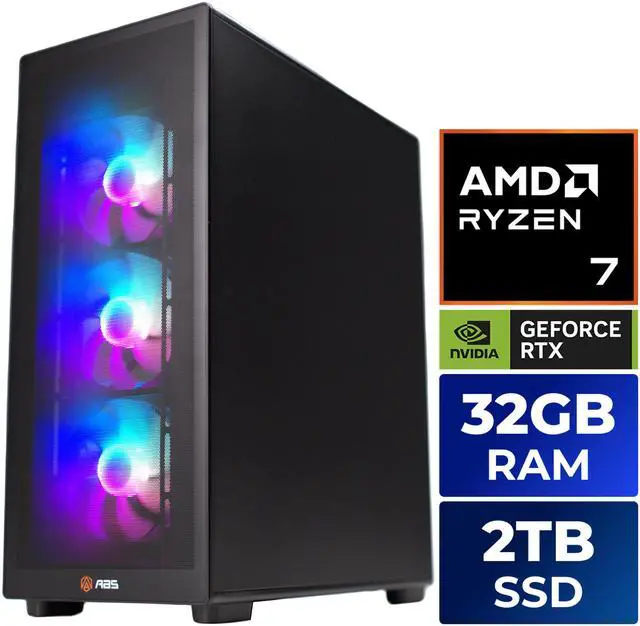
The ABS Stratos II Ruby with the Ryzen 7 9800X3D and RTX 5070 Ti is the one I would actually buy if competitive play is most of my time but not all of it. The 9800X3D is eight cores and sixteen threads, 4.7GHz base and 5.2GHz boost, with 96MB of L3 thanks to second-generation 3D V-Cache, at 120W on Socket AM5.
That cache is the reason it belongs in this article rather than a general buying guide. In games that constantly pull from a large working set, it smooths out the dips that cost you duels. The rest of the build is coherent: DDR5-6000 running at the speed the platform likes, an 850W supply behind a 300W card, a 240mm liquid cooler, and 2TB of M.2 storage.
What I Would Actually Do
If you have not upgraded your monitor in a while, do that first. After that, spend on the processor before the graphics card, get a DDR5-6000 kit rather than a larger slower one, and buy the card tier that matches your resolution instead of the one that looks impressive. The remaining configurations are on Newegg’s ABS gaming desktop listings if you want to compare processors across the range.
Frequently Asked Questions
Does CPU cache really change esports performance? In cache-sensitive titles it can, and the gain usually shows up in 1% lows rather than the average frame rate. Processors with AMD’s 3D V-Cache carry 96MB of L3 against roughly 20MB to 36MB on comparable non-cache parts, which helps most in games that touch a large working set every frame. In lighter or tightly scoped titles the difference shrinks considerably.
How many frames per second do I need for competitive play? Aim to comfortably exceed your monitor’s refresh rate so the frame rate never drops below it. On a 144Hz panel that means targeting well above 144fps; on a 240Hz or 360Hz panel the bar rises accordingly. Consistency matters more than peak numbers, which is why 1% lows are the figure worth watching.
Is 16GB of system memory enough for esports? For the games themselves, usually yes. It becomes tight once you add a browser, voice chat, a capture tool and background applications. 32GB is the comfortable number, and on a standard micro-ATX board adding a second matched kit is straightforward.
Do I need a high-end graphics card for competitive games? Generally not. Esports titles are built to run widely and scale to high frame rates, so at 1080p with reduced settings the processor is more often the limit. A mid-tier card is usually the right call, with the savings going toward the CPU, faster memory or a better display.
What does NVIDIA Reflex actually do? It is a latency reduction technology that reduces the time between your input and the rendered frame by keeping the render queue short. It is supported per game rather than universally, and it reduces system latency rather than increasing frame rate — so it complements a fast machine instead of replacing one.
Read More
- NVIDIA: Reflex — What the latency reduction technology measures and changes, and which titles support it.
- AMD: Ryzen 7 9800X3D — Official specifications for the 3D V-Cache processor used in the high-end builds here.
- Tom’s Hardware: Best CPUs for Gaming — Independent benchmark testing that separates average frame rate from frame consistency.
- RTINGS: Best Gaming Monitors — Lab-tested refresh rate and response time data, useful before you spend on the tower.
- Newegg: ABS Gaming Desktops — Compare processor and memory configurations across the current lineup.