
The gaming laptop question that actually matters is not which one is fastest. It is how far the machine has to travel. I have watched a friend carry an 18-inch laptop and its power brick across a campus for a semester before quietly buying a 15-inch one, and I have watched someone else regret going small the first time they tried to edit video on a 1080p panel.
So this is a comparison organised by weight class, because that is the decision you cannot undo. Eight machines, four pairs, and what each pair is really asking you to give up.
The Contenders
| Laptop | Screen | GPU | CPU | Weight | Battery |
|---|---|---|---|---|---|
| MSI Cyborg A15 | 15.6″ 1080p 144Hz IPS | RTX 5060, 8GB | Ryzen 7 260 | 4.63 lbs | 55.2Whr |
| ASUS TUF Gaming 16 | 16″ 1920×1200 144Hz | RTX 5060, 8GB | Ryzen 7 260 | 4.85 lbs | 70Whr |
| MSI CROSSHAIR A16 | 16″ 2560×1600 240Hz | RTX 5060, 8GB | Core Ultra 7 255HX | 5.51 lbs | 90Whr |
| MSI Stealth A16 | 16″ 2560×1600 240Hz OLED | RTX 5070 Ti, 12GB | Ryzen AI 9 HX 370 | 4.63 lbs | 99.9Whr |
| ASUS TUF Gaming 18 | 18″ 1920×1200 144Hz | RTX 5070, 8GB | Ryzen 9 8940HX | 5.95 lbs | 90Whr |
| MSI CROSSHAIR A18 | 18″ 2560×1600 240Hz | RTX 5070, 8GB | Ryzen 9 8940HX | 6.83 lbs | 90Whr |
| Acer Predator Helios Neo 16 AI | 16″ 2560×1600 180Hz IPS | RTX 5080, 16GB | Core Ultra 9 290HX Plus | 5.95 lbs | 92Whr |
| ASUS ROG Strix 18 | 18″ 3840×2400 240Hz | RTX 5080, 16GB | Core Ultra 9 290HX Plus | 8.16 lbs | 90Whr |
Entry Level: Cyborg A15 vs TUF Gaming 16
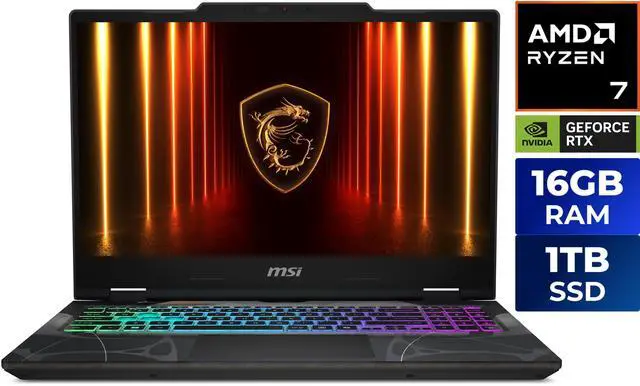
The MSI Cyborg A15 runs a Ryzen 7 260 with an RTX 5060 Laptop GPU and 8GB of video memory, 16GB of DDR5-5600 in two modules, a 1TB NVMe drive, and a 15.6-inch 1080p 144Hz IPS panel. It is 4.63 pounds and 0.91 inches thick, on a 55.2Whr battery, with a four-zone RGB keyboard. Both memory slots are occupied, which means upgrading later means replacing.
The ASUS TUF Gaming 16 takes the same processor and GPU but gives you a 16-inch 1920 x 1200 144Hz screen, a 70Whr battery, and 16GB in a single module with one slot free. The trade is a 512GB drive instead of a terabyte and 4.85 pounds instead of 4.63.
I would take the TUF. The extra vertical resolution, the bigger battery and the free memory slot outweigh the smaller drive, and drives are the easiest thing to fix later.
The Sweet Spot: CROSSHAIR A16 vs Stealth A16
The MSI CROSSHAIR A16 is the value version of a good 16-inch machine: a Core Ultra 7 255HX, RTX 5060 with 8GB, 32GB of DDR5, a 1TB drive, and a 2560 x 1600 240Hz panel, at 5.51 pounds on a 90Whr battery with a 24-zone SteelSeries keyboard.
The MSI Stealth A16 is the one I would actually want. A Ryzen AI 9 HX 370, an RTX 5070 Ti with 12GB of GDDR7, 32GB of LPDDR5x, a 2TB drive, and a 16-inch OLED at 2560 x 1600 and 240Hz — in a 0.79-inch chassis weighing 4.63 pounds, with a 99.9Whr battery and Windows 11 Pro. That it weighs the same as the 15-inch Cyborg while carrying a 5070 Ti is the interesting part. LPDDR5x means the memory is soldered, so buy the configuration you want.
Big Screens: TUF Gaming 18 vs CROSSHAIR A18
The ASUS TUF Gaming 18 pairs a Ryzen 9 8940HX with an RTX 5070 Laptop GPU, 16GB of DDR5-5600 across two SO-DIMM slots, a 1TB drive and an 18-inch 1920 x 1200 144Hz panel, at 5.95 pounds with a 90Whr battery. For an 18-inch machine that is genuinely light.
The MSI CROSSHAIR A18 keeps the same processor and GPU but moves to 2560 x 1600 at 240Hz with 32GB of memory, at 6.83 pounds. Nearly a pound heavier for a much better screen and double the memory. If the laptop mostly lives on a desk, take the CROSSHAIR.
The Top End: Helios Neo 16 vs ROG Strix 18
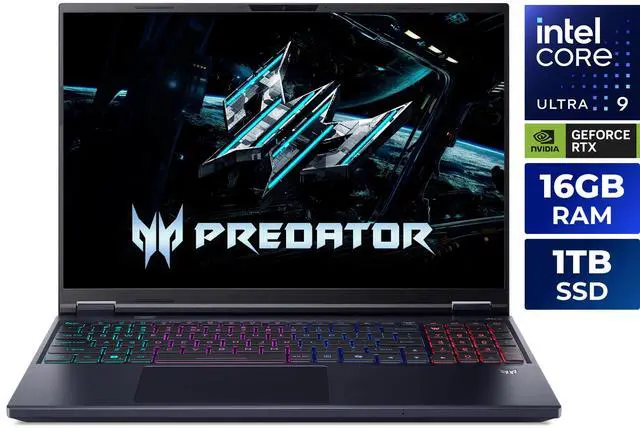
The Acer Predator Helios Neo 16 AI puts a Core Ultra 9 290HX Plus and an RTX 5080 Laptop GPU with 16GB of video memory behind a 16-inch 2560 x 1600 180Hz IPS panel, with 16GB of system memory, a 1TB drive, a 92Whr battery and 5.95 pounds. The 16GB of system memory is the obvious weak point next to that GPU.
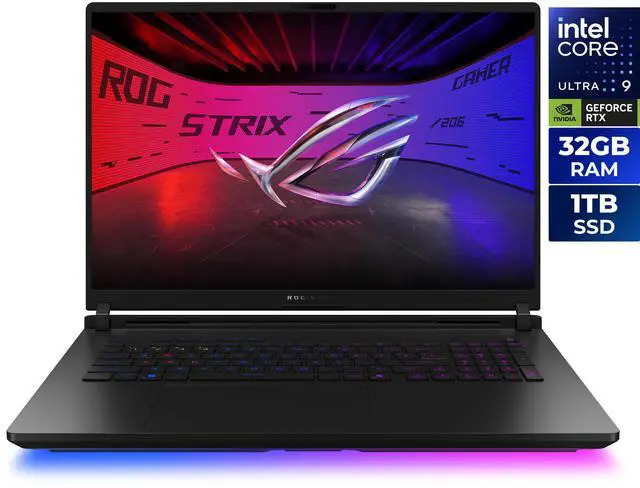
The ASUS ROG Strix 18 is the desktop replacement: the same processor and RTX 5080 with 16GB, but 32GB of system memory and an 18-inch 3840 x 2400 240Hz display, at 8.16 pounds. That screen is the most impressive thing on this list and that weight is the most honest number on it.
Winner by Category
Carries every day: Stealth A16, comfortably. Cheapest sensible machine: TUF Gaming 16. Best screen per pound: CROSSHAIR A16. Big screen without the weight: TUF Gaming 18. Desktop replacement: ROG Strix 18, if you accept that it is furniture.
One practical note that applies to all of them: check how many memory slots are free before you buy. Half of these ship fully populated, and one is soldered. It is the difference between a laptop you can extend and one you cannot. The rest of the range is in Newegg’s gaming laptop listings.
Frequently Asked Questions
Is 8GB of laptop GPU memory enough in 2026? At 1080p, generally yes. At 1600p with high textures it is the first thing to run short, and several machines here pair an RTX 5060 with 8GB against a 2560 x 1600 screen. If you are buying for a high-resolution panel and want to keep the laptop for several years, the 12GB and 16GB configurations are the safer choice.
How much does a gaming laptop’s weight really matter? More than most buyers expect, because the listed weight excludes the power adapter, which on high-wattage machines is substantial. The spread here runs from 4.63 pounds to 8.16 pounds, and that is the difference between a laptop you carry without thinking and one you plan trips around.
Can I upgrade the memory in a gaming laptop? Sometimes. Several machines here use two SO-DIMM slots, and the ASUS TUF Gaming 16 ships with one of them free, which makes adding memory straightforward. Others arrive with both slots filled, so an upgrade means replacing what is there, and the MSI Stealth A16 uses soldered LPDDR5x that cannot be changed at all.
Does an OLED screen make sense on a gaming laptop? If you value contrast and colour, yes, and the MSI Stealth A16 pairs a 240Hz OLED with a 5070 Ti in a very light chassis. The usual caution applies about leaving static interface elements on screen for many hours, and OLED panels tend to draw more power at high brightness, which matters on battery.
Is an 18-inch laptop worth it over a 16-inch one? Only if it mostly stays in one place. An 18-inch screen is genuinely better for long sessions and for working with several windows, but the chassis, cooling and battery that come with it push the weight up sharply. If the machine travels weekly, 16 inches is the more sensible size.
Read More
- RTINGS: Best Gaming Laptops — Measured display, thermal and battery results gathered under the same test conditions.
- Tom’s Hardware: Best Gaming Laptops — Hands-on reviews covering sustained performance, keyboard quality and fan noise.
- ASUS ROG: Gaming Laptops — Official specifications for the TUF Gaming and ROG Strix machines here, including panel and memory details.
- MSI: Gaming Laptops — Manufacturer pages for the Cyborg, CROSSHAIR and Stealth ranges, with weights and battery capacities.
- Newegg: Gaming Laptops — Filter by screen size, GPU, memory, storage and weight.