
Every few weeks someone in my group chat posts the same screenshot: three graphics cards, near-identical listings, and the question “which one.” Last month it was an RTX 5060, an RX 9060 XT and an Arc B580. He plays at 1080p on a 165Hz panel and he was ready to flip a coin.
I get why. At 1080p the marketing stops being useful. Every card on this page will run almost anything you throw at it. What separates them is not raw speed, it is how much memory they carry and how long that memory will last you.
Why 1080p Changed
For years the advice was simple: at 1080p, buy the cheapest current-generation card and move on. That advice has aged badly. Texture budgets in new releases have grown faster than entry-level VRAM has, and 8GB cards now hit a wall in a handful of titles at high settings even at 1080p. Not a framerate wall exactly, more of a stutter that arrives when the card starts swapping assets in and out.
So the real question is not 5060 versus 9060 XT. It is 8GB versus 16GB, and whether the extra memory is worth it for the games you actually play. If you mostly run competitive shooters at low settings, 8GB is genuinely fine and will stay fine. If you play story-driven games with the sliders up, I would not buy 8GB in 2026.
What I Actually Look At
Memory size first, bus width second. Most of these cards sit on a 128-bit bus, which sounds narrow until you notice NVIDIA is pairing it with GDDR7 at 28 Gbps. The Arc B580 takes a different route with 192-bit GDDR6. Both approaches work; the capacity is what bites you.
Power supply headroom. Recommended PSU wattage on these cards ranges from 450W to 650W. That range matters if you are dropping a card into an existing prebuilt with whatever supply came in the box.
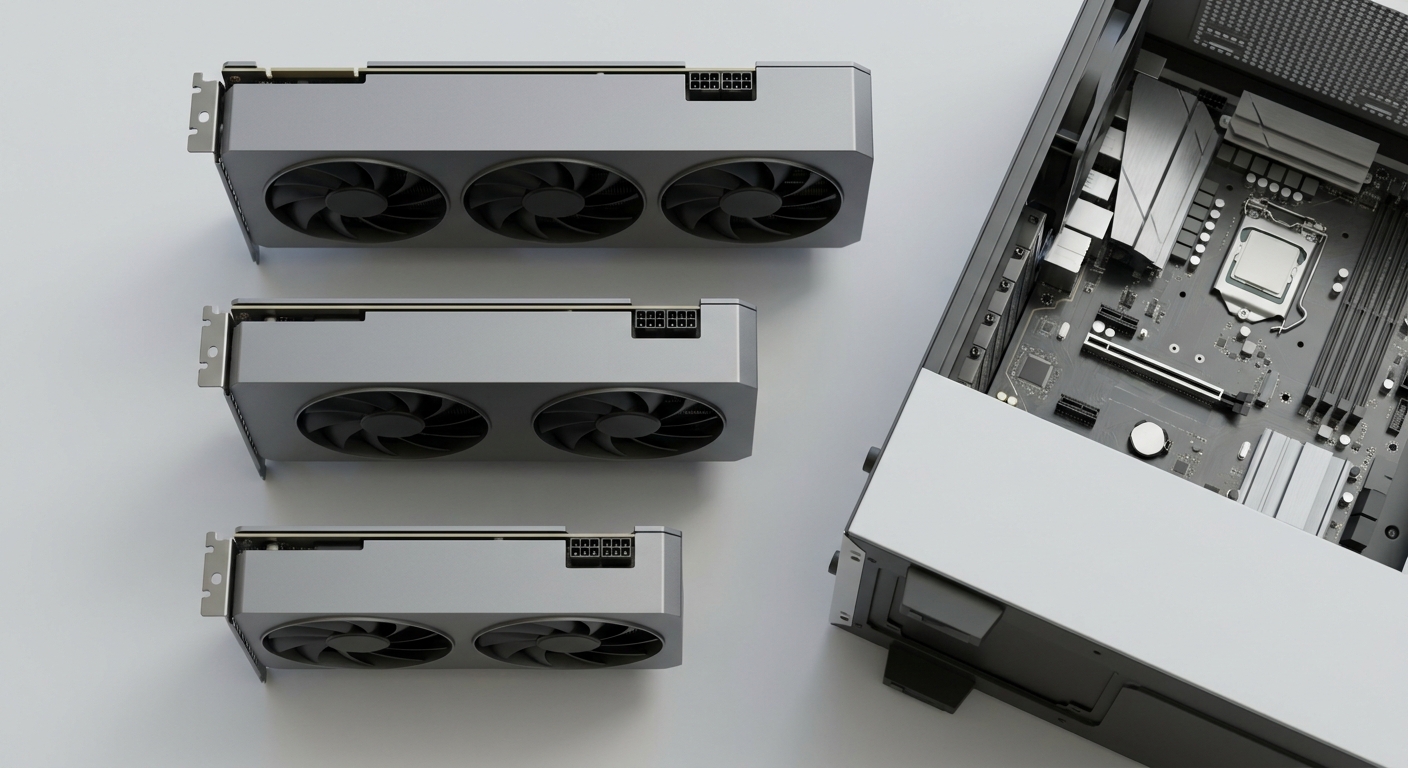
Physical length. There is a 105mm spread between the shortest and longest card here. Measure before you buy, especially for small cases.
The Field at a Glance
| Card | Memory | Shaders | Interface | Rec. PSU | Length |
|---|---|---|---|---|---|
| GIGABYTE WINDFORCE RTX 5060 | 8GB GDDR7 / 128-bit | 3840 CUDA | PCIe 5.0 | 450W | 199 mm |
| ASUS Dual RTX 5060 | 8GB GDDR7 / 128-bit | 3840 CUDA | PCIe 5.0 x8 | 550W | 228 mm |
| MSI Ventus RTX 5060 Ti 16GB | 16GB GDDR7 / 128-bit | 4608 CUDA | PCIe 5.0 (x8) | 600W | 304 mm |
| ASRock Challenger RX 9060 XT 16GB | 16GB GDDR6 / 128-bit | 2048 SP | PCIe 5.0 x16 | 550W | 249 mm |
| SAPPHIRE PULSE RX 9060 XT 8GB | 8GB GDDR6 / 128-bit | 2048 SP | PCIe 5.0 x16 | 450W | 244 mm |
| PowerColor Reaper RX 9060 XT 16GB | 16GB GDDR6 / 128-bit | 2048 SP | PCIe 5.0 x16 | 500W | 220 mm |
| ASRock Challenger Arc B580 | 12GB GDDR6 / 192-bit | 20 Xe-cores | PCIe 4.0 x8 | 650W | 249 mm |
| MSI Ventus RTX 5070 | 12GB GDDR7 / 192-bit | 6144 CUDA | PCIe 5.0 | 650W | 303 mm |
The Card I Recommend Most Often
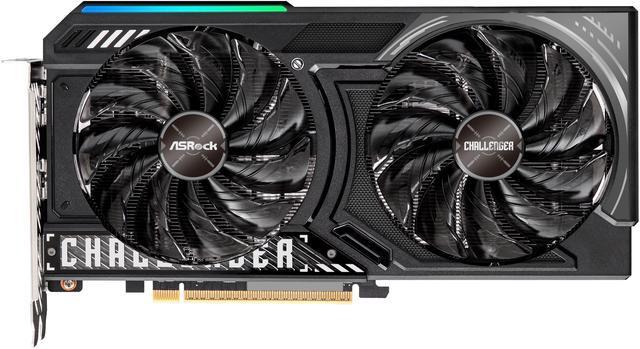
The ASRock Challenger Radeon RX 9060 XT 16GB runs a 2700MHz game clock with boost up to 3290MHz, 2048 stream processors, and 16GB of GDDR6 at an effective 20 Gbps on a 128-bit bus. It asks for a 550W supply, an 8-pin connector, and 249mm of clearance.
What makes it my default is the memory. At 1080p the RX 9060 XT is not going to be the bottleneck for years, and having 16GB means you can raise textures without thinking about it. The PowerColor Reaper RX 9060 XT 16GB is the same silicon in a shorter, two-slot body at 220mm with the bracket, with slightly lower clocks at 2620MHz game and 3230MHz boost, and it drops the supply requirement to 500W. In a compact case I would take the Reaper.
When 8GB Is Still the Sensible Buy
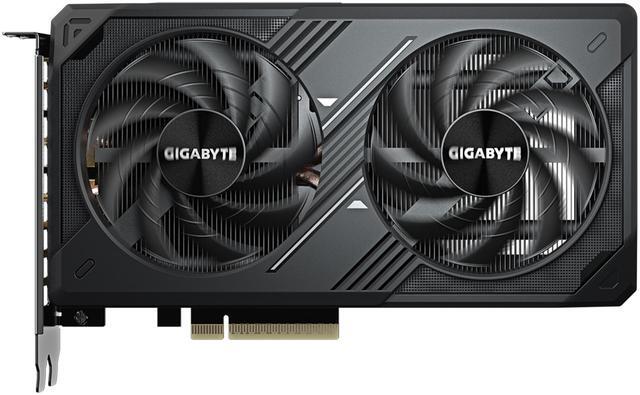
If your library is mostly esports, an 8GB card is not a compromise. The GIGABYTE WINDFORCE RTX 5060 is the one I would pick: 3840 CUDA cores, a 2512MHz core clock, 8GB of GDDR7 at 28 Gbps, a 145W TDP and a 450W recommended supply, in a 199mm shroud that fits almost anything. That last part is worth more than people expect.
The ASUS Dual RTX 5060 is the same GPU with a larger cooler at 228mm and 2.5 slots, boosting to 2565MHz in OC mode, though ASUS lists a 550W supply for it. On the AMD side the SAPPHIRE PULSE RX 9060 XT 8GB carries a 170W TDP and the same 450W requirement, with the same clocks as its 16GB sibling. You are buying identical performance with half the headroom.
The Two Outliers
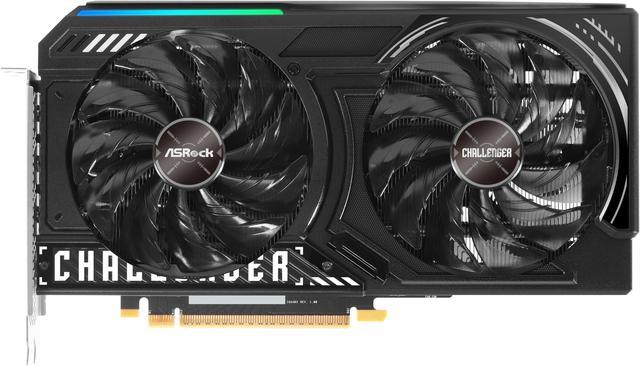
The ASRock Challenger Arc B580 is the odd one and the reason I keep bringing it up. Twenty Xe-cores, a 2740MHz core clock, and 12GB of GDDR6 on a 192-bit bus, which is wider than anything else here. It runs on PCIe 4.0 x8 and wants a 650W supply. Intel’s drivers have come a long way; older DirectX titles are still the place where they occasionally show their age.
At the top of this list, the MSI Ventus RTX 5070 is honestly more card than 1080p needs: 6144 CUDA cores, 12GB of GDDR7 on 192-bit, 250W, a single 16-pin connector and a 650W supply. Buy it if a 1440p monitor is in your near future. The MSI Ventus RTX 5060 Ti 16GB sits between the two, with 4608 CUDA cores, 16GB of GDDR7, a 180W TDP and a 304mm length that will not fit every case.
How I Would Choose
Playing modern single-player games with textures up: RX 9060 XT 16GB, or the Reaper if your case is tight. Competitive shooters and older titles: RTX 5060, and do not feel bad about it. Want the most memory bandwidth for the money and are willing to live with occasional driver quirks: Arc B580. Already eyeing a 1440p upgrade: RTX 5070. The current lineup is in Newegg’s RTX 5060 graphics card listings if you want to filter by length and connector yourself.
One last thing, because it comes up every time: check your case clearance and your power supply before anything else. I have watched two people order a card, wait for delivery, and discover it was 30mm too long.
Frequently Asked Questions
Is 8GB of VRAM still enough for 1080p gaming in 2026? For competitive shooters, older titles and anything you run at medium settings, yes. Where 8GB struggles is recent single-player releases with high-resolution texture packs, where the card runs out of room and starts stuttering rather than simply running slower. If that describes your library, spend the difference on a 16GB card.
Does a 128-bit memory bus limit performance? Less than it used to. The RTX 5060 and 5060 Ti pair a 128-bit bus with GDDR7 running at 28 Gbps, which recovers most of the bandwidth a wider bus would give you. The Arc B580 goes the other way with 192-bit GDDR6. In practice, memory capacity has been the more common limit at 1080p, not bus width.
What power supply do I need for these cards? The recommended wattage on this list runs from 450W for the RTX 5060 and SAPPHIRE PULSE RX 9060 XT 8GB up to 650W for the Arc B580 and RTX 5070. Most use a single 8-pin connector; the RTX 5070 uses a 16-pin. Check what your existing supply actually provides before ordering.
Will any of these cards handle 1440p? The RTX 5070 will, comfortably. The 16GB RX 9060 XT and RTX 5060 Ti will manage 1440p in most games with settings adjusted. The 8GB cards are happier staying at 1080p, since 1440p makes the memory ceiling arrive sooner.
Do I need PCIe 5.0 to use these? No. Several of these cards run x8 rather than x16, and they work in PCIe 4.0 slots with a small, usually unnoticeable difference. The Arc B580 is PCIe 4.0 x8 by design. A PCIe 3.0 board is where you might start to see a measurable cost on the x8 cards.
Read More
- Tom’s Hardware: Best Graphics Cards — A regularly updated ranking with benchmark data across resolutions and price tiers.
- TechSpot: AMD Radeon RX 9060 XT 16GB Review — Independent testing of the 16GB card across a large game suite.
- NVIDIA: GeForce RTX 50 Series — Manufacturer specifications for the RTX 5060, 5060 Ti and 5070, including memory and connector details.
- Intel: Arc B-Series Desktop Graphics — Intel’s own overview of the Arc B580, including Xe-core counts and display output support.
- Newegg: RTX 5060 Graphics Cards — Filter the current lineup by memory size, length and power connector.