
The RX 9070 XT has quietly become the card people actually buy. I have seen three separate upgrade threads this month from people sitting on a 6700 XT or a 6800 XT, and the answer keeps landing in the same place. What nobody seems to talk about is which one to get, because there are more than twenty versions of it and the GPU inside every single one is identical.
That is the whole point of this list. You are not choosing performance here. You are choosing a cooler, a length, a slot width and a power connector arrangement.
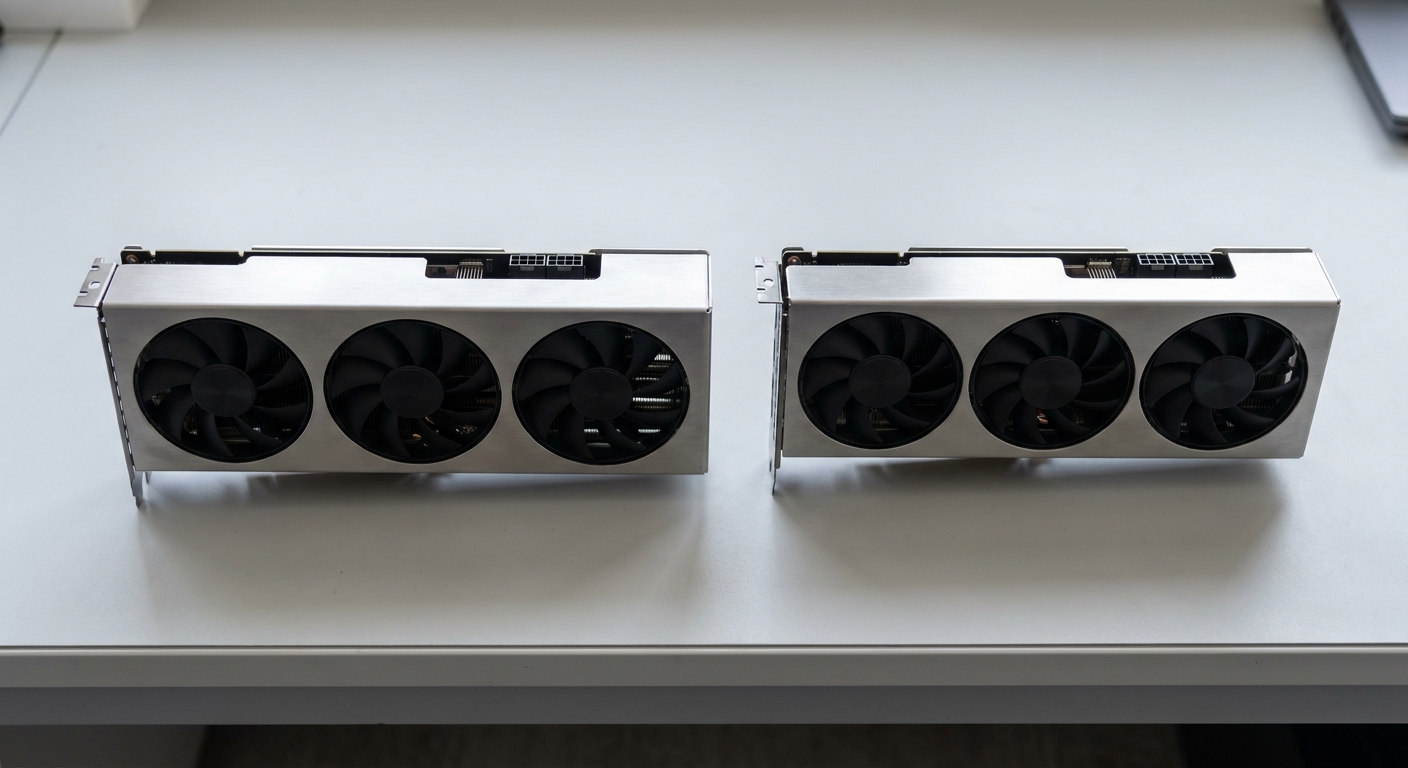
What Is Actually the Same
Every card on this page has 4096 stream processors, 16GB of GDDR6 at an effective 20 Gbps on a 256-bit bus, and a PCI Express 5.0 x16 interface. Most of them list a 304W thermal design power. The reference game clock is 2400MHz with boost up to 2970MHz, and the factory-overclocked models push that to roughly 2520MHz and 3060MHz.
The gap between the slowest and fastest card here is about five percent on paper, and less than that in a game. If you are agonising over 2970 versus 3060, stop.
What Actually Differs
Length and slot width. This is the big one. The shortest card here is 288mm and the longest is 340mm, and slot widths run from 2.5 to 3.5. A 3.5-slot card will block the slot below it and may not clear a case’s drive cage.
Power connectors. Some use two 8-pin connectors, some use three. If your power supply only has two PCIe cables, that narrows the list immediately.
Recommended supply wattage. The range across these cards is 750W to 900W for the same 304W GPU, which tells you more about each vendor’s caution than about the card.
The Field at a Glance
| Card | Game / Boost | Power connectors | Rec. PSU | Length | Slots |
|---|---|---|---|---|---|
| SAPPHIRE PULSE | 2400 / 2970 MHz | 2 x 8-pin | 750W | 320 mm | 3 |
| ASUS PRIME | Reference | Not listed | 750W | 312 mm | 2.5 |
| ASRock Challenger | 2400 / up to 2970 MHz | 2 x 8-pin | 800W | 290 mm | 2.8 |
| ASRock Steel Legend | 2400 / up to 2970 MHz | 2 x 8-pin | 800W | 298 mm | 2.9 |
| XFX Swift | 2400 / 2970 MHz | Not listed | 800W | 325 mm | 3.5 |
| PowerColor Hellhound | 2460 / 3010 MHz (OC mode) | 2 x 8-pin | 800W | 340 mm | 2.5 |
| GIGABYTE Gaming OC | 2520 / 3060 MHz | 3 x 8-pin | 850W | 288 mm | 2.7 |
| PowerColor RED DEVIL | up to 2520 / 3060 MHz | 3 x 8-pin | 900W | 340 mm | 3 |
The One I Would Buy First
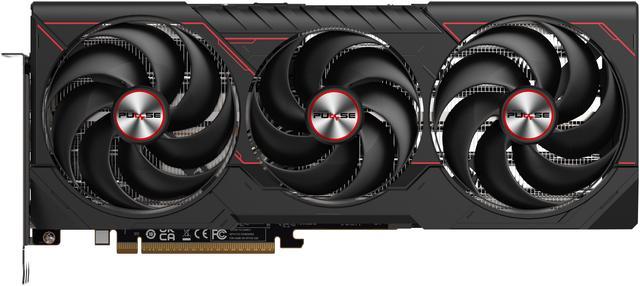
The SAPPHIRE PULSE Radeon RX 9070 XT is the sensible default. Reference clocks at a 2400MHz game clock and up to 2970MHz boost, 304W, two 8-pin connectors, and a 750W recommended supply, which is the gentlest requirement here. It is 320mm long and three slots wide, with two DisplayPort 2.1a outputs.
The ASUS PRIME Radeon RX 9070 XT is the one to take if your case is the constraint. Same 4096 stream processors and 304W, same 750W supply recommendation, but 312mm long at only 2.5 slots, with three DisplayPort 2.1a outputs. In a mid-tower with a drive cage, that half-slot matters.
If You Want the Shortest Card
The GIGABYTE Gaming OC is the shortest here at 288mm, and it is also one of the fastest, with a 2520MHz game clock and 3060MHz boost. The trade is that GIGABYTE asks for three 8-pin connectors and an 850W supply, so a shorter card does not mean a lighter load on your PSU.
Next shortest is the ASRock Challenger at 290mm and 2.8 slots, running reference clocks on two 8-pin connectors and an 800W recommendation. Its sibling the ASRock Steel Legend adds 8mm of length and a fraction of a slot for a heavier cooler, at the same clocks and the same 304W.
The Big Coolers
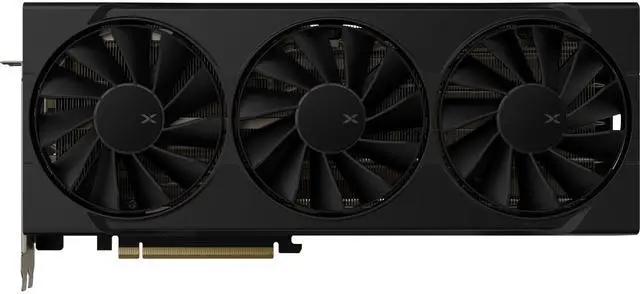
The XFX Swift runs a 1660MHz core clock, a 2400MHz game clock and 2970MHz boost, with three DisplayPort 2.1 outputs and an 800W recommendation. At 325mm and 3.5 slots it is the widest card on this page, and that width is the spec that will catch people out.
The PowerColor Hellhound in Spectral White is 340mm with the bracket but only 2.5 slots, which is an unusual combination: long, but slim. It ships with a dual BIOS, listing 2460MHz game and 3010MHz boost in OC mode against 2400MHz and 2970MHz in silent mode.
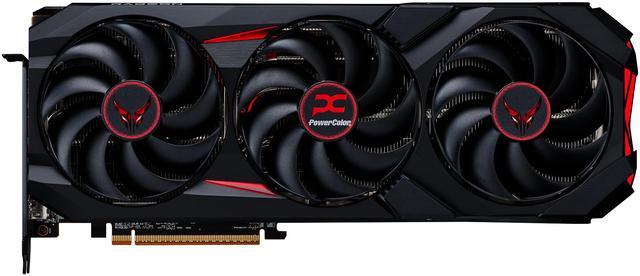
The PowerColor RED DEVIL sits at the top: up to 2520MHz game and 3060MHz boost, three 8-pin connectors, three DisplayPort 2.1a outputs, 340mm long and three slots wide, with a 900W recommended supply. That figure is conservative rather than a real requirement, but it is the number PowerColor prints, and it is worth knowing before you order.
How I Would Choose
Existing build, modest power supply, no measuring tape: SAPPHIRE PULSE. Small case or a blocked slot below the GPU: ASUS PRIME at 2.5 slots. Shortest possible card and you have three PCIe cables: GIGABYTE Gaming OC. Plenty of room and you want the quietest cooler: Hellhound or RED DEVIL. Everything in between: the two ASRock cards do the job without any drama.
The advice I keep giving, and that people keep ignoring: check your case’s maximum GPU length and your power supply’s PCIe cable count before you pick a model. Both are printed on the spec sheet you already have. The full lineup is in Newegg’s RX 9070 XT listings.
Frequently Asked Questions
Is there a real performance difference between these RX 9070 XT cards? Very little. All eight carry the same 4096 stream processors, the same 16GB of GDDR6 on a 256-bit bus, and the same 304W thermal design power. The spread between reference clocks at 2400MHz game and 2970MHz boost and the factory-overclocked models at roughly 2520MHz and 3060MHz works out to a few percent, which you will not notice while playing.
How much power supply do I need for an RX 9070 XT? Vendors recommend between 750W and 900W for the same GPU, which tells you the range is caution rather than a hard requirement. The SAPPHIRE PULSE and ASUS PRIME list 750W, most others list 800W, and the RED DEVIL lists 900W. Check your connector count too, since some cards need two 8-pin cables and others need three.
Will an RX 9070 XT work in a PCIe 3.0 or 4.0 motherboard? Yes. These cards use a PCIe 5.0 x16 interface, which is backward compatible with older slots. On a PCIe 3.0 board you would give up some bandwidth, and the practical cost in games is small but not always zero. It is not a reason to avoid the card if the rest of your system is otherwise fine.
What card length and slot width should I check for? Length here runs from 288mm on the GIGABYTE Gaming OC to 340mm on the Hellhound and RED DEVIL. Slot width runs from 2.5 to 3.5 slots. Your case lists a maximum GPU length, and your motherboard layout determines whether a three-slot cooler covers something you need. Both numbers matter more than clock speed.
Do I need a new CPU to go with it? Not necessarily, but at 1080p a fast graphics card will often be waiting on the processor. If you are pairing an RX 9070 XT with an older quad-core or six-core chip and playing at 1080p, expect the CPU to set the ceiling. Moving to 1440p shifts the load back onto the graphics card and makes the upgrade feel larger.
Read More
- TechSpot: Radeon RX 9070 XT Roundup, 14 Cards Tested — Thermals, noise-normalised performance and cooler design across fourteen partner models.
- Tom’s Hardware: Best Graphics Cards — A regularly updated ranking with benchmark data across resolutions and tiers.
- AMD: Radeon Desktop Graphics — Manufacturer specifications for the RX 9000 series, including memory configuration and outputs.
- TechPowerUp: SAPPHIRE RX 9070 XT PULSE Review — Measured noise, thermals and power draw for one of the cards on this list.
- Newegg: RX 9070 XT Graphics Cards — Filter the current lineup by length, slot width and power connector.