
A home network firewall protects every device on your internet connection, not just the laptops that can run antivirus. In 2026, AI tools help scammers write clean phishing texts, build fake login pages in minutes, and hide malware behind ordinary-looking links. But your smart TV, video doorbell, and thermostat cannot install security software at all. A home network firewall at the edge of your network, however, helps close that gap. This guide is part of Newegg Insider’s Help Me Get Protected series. First, it explains what these devices do and decodes terms like IDS/IPS and VLANs. Next, it walks through five tiers of real hardware, from plug-in boxes to small-business appliances. Finally, you get a setup checklist you can finish in an afternoon. For the full series map, start with the Help Me Get Protected pillar guide.
Why a Home Network Firewall Matters in 2026
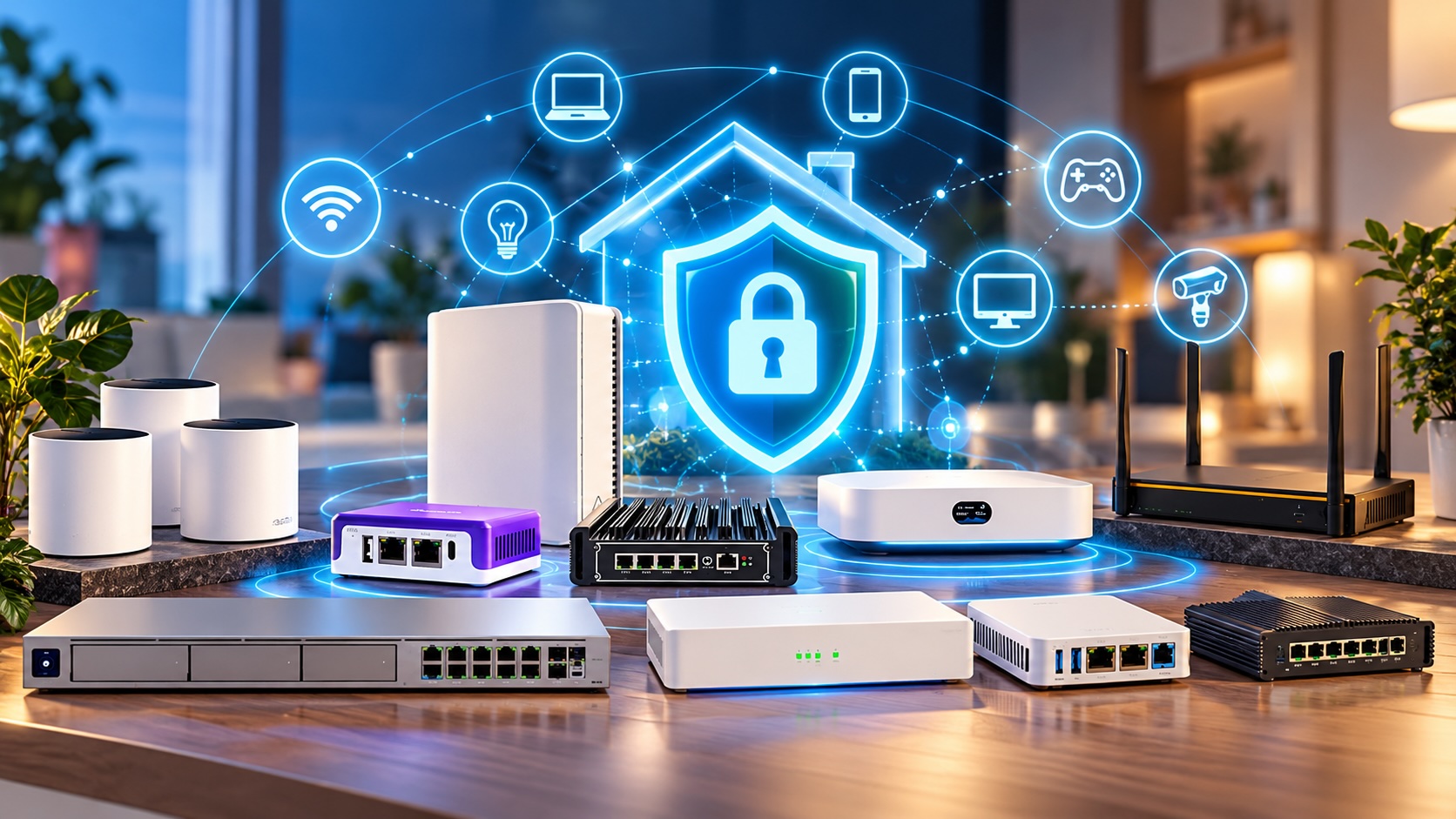
A home network firewall matters because AI-made threats now reach devices that cannot protect themselves. It checks traffic for the whole household at one point, so phones, TVs, and cameras all get a shared layer of defense.
AI-made links reach every screen
Picture a normal Tuesday. A teen gets a text about a missed delivery with a link to a lookalike site. Next, a free streaming app on the smart TV loads an ad that points to a brand-new malicious domain. In addition, an old security camera answers probes from the internet all day. Antivirus on your PC helps the PC, and our guide to protecting your PC from AI malware covers that layer. But the phone, TV, and camera still need something upstream.
What the gateway actually does
First, a firewall sits between your modem and everything else. From there, it can apply four kinds of protection to all traffic:
- Block known-bad domains before a page or download loads.
- Flag unusual traffic, such as a camera suddenly sending data overseas at 3 a.m.
- Segment IoT devices so a compromised plug cannot reach your laptop.
- Enforce family rules, such as bedtime schedules and content filters, on every device.
A firewall reduces risk; it does not replace device updates, strong passwords, or backups.
Home Network Firewall Terms: Traffic Inspection
These terms describe how deeply a firewall looks at your traffic. In general, deeper inspection catches more, but it also demands more processing power.
SPI firewall
A stateful packet inspection (SPI) firewall tracks each connection your devices open. For example, it allows replies to a web request you started and drops unsolicited traffic from outside. Nearly every router includes SPI, so treat it as the baseline, not a premium feature.
IDS and IPS
An intrusion detection system (IDS) watches traffic for known attack patterns and raises an alert. An intrusion prevention system (IPS), however, goes one step further and blocks the match. Both rely on signature lists; therefore, regular updates matter.
Deep packet inspection and TLS inspection
Deep packet inspection (DPI) looks past the address label into the contents and app type. However, most web traffic now travels encrypted with TLS. TLS inspection decrypts, checks, and re-encrypts that traffic, which needs a certificate on each device. Therefore, it suits managed business PCs far better than family phones.
DNS and content filtering
Every website visit starts with a DNS lookup that turns a name into an address. In practice, a DNS filter refuses lookups for known phishing, malware, or adult domains. In addition, content filtering adds category rules, such as blocking gambling sites on the kids’ tablets.
Network Control Terms: VLANs, VPN, Failover, and UTM
These terms describe how a firewall organizes and connects your network. They matter as much as inspection, especially for homes full of smart gadgets.
VLANs and segmentation
A virtual LAN (VLAN) splits one physical network into separate zones. For instance, you can put cameras and smart plugs on an IoT network that reaches the internet but not your PCs. Guest Wi-Fi, for example, works the same way.
VPN server
A VPN server on your firewall lets you reach home securely from anywhere. Instead of opening ports for a camera app or file share, you connect through an encrypted tunnel first. Therefore, this habit removes a common entry point for attackers.
Multi-WAN failover
Multi-WAN means the gateway accepts two or more internet connections. If cable goes down, traffic fails over to a second line or a 5G modem. In practice, home offices and small shops value this more than families do.
UTM subscriptions
Unified threat management (UTM) bundles IPS, gateway anti-virus, web filtering, and anti-spam in one box. However, vendors keep those protections current only through paid subscriptions. Therefore, the hardware alone often does only part of the job once a subscription lapses.
Tier 1: Plug-In Home Security Firewalls
Plug-in firewalls connect to your existing router and add protection you manage from a phone app. For most families, this tier offers the simplest meaningful upgrade.
The Firewalla Purple SE fits this role well. Its listing highlights malware and hacking protection, smart parental control, ad blocking, a VPN server and client, and no monthly fee. Firewalla’s lineup also includes the larger Gold Pro, and Newegg even carries a 1U rackmount kit for it.
Who it’s for
This tier suits parents who want bedtime schedules and content rules without learning networking. In addition, it helps renters and anyone who wants to keep their current Wi-Fi. The main problem it solves is visibility: you finally see which device talks to what. For the conversation side of family safety, read our guide to protecting your family from AI scams.
Pair it with good Wi-Fi
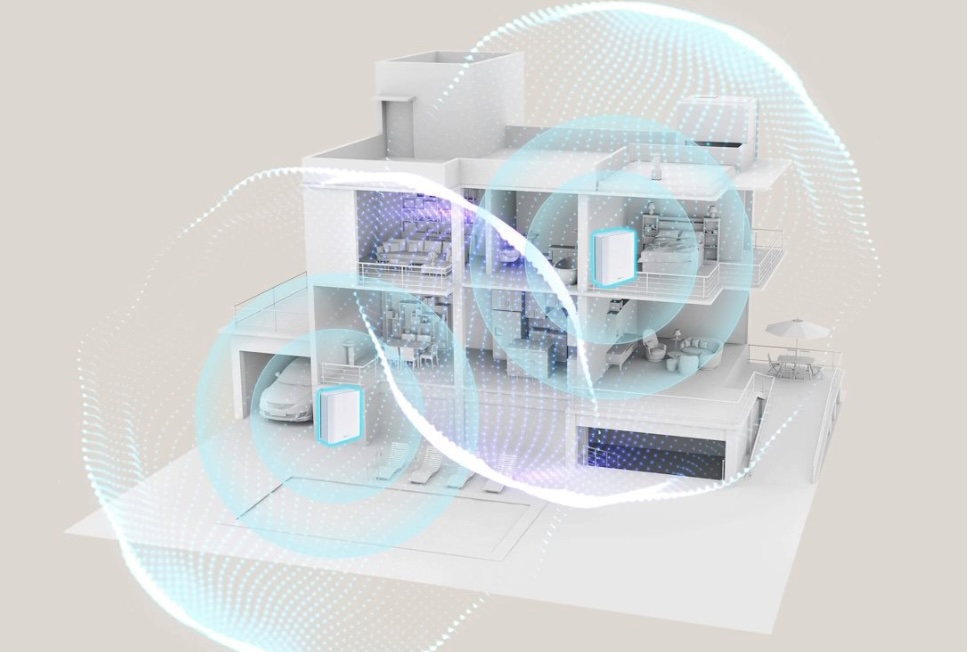
A plug-in firewall does not broadcast Wi-Fi, so coverage still depends on your router. If dead zones push kids onto cellular data, a whole-home mesh Wi-Fi system keeps them on the protected network. For example, the ASUS ZenWiFi BT10 mesh lists security and parental controls plus Smart Home Master SSIDs for separating IoT gear.
Tier 2: All-in-One Prosumer Gateways
All-in-one gateways replace your router and manage firewall, VPN, and access points from one app. This tier centers on Ubiquiti’s UniFi gateways.
Compact cloud gateways
The Ubiquiti Cloud Gateway Ultra packs four GbE LAN ports and a 2.5 GbE WAN port into a small desktop box for apartments and small homes. Next, the Ubiquiti Gateway Lite offers one LAN and one WAN port. Therefore, it works best when you already own a switch and access points. The UCG-Max, in practice, sits between these compact models and the Dream Machines.
Rackmount Dream Machines
The Dream Machine Pro, SE, and Pro Max add 10G SFP+ ports in a rackmount chassis. The Dream Machine Pro Max lists a 10G SFP+ WAN, a 2.5 GbE WAN, and eight GbE LAN ports. At the top, the Dream Machine Beast lists a Layer 7 application-aware firewall, DPI, zone-based rules, content filtering, and IDS/IPS. Its listing also cites 55,000+ IDS/IPS signatures with CyberSecure, so check what that add-on includes.
Who it’s for
This tier fits tech-comfortable households and home offices. However, the tradeoff is ecosystem commitment. Your Wi-Fi works best with UniFi access points, although many mesh systems can run in access point mode.

Tier 3: DIY Open-Source Firewalls
DIY firewalls run free, open-source software such as pfSense or OPNsense on dedicated hardware. You get deep control and no required subscription, but you also become the help desk.
Ready-made pfSense hardware
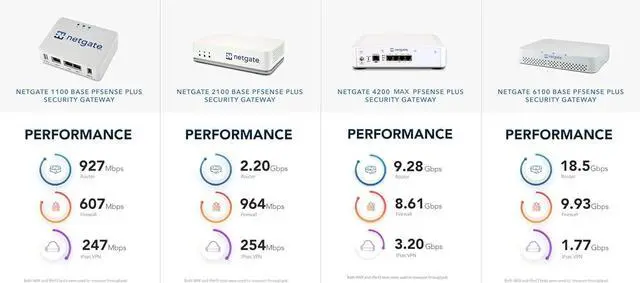
The Netgate 1100 pfSense+ Security Gateway comes from the company behind pfSense. Its listing notes three 1 GbE ports and lifetime TAC Lite support. For a first DIY build, therefore, that support line offers a real safety net.
Fanless mini PC appliances
Partaker builds small multi-port PCs made for firewall duty. The Partaker H7 firewall mini PC lists an Intel Core i3-1115G4, four 2.5G LAN ports, 8 GB of RAM, and a 256 GB SSD, with pfSense and OPNsense named. Another fanless micro firewall listing offers six 2.5GbE ports and AES-NI. However, that listing ships barebone, with no RAM, storage, or operating system, so budget for those parts.
Who it’s for
This tier suits home-lab fans, IT pros, and anyone who wants IDS/IPS through free packages. On the other hand, expect a learning curve. For instance, you will create firewall rules, VLANs, and VPN profiles by hand.
Tier 4: Small-Office VPN Routers
Small-office VPN routers focus on reliable wired routing, site-to-site VPN, and multiple internet lines. However, most include an SPI firewall rather than full threat-inspection subscriptions.
Omada and other wired routers
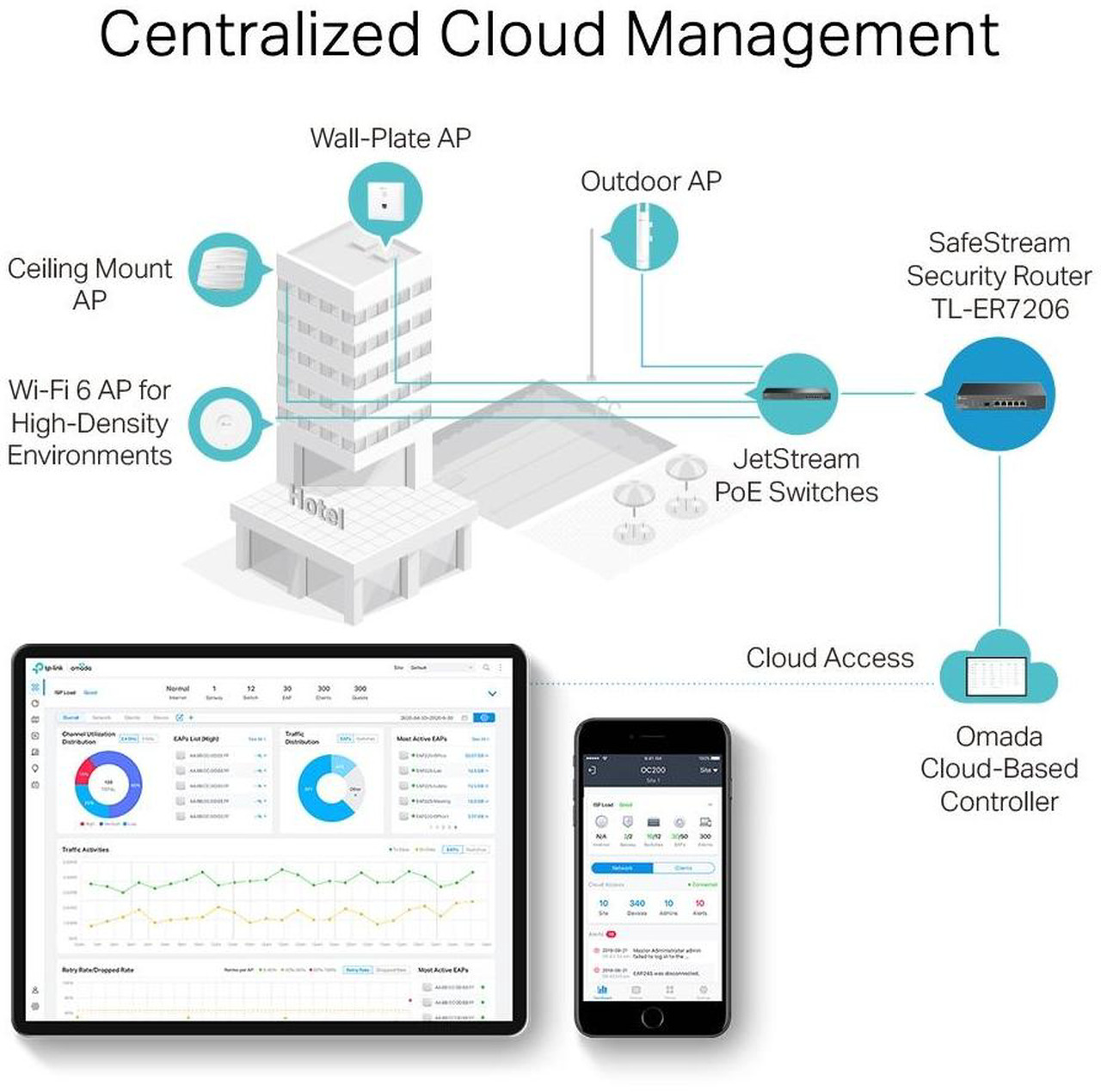
TP-Link’s Omada line scales from the ER605, with up to three WAN Ethernet ports plus USB WAN, to the ER8411 with up to 10 WAN ports. In the middle, the TP-Link ER7206 Multi-WAN VPN Router lists an SPI firewall, DoS defense, and IPsec, OpenVPN, and L2TP support. In addition, other options include the ASUS ExpertWiFi EBG15 Business Multi-WAN VPN Router and the HPE Networking Instant On SG1004 Secure Gateway. For faster lines, the Netgear PR60X offers 10G multi-gigabit dual WAN with Insight cloud management.
Cellular failover
The Peplink B One 5G combines dual WAN with a cellular link, Wi-Fi 6, and support for 150 users. For example, a shop can keep card terminals and calls online when cable fails.
Who it’s for
This tier fits home offices with remote staff, dental offices, and retail counters that need uptime. Next, pair these wired routers with mesh or ceiling access points for Wi-Fi.
Tier 5: SMB Next-Gen Firewalls With Security Subscriptions
Next-generation firewalls (NGFWs) combine IPS, gateway anti-virus, TLS inspection, and web filtering in one appliance. However, subscriptions keep their threat data current.
Appliance only vs bundled
SonicWall listings show the split clearly. For example, “Appliance only” means hardware without the security suite. In contrast, the SonicWall TZ280 with Total Secure bundles a one-year Advanced Protection Security Suite. That listing names gateway anti-virus, IPS, TLS decryption, reputation-based URL filtering, and Advanced DNS Filtering. The lineup runs from the TZ80 with Secure Connect through the TZ270, TZ370, and TZ380, with Secure Upgrade Plus terms.
Other small-business options
The Fortinet FortiGate 30G lists basic IPS, web filtering, simple VPN, and VLANs for user and IoT separation. Next, the FortiGate 60F steps up to 10 GE ports. The WatchGuard Firebox T145 with Total Security Suite ships with one year of services, while the T125 comes with a Basic Security Suite. In addition, other choices include the Sophos XGS 108 with Xstream Protection, Zyxel USG FLEX 50H, Check Point 2550W, Cisco Secure Firewall 1210, and Palo Alto PA-220. However, note that the PA-220 listing says no power supply.
Who it’s for
This tier suits offices that handle customer data, but it usually calls for an IT partner. In practice, that partner also tracks renewals so protection does not quietly lapse.
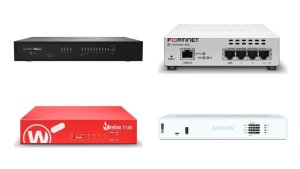
How to Choose a Home Network Firewall
Choose a home network firewall by matching tier to skill, then check speed, devices, renewals, and Wi-Fi.
| Tier | Who it’s for | Subscription needs | Skill level |
|---|---|---|---|
| Plug-in home firewall | Families; renters | None required per listings | Beginner |
| Prosumer gateway | Tech-savvy homes; home offices | Optional add-ons | Intermediate |
| DIY open source | Home labs; IT pros | None; optional support | Advanced |
| Small-office VPN router | Home offices; small shops | Usually none | Intermediate |
| SMB next-gen firewall | Small businesses | Security suite renewals | Advanced or IT partner |
Speed and devices
First, compare your internet plan with the throughput a model reaches with IPS and filtering turned on, not the headline figure. For example, the Sophos XGS 108 listing cites 12.21 Gbit/s of firewall throughput, but security features usually cut that number. Next, count devices and users, because each phone, console, and camera adds connections.
Renewals and apps
Check what stops working when a subscription ends, and note renewal terms before you buy. In addition, open the management app or a demo first. A home network firewall only helps if you actually read its alerts.
Wi-Fi
Most firewalls lack Wi-Fi, so add mesh units or Wi-Fi routers set to access point mode. In practice, that split keeps the firewall and Wi-Fi upgradable on separate schedules.
Get Protected Checklist: Home Network Firewall Setup
Run through this checklist on day one with any home network firewall, then revisit it every few months.
- Change the default admin password and turn on multi-factor sign-in for the cloud account.
- Update firmware first, then enable automatic updates where offered.
- Enable IPS and DNS or content filtering. Start in alert mode for a week, then switch to block.
- Create guest and IoT networks and block IoT devices from reaching your PCs.
- Set family schedules and content rules per device group.
- Allow remote access through the VPN only, and turn off remote admin from the internet.
- Back up the configuration after setup and after every major change.
- Review alerts weekly and put subscription renewal dates on your calendar.
Frequently Asked Questions
Do I need a home network firewall if my router already has one?
First, your router’s SPI firewall blocks unsolicited inbound traffic. However, a dedicated home network firewall adds domain blocking, traffic alerts, IoT segmentation, and family rules that basic routers often lack.
Will a firewall slow down my internet?
It can if the hardware is underpowered. For example, IPS and TLS inspection use far more processing than plain routing. Therefore, compare your plan speed with the throughput rating with security features on.
Does a home network firewall replace antivirus?
No. A firewall protects the network edge, while antivirus inspects files on the device itself. In practice, the two layers work best together on PCs.
Are security subscriptions required?
First, it depends on the tier. Firewalla listings say no monthly fee, and DIY software is free. But SMB next-gen firewalls usually need a suite for IPS, anti-virus, and filtering.
Can a firewall help with AI-generated phishing links?
Yes, partly. DNS and content filters can block many known phishing and malware domains. But brand-new domains may slip through, so people still need to pause before clicking.
Conclusion
A home network firewall gives every device in your house a shared layer of protection in 2026, from the kids’ tablets to the smart TV. For example, most families can start with a plug-in box and good Wi-Fi. However, tech-comfortable homes may prefer an all-in-one gateway, and home labs can go DIY. Home offices and small businesses, on the other hand, gain the most from VPN routers and next-gen firewalls with subscriptions.
Next, pick the tier that matches your comfort level, then work through the checklist above. When you are ready to compare models, browse Newegg’s Firewall & Network Security Devices category for current options.
Related Posts
- Security Key Buying Guide: Phishing-Resistant Sign-In for Everyone
- How to Choose an Internet Security Suite in 2026: Tiers, Features, and Setup
- Hardware Wallet Buying Guide: Safer Crypto Cold Storage in 2026
- How to Get Protected From AI Scams in 2026: A Four-Layer Plan With Product Kits
- Get It Today with Progressive Leasing: The Smarter Way to Own the Tech You Want