
This is the most-asked graphics card question of 2026, and it has a real answer rather than a diplomatic one. The reason it can be answered cleanly is that NVIDIA shipped the same GPU in two memory configurations — the RTX 5060 Ti in 8GB and 16GB versions — which gives reviewers a controlled experiment where the only variable is VRAM. Here is what that experiment showed, where 8GB genuinely still works, and what to buy.

The Short Answer
At 1080p medium settings, yes. At 1080p ultra, sometimes. At 1440p high or ultra, no — not reliably. And with ray tracing on at any resolution, no.
What the Controlled Test Showed
Tom’s Hardware ran the RTX 5060 Ti 8GB against the 16GB version across 21 games. The results scale almost perfectly with how much you ask of the card:
| Setting | 8GB deficit vs 16GB |
|---|---|
| 1080p medium | 2.3% slower |
| 1080p ultra (raster only) | 5% slower |
| 1080p ultra (overall) | 11% slower |
| 1080p ultra (ray-traced titles) | 26% slower |
| 1440p ultra (raster only) | 10% slower |
| 1440p ultra (overall) | 18% slower |
| 1440p ultra (ray-traced titles) | 39.6% slower |
| 4K ultra | 42% slower |
Two results deserve calling out. In Indiana Jones and the Great Circle at 4K ultra, the 8GB card was not merely slow but unplayable at 1.3 fps. And Marvel’s Spider-Man 2 broke 8GB at 1080p Very High, where the 8GB card was 16.9% slower — proof that this is not purely a high-resolution problem.
Averages also understate the experience. Hardware Unboxed’s launch review titled the 8GB card instantly obsolete, measuring gaps from 18% to over 100% across several titles, and noting something charts do not show: the 8GB card silently rendered lower-quality textures in some games rather than simply running slower.
Which Games Actually Exceed 8GB?
TechSpot’s VRAM analysis provides concrete allocation figures. Avatar: Frontiers of Pandora uses roughly 10.7GB at 1080p ultra and 12.6GB at 1440p. Horizon Forbidden West needs 9.5GB or more at 1080p Very High, with up to 35% performance loss on 8GB cards. Ratchet & Clank: Rift Apart wants 10GB or more at the same settings, The Last of Us Part I exceeds 8GB at 1080p ultra, and Hellblade II exceeds it even at High.
Where 8GB Is Still Genuinely Fine
This deserves equal weight, because 8GB cards are not useless. At 1080p medium presets the two RTX 5060 Ti variants are effectively tied. Esports and competitive titles — Counter-Strike 2, DOTA 2, Valorant, Fortnite, Call of Duty at performance settings — are CPU-bound and never approach 8GB. And even at 1440p, plenty of games fit inside 8GB with ray tracing off and textures at medium: one 1440p test of an 8GB RX 9060 XT recorded Red Dead Redemption 2 at High to Ultra peaking at 7.67GB while running 70 to 90 fps.
Two 8GB cards on Newegg fit that description well. The ASUS Dual GeForce RTX 5060 8GB is a compact 228mm two-fan card with 8GB of GDDR7 on a 128-bit bus, a single 8-pin connector and a 550W PSU recommendation. The XFX Swift Radeon RX 9060 XT OC 8GB is the Radeon equivalent, with 8GB of GDDR6 on a 128-bit bus, a single 8-pin connector and a 270mm card. Both are sensible 1080p cards. Neither is a 1440p ultra card.
Why Ray Tracing and Frame Generation Change the Answer
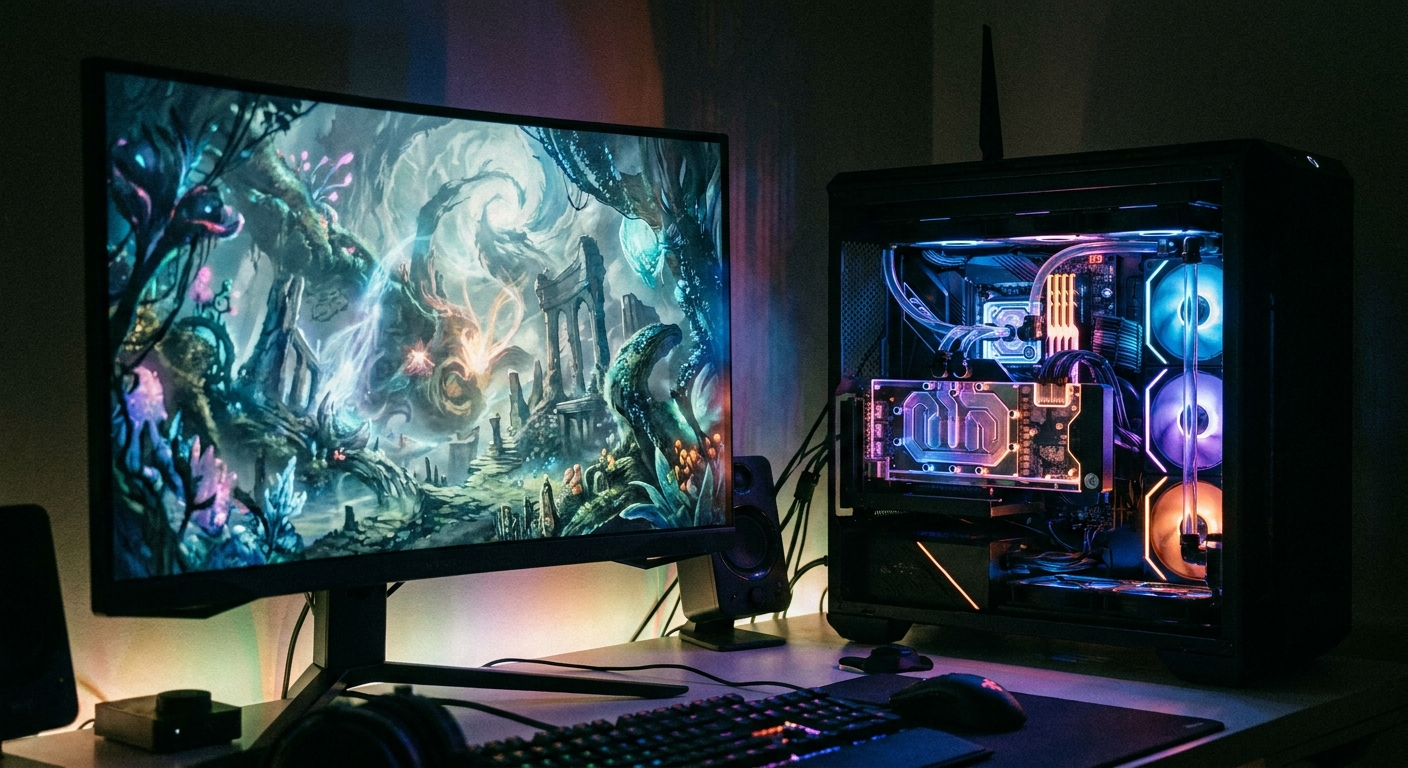
Ray tracing is the single biggest multiplier of VRAM demand — it is what turns a 5% deficit into a 26% deficit at the same resolution. Cyberpunk 2077 climbs past 11GB at 1080p with ray tracing enabled, and 16GB is the recommended minimum for anyone prioritizing it. Indiana Jones and the Great Circle with path tracing has 8GB cards struggling to hold 30 fps at 1080p.
Frame generation adds cost on top, because each generated frame needs more buffered data. In Cyberpunk 2077 at 1440p with maxed ray tracing, DLSS 4 and 4x frame generation, the 16GB RTX 5060 Ti reached 113 fps against 92.4 fps on the 8GB card — an 18% gap created by the frame generation buffer alone. It is not an NVIDIA-specific effect either; Hellblade II and Ghost of Tsushima both climb toward 12GB once frame generation is enabled.
Upscaling works the other way, mostly. Lowering the internal render resolution shrinks the framebuffer, which saves VRAM. The upscaler’s own model costs something — NVIDIA’s optimized transformer model uses about 85.77MB at 1080p, 143.54MB at 1440p and 307.37MB at 4K — but that is small against the framebuffer saving. What upscaling cannot do is rescue a card whose texture working set exceeds the buffer: the 8GB RX 9060 XT 1440p failures were all measured with FSR4 Quality already enabled.
The Detail Most People Miss: Your PCIe Slot Matters
The RTX 5060 and RTX 5060 Ti expose only a PCIe x8 link. When VRAM runs out, assets spill to system memory and travel over that link — so the link width caps your fallback bandwidth. PCIe 5.0 x8 gives 64 GB/s, PCIe 4.0 x8 gives 32 GB/s, and PCIe 3.0 x8 gives 16 GB/s, against the card’s own 448 GB/s of local memory bandwidth.
TechSpot measured what that means. At 1440p upscaled, comparing 16GB against 8GB on the same platform: in Dragon Age: The Veilguard the 16GB card was 130% faster on PCIe 3.0 and still 68% faster on PCIe 5.0. In Marvel’s Spider-Man 2 it was 592% faster on PCIe 3.0 and 120% faster on PCIe 5.0. The VRAM cliff exists on any platform, but on an older board it goes from painful to unplayable — which matters if you are dropping a new card into an aging system.
What to Buy Instead
TechSpot’s conclusion is direct: with the exception of entry-level options, you should not be buying 8GB graphics cards anymore — 12GB is the bare minimum and 16GB is the ideal target. Here is what that looks like in practice.
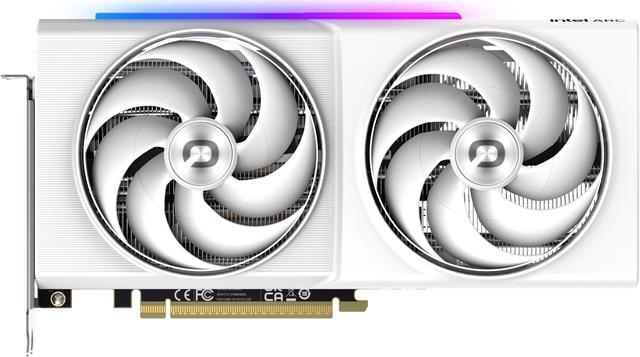
The 12GB step. The ONIX LUMI Arc B580 12GB pairs 12GB of GDDR6 on a 192-bit bus with a 203W board power and a single 8-pin connector. TechSpot’s Arc B580 review called the move from 8GB to 12GB invaluable, citing texture streaming failures on 8GB competitors at 1440p. For more performance at the same capacity, the GIGABYTE WindForce RTX 5070 12GB offers 12GB of GDDR7 on a 192-bit bus with a 16-pin connector in a 282mm card.
The 16GB mainstream. The MSI Ventus 3X OC RTX 5060 Ti 16GB is the direct answer to this entire article — the same GPU as the 8GB card with twice the memory, 180W board power and a single 8-pin connector. On the Radeon side, the PowerColor Reaper RX 9060 XT 16GB delivers 16GB of GDDR6 in a compact 200mm card with only a 500W PSU recommendation.
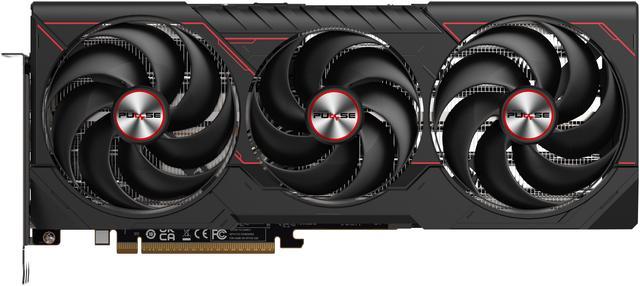
The 16GB step up. If you want 1440p ultra with ray tracing, both of these have the memory bandwidth to match the capacity. The ASUS PRIME RTX 5070 Ti OC 16GB runs 16GB of GDDR7 at 28Gbps on a 256-bit bus with a 300W board power and a 16-pin connector. The SAPPHIRE PULSE RX 9070 XT 16GB counters with 16GB of GDDR6 on a 256-bit bus, a 304W board power, two 8-pin connectors and a 320mm three-slot card.
What the Vendors Say, and What It Is Worth
AMD has defended 8GB publicly. Frank Azor, AMD’s Chief Architect of Gaming Solutions, said of the RX 9060 XT 8GB that the majority of gamers are still playing at 1080p and have no use for more than 8GB, adding that AMD would not build it if there were no market, and that a 16GB version exists if 8GB is not right for you. That is a fair point about the median player and an insufficient one about someone buying a card to last four years; Gamers Nexus published a pointed rebuttal. NVIDIA has no comparable on-record statement.
One piece of context worth factoring into timing: reporting in January 2026 indicated NVIDIA reduced shipments of the RTX 5060 Ti 16GB and RTX 5070 Ti 16GB while making 8GB parts the most widely supplied in the RTX 50 line, amid the memory supply crunch. So 16GB variants may be harder to find rather than simply a choice — if you see the card you want in stock, that matters more this year than usual. Compare current options in Newegg’s 16GB graphics card listings.
Frequently Asked Questions
Is 8GB of VRAM enough for 1080p gaming in 2026? At medium settings, yes — the 8GB and 16GB RTX 5060 Ti are within 2.3% of each other across 21 games at 1080p medium. At 1080p ultra the gap grows to 11% overall and 26% in ray-traced titles, and specific games such as Marvel’s Spider-Man 2 break 8GB even at 1080p Very High.
How much VRAM do I need for 1440p? TechSpot’s conclusion is that 12GB is the bare minimum and 16GB is the ideal target, with 16GB the recommended floor for ray tracing at any resolution. At 1440p ultra an 8GB card is 18% slower than the same GPU with 16GB, rising to nearly 40% in ray-traced games.
Does DLSS or FSR fix a VRAM shortage? Partly. Upscaling lowers the internal render resolution, which shrinks the framebuffer and saves memory, at a small cost for the upscaler’s own model. But it cannot help once a game’s texture working set exceeds the buffer, and frame generation actively increases VRAM demand — one Cyberpunk 2077 test showed an 18% gap between 8GB and 16GB created by the frame generation buffer alone.
Does my motherboard’s PCIe version matter for an 8GB card? Yes, considerably. The RTX 5060 and 5060 Ti use a PCIe x8 link, and when VRAM overflows, data spills to system memory across that link. PCIe 3.0 x8 provides 16 GB/s against the card’s 448 GB/s of local bandwidth, so the same VRAM shortfall that costs 68% on PCIe 5.0 cost 130% on PCIe 3.0 in one measured title.
Read More
- Tom’s Hardware: RTX 5060 Ti 8GB vs 16GB Face-Off — The 21-game controlled comparison where VRAM is the only variable.
- TechSpot: How Much VRAM Do You Need? — Game-by-game memory allocation measurements and the 12GB minimum conclusion.
- Tom’s Hardware: GPU Benchmarks Hierarchy — Raster and ray-tracing rankings at 1080p, 1440p and 4K.
- Hardware Unboxed: RTX 5060 Ti 8GB Review — Shows the frame-time stutter and texture degradation that average frame rates hide.
- Newegg: 16GB Graphics Cards — Browse current cards with 16GB frame buffers by GPU and brand.