I use cloud chatbots almost every day, and I also keep a few open models on my own PC. The question I hear most is whether running AI locally is worth the trouble, and what kind of hardware it takes. My short answer: local AI is mostly a memory problem. Get the memory right and almost everything else falls into place.
What's the Real Difference Between Local AI and Cloud AI?
With cloud AI, the model runs in someone else's data center. You get the biggest frontier models and you don't buy any hardware, but you pay with a subscription or by the token, you live with rate limits, you need an internet connection, and your prompts leave your machine. OpenAI, for example, says consumer ChatGPT conversations may be used to train its models unless you turn off the "Improve the model for everyone" setting.
With local AI, the model file sits on your SSD and runs on your own graphics card. Microsoft sums up the upside in its Foundry Local documentation: your data never leaves the device, it works offline, and there are no per-token costs. The trade-off is size. The models that fit on a PC are smaller than the frontier models in the cloud, although open-weight releases like OpenAI's gpt-oss and Google's Gemma 4 have closed a lot of that gap.
I don't see it as either-or. I'd use the cloud for the hardest questions, and keep private documents, code and anything I want to work offline on a local model.
How Much VRAM Do I Need to Run AI Models Locally?
Start with the model's size. Hugging Face's rule of thumb is roughly 2GB of memory per billion parameters at 16-bit precision. Quantization shrinks that: about 1GB per billion at 8-bit, and a little over 0.5GB per billion at 4-bit, which is how most people run models at home.
| Model size | 16-bit | 8-bit | 4-bit |
|---|---|---|---|
| 8B parameters | ~16GB | ~8GB | ~4 to 5GB |
| 27B parameters | ~54GB | ~27GB | ~14 to 16GB |
| 70B parameters | ~140GB | ~70GB | ~35 to 40GB |
Those figures cover the weights only. The model also needs room for its context, the KV cache, which grows with every token in the conversation. Ollama sizes its default context to your hardware: 4K tokens with less than 24GB of VRAM, 32K with 24GB to 48GB, and 256K with 48GB or more. That's a good hint at why 24GB and 32GB cards feel so much roomier than 16GB ones.
Some real examples help. OpenAI says gpt-oss-20b runs within 16GB of memory, while gpt-oss-120b fits on a single 80GB GPU. Google says Gemma 4 12B can run locally with 16GB of VRAM or unified memory, and Mistral says Ministral 3 14B fits in 24GB of VRAM at FP8.
Why Does Memory Bandwidth Matter as Much as Capacity?
Capacity decides whether a model loads. Bandwidth decides how fast it answers, because generating each new token means reading through the model's active weights. Here's how the hardware in this guide compares:
- GeForce RTX 5060 Ti 16GB: 448GB/s
- Intel Arc Pro B60 24GB: 456GB/s
- NVIDIA RTX PRO 4000 Blackwell 24GB: 672GB/s
- Radeon AI Pro R9700 32GB: 640GB/s
- GeForce RTX 5090 32GB: 1,792GB/s
- Ryzen AI Max+ 395 with 128GB LPDDR5X-8000: 256GB/s
That last line explains the appeal and the limits of unified-memory mini PCs. They can hold far bigger models than any consumer graphics card, but they generate tokens more slowly. Mixture-of-experts models soften the blow: OpenAI says gpt-oss-120b activates only 5.1 billion of its parameters for each token, and AMD says the model runs on a 128GB Ryzen AI Max+ 395 system.
What Is an AI PC, and Does the NPU Matter?
Microsoft's Copilot+ PC label requires a neural processing unit rated at 40 TOPS or more, at least 16GB of RAM and 256GB of storage. The NPU runs Windows features such as Recall and Windows Studio Effects efficiently, which is great for battery life.
For chatbots and image generators, though, the graphics card does the heavy lifting. Ollama supports NVIDIA, AMD and Apple GPUs, plus other GPUs, including Intel's, through Vulkan on Windows and Linux. LM Studio and llama.cpp lean on the GPU too. Be careful with TOPS comparisons as well. NVIDIA rates the RTX 5060 Ti at 759 AI TOPS, but vendors don't measure these figures at the same precision, so that number doesn't line up neatly against a 40 TOPS NPU.
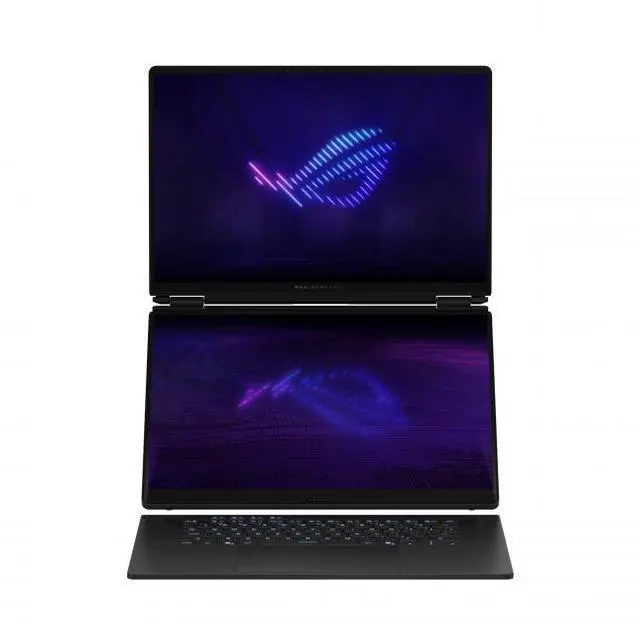
The best AI laptops do both. The ASUS ROG Zephyrus Duo pairs a Core Ultra 9 386H with an NPU that Notebookcheck lists at 50 TOPS, plus an RTX 5090 Laptop GPU with 24GB of VRAM.
What Hardware Would I Buy for Local AI?
Starter, 16GB: The MSI GeForce RTX 5060 Ti 16G Ventus 2X OC Black Plus can run gpt-oss-20b, Gemma 4 12B and plenty of image models on a 180W card.
Workstation, 24GB: The ASRock Intel Arc Pro B60 24GB gives you more memory at a similar bandwidth, while the NVIDIA RTX PRO 4000 Blackwell packs 24GB of ECC GDDR7 into a single-slot, 145W card with full CUDA support.
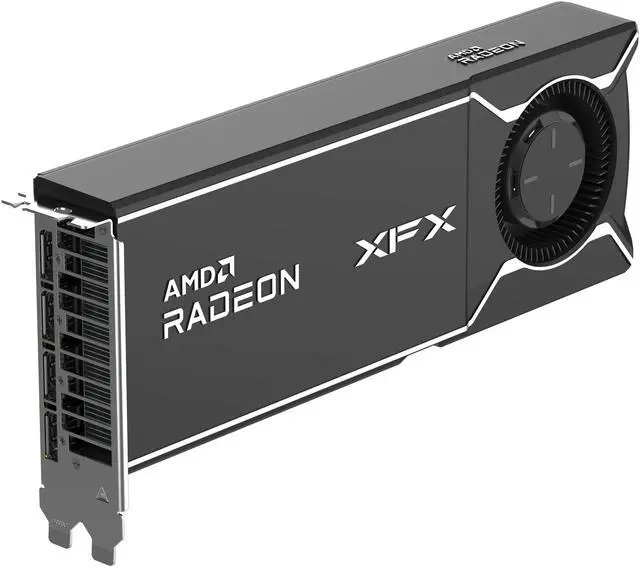
Enthusiast, 32GB: The ASUS TUF Gaming GeForce RTX 5090 32GB is the fastest consumer option by a wide margin, but it's rated at 575W. The XFX Radeon AI Pro R9700 32GB matches its capacity at 300W and works with AMD's ROCm software.
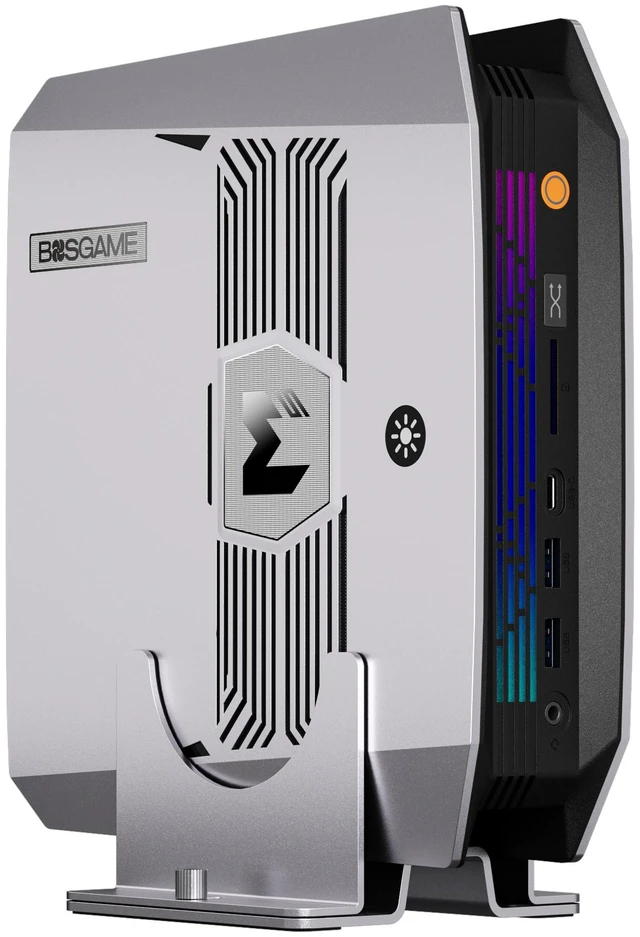
Big models, 128GB: The BOSGAME M5 AI Mini PC uses the Ryzen AI Max+ 395 with 128GB of LPDDR5X, and AMD's Variable Graphics Memory feature can dedicate up to 96GB of it to graphics on Windows.
Don't forget system RAM: llama.cpp and Ollama can split a model between the GPU and system memory when it doesn't fit in VRAM. It's slower, but it works, and a Kingston FURY Renegade 96GB DDR5-6000 kit gives a desktop plenty of room for that. If you need all of this in a laptop, the Zephyrus Duo above is the one I'd look at first.
Frequently Asked Questions
Can I run ChatGPT locally on my PC? Not ChatGPT itself, but OpenAI's open-weight gpt-oss models run locally. OpenAI says gpt-oss-20b can run within 16GB of memory, and both gpt-oss models use the Apache 2.0 license.
How much VRAM do I need to run a local LLM? As a rough guide, 8GB handles small 7B to 8B models at 4-bit, 16GB covers models up to about 20B, 24GB to 32GB fits 27B to 32B models with room for longer context, and 96GB or more of unified memory opens up 100B-plus mixture-of-experts models.
Is local AI cheaper than cloud AI? It depends on how much you use it. Local models have no per-token or subscription charges, but you pay for the hardware up front and for the electricity it uses. Heavy daily use and automated workloads favor local, while occasional use favors the cloud.
Do I need an NPU to run AI models locally? No. Popular local tools such as Ollama, LM Studio and llama.cpp run models on your graphics card or CPU. The NPU in a Copilot+ PC mainly powers built-in Windows AI features and apps written for it.
Is local AI more private than cloud AI? When a model runs entirely on your machine, your prompts don't have to leave it. Microsoft says of its Foundry Local runtime that your data never leaves the device. Check whether the app you use sends telemetry or connects to online tools.
Read More
- Hugging Face: Optimizing LLMs for Speed and Memory -- How precision, quantization and the KV cache affect the memory a model needs.
- OpenAI: Introducing gpt-oss -- OpenAI's open-weight models, their hardware needs and their license.
- Google: Introducing Gemma 4 12B -- Google's 12B Gemma 4 model, built to run locally in 16GB of memory.
- Microsoft Learn: What Is Foundry Local? -- Microsoft's on-device AI runtime and its privacy and offline benefits.
- Ollama Docs: Hardware Support -- Which NVIDIA, AMD, Apple and Vulkan-compatible GPUs Ollama can use to run models.