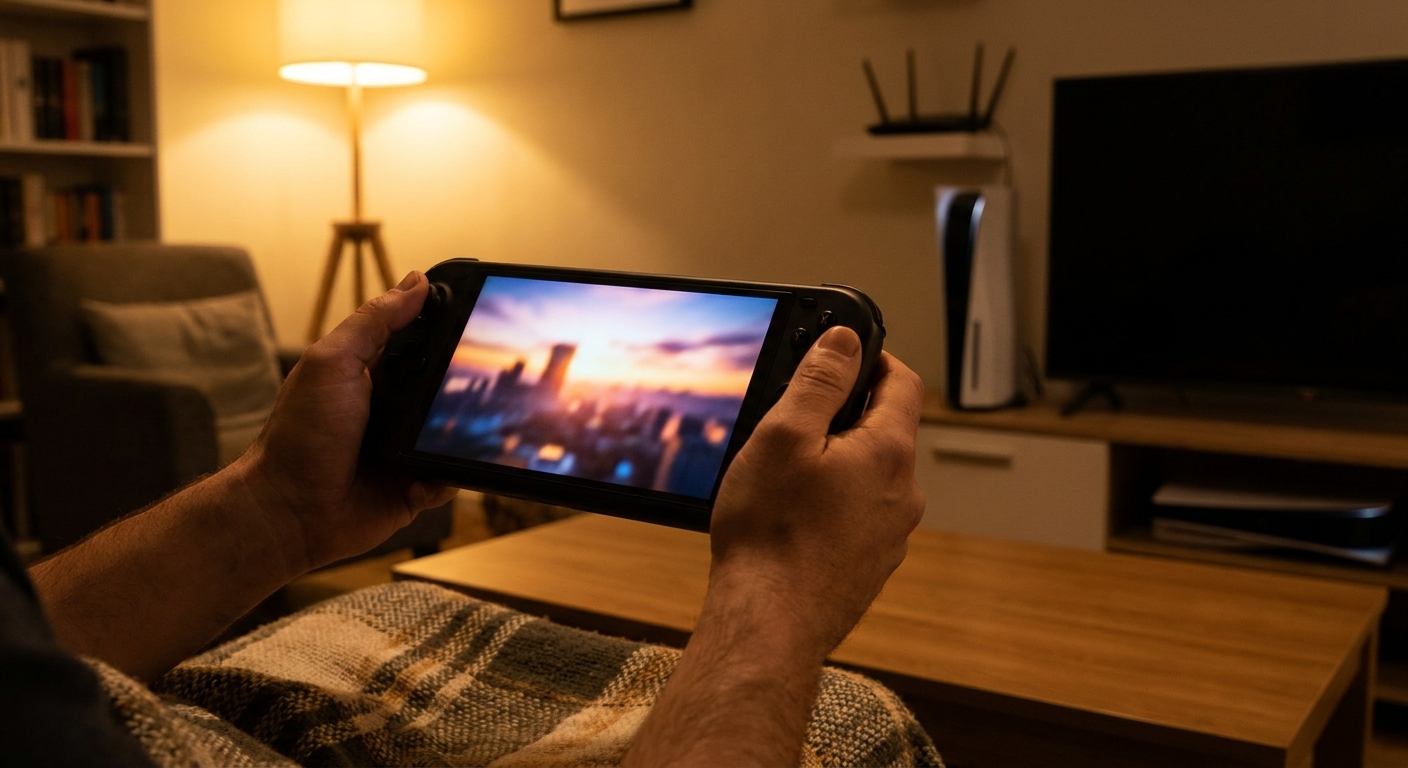
GTA VI arrives on PS5 on November 19, 2026, and in a lot of homes there's one TV and more than one person who wants it. Remote Play is how I'd keep the peace. It streams your PS5 to another device in the house, so the console does the work and you play on a handheld, laptop or PC somewhere else.
It's not magic, and it lives or dies on your home network. Here's how I'd set it up.
Background: what Remote Play does and doesn't do
Remote Play streams video from your PS5 to another screen and sends your controller inputs back. The game still runs on the console, so most PS5 games work, including disc games. Sony notes exceptions, such as games that need PS VR2 or other peripherals, and some features like haptics may not carry over on every device. The trade-off is that image quality depends on your connection, and there's always a bit more input delay than playing directly on the TV. For a slower-paced open-world game, most people find that acceptable. For competitive shooters, it's less ideal.
Step 1: Turn on Remote Play on the PS5
On the console, go to Settings, then System, then Remote Play, and enable it. While you're there, go to Power Saving, then Features Available in Rest Mode, and enable Stay Connected to the Internet and Enable Turning on PS5 from Network. That lets you wake the console from your other device.
Step 2: Wire the PS5 to the router if you can
This is the single biggest improvement. Sony recommends a wired connection for the PS5 when using Remote Play. If your console is far from the router, a mesh system with Ethernet ports on each node is the next best thing. The TP-Link Deco BE25 three-pack has two 2.5Gb ports per unit, so you can plug the PS5 into the nearest node. The Netgear Orbi 370 two-pack is another Wi-Fi 7 mesh option for smaller homes.
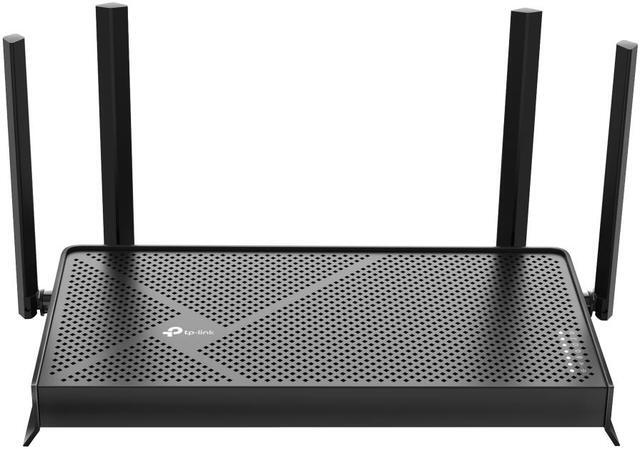
If your router sits near the TV, a simple upgrade like the TP-Link Archer BE230 gives you a Wi-Fi 7 router with 2.5Gb WAN and LAN ports for a wired PS5 and a stronger 5GHz signal for the device you're streaming to.
Step 3: Pick the device you'll play on
PlayStation Portal. The PlayStation Portal Remote Player is built for exactly this. It has an 8-inch screen, DualSense-style controls with adaptive triggers and haptics, and pairs to your PS5 in a few steps. It's the least fussy option, though it only streams from PlayStation, so it doesn't double as anything else.

A Windows handheld. The PS Remote Play app runs on Windows, so a handheld PC can stream your PS5 and also play your PC library. The Lenovo Legion Go 2 has an 8.8-inch OLED at 144Hz and 32GB of RAM, and the MSI Claw A8 uses a Ryzen Z2 Extreme with Wi-Fi 7. Sony's Windows app officially supports DualSense and DualShock 4 controllers, so plan on connecting a DualSense controller with a USB cable rather than relying on the handheld's built-in controls.

A laptop or desktop PC. Install PS Remote Play for Windows, sign in with the same PlayStation account and connect a DualSense by USB. If the PC is near the router, plug it in. A Plugable 2.5G USB-C Ethernet adapter adds a wired port to laptops that don't have one.
Step 4: Tune the stream
In the Remote Play app settings, you can set resolution and frame rate. If you see stutter or blocky video, drop the resolution one step before anything else. On Wi-Fi, connect the streaming device to 5GHz or 6GHz rather than 2.4GHz, and keep it in the same room as the router or a mesh node if possible.
Step 5: Don't forget the PS5's storage
GTA VI's PS5 download is reportedly around 210GB, though Rockstar hasn't confirmed it. Remote Play doesn't change where the game lives, so the console still needs the space. Clear room before the November 12 preload.
Product recommendations, in short
If you only play PlayStation games, the Portal is the simplest way to do this. If you also have a PC game library, a Windows handheld gives you both. Whichever you choose, a wired PS5 and a strong 5GHz or 6GHz signal to the device in your hands matter more than which device it is.
If Remote Play won't connect
A few things trip people up. Make sure the device and the PS5 are signed in to the same PlayStation account. If the console is in rest mode, check that the network wake settings from Step 1 are turned on, otherwise the app can't wake it. If the app finds the console at home but not when you're away, your router may be blocking the connection, and a router restart or enabling UPnP in its settings is worth trying.
If the stream connects but looks rough, test the connection from the same spot with a speed test app. Remote Play needs a steady connection on both ends, and the upload speed from your home matters when you play away from it. Sony recommends a high-speed connection for both the console and the remote device.
Finally, keep the PS5's system software and the Remote Play app updated. Connection fixes often arrive quietly in updates, and an outdated app is a common reason a device that used to work suddenly can't find the console.
Summary
Enable Remote Play and network wake on the PS5, wire the console, put the streaming device on a fast band, and lower resolution before blaming the hardware. Do that, and someone else can have the TV without you missing out.
Frequently Asked Questions
Can I play GTA 6 with PS5 Remote Play? Remote Play streams games running on your PS5, so you can play PS5 games including GTA VI on another device, as long as your home network is strong enough.
Do I need a PlayStation Portal for Remote Play? No. You can also use the PS Remote Play app on Windows PCs, Windows handhelds, Macs and mobile devices. The Portal is simply the most convenient dedicated option.
Should my PS5 be wired for Remote Play? Yes, Sony recommends a wired connection for the PS5. It's the single biggest improvement you can make to stream quality.
Why is my Remote Play stream laggy or blurry? Usually it's the Wi-Fi link to the streaming device. Move closer to the router or mesh node, use 5GHz or 6GHz, and lower the stream resolution.
Does Remote Play save space on my PS5? No. The game still installs and runs on the PS5, so you need enough console storage for it.
Read More
- PlayStation: PS Remote Play - Sony's overview of supported devices and how to get started.
- PlayStation: PlayStation Portal Remote Player - Official features and specs for the Portal.
- Rockstar Newswire: Grand Theft Auto VI launches November 19, 2026 - Rockstar's official release date announcement.
- PlayStation Support: USB extended storage on PS5 - What you can store and play from external drives.
- Newegg Insider: Best Handheld Gaming PCs - More handheld PCs that can double as Remote Play devices.