For years, the standard warning about OLED monitors went like this: amazing for games and movies, slightly annoying for reading. Small text could show faint colored edges, a pink or green halo that you either never noticed or couldn't stop seeing. I'm in the second group, which is why the new "RGB stripe" OLED panels caught my attention in 2026.
The short version: on the panels reviewers have tested, the fringing is essentially gone. The longer version has a couple of catches, and they're worth knowing before you pay extra for the label.
Why Did OLED Text Look Fringed in the First Place?
It comes down to how the red, green and blue subpixels are arranged. Windows' ClearType text smoothing was designed around LCDs, which use simple vertical stripes of red, green and blue in every pixel. ClearType uses that layout to sharpen letter edges.
Older OLED panels didn't follow it. LG Display's WOLED panels used four subpixels, including an unfiltered white one. Samsung Display's QD-OLED panels used a triangle, with green sitting above red and blue. When text rendering assumes one layout and the screen has another, you get color around the edges. Newer RGWB WOLED panels reduced the effect, but didn't eliminate it.
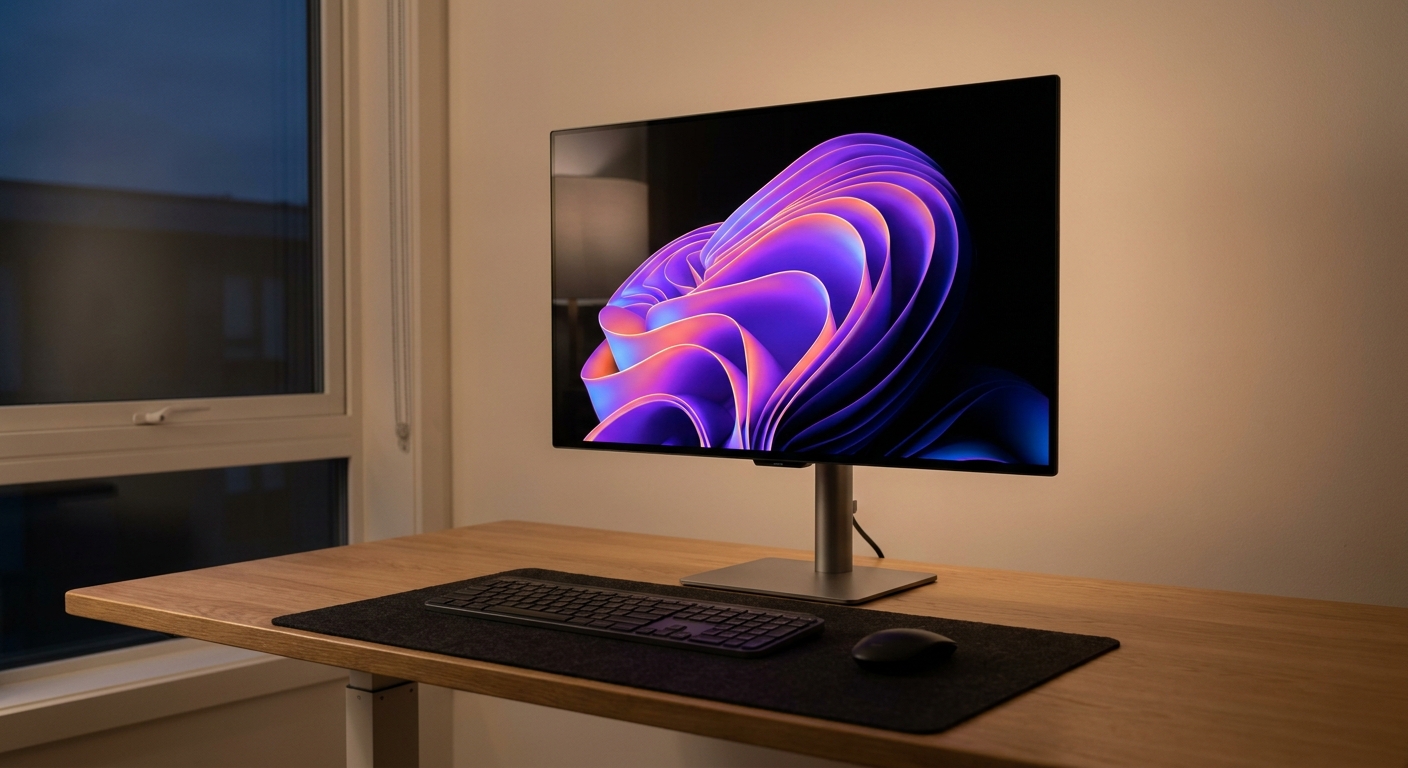
What Is an RGB Stripe OLED Panel?
It's an OLED panel with red, green and blue subpixels side by side in vertical stripes, the same order an LCD uses. LG Display's version is a 27-inch-class, 26.5-inch 4K panel that runs at 240Hz or switches to 1080p at 480Hz, with the white subpixel removed. LG Display says it's the first to reach 240Hz while keeping an RGB stripe structure, and a 31.5-inch 4K version is shipping too.
Samsung Display took its own route with what it calls V-Stripe, a QD-OLED layout where the three subpixels stand side by side as vertical pillars instead of a triangle. In January 2026, it announced mass production of a 34-inch, 360Hz ultrawide panel with that layout.
Isn't "Primary RGB Tandem" the Same Thing?
No, and this tripped me up at first. Primary RGB Tandem describes how LG Display stacks the light-emitting layers inside the panel: two blue layers plus separate red and green layers. It's about brightness and efficiency, not the subpixel layout. A monitor can say "Tandem" without being RGB stripe. Look for "RGB stripe" or "V-Stripe" specifically.
Does It Actually Fix the Fringing?
On the RGB stripe WOLED models reviewers have tested, yes. TFTCentral's review of the 32-inch ASUS ROG Swift OLED PG32UCWM concluded you "avoid any remaining fringing artefacts completely," with text clarity comparable to an LCD of the same pixel density. Tom's Hardware said the 27-inch PG27UCWM rendered text "with perfect edges."
Here's the catch I care about most. Pixel density already hides a lot of fringing. A 26.5-inch 4K panel is about 166 pixels per inch, and TechSpot made the point that at 140 PPI on a 32-inch 4K screen, the visible gain is smaller than you might expect. The people who benefit most are those using lower-density screens, like 1440p 27-inch monitors and 34-inch ultrawides, which sit around 110 PPI.
There are trade-offs, too. TFTCentral measured 250 nits in the PG32UCWM's uniform-brightness SDR mode, against 326 nits for ASUS's RGWB tandem WOLED model, the XG32UQWMS, and in HDR it measured around 14 percent lower luminance than that model in most scenes. The glossy coating also reflects more of the room.
Product Spotlight: The RGB Stripe Models
The ASUS ROG Swift OLED PG27UCWM uses LG Display's 26.5-inch RGB stripe panel: 4K at 240Hz or 1080p at 480Hz, DisplayHDR True Black 400, DisplayPort 2.1 and two HDMI 2.1 ports. If you want the sharpest text and you sit close, this is the one I'd look at first.
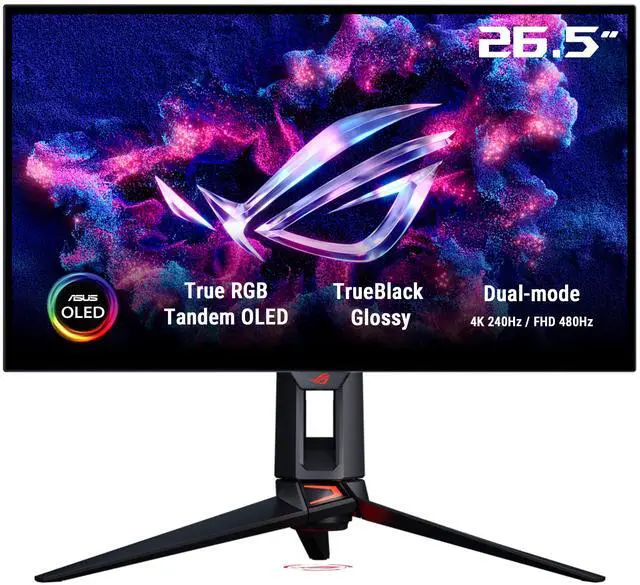
The ASUS ROG Swift OLED PG32UCWM is the 31.5-inch version with the same dual mode, a TrueBlack Glossy finish, 1,000-nit rated peak brightness and a three-year warranty.
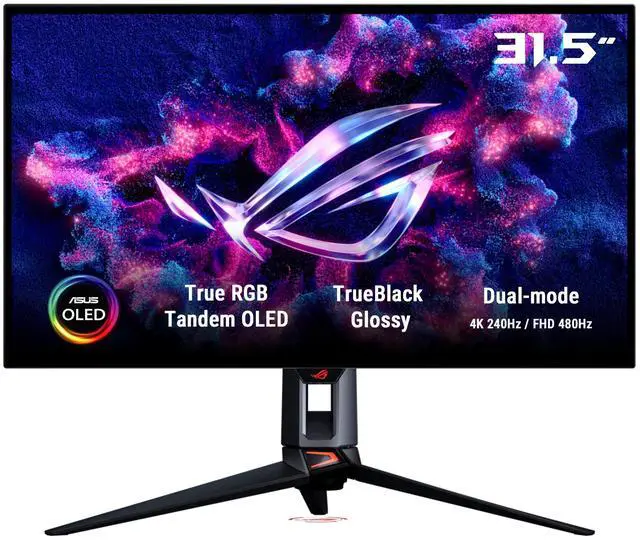
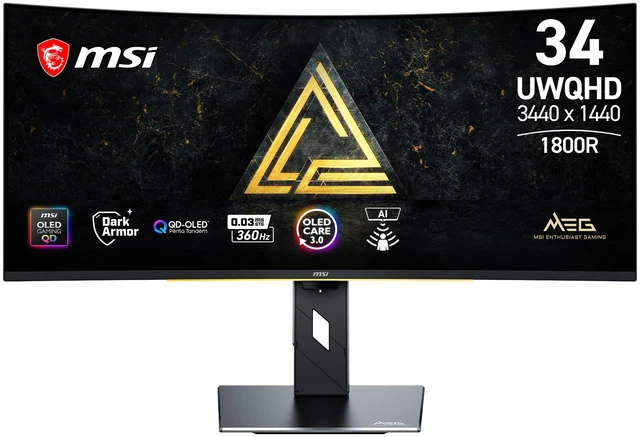
The MSI MEG X 34 is the one I find most interesting. MSI says its fifth-generation QD-OLED panel uses an RGB stripe subpixel layout, and that matters more at 3440 x 1440 than at 4K. It runs at 360Hz with DisplayHDR True Black 500, and adds DisplayPort 2.1a and USB-C with 98W power delivery.
How They Compare With Conventional OLEDs
| Monitor | Size / Resolution | Refresh | Subpixel Layout |
|---|---|---|---|
| ASUS PG27UCWM | 26.5" / 4K | 240Hz (480Hz at 1080p) | RGB stripe WOLED |
| ASUS PG32UCWM | 31.5" / 4K | 240Hz (480Hz at 1080p) | RGB stripe WOLED |
| MSI MEG X 34 | 34" / 3440 x 1440 | 360Hz | RGB stripe QD-OLED |
| ASUS PG27UCDM | 27" / 4K | 240Hz | Triangle QD-OLED |
| Samsung Odyssey OLED G8 27" | 27" / 4K | 240Hz | Triangle QD-OLED |
| MSI MPG 272URX | 27" / 4K | 240Hz | Triangle QD-OLED |
| MSI MAG 272QP QD-OLED X24 | 27" / 1440p | 240Hz | Triangle QD-OLED |
| MSI MAG 272QP QD-OLED X50 | 27" / 1440p | 500Hz | Triangle QD-OLED |
My Recommendations
If you mostly game and already have a 27-inch 4K QD-OLED like the ASUS PG27UCDM, the Samsung Odyssey OLED G8 or the MSI MPG 272URX, I wouldn't replace it for RGB stripe alone. At around 166 PPI, the difference is a refinement.
If you spend hours in documents and code, or text fringing has always bothered you, RGB stripe is worth paying for, and the PG27UCWM is the safe pick. If you want an ultrawide, the MEG X 34 should benefit most from the new layout, though PC Monitors notes V-Stripe QD-OLED can still show slight fringing at the sides of characters.
And if you're shopping on a tighter budget, the MSI MAG 272QP QD-OLED X24 and the 500Hz MSI MAG 272QP QD-OLED X50 are still excellent gaming panels. Just know that at 1440p, those are exactly the screens where some people notice fringing.
Frequently Asked Questions
What is an RGB stripe OLED monitor? It's an OLED monitor whose red, green and blue subpixels sit side by side in vertical stripes, the same order an LCD uses. Earlier OLED panels used a four-subpixel WOLED layout with a white subpixel or a triangular QD-OLED layout.
Does RGB stripe OLED eliminate text fringing? On the RGB stripe WOLED models reviewed by TFTCentral and Tom's Hardware, essentially yes. TFTCentral found the ASUS PG32UCWM avoids remaining fringing artifacts completely, and Tom's Hardware said the PG27UCWM rendered text with perfect edges.
Is Primary RGB Tandem the same as RGB stripe? No. Primary RGB Tandem describes LG Display's stacked light-emitting layers, two blue plus separate red and green, which mainly affects brightness and efficiency. RGB stripe describes the subpixel layout. Check for RGB stripe or V-Stripe specifically.
Which monitors use RGB stripe OLED panels? Examples include the ASUS ROG Swift OLED PG27UCWM and PG32UCWM, which use LG Display RGB stripe panels, the Alienware AW3226Q, and the MSI MEG X 34, which MSI says uses a fifth-generation QD-OLED panel with an RGB stripe layout.
Should I upgrade from a 4K QD-OLED to an RGB stripe OLED? Probably not for gaming alone. At about 166 pixels per inch on a 27-inch-class 4K screen, fringing is already hard to see. RGB stripe makes the biggest difference on lower-density screens like 1440p 27-inch monitors and 34-inch ultrawides.
Read More
- TFTCentral: ASUS ROG Swift PG32UCWM Review -- An in-depth look at text clarity and brightness on the first RGB stripe WOLED TFTCentral has tested.
- Tom's Hardware: ASUS ROG Swift PG27UCWM Review -- Lab results for the 27-inch 4K RGB stripe OLED.
- TechSpot: Alienware AW3226Q Review -- How RGB stripe text clarity plays out on a 32-inch 4K panel.
- PC Monitors: QD-OLED and WOLED Fringing Issues -- Macro photos comparing WOLED, QD-OLED and V-Stripe subpixel layouts.
- TFTCentral: Samsung Display's V-Stripe QD-OLED Panel -- Samsung Display's 34-inch 360Hz QD-OLED with a vertical stripe layout.