
Every few years, a new WiFi standard arrives with promises of faster speeds and better performance. But WiFi 8 — officially known as IEEE 802.11bn — takes a different approach. Instead of chasing headline-grabbing speed numbers, WiFi 8 is built around one core idea: reliability. That shift matters more than it might sound, and here’s why.

What Is WiFi 8?
WiFi 8 (802.11bn) is the next generation of the wireless networking standard, developed by the IEEE (Institute of Electrical and Electronics Engineers) and expected to receive full official certification around 2028. TP-Link has already demonstrated live WiFi 8 data transmission in 2026, making it one of the first major manufacturers to show this technology working in real conditions.
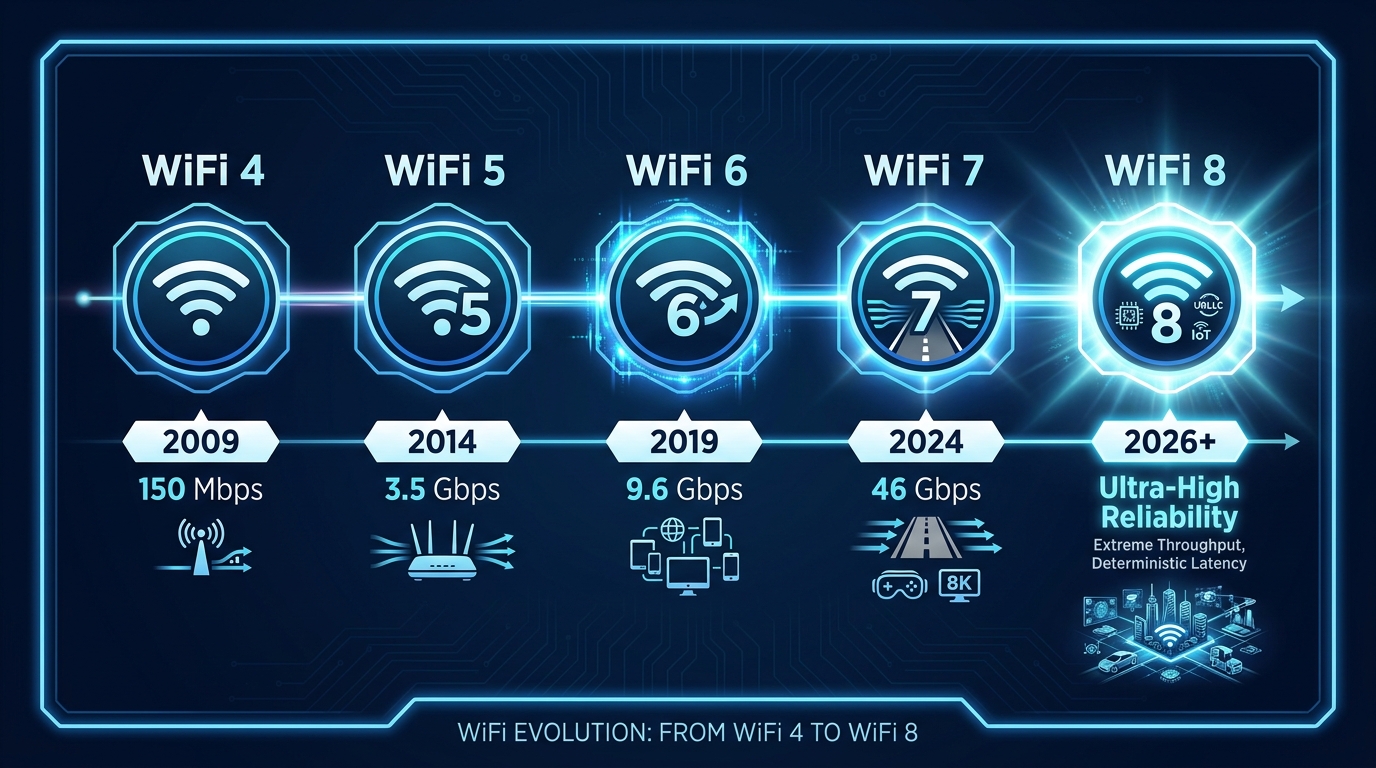
The official tagline for WiFi 8 is UHR — Ultra-High Reliability. Where previous WiFi generations focused primarily on increasing maximum theoretical speeds (WiFi 6 hit 9.6 Gbps, WiFi 7 pushed to 46 Gbps), WiFi 8 instead focuses on making your connection stay stable — especially in busy homes with dozens of connected devices, and in environments with lots of interference from neighboring networks.
If you’ve ever experienced your WiFi slowing down when the whole family is home, a video call freezing mid-sentence, or your connection dropping when you walk to another room, WiFi 8 was designed with exactly those frustrations in mind.
How Does WiFi 8 Actually Work?
WiFi 8 introduces several new technologies that work together to deliver a more consistent, interference-resistant experience. You don’t need to understand the engineering behind each one — but knowing what they do for your daily life is useful.
Better Range, Especially at the Edges of Your Home
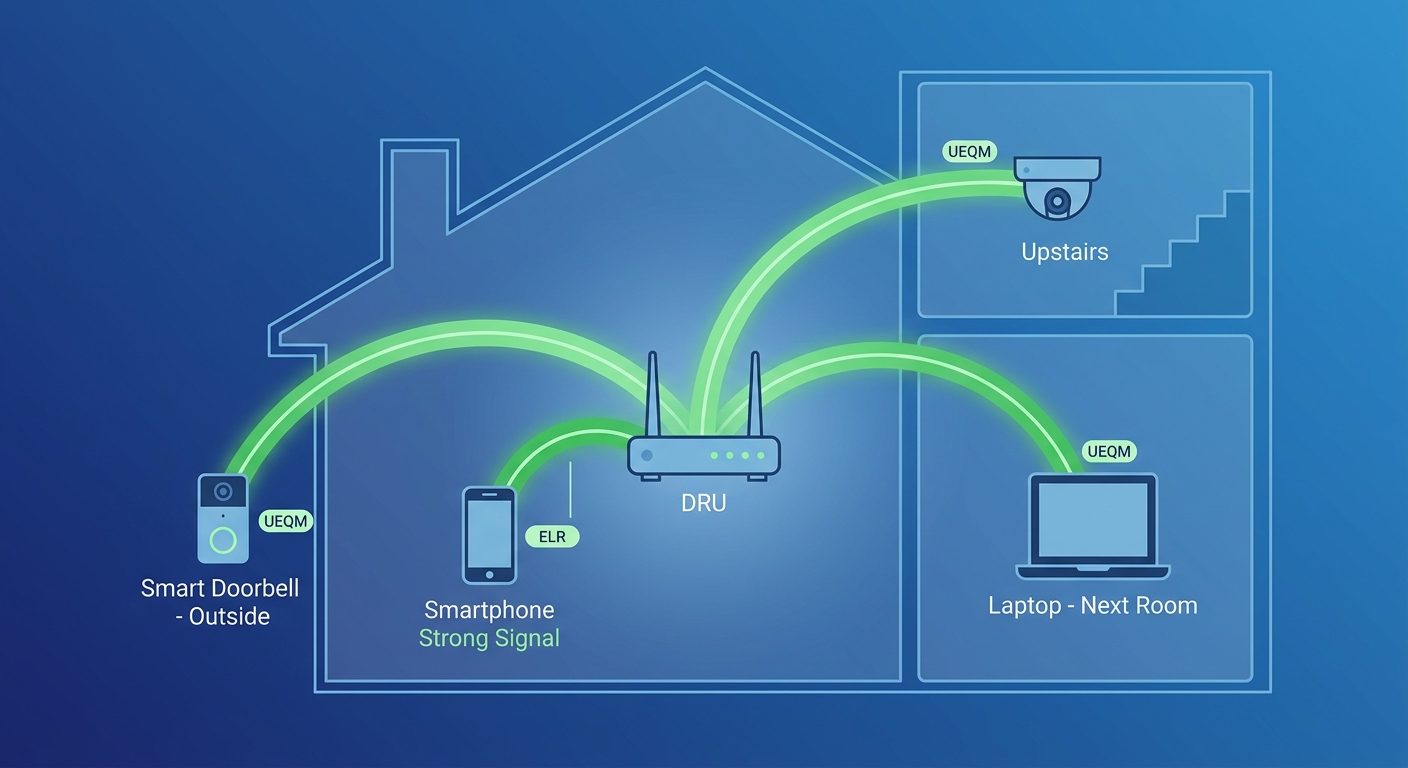
Two features called DRU (Distributed Resource Units) and ELR (Enhanced Long Range) work together to improve coverage in challenging spots. DRU helps devices that are far from the router — or that have weak uplink signals — get heard more clearly. ELR uses a more robust signal structure so that devices in upstairs rooms, garages, and backyard areas can stay connected farther from your router without constantly dropping to slower speeds.
In practical terms, this means your smart security camera at the far end of the house, or your laptop in the garage, should hold a steadier connection instead of struggling on the edge of coverage.
More Devices, Less Slowdown
A feature called MAPC (Multi-AP Coordination) lets multiple WiFi access points — your router and any mesh nodes or range extenders — work as a coordinated team instead of operating independently. In a traditional setup, two nearby access points can actually interfere with each other. With WiFi 8, they synchronize their signals, steer coverage more precisely, and adjust power levels to avoid overlap.
Another feature, DSO (Dynamic Sub-band Operation), lets your router assign channel space more intelligently based on what each device actually needs. Instead of older devices hogging bandwidth they don’t fully use, the router routes traffic more efficiently so every device gets what it needs without slowing others down.
Smoother Video Calls and Gaming
UEQM (Unequal Modulation) allows each data stream in a connection to run at whatever speed it handles best, rather than all streams being forced to match the weakest one. This means that even when your signal quality varies — as it always does in real homes — you maintain more consistent speeds instead of experiencing sudden drops when you take a few steps away from the router.
Combined with improvements to seamless roaming, WiFi 8 means video calls stay clear, games stay lag-free, and streaming stays uninterrupted even as you move around your home.
WiFi 8 vs. WiFi 7: What’s Actually Different?
WiFi 7 and WiFi 8 share the same maximum theoretical speeds — both can reach up to 46 Gbps under ideal conditions. The key difference is what happens when conditions aren’t ideal, which is essentially always the case in a real home.
| Feature | WiFi 8 | WiFi 7 | WiFi 6 | WiFi 5 |
|---|---|---|---|---|
| Max Theoretical Speed | 46 Gbps | 46 Gbps | 9.6 Gbps | 3.4 Gbps |
| Frequency Bands | 2.4, 5 & 6 GHz | 2.4, 5 & 6 GHz | 2.4, 5 & 6 GHz | 5 GHz only |
| Multi-AP Coordination | ✅ Yes | ❌ No | ❌ No | ❌ No |
| Enhanced Long Range (ELR) | ✅ Yes | ❌ No | ❌ No | ❌ No |
| Dynamic Sub-band Operation | ✅ Yes | ❌ No | ❌ No | ❌ No |
| Seamless Roaming | ✅ Improved | Partial | Limited | Limited |
| Focus | Reliability | Speed & Low Latency | Capacity & Efficiency | Speed |
The bottom line: if you currently have WiFi 7, the upgrade to WiFi 8 is an incremental reliability improvement rather than a transformative speed jump. If you’re on WiFi 6 or older, the gap is much more significant — not just in speed, but in how consistently your network holds up under real-world loads.
Will WiFi 8 Work with My Current Devices?
Yes — WiFi 8 is fully backward compatible with all previous WiFi standards. Your existing smartphones, laptops, smart TVs, game consoles, and smart home devices will all connect to a WiFi 8 router without any changes. They’ll simply connect using the WiFi version they support (WiFi 6, WiFi 5, or even WiFi 4).
The full benefits of WiFi 8 — especially Multi-AP Coordination, ELR, and UEQM — are available to the entire network, not just WiFi 8-capable devices. Even older devices benefit from the smarter traffic management and reduced interference that a WiFi 8 router provides.
Should You Wait for WiFi 8, or Upgrade Now?
This is the most practical question most people have. Here’s a straightforward answer: if you’re still on WiFi 5 or WiFi 6, upgrading to WiFi 7 right now makes a lot of sense — you don’t need to wait for WiFi 8.
WiFi 8 products based on draft specifications are beginning to appear in 2026, but the final IEEE standard won’t be ratified until around 2028. That means first-generation WiFi 8 products will be based on pre-final specifications, and pricing will be at a premium. WiFi 7, by contrast, is a fully ratified standard with a wide range of products available across every budget.
WiFi 7 already delivers dramatically better performance than WiFi 6 or 5 in real-world conditions: faster speeds, lower latency, multi-link operation across bands, and significantly improved handling of busy homes. If your home network is struggling with dead zones, video call drops, gaming lag, or slow streaming, a WiFi 7 router addresses those problems today.
WiFi 7 Options to Consider Now on Newegg
Whether you want a standalone high-performance router or a whole-home mesh system, there are strong WiFi 7 options available on Newegg right now:
For Whole-Home Coverage — TP-Link Deco BE63
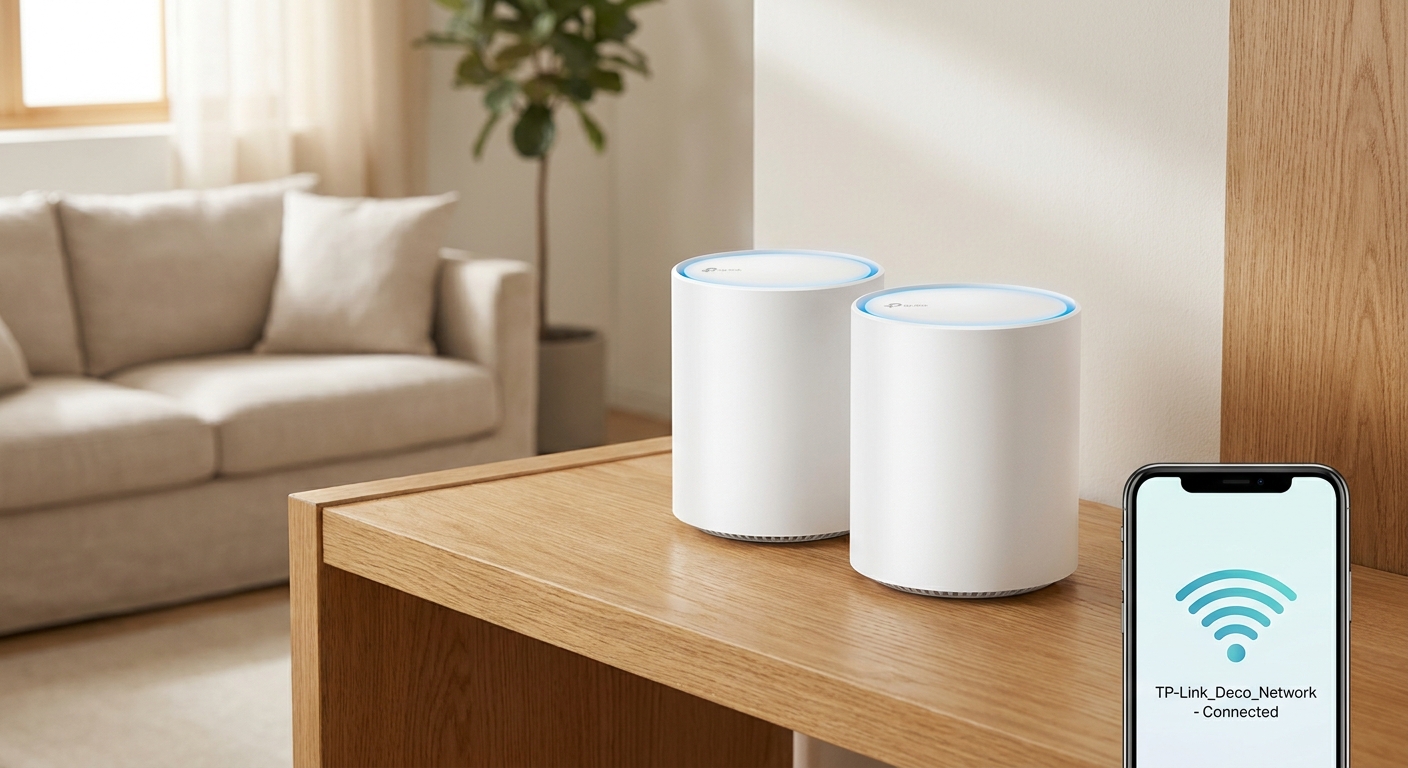
The TP-Link Deco BE63 is a BE10000 tri-band WiFi 7 mesh system covering up to 7,200 sq. ft. with a 3-pack. It supports 10 Gbps backhaul and is designed for large homes where dead zones are the main challenge.
For Budget-Friendly Whole-Home WiFi 7 — TP-Link Deco BE25
The TP-Link Deco BE25 is a BE5000 dual-band WiFi 7 mesh system that delivers solid whole-home performance at a more accessible price point. A great option for mid-size homes looking to upgrade from WiFi 5 or 6 without a premium price tag.
For High-Performance Routing — ASUS ZenWiFi BQ16 Pro
The ASUS ZenWiFi BQ16 Pro is a quad-band WiFi 7 mesh router with dual 10G ports, covering up to 8,000 sq. ft.
For Whole-Home Reliability — Netgear Orbi 970
The Netgear Orbi 970 Series is a quad-band WiFi 7 mesh system with speeds up to 27 Gbps and a dedicated backhaul band.
Browse the full range of WiFi 7 mesh systems and WiFi 7 routers on Newegg to find the right fit for your home.
The Bottom Line
WiFi 8 represents a meaningful evolution in home networking — not because it’s faster, but because it’s smarter about making your connection stay stable. In homes with lots of devices, interference from neighbors, or tricky layouts with dead zones, the reliability-first design of WiFi 8 addresses the real pain points that most people actually experience day to day.
But you don’t have to wait. WiFi 7 is available now, fully standardized, and delivers substantial improvements over older WiFi generations. If your current router is more than three years old, upgrading to WiFi 7 today is a genuinely impactful change — and the lessons WiFi 8 builds on are already partially present in the best WiFi 7 mesh systems available right now.