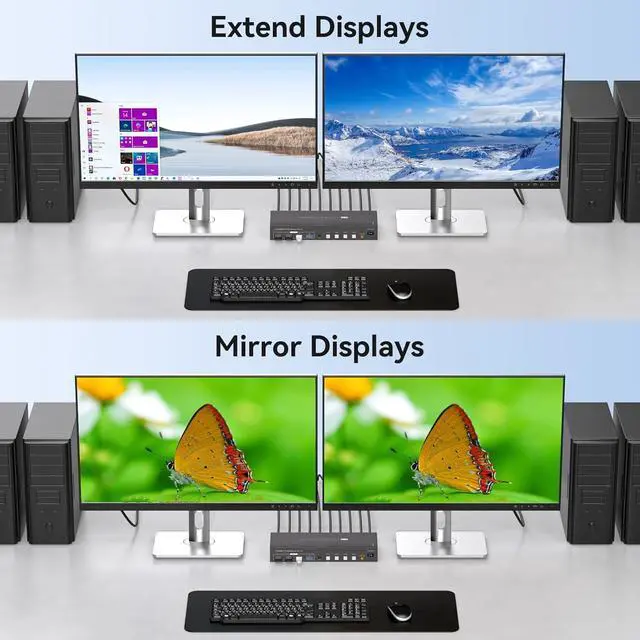
Replication and Expansion ModelThe HDMI and Display port kvm switcher supports duplicate and extended modes.
Duplicate mode: both monitors display the same content, and
extended mode: each monitor displays independently.
Note: To realize the expansion, please make sure your computer's graphics card supports the expansion mode, Windows+P to select Duplicate mode or Expansion mode
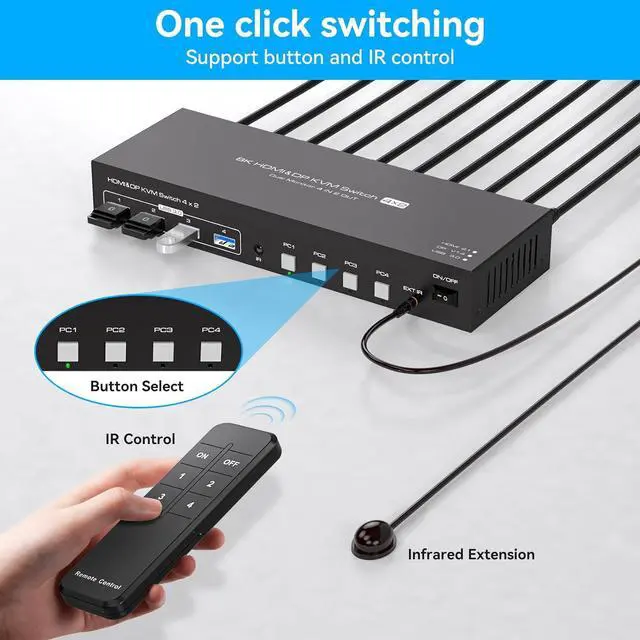
Two Switching Modes
1.
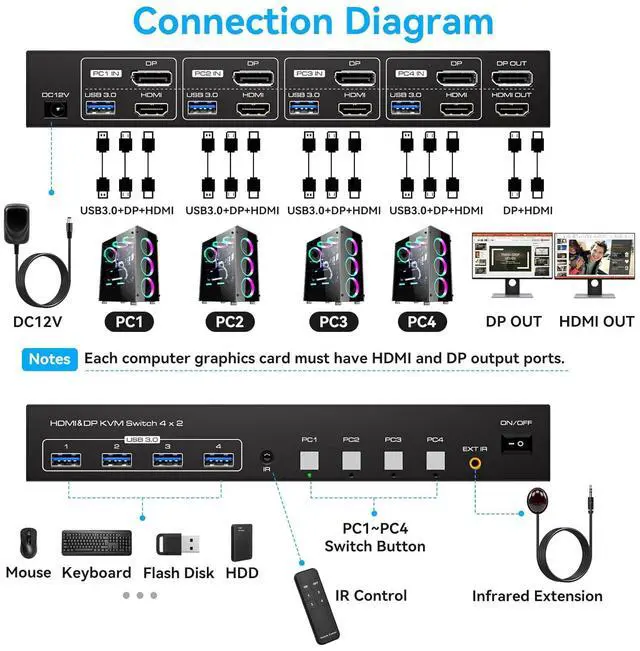
Panel key switching: You can use the panel keys to switch computers directly. 2.
IR remote control switching: Use the remote control to switch the computer you need to work on. (Note: When using the remote control, please make sure the infrared receiver is connected to the device)
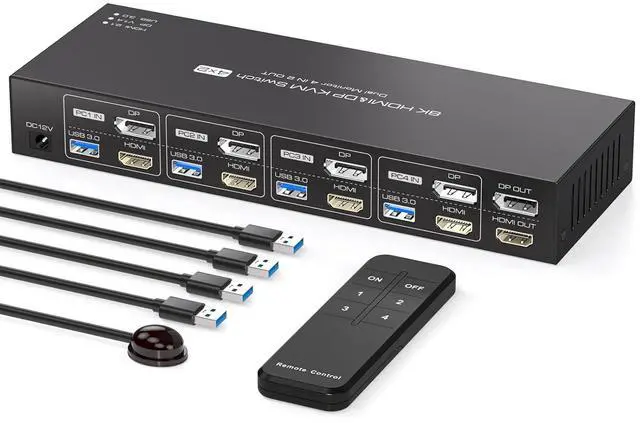
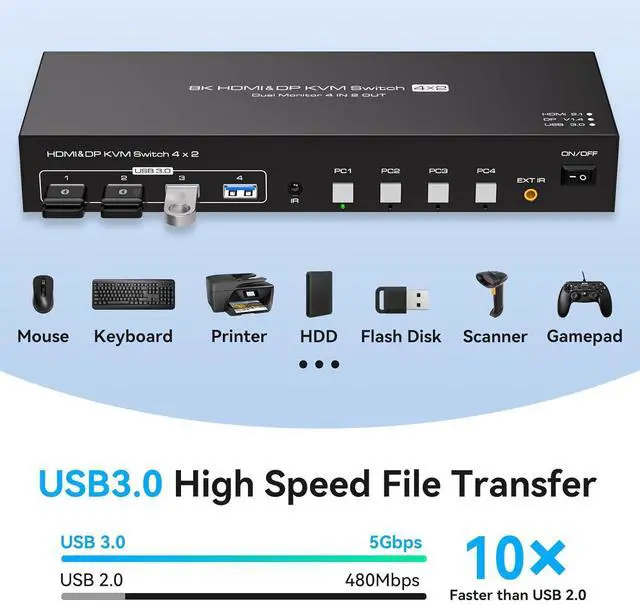
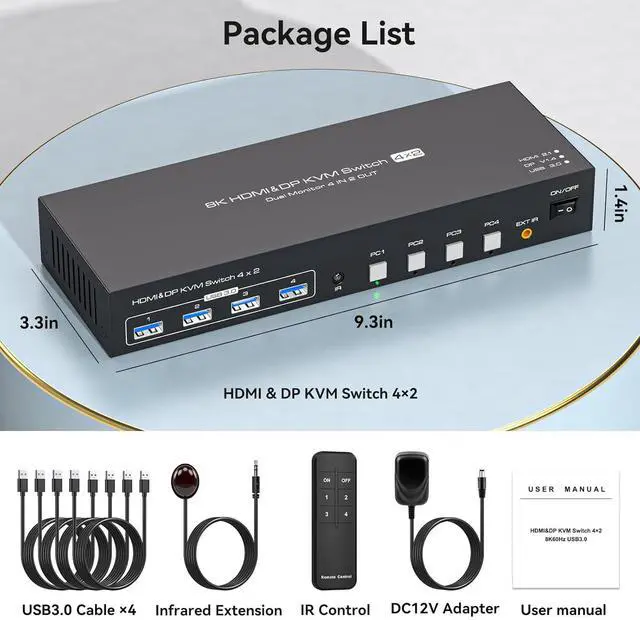
Equipped with 4 USB 3.0 PortsThe KVM switch 4 pc 2 monitor is equipped with 4 Hi-Speed USB 3.0 ports with data transfer rates up to 5Gbp/s, 10 times faster than USB 2.0. With backward compatibility with USB 2.0 devices, the KVM switch 2 monitor 4 computers can seamlessly share wired or wireless keyboards and mice, printers, scanners, and webcams. The KVM switch is constructed of high-quality metal materials for reliable performance and durability
Widely CompatibleThe hdmi displayport KVM switch is plug-and-play, requires no software drivers, and is widely compatible with various systems such as Windows, Vista, XP, Mac OS, Linux and Unix. It supports a wide range of input devices such as computers and laptops, and can be used in offices, conference rooms, multimedia classrooms and other environments. If you encounter any problems during use, please contact us, we have a professional technical team to provide you with solutions
-