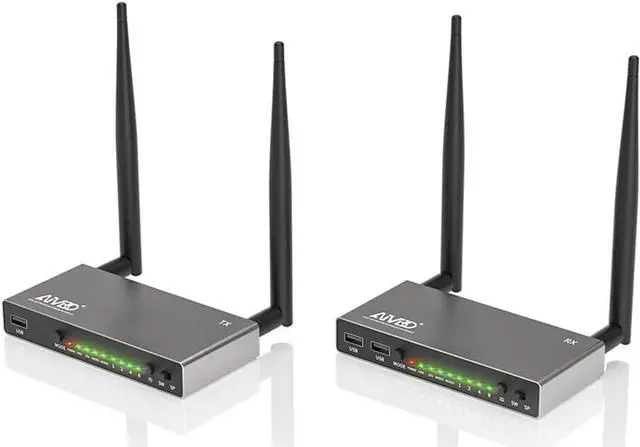
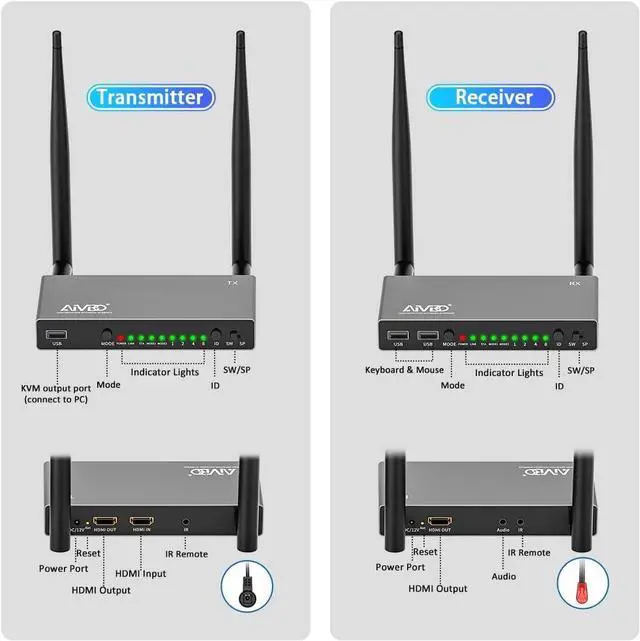
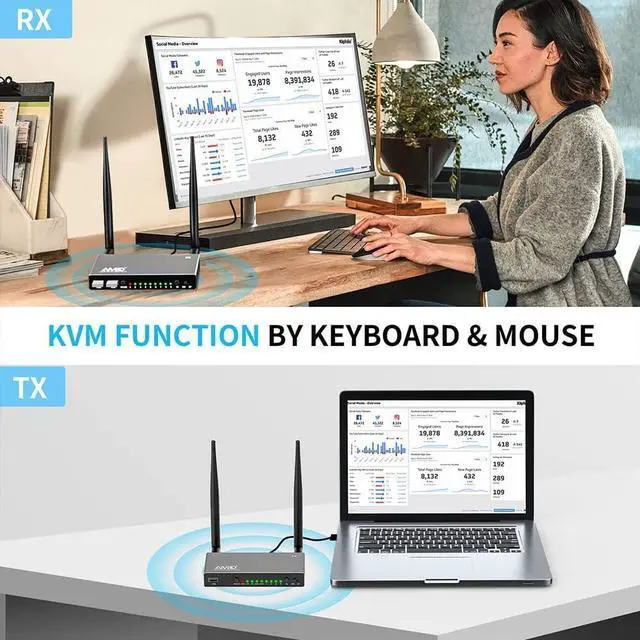
Convenient KVM Function & IR Remote ControlThe wireless HDMI receiver comes with KVM functionality. Simply plug a keyboard and mouse into the 2 USB ports to control your source device remotely. The IR remote control feature lets you change channels, pause your movie, control your Blu-ray player, or adjust your set-top box settings without leaving your seateven if the devices are located in another room. Enjoy uninterrupted access to your favorite apps like Neflix, Hulu, and YouTube, all from the comfort of your seat
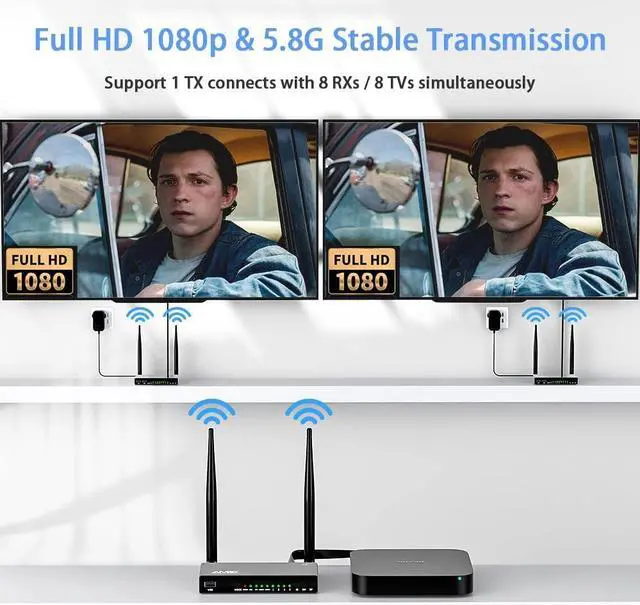
Full HD 1080p & 5.8G Stable TransmissionEquipped with a 5.8G chip and 4 strong antennas, wireless HDMI transmitter and receiver ensure stable signal transmission, free from interference by other wireless devices like WiFi or Bluetooth. With only 0.1 s latency, it supports resolutions of 480P, 576P, 720P, and 1080P@60Hz. Enjoy crystal-clear, uncompressed HD video and digital audio effortlessly
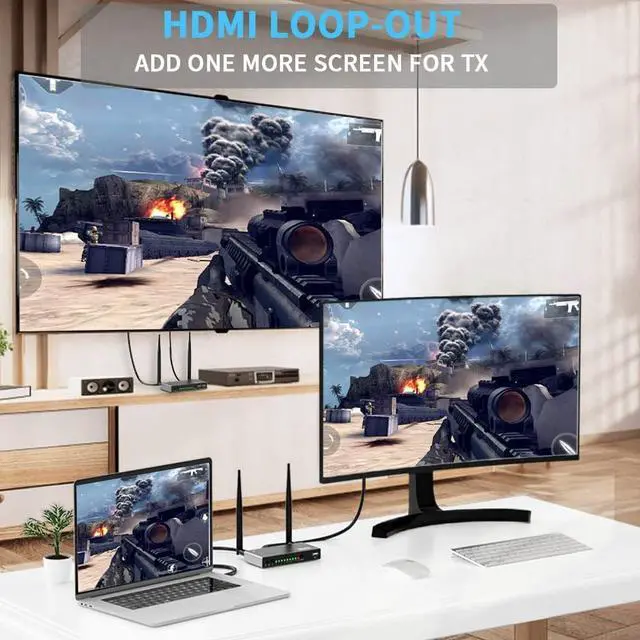
Local Loop-out & Premium MaterialThe transmitter of the wireless HDMI extender features HDMI input and output ports. It supports an HDMI local loop-out, making it easier to monitor the video source. This wireless HDMI extender is made of durable and sleek aluminum alloy material, providing a sturdy build. Its premium appearance makes it a perfect gift for your family members and friends
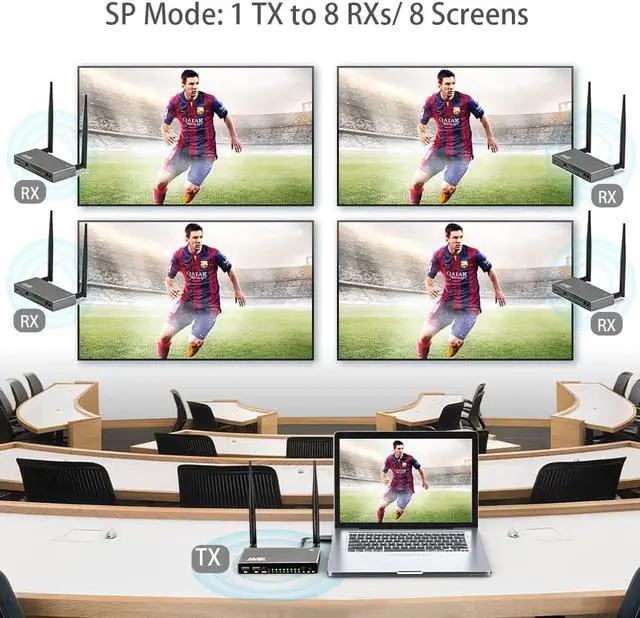
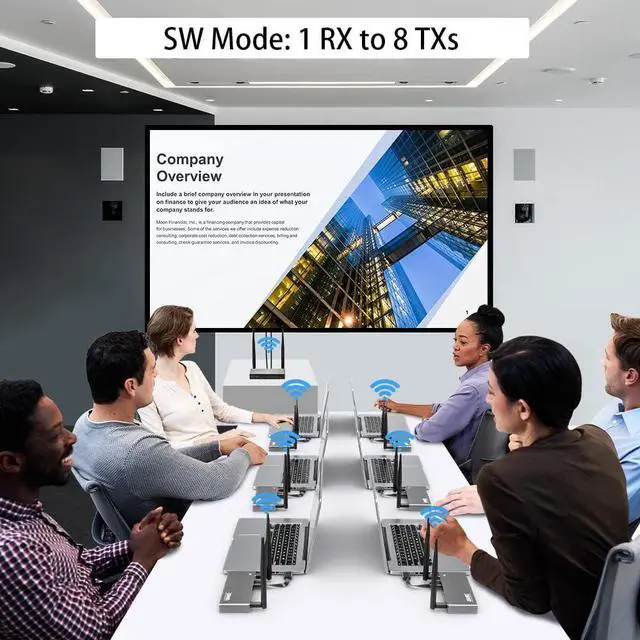
Support 1 to Multiple TXs/ 1 to Multiple RXs new vesion HDMI wireless kit not only supports 1 to 1 mode, it also suppots splitter mode for multiple TVs, and also support switch mode for multiple laptops.
Plug & Play HDMI Extender Kit
Switch TX & RX to SP mode (SW mode for multiple TXs)
Plug HDMI cable for TX (HDMI In Port) and HDMI output device (like laptop), and power it.
Plug HDMI cable for RX (HDMI Out Port) and HDMI input device (like TV), and power it.
Wait 3-5 seconds for auto sync
IR Remote Function
Connect IR cables to a 3.5 mm port, IR IN cable for RX, IR Out cable for TX. Allow you to control HDMI signal from upstairs or downstairs up to 656 feet.
Note: When using the remote control, the infrared receiver should be pointed directly at the receiver and not blocked by objects.
How to Use KVM Function?
Plug a USB to TX and laptop (or other HDMI output devices), connect keyboard/mouse on RX's USB ports, then the RX side can remote control the TX's laptop
How to Add More Receivers?
Switch TX & RX to SP mode and power them.
Connect the HDMI cable's one end to HDMI OUT of RX, the other end to HDMI IN of TX to pair them.
When the STA light of TX and RX is solid light on, the pairing is complete.
Then remove the HDMI Cable between them, restore the previous connection..
Note:
After pairing, they will be auto paired next time. To delete the pairing, please press and hold the RX's REST button for 5 seconds, then switch off and restart it.