

Your Browsing History


Meet Your Seller



DisplayLink Docking Station 3 Monitors, 19 in 1 Laptop Docking Station | Triple 4K 60Hz HDMI/DisplayPort, 100W PD, Thunderbolt 3/4, USB 3.2 10Gbps, Audio and Ethernet Port, for MacBook Pro/Air M1-M5
Limited time offer, ends 09/17 By FiveMacro Store
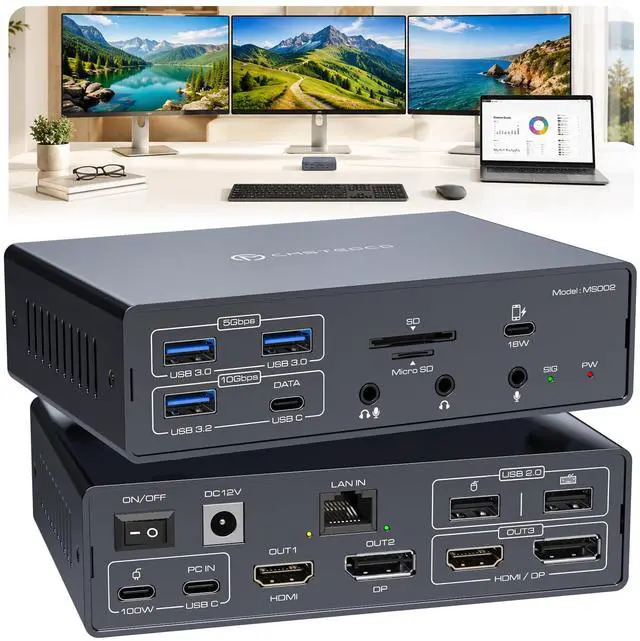
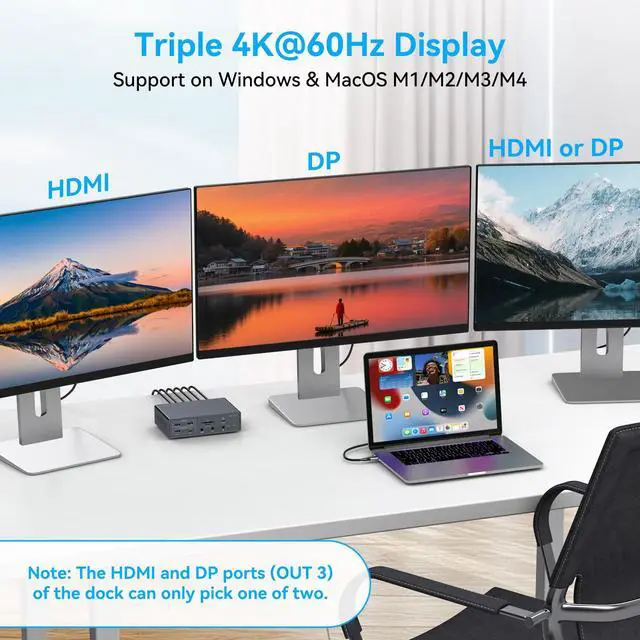
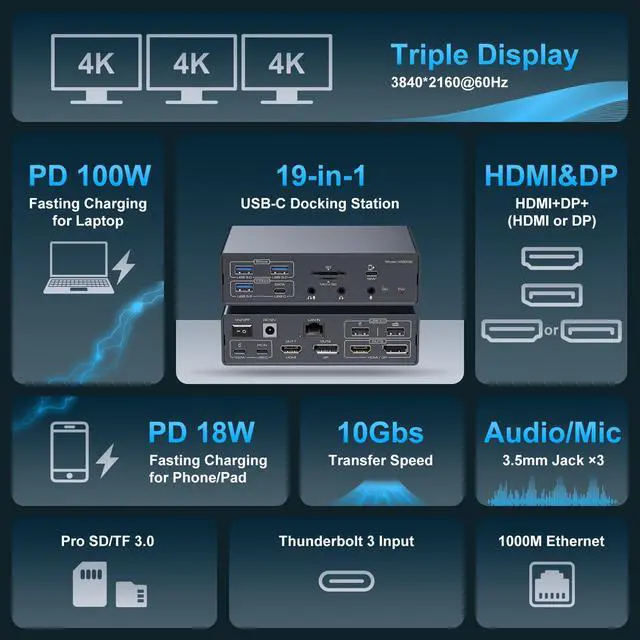
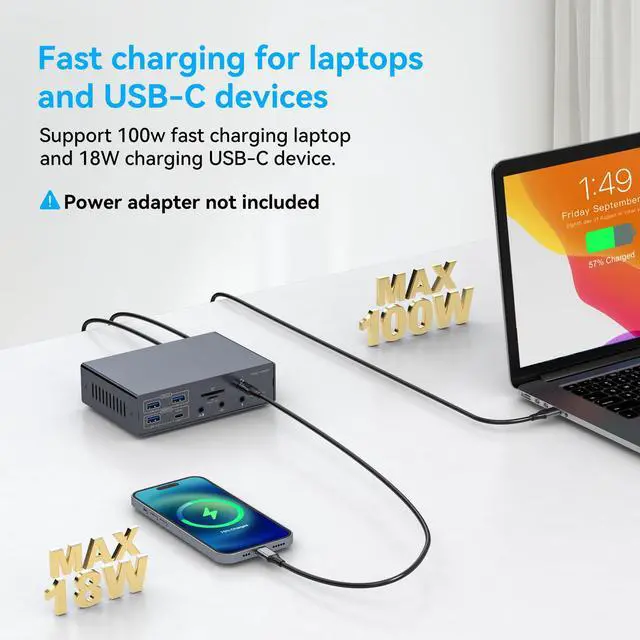
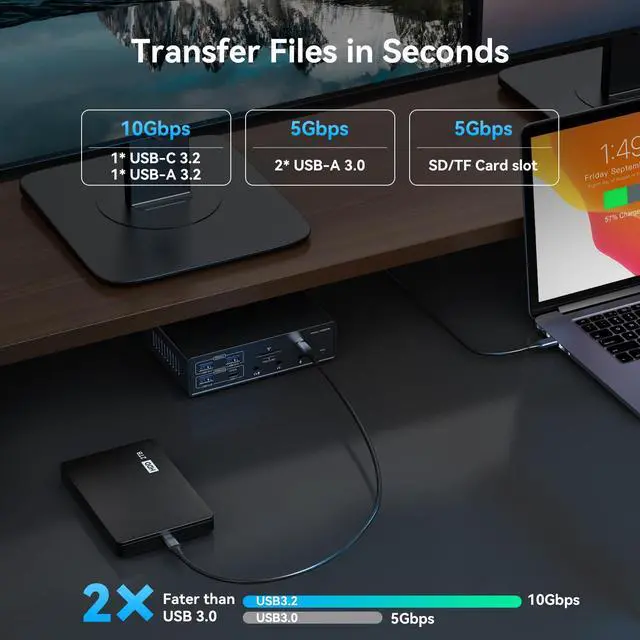
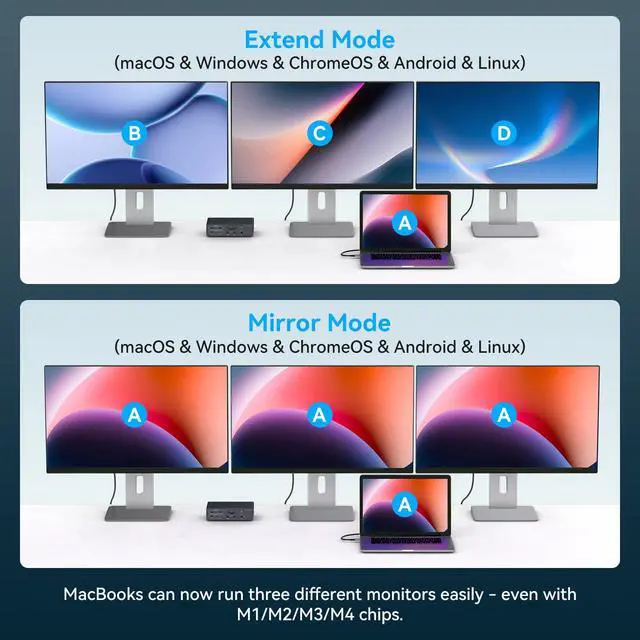
- Triple 4K@60Hz Extended Display: Connect up to three external monitors for spreadsheets, trading, design, meetings, and daily multitasking. The HDMI and DisplayPort outputs support resolutions up to 4K@60Hz. OUT 3 uses either HDMI or DisplayPort at one time; the dock has two HDMI ports in total. 19 IN 1 USB-C Docking Station: Display connections include 2 HDMI and 2 DisplayPort, with the HDMI/DP ports for OUT 3 sharing one display channel. Data connections include 1 USB-A 3.2 and 1 USB-C 3.2 up to 10Gbps, 2 USB-A 3.0 up to 5Gbps, and 2 USB-A 2.0. Also provided are Gigabit Ethernet, SD, microSD, 18W USB-C charging, 100W PD input, USB-C host input, and 3 audio jacks. Powered Dock with 100W PD Input: The included DC power adapter supplies operating power to the docking station. Laptop charging requires a separate compatible USB-C PD charger connected to the 100W PD input; the laptop PD charger is not included. Charging performance relies on the charger, cable, and laptop power requirements. DisplayLink for Mac & Windows: Designed for supported MacBook NEO/PRO/AIR M1/M2/M3/M4/M5 and Windows laptops with a compatible Thunderbolt 3/4 USB-C host connection. DisplayLink driver installation is required. On macOS, you must grant Screen Recording permission and allow system kernel extensions in Security settings. For company-managed enterprise devices, IT administrator approval for kernel extension policies may be needed. Important Setup and Display Notes: Install the current DisplayL
+
+
Overview
Specs
Reviews

Any questions? Our AI mode will help you find out quickly.
Try me now
Triple 4K@60Hz
Extended Display: Connect up to three external monitors for spreadsheets, trading, design, meetings, and daily multitasking. The HDMI and DisplayPort outputs support resolutions up to 4K@60Hz. OUT 3 uses either HDMI or DisplayPort at one time; the dock has two HDMI ports in total. 19 IN 1
USB-C Docking Station: Display connections include 2 HDMI and 2 DisplayPort, with the HDMI/DP ports for OUT 3 sharing one display channel. Data connections include 1 USB-A 3.2 and 1 USB-C 3.2 up to 10Gbps, 2 USB-A 3.0 up to 5Gbps, and 2 USB-A 2.0. Also provided are Gigabit Ethernet, SD, microSD, 18W USB-C charging, 100W PD input, USB-C host input, and 3 audio jacks. Powered Dock with 100W
PD Input: The included DC power adapter supplies operating power to the docking station. Laptop charging requires a separate compatible USB-C PD charger connected to the 100W PD input; the laptop PD charger is not included. Charging performance relies on the charger, cable, and laptop power requirements. DisplayLink for
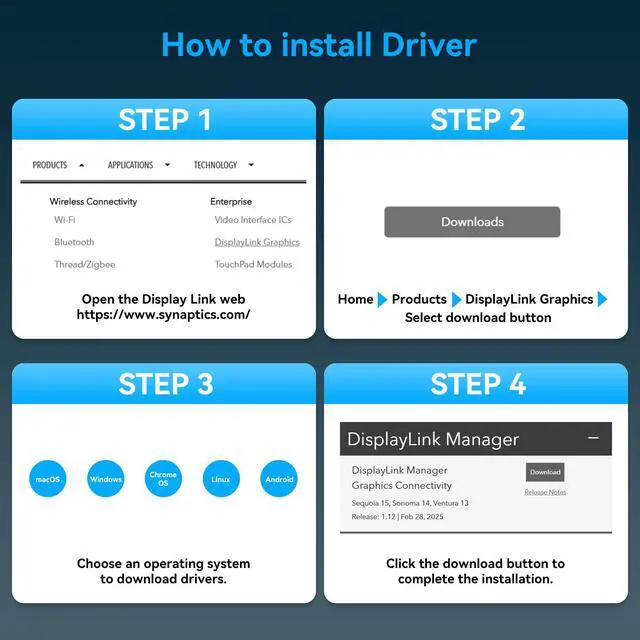
Mac & Windows: Designed for supported MacBook NEO/PRO/AIR M1/M2/M3/M4/M5 and Windows laptops with a compatible Thunderbolt 3/4 USB-C host connection. DisplayLink driver installation is required. On macOS, you must grant Screen Recording permission and allow system kernel extensions in Security settings. For company-managed enterprise devices, IT administrator approval for kernel extension policies may be needed. Important Setup and
Display Notes: Install the current DisplayLink driver before connecting extended monitors and use the included USB-C host cable as directed. Available display modes depend on the laptop, operating system, driver, cables, and monitors. Some DRM-protected streaming content may not play while DisplayLink-connected screens are active
Extended Display: Connect up to three external monitors for spreadsheets, trading, design, meetings, and daily multitasking. The HDMI and DisplayPort outputs support resolutions up to 4K@60Hz. OUT 3 uses either HDMI or DisplayPort at one time; the dock has two HDMI ports in total. 19 IN 1
USB-C Docking Station: Display connections include 2 HDMI and 2 DisplayPort, with the HDMI/DP ports for OUT 3 sharing one display channel. Data connections include 1 USB-A 3.2 and 1 USB-C 3.2 up to 10Gbps, 2 USB-A 3.0 up to 5Gbps, and 2 USB-A 2.0. Also provided are Gigabit Ethernet, SD, microSD, 18W USB-C charging, 100W PD input, USB-C host input, and 3 audio jacks. Powered Dock with 100W
PD Input: The included DC power adapter supplies operating power to the docking station. Laptop charging requires a separate compatible USB-C PD charger connected to the 100W PD input; the laptop PD charger is not included. Charging performance relies on the charger, cable, and laptop power requirements. DisplayLink for
Mac & Windows: Designed for supported MacBook NEO/PRO/AIR M1/M2/M3/M4/M5 and Windows laptops with a compatible Thunderbolt 3/4 USB-C host connection. DisplayLink driver installation is required. On macOS, you must grant Screen Recording permission and allow system kernel extensions in Security settings. For company-managed enterprise devices, IT administrator approval for kernel extension policies may be needed. Important Setup and
Display Notes: Install the current DisplayLink driver before connecting extended monitors and use the included USB-C host cable as directed. Available display modes depend on the laptop, operating system, driver, cables, and monitors. Some DRM-protected streaming content may not play while DisplayLink-connected screens are active
Warranty & Returns
Warranty, Returns, And Additional Information
Warranty
- Please contact the Seller directly for warranty information. Warranty information may also be found on the Manufacturer's website.
- CONTACT
Return Policies
- Return for refund within: 30 days
- Return for replacement within: 30 days
- This item is covered by FiveMacro Store Return Policy
Manufacturer Contact Info
- For a directory of all our manufacturers, please click below.
- Manufacturers Directory
LOADING...