

Your Browsing History


Meet Your Seller

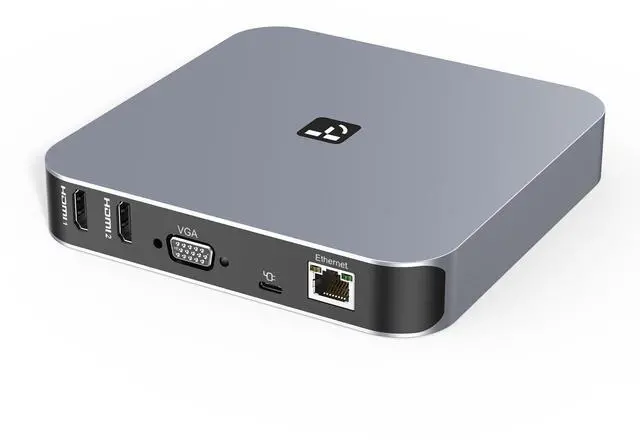


Docking Station 3 Monitors, Driver-Based, for MacBook M1-M5/Neo | 13-in-1 USB C Dock with 2 4K HDMI, VGA, 4 USB, 65W Charger, for Mac mini, Dell, Lenovo, HP, for Home Creator/Developer/Worker
Limited time offer, ends 09/17 By FiveMacro Store
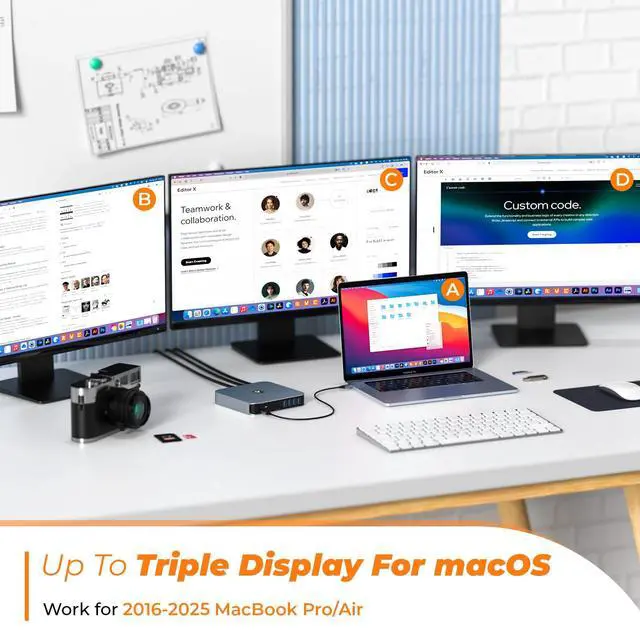
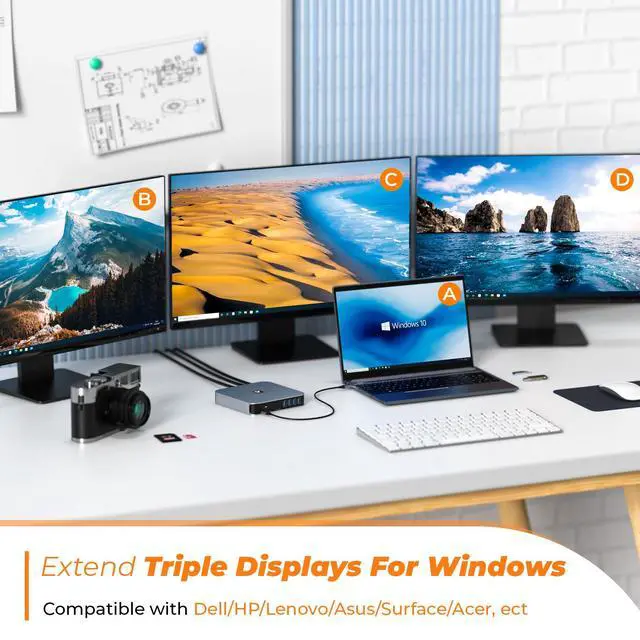
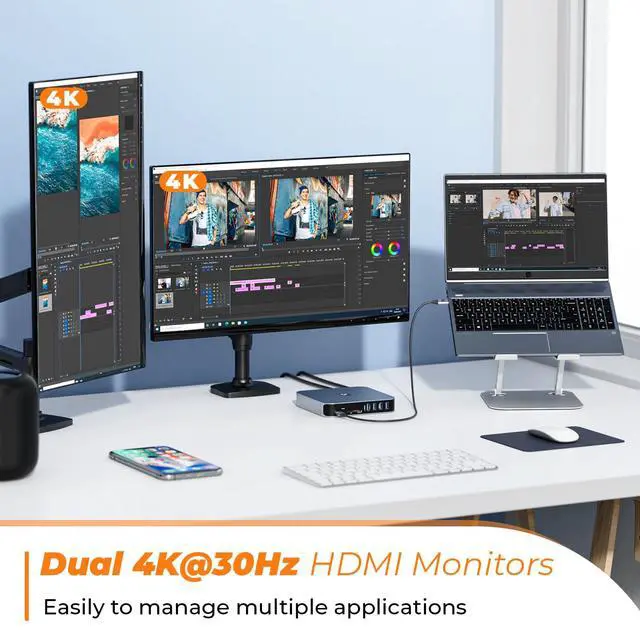
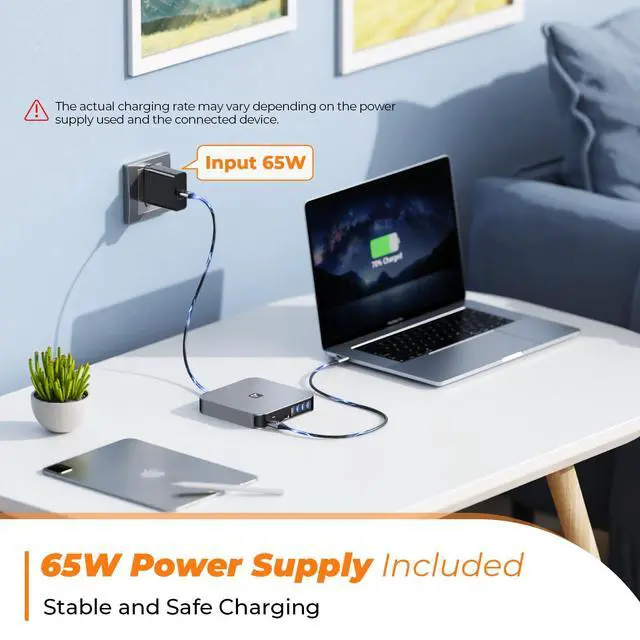
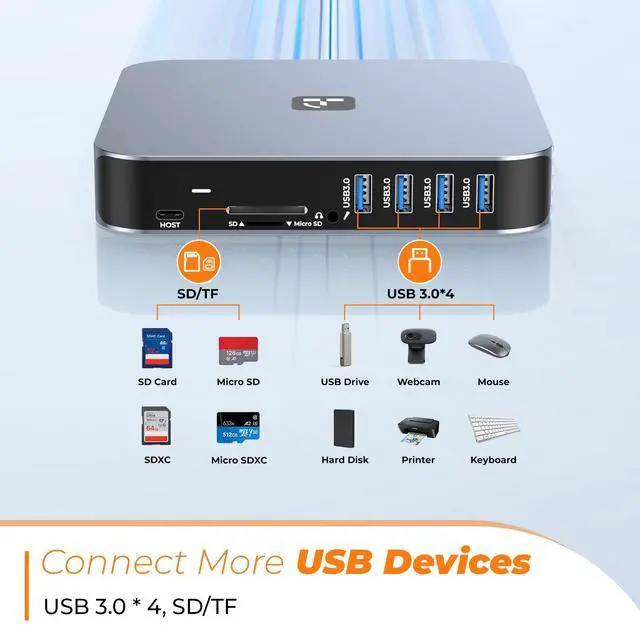
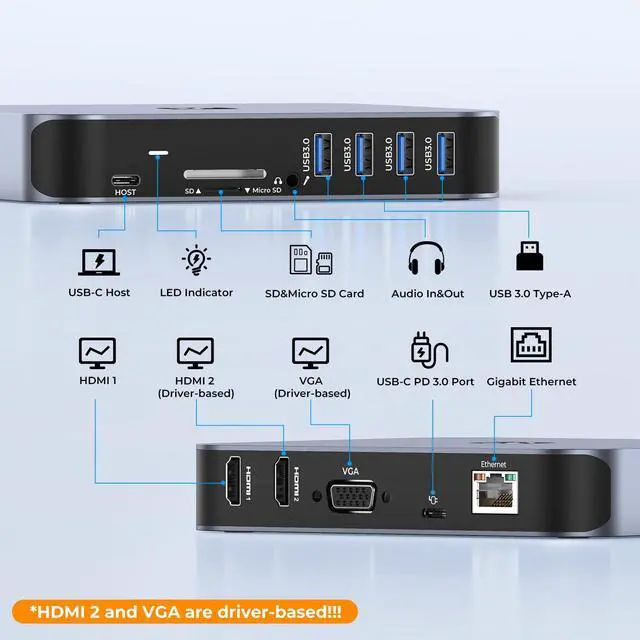
- 13-Port All-in-One Universal Docking Station: This robust universal laptop docking station provides 13 essential ports, including 2 HDMI, VGA, 2 USB-C, 4 USB-A 3.0, Gigabit Ethernet, an SD/TF card slot, 3.5mm Audio In/Out, and a 60W power supply. More durable, stable, and featuring a sleek, unique design compared to basic dual-monitor docksideal for M1/M2/M3/M4 MacBook users and anyone requiring comprehensive daily connectivity. Triple Display Support for Dual 4K Ultra-Clear Visuals: Enhance multitasking productivity! This triple monitor docking station enables triple displays (dual 4K@30Hz + 1 1080P) for macOS and Windows. Utilize HDMI 1 & 2 to experience crystal-clear dual 4K streamingextend your laptop desktop to 2 or 3 screens simultaneously, boosting efficiency for work, study, and creative projects. 65W Safe & Stable Power Supply: The USB-C docking station includes a 65W power adapter that supplies up to 57W fast charging for your laptop. Integrated over-voltage, over-current, and short-circuit protections ensure secure, stable chargingeliminate concerns about device damage while powering your MacBook M1-M5, MacBook Neo, HP, Dell, Lenovo, or other laptops. 5Gbps Fast Transfer & Multi-Device Connectivity: Within this docking station, 4 USB 3.0 ports (5Gbps) allow you to connect hard drives, printers, scanners, and additional external devices. The SD/TF card reader supports simultaneous read/write operations, crucial for bloggers and media professionals needing rapid
+
+
Overview
Specs
Reviews

Any questions? Our AI mode will help you find out quickly.
Try me now
13-Port
All-in-One Universal Docking Station: This robust universal laptop docking station provides 13 essential ports, including 2 HDMI, VGA, 2 USB-C, 4 USB-A 3.0, Gigabit Ethernet, an SD/TF card slot, 3.5 mm Audio In/Out, and a 60W power supply. More durable, stable, and featuring a sleek, unique design compared to basic dual-monitor docksideal for M1/M2/M3/M4 MacBook users and anyone requiring comprehensive daily connectivity. Triple Display Support for Dual 4K
Ultra-Clear Visuals: Enhance multitasking productivity! This triple monitor docking station enables triple displays (dual 4K@30Hz + 1 1080P) for macOS and Windows. Utilize HDMI 1 & 2 to experience crystal-clear dual 4K streamingextend your laptop desktop to 2 or 3 screens simultaneously, boosting efficiency for work, study, and creative projects. 65W Safe & Stable
Power Supply: The USB-C docking station includes a 65W power adapter that supplies up to 57W fast charging for your laptop. Integrated over-voltage, over-current, and short-circuit protections ensure secure, stable chargingeliminate concerns about device damage while powering your MacBook M1-M5, MacBook Neo, HP, Dell, Lenovo, or other laptops. 5Gbps
Fast Transfer & Multi-Device Connectivity: Within this docking station, 4 USB 3.0 ports (5Gbps) allow you to connect hard drives, printers, scanners, and additional external devices. The SD/TF card reader supports simultaneous read/write operations, crucial for bloggers and media professionals needing rapid file transfers from memory cards. Eliminate the need to manage multiple adapters. Broad Compatibility with macOS, Windows
& ChromeOS: Operates seamlessly with laptops equipped with full-featured USB-C or Thunderbolt 3/4/5 ports, such as 2016-2026 MacBook Pro/Air, Mac mini M1/M2/M2 Pro/M4/M4 Pro, Dell Latitude 5480/XPS 15, HP Elitebook 800 G4, Lenovo Yoga 910, Surface Pro 7, and others.
Note: Laptops supporting only data/power can extend dual monitors solely via HDMI 2 + VGA.
Important Notice: The most recent driver was issued on February 2,
2026. Download the latest SM76X driver. Not doing so might lead to issues like inability to extend dual screens or screen stuttering
All-in-One Universal Docking Station: This robust universal laptop docking station provides 13 essential ports, including 2 HDMI, VGA, 2 USB-C, 4 USB-A 3.0, Gigabit Ethernet, an SD/TF card slot, 3.5 mm Audio In/Out, and a 60W power supply. More durable, stable, and featuring a sleek, unique design compared to basic dual-monitor docksideal for M1/M2/M3/M4 MacBook users and anyone requiring comprehensive daily connectivity. Triple Display Support for Dual 4K
Ultra-Clear Visuals: Enhance multitasking productivity! This triple monitor docking station enables triple displays (dual 4K@30Hz + 1 1080P) for macOS and Windows. Utilize HDMI 1 & 2 to experience crystal-clear dual 4K streamingextend your laptop desktop to 2 or 3 screens simultaneously, boosting efficiency for work, study, and creative projects. 65W Safe & Stable
Power Supply: The USB-C docking station includes a 65W power adapter that supplies up to 57W fast charging for your laptop. Integrated over-voltage, over-current, and short-circuit protections ensure secure, stable chargingeliminate concerns about device damage while powering your MacBook M1-M5, MacBook Neo, HP, Dell, Lenovo, or other laptops. 5Gbps
Fast Transfer & Multi-Device Connectivity: Within this docking station, 4 USB 3.0 ports (5Gbps) allow you to connect hard drives, printers, scanners, and additional external devices. The SD/TF card reader supports simultaneous read/write operations, crucial for bloggers and media professionals needing rapid file transfers from memory cards. Eliminate the need to manage multiple adapters. Broad Compatibility with macOS, Windows
& ChromeOS: Operates seamlessly with laptops equipped with full-featured USB-C or Thunderbolt 3/4/5 ports, such as 2016-2026 MacBook Pro/Air, Mac mini M1/M2/M2 Pro/M4/M4 Pro, Dell Latitude 5480/XPS 15, HP Elitebook 800 G4, Lenovo Yoga 910, Surface Pro 7, and others.
Note: Laptops supporting only data/power can extend dual monitors solely via HDMI 2 + VGA.
Important Notice: The most recent driver was issued on February 2,
2026. Download the latest SM76X driver. Not doing so might lead to issues like inability to extend dual screens or screen stuttering
Warranty & Returns
Warranty, Returns, And Additional Information
Warranty
- Please contact the Seller directly for warranty information. Warranty information may also be found on the Manufacturer's website.
- CONTACT
Return Policies
- Return for refund within: 30 days
- Return for replacement within: 30 days
- This item is covered by FiveMacro Store Return Policy
Manufacturer Contact Info
- For a directory of all our manufacturers, please click below.
- Manufacturers Directory
LOADING...