

Your Browsing History


Meet Your Seller

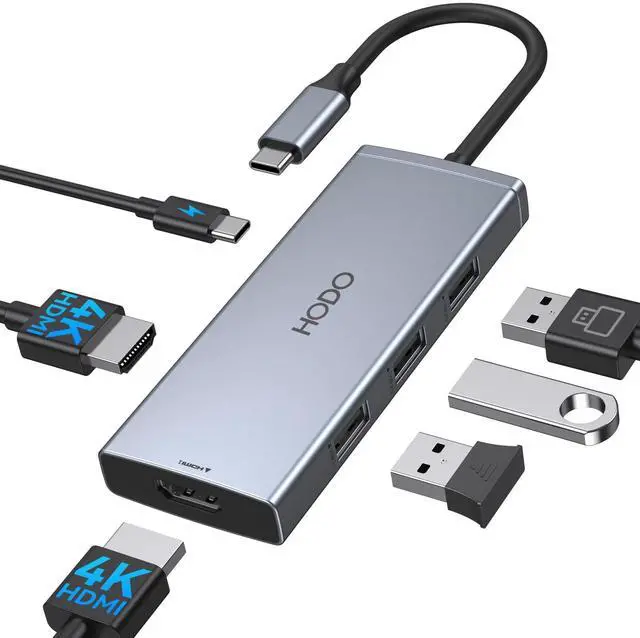


Docking Station to Dual HDMI Monitors USB C to Dual HDMI Adapter 4K | Laptop Docking Station Dual Monitor with 2 HDMI PD 3 USB Port Compatible for HP Elitebook Dell XPS 13 15 etc
Limited time offer, ends 09/17 By FiveMacro Store
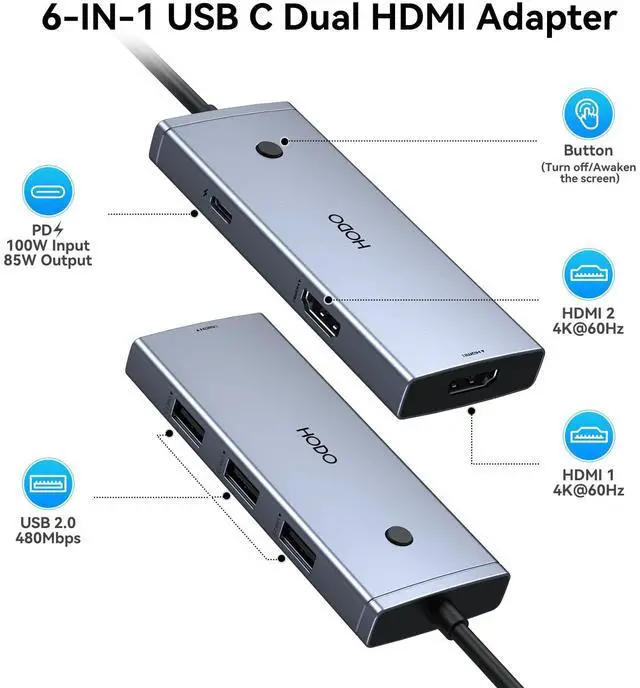
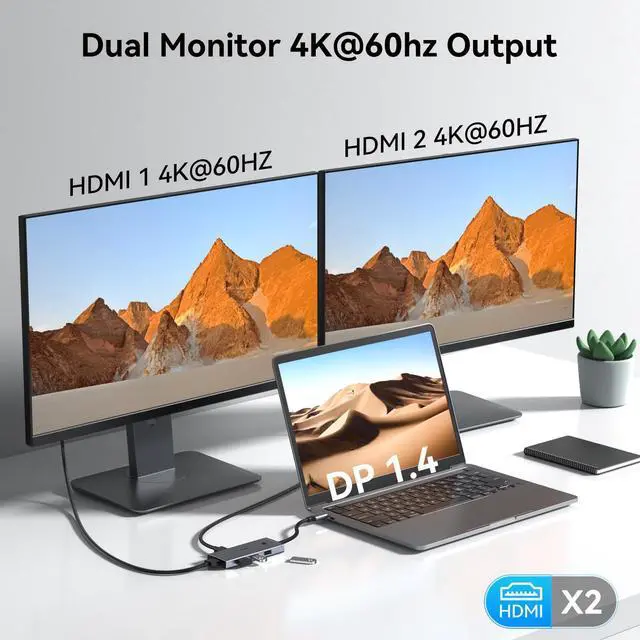
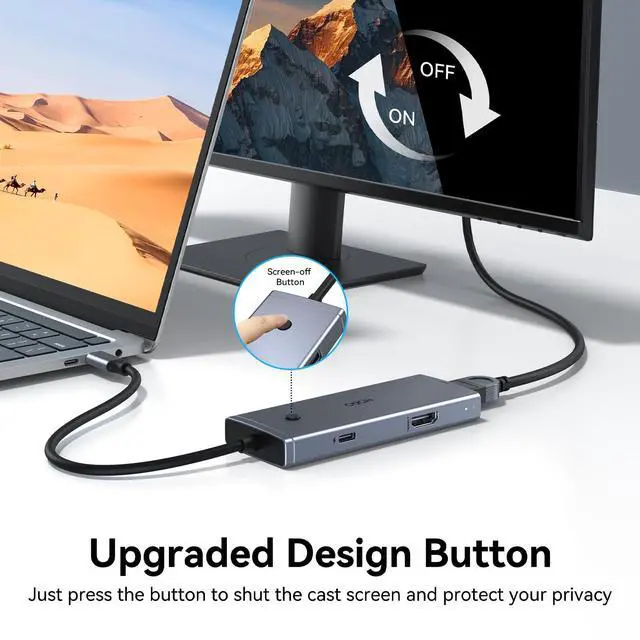
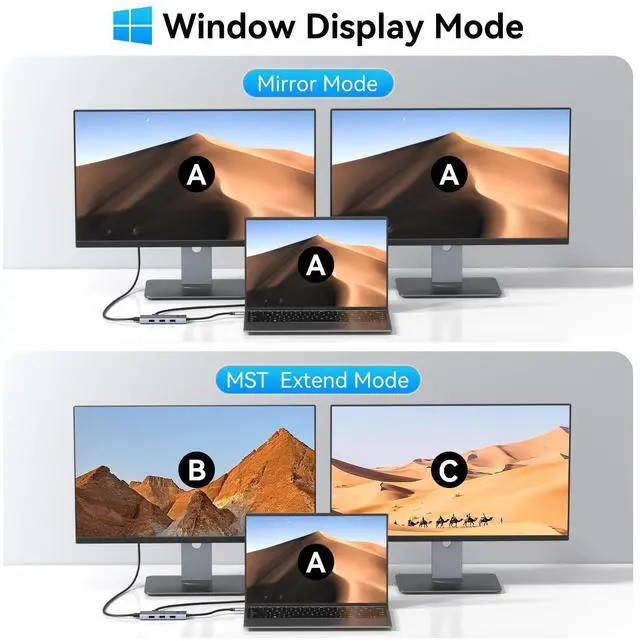
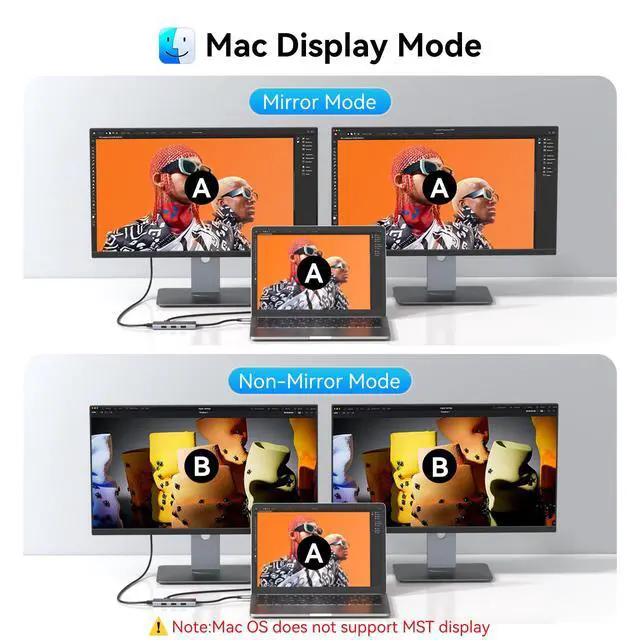
- Laptop Docking Station Dual Monitor Upgrade: This dual HDMI adapter USB-C docking station is designed for laptops. No drivers or software are required; it's plug and play. Enhance your work style and experience reliable performance. Convert your USB-C port into 6 ports: 2 HDMI 4K 60 Hz, 3 USB 2.0, and 100W PD. The one-click wake-up/sleep button allows for easy turning of the monitor on and off without unplugging or complicated settings. Dual 4K HDMI Monitor Docking Station: This USB-C hub with 2 HDMI ports enables you to enter mirror mode or extended mode for USB-C laptops, transmitting 4K 60 Hz HD video with 3D effect from your laptop screen to a monitor, projector, or HDTV. It supports both SST and MST mode and dual display for Windows laptops. Both HDMI ports can be used at the same time with resolution up to 4K 60 Hz. Please note that when connecting MacBooks, it only supports mirror mode, not extended mode. Data Transfer USB-C Hub with 2 HDMI Adapter: This docking station offers 3 USB 2.0 ports for immediate sync and file transfer at speeds up to 480 Mbps, conveniently connecting smartphones, tablets, and hard drives for simple data transfer via the USB-C port. The USB 2.0 ports also allow you to connect a keyboard or mouse to minimize latency. 100W Power USB-C Dual Monitor Adapter: This connector provides one USB-C pass-through port to safely charge connected USB-C laptops. It supports power delivery up to 100W, with secure power output up to 85W. Note: PD charging do
+
+
Overview
Specs
Reviews

Any questions? Our AI mode will help you find out quickly.
Try me now
Laptop Docking Station Dual
Monitor Upgrade: This dual HDMI adapter USB-C docking station is designed for laptops. No drivers or software are required; it's plug and play. Enhance your work style and experience reliable performance. Convert your
USB-C port into 6 ports: 2 HDMI 4K 60 Hz, 3 USB 2.0, and 100W PD. The one-click wake-up/sleep button allows for easy turning of the monitor on and off without unplugging or complicated settings. Dual 4K HDMI
Monitor Docking Station: This USB-C hub with 2 HDMI ports enables you to enter mirror mode or extended mode for USB-C laptops, transmitting 4K 60 Hz HD video with 3D effect from your laptop screen to a monitor, projector, or HDTV. It supports both SST and MST mode and dual display for Windows laptops. Both HDMI ports can be used at the same time with resolution up to 4K 60 Hz. Please note that when connecting MacBooks, it only supports mirror mode, not extended mode. Data Transfer USB-C Hub with 2
HDMI Adapter: This docking station offers 3 USB 2.0 ports for immediate sync and file transfer at speeds up to 480 Mbps, conveniently connecting smartphones, tablets, and hard drives for simple data transfer via the USB-C port. The USB 2.0 ports also allow you to connect a keyboard or mouse to minimize latency. 100W Power USB-C Dual
Monitor Adapter: This connector provides one USB-C pass-through port to safely charge connected USB-C laptops. It supports power delivery up to 100W, with secure power output up to 85W.
Note: PD charging does not work for laptops that have their own AC adapter. Charger and power cord are not included.
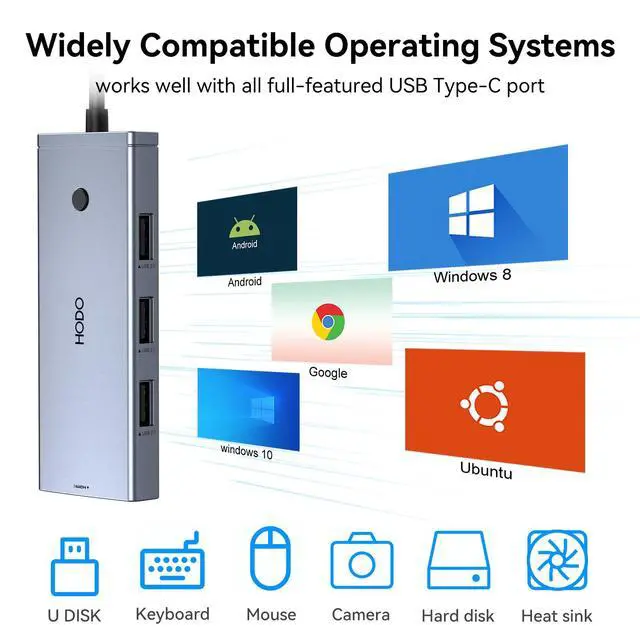
Strong Compatibility: This docking station is compatible with all laptops featuring Thunderbolt 3, 4, USB-C 3.1 Gen 1, Gen 2, and USB-C 3.2 Gen 1, Gen 2 with Power Delivery DisplayPort functions. Specific models include the Dell XPS 13 Laptop (9315, 9340, 9315, 9350, 9360, 9370, 9380), Dell Latitude 3540 Laptop, Dell Inspiron 14 2-in-1, HP EliteBook 830 G8, G9 Pro, and HP Envy x360 13 bd0080ng
Monitor Upgrade: This dual HDMI adapter USB-C docking station is designed for laptops. No drivers or software are required; it's plug and play. Enhance your work style and experience reliable performance. Convert your
USB-C port into 6 ports: 2 HDMI 4K 60 Hz, 3 USB 2.0, and 100W PD. The one-click wake-up/sleep button allows for easy turning of the monitor on and off without unplugging or complicated settings. Dual 4K HDMI
Monitor Docking Station: This USB-C hub with 2 HDMI ports enables you to enter mirror mode or extended mode for USB-C laptops, transmitting 4K 60 Hz HD video with 3D effect from your laptop screen to a monitor, projector, or HDTV. It supports both SST and MST mode and dual display for Windows laptops. Both HDMI ports can be used at the same time with resolution up to 4K 60 Hz. Please note that when connecting MacBooks, it only supports mirror mode, not extended mode. Data Transfer USB-C Hub with 2
HDMI Adapter: This docking station offers 3 USB 2.0 ports for immediate sync and file transfer at speeds up to 480 Mbps, conveniently connecting smartphones, tablets, and hard drives for simple data transfer via the USB-C port. The USB 2.0 ports also allow you to connect a keyboard or mouse to minimize latency. 100W Power USB-C Dual
Monitor Adapter: This connector provides one USB-C pass-through port to safely charge connected USB-C laptops. It supports power delivery up to 100W, with secure power output up to 85W.
Note: PD charging does not work for laptops that have their own AC adapter. Charger and power cord are not included.
Strong Compatibility: This docking station is compatible with all laptops featuring Thunderbolt 3, 4, USB-C 3.1 Gen 1, Gen 2, and USB-C 3.2 Gen 1, Gen 2 with Power Delivery DisplayPort functions. Specific models include the Dell XPS 13 Laptop (9315, 9340, 9315, 9350, 9360, 9370, 9380), Dell Latitude 3540 Laptop, Dell Inspiron 14 2-in-1, HP EliteBook 830 G8, G9 Pro, and HP Envy x360 13 bd0080ng
Warranty & Returns
Warranty, Returns, And Additional Information
Warranty
- Please contact the Seller directly for warranty information. Warranty information may also be found on the Manufacturer's website.
- CONTACT
Return Policies
- Return for refund within: 30 days
- Return for replacement within: 30 days
- This item is covered by FiveMacro Store Return Policy
Manufacturer Contact Info
- For a directory of all our manufacturers, please click below.
- Manufacturers Directory
LOADING...