Acer Aspire Go 15 AI ready - 15.6" Laptop - Intel Core i9-13900H - Intel Iris Xe Graphics - 16GB RAM - 512GB PCIe SSD - FHD 1920 x 1080 - Windows 11 Home, NX.JSDAA.001 14 AI Copilot+
  •  
  • $749.99 –
  • Save: 16%
  • $185.99
  • $264.99
  • Save: $79.00 (29%)
  • Free 30-day Returns
  • Sold by Direct from manufacturerLenovo
    Top Rated
    4.5 (1,125 seller ratings)

    Shipped by Direct from manufacturerLenovo

    Price alert

    Best Sellers

    Newegg
    • $264.99
    • + FREE SHIPPING
    Shop it at NeweggBusiness.

    Meet Your Seller

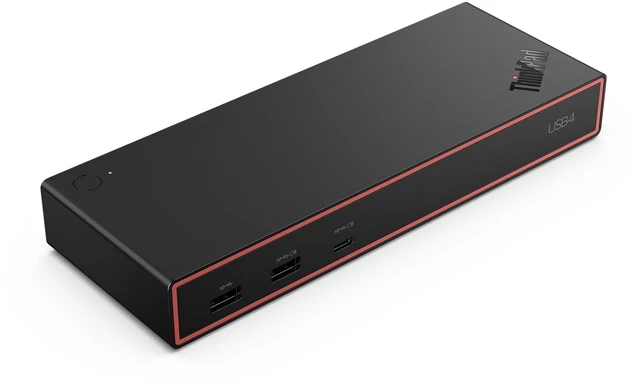
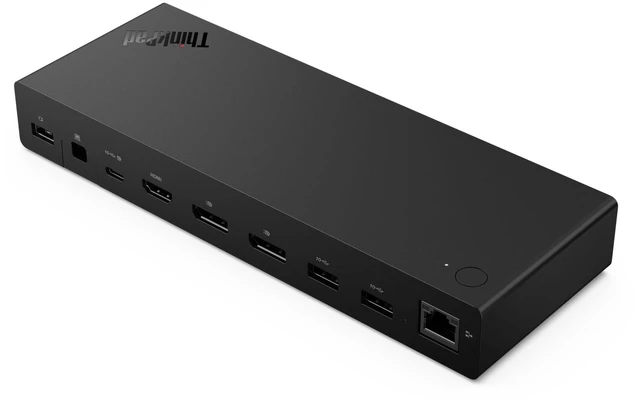
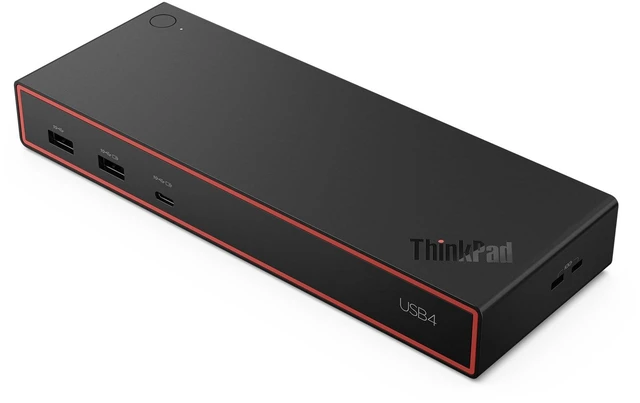
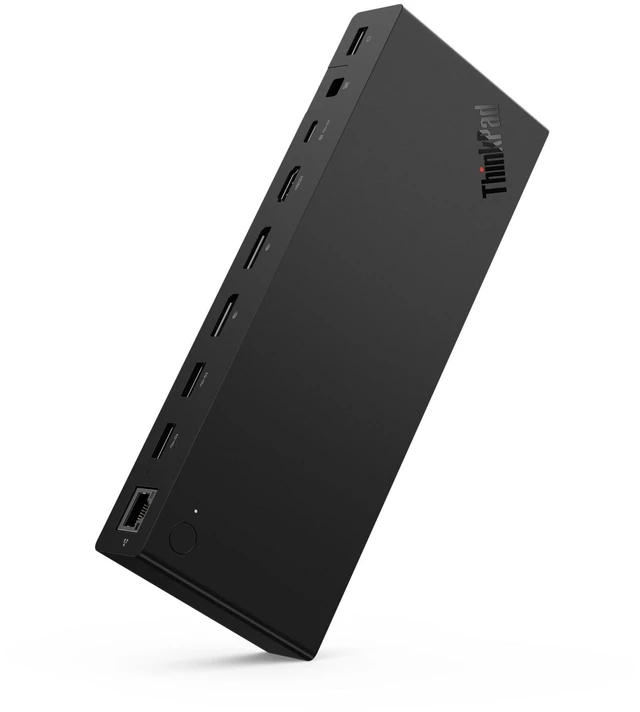
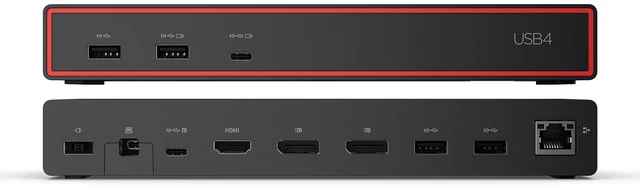
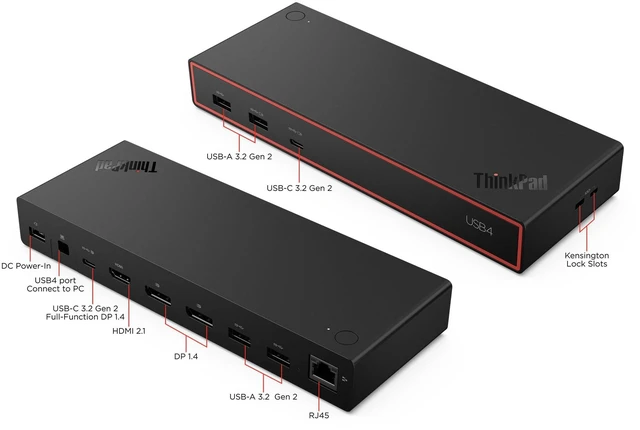
    Lenovo ThinkPad USB4 Dock 5000 (with 135W Adapter) - 135 W Power Supply - USB4 - 4 Displays Supported - 6x USB Ports - 4x USB Type-A Ports - USB Type-A - 2 x USB Type-C Ports - 40BF0135US

    • Designed to enhance everyday productivity, the Lenovo™ ThinkPad® USB4 Dock 5000 is the Successor of our famous Universal USB-C Dock equipped with cutting edge USB4 Technology.
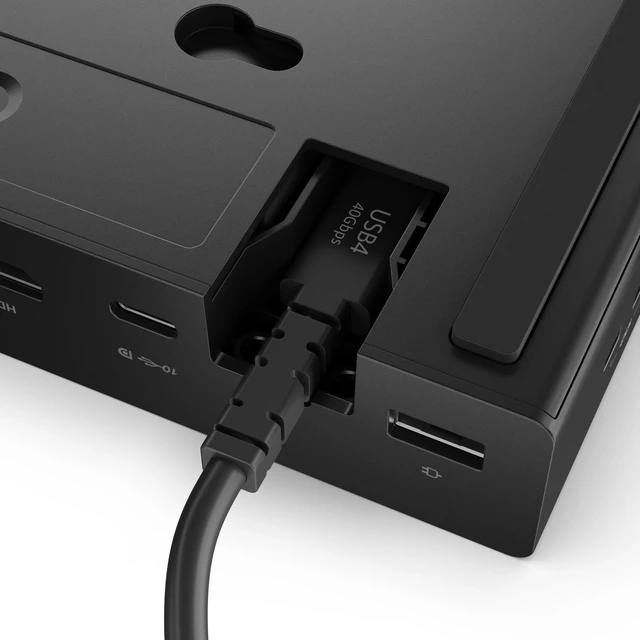
    • The dock can connect to your laptop with 40Gbps bandwidth USB4 upstream connectivity, that allows you to extend your monitor setup with more pixels and higher refresh rates.
    • The 135W power adapter can boost the charge power up to 100W to you laptop.
    +
    +
    Overview
    Specs
    Reviews
    See all Q & A

    Any questions? Ask CelesteSM will help you find out quickly.

    Designed to enhance everyday productivity, the Lenovo ThinkPad® USB4 Dock 5000 is the Successor of our famous Universal USB-C Dock equipped with cutting edge USB4 Technology. The dock can connect to your laptop with 40Gbps bandwidth USB4 upstream connectivity, that allows you to extend your monitor setup with more pixels and higher refresh rates. The 135W power adapter can boost the charge power up to 100W to your laptop.

    Warranty & Returns

    Warranty, Returns, And Additional Information

    Warranty

    • Please contact the Seller directly for warranty information. Warranty information may also be found on the Manufacturer's website.
    • Read full details
    • CONTACT

    Return Policies

    • Return for refund within: 30 days
    • Return for replacement within: 30 days
    • This item is covered by Lenovo Return Policy

    Manufacturer Contact Info

    LOADING...
    LOADING...

    The Lenovo ThinkPad USB4 Dock 5000 is a USB4 docking station for laptop users who want a multi-display workspace, with support for up to four displays, 40Gbps upstream connectivity, six USB ports, and up to 100W laptop charging from its included 135W adapter.

    Recommended For

    • Desk-based professionals who connect a compatible USB4 or Thunderbolt laptop to multiple monitors and peripherals can use one dock connection for display, USB, Ethernet, and laptop charging.
    • People building a dual-monitor work setup can use the dock for up to two 4K displays at 144Hz, subject to the laptop and monitors supporting that configuration.
    • ThinkPad users who want to connect wired network and desk accessories through a dock may value its Ethernet, USB ports, and ThinkPad-specific support for features such as Wake-on-LAN and MAC address passthrough.
    • People replacing an older Lenovo USB-C dock may find this a fit if they want USB4 bandwidth; one ThinkPad owner reported several months of stable use, including no random disconnects during sleep.

    Real-World Use Scenarios

    • At a home or office desk, connect a compatible USB4 laptop to the dock to use two external 4K monitors for work; Lenovo specifies support for two 4K displays at up to 144 Hz, though the laptop and display setup also affect the result.
    • For a one-cable desk setup, connect the laptop to the dock to charge it while using external displays and attached accessories, reducing the need to plug in each device separately.
    • For a multi-monitor workstation, connect the laptop to one 8K display for detailed visuals; Lenovo lists support for one 8K display at up to 60 Hz, subject to the laptop and display configuration.
    • At a shared desk, leave a keyboard, mouse, and other USB accessories connected to the dock, then connect a compatible laptop when you sit down instead of reconnecting each accessory individually.
    • For someone moving between a home setup and a portable work location, keep monitors and peripherals attached to the dock and connect the laptop with its USB4 cable when returning to the desk; confirm the laptop supports the needed USB4 display and charging features.